Free Video Frame Extractor
Upload a video and get its frames back as full-size JPGs: the first frame of every scene, more from the long ones, and one every second at the start. Each file is named with its exact timestamp. No signup, and your video is deleted as soon as it's done.
Drop a video here or click to choose one
MP4, MOV, WebM, MKV or AVI, up to 100 MB. Deleted as soon as it's done.
Frames from every scene, with their timestamps
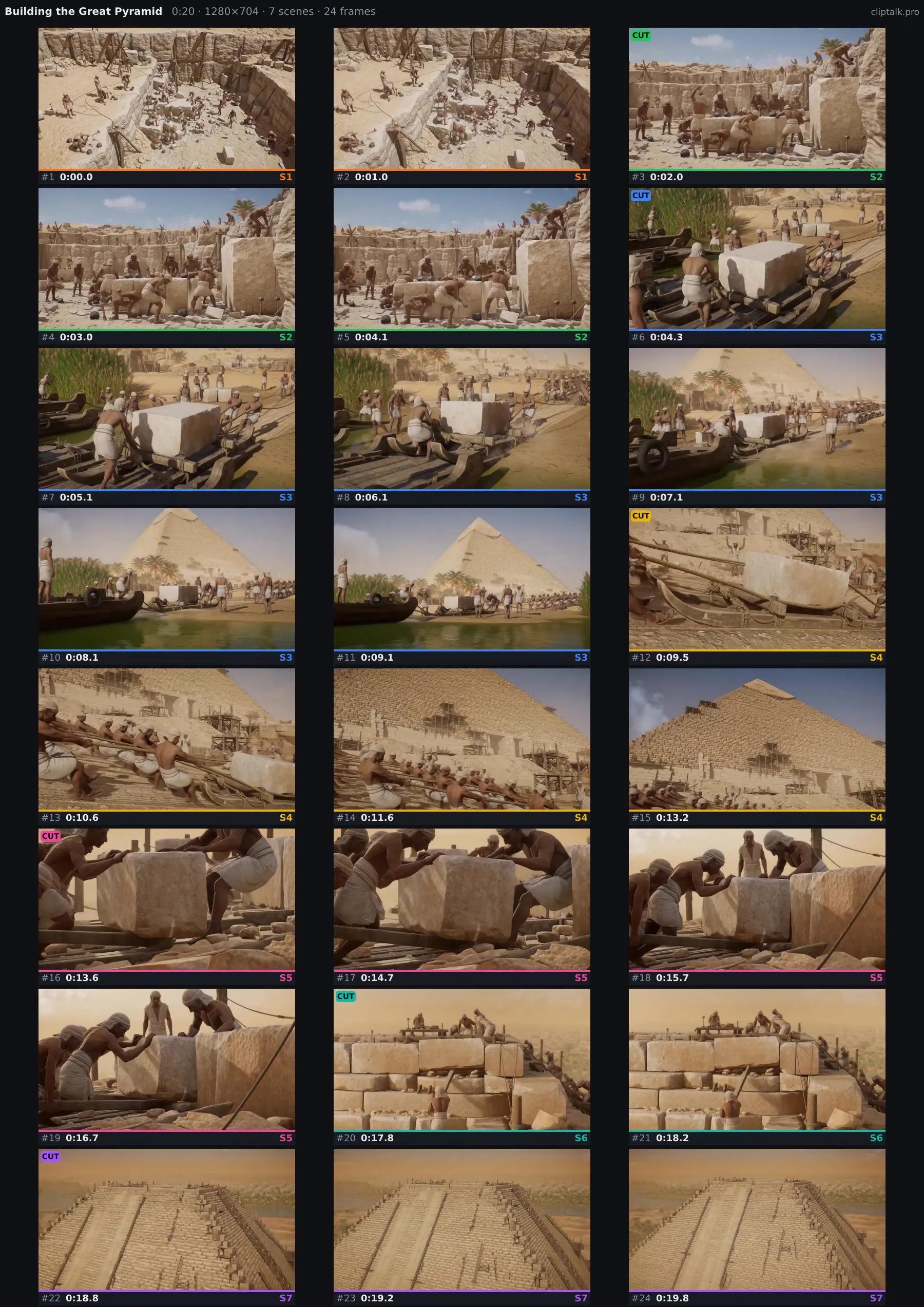
A 20-second clip with seven shots gave these 24 frames on one A4 page. Every cut is found, every scene gets at least two shots in its own colour, and the opening is shown second by second.
You get the frames as a ZIP and this overview as one image. Only need the overview? The video contact sheet generator makes just the sheet.
How to Extract Frames From a Video
1. Upload the Video
MP4, MOV, WebM, MKV or AVI up to 100 MB, straight from your phone or computer.
2. Frames Are Picked for You
Every scene change is detected. Each scene gives its first frame and at least one more, long scenes give more, and the opening gets one frame per second.
3. Download
A ZIP of full-size JPGs named by timestamp and scene, a CSV of the times, and a contact sheet of the whole video.
Faster Than Pausing and Screenshotting
A4
Readable pages
About 30 frames a page, big enough to read on-screen text.
1920px
Full-size JPGs
Frames keep your video's resolution up to 1920 px.
0
Files kept
Your video is deleted right after the frames are sent.
Videos up to 100 MB and 20 minutes work without an account (60 minutes with a free one). Frames come out as high-quality JPGs up to 1920 pixels on the long side. Your file is processed on our server and deleted as soon as the frames are sent back.
What People Extract Frames For
A handful of stills often says more than the whole clip.
Thumbnails and Posters
Find the sharpest, most expressive moment and use it as a YouTube thumbnail or cover image.
Storyboards and Shot Lists
Turn an edit back into its shots to plan a remake, a reshoot or a pitch deck.
Show a Video to ChatGPT or Claude
AI chat apps read images far better than video. Upload the frames or the sheet and ask away.
Review and Reference
Send a client the key frames of a cut, or save reference stills from footage you shot.
Frequently asked questions
From frames to a finished video
Have a script or an idea instead of footage? ClipTalk makes the whole video: visuals, voice, captions and music.
Free credits on signup · no credit card
Related Free AI Tools
All free AI tools →AI YouTube Script Generator
Turn any topic into a ready-to-record YouTube script in seconds.
YouTube Name Generator
Get unique YouTube channel name ideas for any niche — free, no signup.
YouTube Thumbnail Generator
Create click-worthy YouTube thumbnails with AI in minutes.
Video Contact Sheet Generator
One image of a whole video: frames from every scene, each labelled with its timestamp and scene number.