Free AI Storyboard Generator
Turn an idea, a script or an ad brief into a shot-by-shot storyboard: every scene with its frame, action, dialogue, shot size and length, plus the cast and locations it uses. No drawing, no signup, free.
A storyboard you can shoot from
Not a wall of prose and not a blank template. Every scene is one panel: what the camera sees, what happens, the line spoken, the shot size and how many seconds it runs. Read it top to bottom and you have your shot list.
Your cast and your locations are written once and reused everywhere, so the same face and the same room carry from the first panel to the last. Works for a 30-second ad, a music video, an explainer or a short film. A narrated factual piece can skip the storyboard and go straight to the AI documentary generator, which renders it up to 25 minutes long.
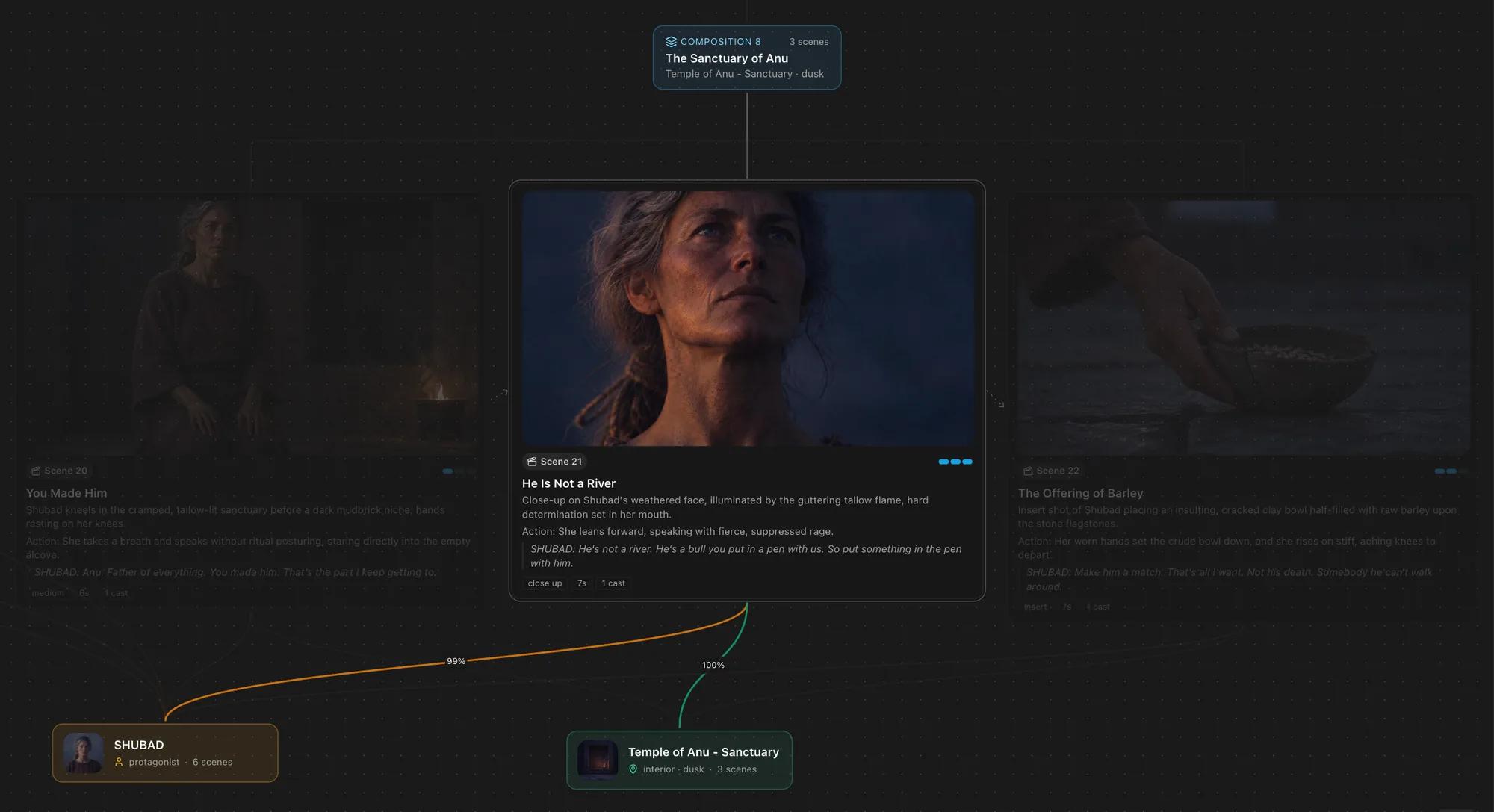
What the Storyboard Maker Gives You
Everything you would otherwise sketch by hand, written for you in minutes.
A Shot List, Not a Summary
Every scene arrives with a shot size, a length in seconds, the action and the dialogue, so you can film or animate straight from it.
No Drawing Needed
Plan a whole video without sketching a panel. Want pictures? Generate a frame for every scene on a paid plan.
Characters That Stay the Same
Describe your cast once and they look the same in every panel, which is where most AI storyboards fall apart.
Built From Your Script
Paste a finished script and each scene heading becomes a block with its own location and time of day, split into filmable shots.
Ads, Film, Animation, Social
Commercials, TikTok and YouTube scripts, explainers, music videos and short films, in vertical or widescreen.
Export or Make the Video
Download the board as JSON for your editor, or send it to ClipTalk to become a finished video with voices and music.
How to Make a Storyboard in Three Steps
1. Paste Your Idea or Script
A single line, a treatment, an ad brief or a finished screenplay. Pick the medium or leave it on Auto.
2. Get Your Scenes
The board is written in order: each scene with its frame, action, dialogue, shot size and length, plus the cast and locations.
3. Draw It or Shoot It
Generate a picture for every scene, download the board for your crew, or turn the whole thing into a finished video.
Frequently asked questions
Storyboard first, then the video
Generate your storyboard free above, then let ClipTalk render it: visuals for every scene, voices for every line, synced captions and music.
Free credits on signup · no credit card
Related Free AI Tools
All free AI tools →AI Horror Story Generator
Generate scary stories and turn them into narrated videos.
Backstory Generator
Rich character background stories for D&D, OCs, novels, and games — free, in seconds.
Bible Story Video Generator
Turn any Bible story into a finished faceless video — AI scenes, narration, captions and music. Free credits to start.
AI Drama Generator
Type the twist, get a scripted vertical short drama: consistent cast, real dialogue, every shot AI video.