11 Best AI Video Generators for YouTube Shorts, Ranked
· 11 min read
The best AI video generator for YouTube Shorts depends on what you start with. If you start from an idea, a script, or an article, Cliptalk is my pick because it turns one prompt into a fully edited vertical video with captions, B-roll, and an AI voiceover in a single pass. If you already have long videos, a clipper like Opus Clip or Minvo fits better, and if you want raw cinematic footage, Kling is the strongest generator here.
I've used all of these tools to publish Shorts for faceless channels and for brand accounts. This ranking reflects what actually reached an upload-ready file with the least rework, not what looked best in a demo.
Why the tool choice matters more on Shorts than anywhere else
Shorts reward volume and consistency. YouTube Shorts has over 2 billion monthly logged-in users and more than 70 billion daily views. More than 6.5 million creators upload at least one Short a month, and active creators publish 18 to 22 a month. Shorts also average an engagement rate around 5.91%, which is higher than TikTok and Facebook Reels.
That means the bottleneck is rarely ideas. It's how many finished, captioned, well-paced videos you can ship each week without the edit eating your schedule. A tool that saves ten minutes per Short saves you hours a month at that cadence.
How I ranked these tools
I scored each tool on five things that decide whether a Short performs:
- Hook speed. Can it put something visually strong on screen in the first two seconds, or does it open on a slow stock clip?
- Idea-to-upload time. How many steps sit between your prompt and a vertical file you'd actually publish?
- Built-in editing. Can you trim scenes, fix captions, and adjust pacing inside the tool, or do you have to export and re-edit elsewhere?
- Captions and audio. Are captions word-by-word and readable? Does the voiceover sound like a person?
- Cost at volume. Shorts need 15 to 20 uploads a month to build momentum. Expensive per-clip generation kills that.
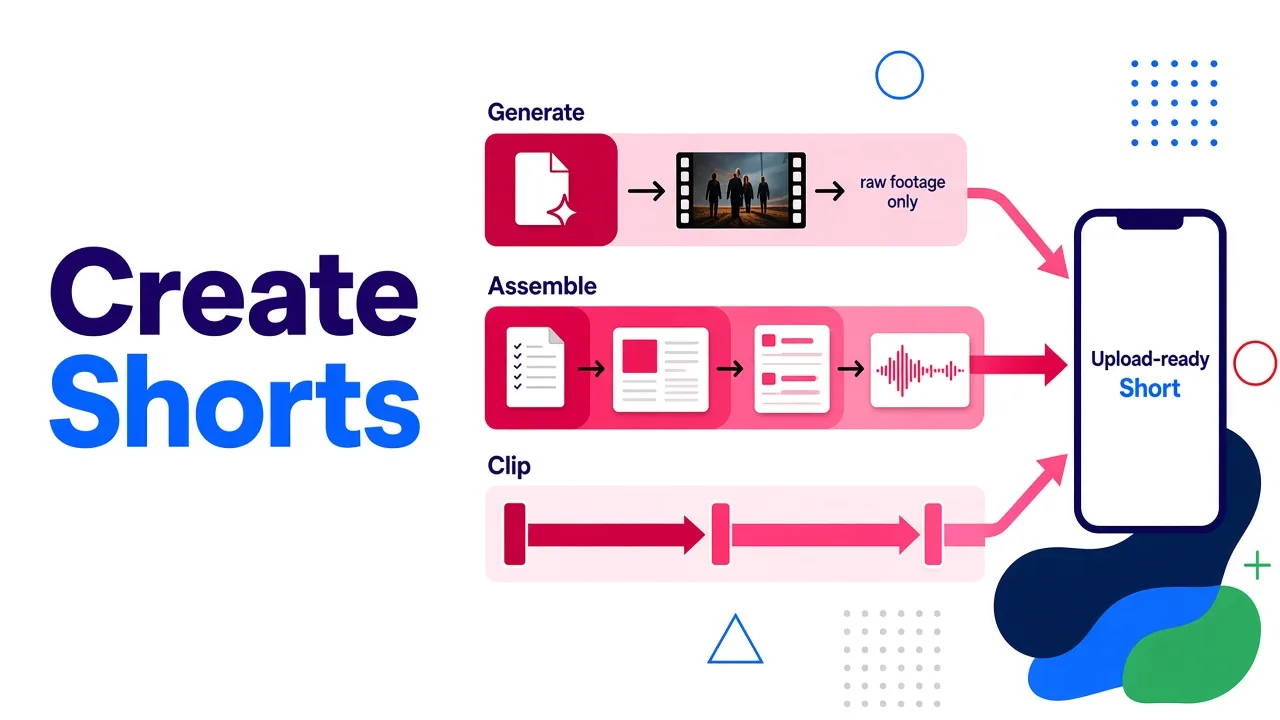
One distinction matters before you read the list. Some tools generate footage from nothing (Kling, Viggle, Pixlr's model lineup). Some assemble a finished video from your script using B-roll, voice, and captions. Others clip long videos you already own. Most Shorts channels need the assemble-and-edit step no matter which generator they use for raw visuals.
Quick comparison
| Rank | Tool | Type | Best for | Main limitation |
|---|---|---|---|---|
| 1 | Cliptalk | Script to edited video | Faceless channels, marketers, daily posting | Not a cinematic footage generator |
| 2 | Kapwing | Editor with AI text-to-video | Teams, direct publishing to YouTube | AI generation is one feature in a big editor |
| 3 | InVideo AI | Stock assembly with voiceover | Explainer-style Shorts | Stock visuals can look generic |
| 4 | Opus Clip | Long-video clipper | Podcasters, long-form YouTubers | Needs existing footage |
| 5 | Minvo | Long-video clipper | Educators and agencies repurposing | Same: no footage, no Shorts |
| 6 | Kling | Generative video model | Cinematic hooks, B-roll you can't film | Raw clips, no full Short assembly |
| 7 | Viggle | Photo-to-motion templates | Trend and meme Shorts | Narrow format |
| 8 | Loova | Multi-model platform | Testing several AI models in one place | Overlaps with dedicated tools |
| 9 | Pixlr | Text/image-to-video front end | Free experimentation with Veo, Kling, Seedance | Clips only, light editing |
| 10 | YouTube's built-in AI | In-app generation | Quick green screen backgrounds | Limited regions and control |
| 11 | Wideo | Script to business video | Training and corporate content | Not built for Shorts pacing |
The 11 best AI video generators for YouTube Shorts
1. Cliptalk: best overall for script-to-Short production
This is the tool I open first when a Short starts as words. You give it a prompt, a script, or a full article, and it returns an edited vertical video: captions timed to the voice, B-roll matched to each line, and an AI voiceover. Nothing else on this list gets from a blank page to a publishable Short in fewer steps.
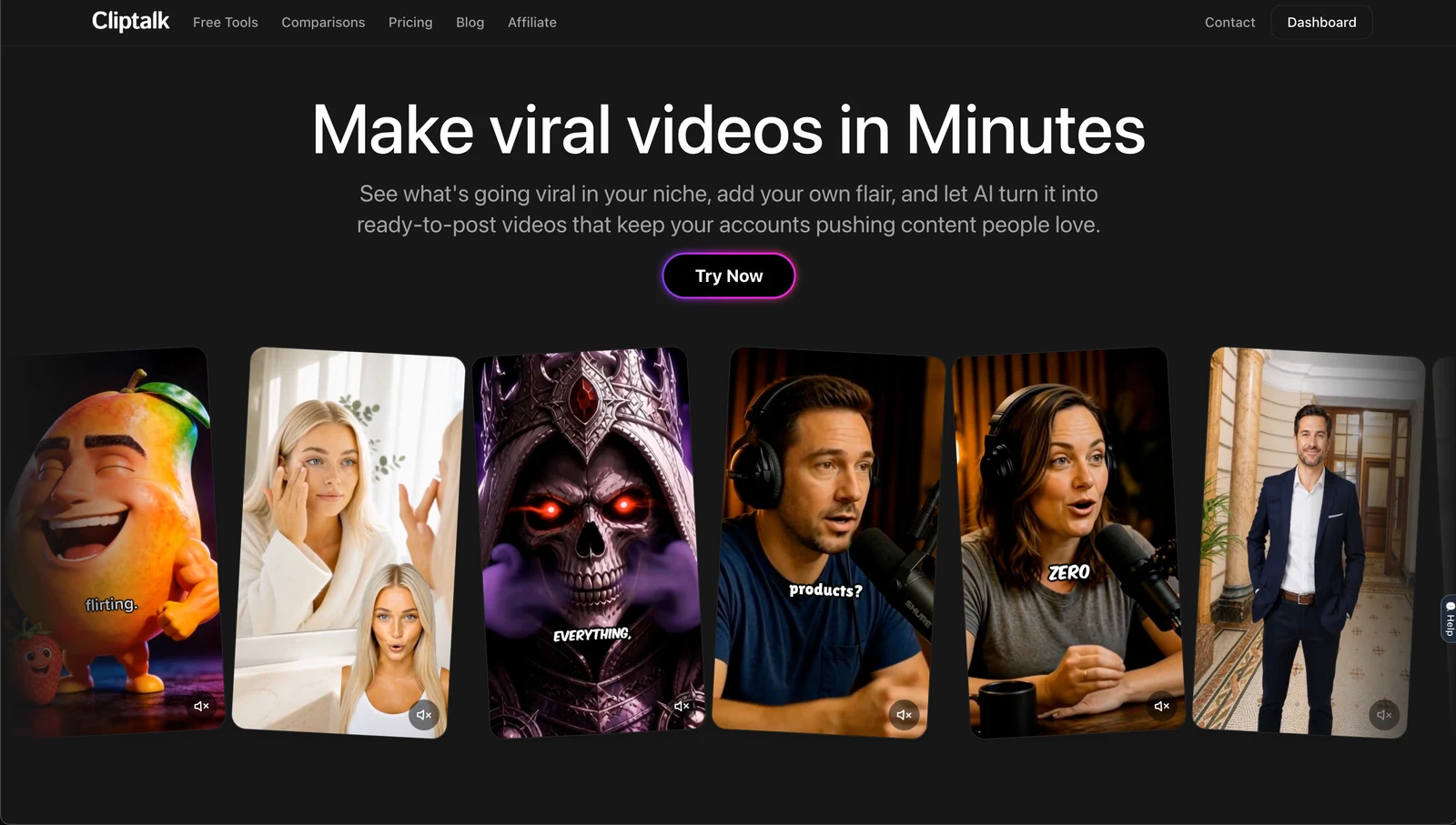
For faceless channels, two features matter most. Voice cloning keeps the same narrator across every upload, which builds recognition faster than rotating stock voices. AI characters give you a recurring on-screen presenter without filming anyone. When a scene misses, I fix it in the built-in editor instead of exporting to another app.
If the script is the slow part, the free YouTube script generator writes the full spoken script word for word, from hook to CTA, with no signup. You can then render that script straight into a video.
Pros
- Prompt, script, or article in; edited vertical Short out
- Captions, B-roll, voiceover, and voice cloning in one workflow
- AI characters for a consistent face on faceless channels
- Editor included, so fixes don't require a second tool
Cons
- It assembles and edits. It doesn't generate cinematic footage from scratch the way Kling does
- B-roll matching is good but not psychic, so review each scene. I explain how text-to-video tools pick visuals and how to write lines that match better
- Not a clipper for hour-long podcasts
Best for: Faceless channel operators, marketers, and anyone publishing several Shorts a week from written ideas.
2. Kapwing: best for teams that want an editor first
Kapwing is a full online video editor with AI layered in. You can type a prompt and get a Short with stock footage, voiceover, and subtitles. You can also turn long YouTube videos into Shorts, add word-by-word captions, and publish directly to your YouTube account. For direct posting, Kapwing notes the video must be vertical and under 3 minutes.
Pros
- Strong manual editor alongside the AI features
- Shared workspace with real-time comments for teams
- Direct publishing to YouTube
Cons
- AI text-to-video is one feature among many, so the generated first draft often needs more hands-on editing
- The interface has more to learn if you just want a finished Short
Best for: Content teams with an editor on staff who want AI to speed up work they already do by hand.
3. InVideo AI: best for stock-footage explainers
InVideo AI builds videos by assembling stock media around a voiceover. For list videos, quick explainers, and "5 facts about" formats, that approach works and the output is clean.
Pros
- Fast way to get a narrated explainer
- Large stock library behind it
Cons
- Stock visuals can feel generic, and viewers swipe on generic hooks
- Less suited to recurring characters or a consistent narrator voice
Best for: Educational and explainer Shorts where clarity matters more than a distinctive look.
4. Opus Clip: best for repurposing long videos
Opus Clip doesn't generate footage. It finds the strongest moments in videos you already have and cuts them into vertical clips. If you run a podcast or a long-form channel, this is the fastest way to feed Shorts from your back catalog.
Pros
- Turns one long video into many Shorts
- Uses real footage, which keeps your face and voice on screen
Cons
- Useless without existing long-form content
- Clip selection needs a human check. The "best moment" by audio energy isn't always the best story
Best for: Podcasters, streamers, and long-form YouTubers.
5. Minvo: best clipper for educators and agencies
Minvo sits in the same category as Opus Clip. It detects engaging moments using signals like speech, sound spikes, and scene changes, then adds captions and formats clips for Shorts, Reels, and TikTok.
Pros
- Automated clip detection built around engagement signals
- Captions and multi-platform formatting included
Cons
- Like every clipper, it needs source footage
- Overlaps heavily with Opus Clip, so most people only need one
Best for: Educators and agencies cutting webinars, lectures, and client videos into Shorts.
6. Kling: best for cinematic AI footage
Kling is a true generative model. It supports text-to-video, image-to-video, start and end frames that define where a scene begins and ends, reference-based generation, and audio-visual generation that can include dialogue. For a jaw-dropping first two seconds, it's the best generator here.
Pros
- High-quality generated motion for hooks and impossible shots
- Start and end frames give you real control over a scene
- Can generate dialogue and sound with visuals
Cons
- It produces clips, not finished Shorts. You still need captions, voiceover, and pacing
- Temporal consistency remains a challenge for any model. Faces, hands, text, and logos can drift between frames, so review everything
Best for: Creators who want original visuals. In my workflow, I generate a hook clip in Kling, then build the rest of the Short around it.
7. Viggle: best for trend and meme Shorts
Viggle animates a single photo with full-body motion using its JST-1 model. You pick from 10,000+ vertical templates (dances, sports highlights, movie scenes, memes), upload an image, and download a Short in under a minute. Signed-in users get up to 5 free videos a day. Its mic feature also lets your character deliver a typed or recorded script.
Pros
- Very fast way to ride a trend before it peaks
- Full-body animation instead of a slideshow
- Usable free tier
Cons
- Narrow format. Great for trends, thin for storytelling or education
- Template-driven content is easy for others to copy
Best for: Entertainment and meme channels that live on trends.
8. Loova: best for testing multiple AI models in one place
Loova bundles video generation, image generation, editing tools, and several trending models, including Seedance 2.0, under one account. A March 2026 promotion offered a month of unlimited Seedance 2.0 video creation, so check current terms before you count on it.
Pros
- Several models without separate subscriptions
- Generation and editing in one place
Cons
- A generalist platform. Specialists beat it at their own jobs
- Model access and promotions change, so plan around the base offer
Best for: Creators who want to compare models before committing to one.
9. Pixlr: best free playground for generative models
Pixlr's video generator runs text-to-video and image-to-video on top of Google Veo, Kling, and Seedance, with HD export and no watermarks. It's a low-commitment way to see what each model does with your prompt.
Pros
- Access to several major models through one simple interface
- HD exports without watermarks
Cons
- Outputs clips, not edited Shorts with captions and voice
- Light on editing control
Best for: Testing prompts and generating one-off visuals on a budget.
10. YouTube's built-in AI tools: best for quick backgrounds
The YouTube app can generate images and short videos from a text prompt and drop them in as a green screen background or a standalone clip. Shorts made with these tools are automatically labeled as AI-generated, so you don't need a separate disclosure step.
Pros
- Free and already inside the app you upload from
- Automatic AI disclosure
Cons
- Availability depends on region and device language (English). The green screen feature isn't available in the European Economic Area
- Prompts on sensitive topics or photorealistic identifiable people get blocked
- Very little control compared with dedicated tools
Best for: Creators who film themselves and want a quick generated backdrop.
11. Wideo: best for corporate and training video
Wideo turns scripts into videos using language processing to break text into scenes, then adds text-to-speech narration. It's built mainly for marketing, HR, and training.
Pros
- Simple script-to-video flow for business use
- Good fit for internal and training content
Cons
- Pacing and style lean corporate, not Shorts-native
- Fewer creator-focused features like voice cloning or trend formats
Best for: Businesses producing training or internal videos that occasionally post to Shorts.
How to get better Shorts out of any of these tools
These habits improved my results more than switching tools ever did.
Write the hook before anything else. The first two seconds decide the swipe. Write three hook lines, read them aloud, and keep the one that creates a question. AI tools amplify a good script and expose a weak one.
Give each scene one job. Generative models handle short, focused actions far better than crowded ones. One subject, one action, one setting per shot. With script-to-video tools, keep each sentence about one concrete thing so the B-roll matches.
Pair a generator with an assembler. The strongest workflow I've found is to generate a standout hook clip in Kling or Pixlr, then build the full Short (voice, captions, B-roll, pacing) in an editing tool. You get striking visuals without hand-editing every Short.
Lock your narrator voice. A consistent voice across uploads builds recognition on faceless channels. Pick one voice, or clone your own, and stop rotating.
Review like a producer. YouTube's own guidance says creators are responsible for AI content and should review it before publishing. Check on-screen text, logos, hands, and any factual claim. Generated video is still bad at small text and product details.
Budget for volume, not a single masterpiece. At 15 to 20 Shorts a month, cost per finished video matters more than headline quality. Compare plans with that number in mind, not the cost of one clip.
Which one should you pick?
Match the tool to your starting material:
- You start with an idea, script, or article: Cliptalk. It's the shortest path from words to an edited, captioned, voiced Short, and voice cloning plus AI characters solve the faceless-channel problem. Check the pricing plans against how many Shorts you plan to post each month.
- You have long videos: Opus Clip or Minvo.
- You want original, cinematic visuals: Kling, or Pixlr for cheaper experimentation.
- You ride trends and memes: Viggle.
- You're a team with an editor: Kapwing.
Most serious Shorts channels end up running two tools: one that creates raw visuals or finds clips, and one that turns everything into a finished, captioned video. Pick the finisher first. That's where your weekly hours actually go.
Tags: youtube shorts, ai video generator, faceless channels, short-form video, video editing tools