6 Voice Cloning Software Tools That Need Only 30 Seconds
· 10 min read
Several voice cloning software tools work from a sample of about 30 seconds or less. ElevenLabs Instant Voice Cloning starts from as little as a 10-second recording. HeyGen and Fliki both build an instant clone from a 30-second sample. VoiceMate treats 30 seconds as its floor, and Musely asks for 10 to 30 seconds. If you publish short-form video, my pick is Cliptalk: the cloned voice goes straight into a fully edited video with captions, B-roll, and AI characters, so you don't have to export audio and rebuild the edit in a second app.
I've run my own voice through all of these. Below is what each one asks for, what you get back, and how to record a sample that holds up.
What "30 seconds" actually means in voice cloning
Almost every tool on this list offers two kinds of cloning, and the 30-second promise only covers the first.
Instant cloning takes a short sample and produces a usable voice in moments. ElevenLabs is open about how this works. An Instant Voice Clone does not train a custom model on your voice. It draws on what the model already learned in training and makes an educated guess about how you sound. That works well for most voices. It struggles with very distinctive voices or accents the model rarely heard during training.
Professional cloning trains a dedicated model on a larger set of recordings. On ElevenLabs it requires the Creator plan or above, and fine-tuning usually takes 3 to 6 hours, sometimes longer when the queue is busy. HeyGen's pro tier likewise asks for a few minutes of audio rather than 30 seconds.
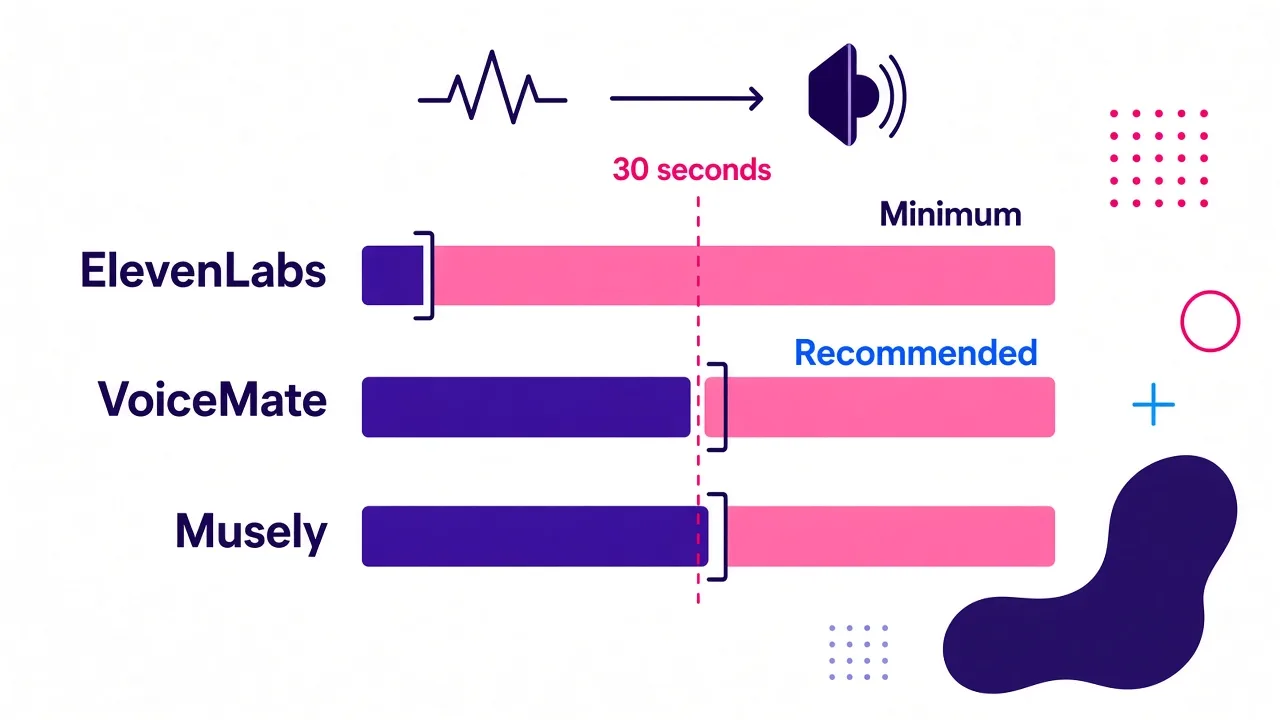
There's a second catch. The minimum and the recommended length are often different numbers:
- ElevenLabs advertises a 10-second clone, but its documentation recommends 1 to 2 minutes of clean audio. It also warns that going past 3 minutes gives little improvement and can make the clone worse.
- VoiceMate calls 30 seconds "the floor, not the target." It says most people are happy with about 90 seconds of ordinary reading.
- Musely is the exception. Its model is tuned for short samples, and it recommends 10 to 30 seconds.
So 30 seconds will get you a working clone. Recording quality decides whether it sounds like you.
Quick comparison of the 6 tools
| Tool | Sample it asks for | What you get back | Best for |
|---|---|---|---|
| Cliptalk | A short, clean sample | Edited vertical video with your cloned voiceover, captions, B-roll | TikTok, Shorts, and Reels creators |
| ElevenLabs | 10 seconds minimum, 1 to 2 minutes recommended | Audio, with emotion and pacing controls | Maximum voice fidelity and control |
| HeyGen | 30 seconds for instant, a few minutes for pro | Talking avatar video with lip sync | Presenter-style videos, 175+ languages |
| Fliki | 30 seconds | MP3 or WAV, optional AI avatar | Cross-language narration in 30+ languages |
| VoiceMate | 30-second floor, about 90 seconds ideal | MP3, WAV, or FLAC | A private clone next to a large voice catalog |
| Musely | 10 to 30 seconds, audio or video file | Reusable voice in 35+ languages | Cloning from an existing video clip |
The ranking reflects one goal: getting a cloned voice into published short-form content with the least friction. If your goal is pure audio fidelity, move ElevenLabs to the top.
1. Cliptalk: best when the voice has to end up in a finished short
This is the tool I use every week, and the reason is simple. Every other tool here hands me an audio file, and an audio file is not a video. For faceless channels and daily Reels, the work comes after the voiceover: cutting to the beat of the narration, timing captions, finding B-roll that matches each line.
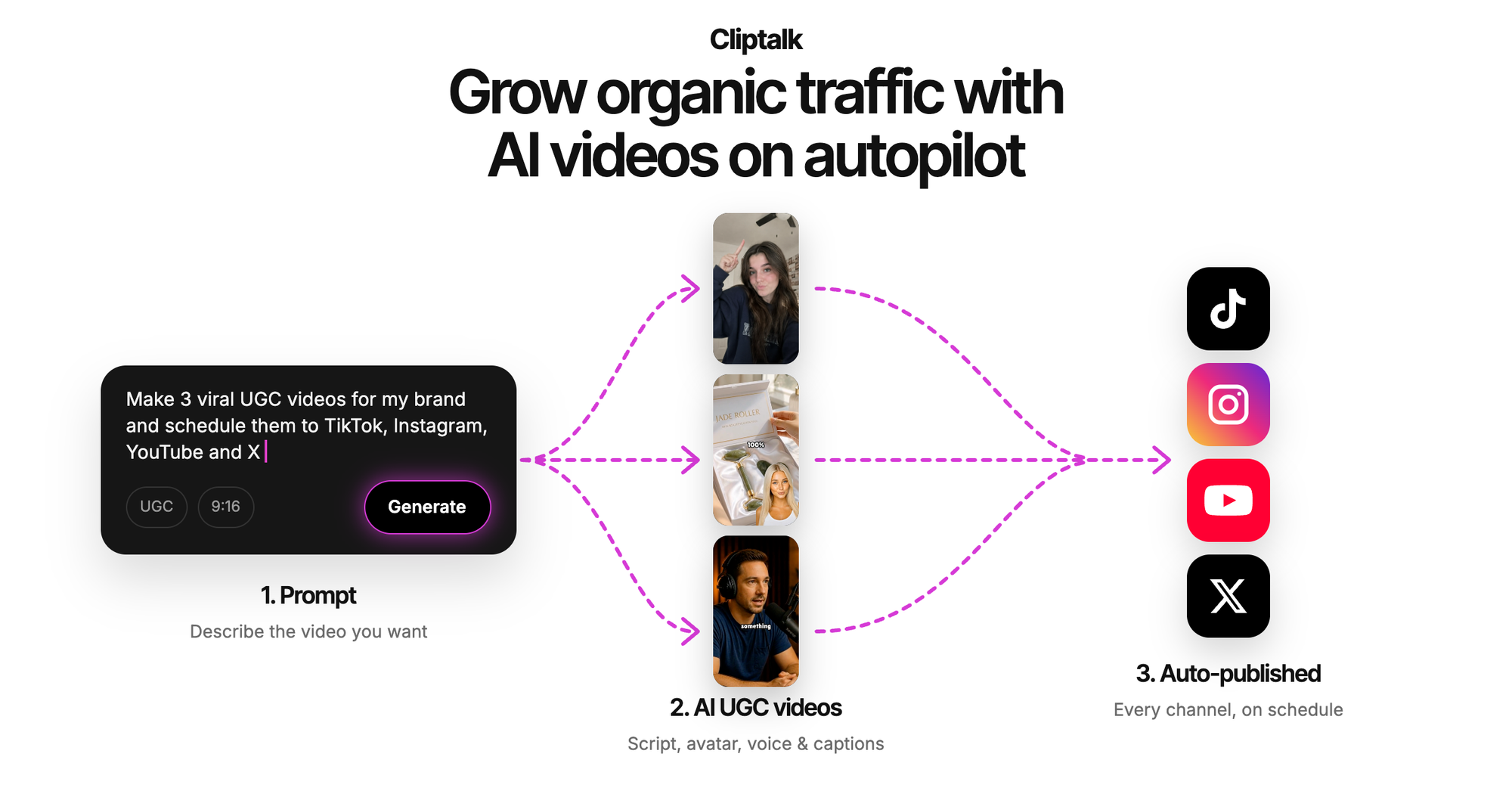
Here, voice cloning sits inside the same workflow as the script. I paste a prompt, a script, or an article, pick my cloned voice, and get back a fully edited vertical video with auto-captions, AI B-roll, and optional AI characters. If you want to know how the visuals get matched to your lines, I broke that down in how an AI video generator from text picks visuals. Changing a line means editing text and regenerating, not re-recording.
Where it falls short: it isn't a standalone audio lab. If all you need is an MP3 for a podcast or audiobook, the dedicated tools below give you more knobs for pitch, emotion, and file format.
Use it if: you publish to TikTok, YouTube Shorts, or Instagram Reels and want script-to-post in one place. You can start on the AI video creation tool homepage.
2. ElevenLabs: the most control over the clone itself
ElevenLabs is the benchmark the rest get compared to, and for good reason. Instant Voice Cloning works from a 10-second recording. Clones can speak 32+ languages, and you can adjust pacing, energy, clarity, and emotion. When I want a clone to carry a specific delivery, this is where I get closest.
The process is four steps: open Voices, click the plus icon, choose Instant Voice Clone, then upload or record your audio. You name the voice and confirm you have the right to clone it. After that it appears under My Voices.
What I learned the hard way: ElevenLabs mimics everything in the sample. That includes your speed, breathing, mouth clicks, and room noise. A 10-second phone clip technically works. A clean 60-to-90-second recording sounds noticeably more like you.
Use it if: fidelity matters more than workflow. You'll still need to edit the video somewhere else.
3. HeyGen: clone plus a talking avatar
HeyGen offers both tiers: a 30-second recording for an instant clone, or a few minutes of audio for a professional clone. Its strength is what happens next. You paste a script and HeyGen turns your cloned voice into a talking video with lip sync, paired with an avatar, captions, and visuals.
Two specifics stood out to me. It supports 175+ languages through its dubbing pairing (other pages on its site say 177+). Its Avatar V model can build a digital twin from a 15-second clip, so the face and the voice both come from short inputs. On security, HeyGen verifies voice ownership before training and cites SOC 2 Type II and GDPR controls. It also says your voice data is never used to train shared voices.
Use it if: your content needs an on-screen presenter, like courses, spokesperson ads, or multilingual explainers. If you run a faceless channel, an avatar is often more than you need.
4. Fliki: 30 seconds to a voice that speaks 30+ languages
Fliki's whole pitch is the 30-second sample. You record or upload, verify your identity, generate audio, then download it or pair it with a video. The clone works across 30+ languages. You get emotion control, adjustable pace and pitch, custom pauses, and one-click MP3 or WAV export. Fliki also states that output is royalty-free for commercial use.
I found the identity verification step reassuring rather than annoying. It's one more barrier against someone cloning a voice that isn't theirs. The pause and pitch controls also help when a cloned line comes out rushed.
Use it if: you narrate audiobooks, podcasts, or YouTube content in more than one language and want a downloadable file with commercial rights spelled out.
5. VoiceMate: a private clone in a 440-voice picker
VoiceMate is the most candid about sample length. Its guidance is to read anything at a natural pace in a quiet room. Thirty seconds is the minimum, and one to two minutes gives a noticeably better result. Once processed, your clone sits in the same picker as its 440+ catalog voices, with the same speed, pitch, and emotion controls.
Practical details:
- Paid plan required. Cloning isn't on the free tier.
- Clone slots: three on Starter, ten on Creator, thirty on Pro.
- Exports: MP3, WAV, or FLAC, depending on the model.
- Accent: the clone keeps your natural accent rather than flattening it.
- Deletion: removing a clone frees the slot. VoiceMate notes, though, that it can't currently guarantee deletion of the voice model on its provider's side.
That last point is rare honesty, and worth weighing if privacy is a priority.
Use it if: you want a personal voice, a brand voice, and a few experiments side by side with stock voices.
6. Musely: built for short samples and video uploads
Musely's model is tuned specifically for short-sample fidelity. It recommends 10 to 30 seconds of clean audio, and the average clone time is about 30 seconds from upload to first line. It supports 35+ languages, including Mandarin and Cantonese.
The feature I used most: it accepts video files (MP4, MOV, WebM) and extracts the audio track automatically. If you already have a talking-head clip, you don't need to record anything new. Audio uploads take MP3, WAV, M4A, and FLAC. Its spec sheet lists 25 MB per sample, while the upload box says 20 MB, so stay under 20 MB to be safe. Musely also runs a consent gate on every upload and blocks known public-figure voices with a deny-list.
Use it if: you have existing video of yourself and want a clone without a recording session.
Going below 30 seconds, or fully offline
A few tools push the minimum lower, or keep everything on your machine:
- AnyVoice claims cloning from 3 seconds of audio. It supports English, Mandarin, Japanese, and Korean. The free tier allows 120 characters per generation, 900 seconds of audio a month, and 5 clones, for personal use only. Commercial use starts with Pro at $14.99/month.
- SoundTools runs the open-source F5-TTS model in your browser from 5 to 15 seconds of reference audio, and your voice never leaves the device. The trade-off is speed. The models download once (roughly 750 to 840 MB), then each sentence takes about 1 to 2 minutes with a modern GPU and 5 to 10 minutes without one.
- Voicebox is a free, open-source desktop app for macOS, Windows, and Linux. It runs seven TTS engines locally. It suits tinkerers more than daily publishers.
In my experience, the 3-second and 5-second clones capture timbre but miss your rhythm and phrasing. They're fine for testing an idea. I wouldn't publish them under my own name.
How to record a 30-second sample that clones well
The sample matters more than the software. Most of these tips come from ElevenLabs' recording guidance, and they held up with every tool I tested.
- Kill the reverb before anything else. The clone copies room echo as if it were part of your voice. Record in a closet, or build a "blanket fort" around the mic. Soft surfaces beat expensive gear.
- Stay consistent. Keep one tone, one energy level, and one mic distance for the whole sample. If half is excited and half is flat, the clone ends up somewhere awkward in between.
- Perform the way you'll publish. If your Shorts are punchy and fast, read the sample punchy and fast. The clone reproduces the delivery you give it.
- Balance the volume. Avoid clipping when you get loud and avoid whispering. Aim for a steady, moderate level.
- Use a pop filter. Plosives on "p" and "b" become artifacts the model learns.
- Don't worry about the codec. ElevenLabs says how the audio was captured matters far more than the format. MP3 at 128 kbps or above is enough, and higher bitrates don't make a significant difference.
- Gear, if you want it: a $150 to $300 XLR mic covers most voiceover work. A Focusrite interface with an Audio-Technica AT2020 or Rode NT1, around $300 to $500 total, is a professional-grade setup. I'd fix the room first, then buy gear.
- Record longer than the minimum when you can. Thirty seconds gets you in the door. Sixty to ninety seconds is where most tools sound like you.
For a walkthrough of the whole cloning flow, from upload to generated voiceover, this one is useful:
Consent and privacy: check these before uploading
Every reputable tool here makes you confirm you own the voice or have permission to clone it. Treat that as a legal line, not a checkbox. Before uploading, look for:
- A consent or verification step. Fliki verifies identity. Musely blocks public figures. HeyGen verifies ownership.
- Private-by-default clones. VoiceMate and HeyGen both say your clone isn't shared with other users or used to train shared voices.
- Clear deletion terms. Know what's removed when you delete, and what may linger with the provider.
- Commercial rights. Free tiers like AnyVoice's restrict commercial use. If you monetize, confirm the plan covers it.
Which one should you pick?
Match the tool to where the voice is going:
- Finished short-form videos for TikTok, Shorts, or Reels: Cliptalk, because the clone, captions, B-roll, and edit happen in one pass. If you're weighing it against a manual editor, my AI video editor vs CapCut comparison covers the time difference.
- The most faithful clone with fine control: ElevenLabs.
- An on-screen presenter in dozens of languages: HeyGen.
- Downloadable multilingual narration with commercial rights: Fliki.
- A private clone next to hundreds of stock voices: VoiceMate.
- Cloning from a video you already have: Musely.
Whichever you choose, the rule is the same: thirty seconds is enough to start, but a clean, consistent recording is what makes the result sound like you.
Tags: voice cloning, ai voiceover, short-form video, text to speech, content creation