How AI Video Generation Works, Explained Simply
· 7 min read
Ask ten people how AI video generation works and you will get ten answers, mostly because the phrase covers at least three different technologies. The short answer: an AI video generator converts your input (text, an image, or a script) into numbers a model can reason about, then either runs a diffusion process that turns random noise into a sequence of coherent frames, or assembles a video by chaining a language model for the script, a text-to-speech engine for the voice, and a rendering layer for the edit. Most short-form tools use the second approach with generative pieces bolted in, which is how Cliptalk turns a prompt or an article into a finished vertical video in one pass: the script, voiceover, captions, B-roll, and cuts are all produced in the same pipeline, so nothing has to be stitched together by hand afterward.
That is the compressed version. Below is what is actually happening under the hood, and why it explains almost every quirk you will notice when you start generating videos yourself.
Diffusion: the idea the whole field rests on
Picture an image. Now spatter random pixels across it. Do that again. And again. After enough rounds you are left with static, the kind an old TV showed when the signal died.
A diffusion model is a neural network trained to run that process backwards. During training it sees millions of images at every stage of decay and learns how each new splash of noise changed them, which teaches it how to undo the damage. So when you ask it for a picture, it starts from pure static and cleans it up step by step until something resembling its training data emerges.
The catch is that you do not want any image, you want yours. So the diffusion model is paired with a second model, typically a language model trained to match text to visuals, which grades every cleanup step and nudges the output toward your prompt. Those pairings come from enormous datasets of text-and-image or text-and-video scraped from the web, billions of them, which also means the output is a distillation of what the internet looks like, complete with its biases and blind spots.
Video is the same trick with one extra demand. Instead of denoising a single image, the model has to denoise a whole sequence of consecutive frames and keep them consistent with each other. That is called temporal consistency, and it is the hardest part of the job. A single frame can look flawless while the motion between frames falls apart.
Why the current generation is called "latent diffusion transformers"
Denoising full-resolution frames one pixel at a time would be absurdly expensive. So modern systems work in a compressed space, a "latent" representation that strips out detail the model does not need in order to get the structure and motion right, then decodes back up to real pixels at the end. The transformer part handles the sequence, learning how frames relate across time rather than treating each one in isolation.
The research history is short. CogVideo, with 9.4 billion parameters, is generally credited as the earliest text-to-video model, with demo code posted publicly in 2022. The same year Meta showed Make-A-Video and Google introduced Imagen Video, which used a 3D U-Net. Runway shipped Gen-1 as a video-to-video model in February 2023, and Gen-2 added text-to-video to the public web in June 2023. A 2023 paper on VideoFusion split the diffusion process into base noise shared across frames plus per-frame residual noise, specifically to keep clips coherent over time. Today's frontier models, Sora, Veo, Runway's Gen-3 and friends, are refinements of that same lineage.
The three things people mean by "AI video"
Lumping a cinematic Sora clip together with an avatar reading a compliance script hides more than it explains. In practice there are three families, and picking the wrong one is the most common mistake I see:
- Generative text-to-video or image-to-video. Pure diffusion output. Image-to-video conditions on your still instead of a text description, which is why the subject stays recognizable while only the motion is invented. Best for shots that do not exist and cannot be filmed.
- Avatar and presenter video. A script goes in, a synthetic human reads it on camera. Tools like Synthesia, HeyGen, and D-ID live here. Best for training, onboarding, and explainers where a talking head is the point.
- Assembly pipelines for short-form. A language model writes or structures the script, a voice engine narrates it, and an editor layer selects visuals, times captions, and cuts to the beat. This is where Cliptalk sits, alongside the script-to-video features in the big web editors, and it is the family that actually matches how TikTok, Reels, and Shorts content gets made.
Most published short-form video is category three with a little of category one sprinkled in, because fully generated footage is still measured in seconds while a Reel needs a coherent thirty to sixty.
What happens when you press generate in a short-form tool
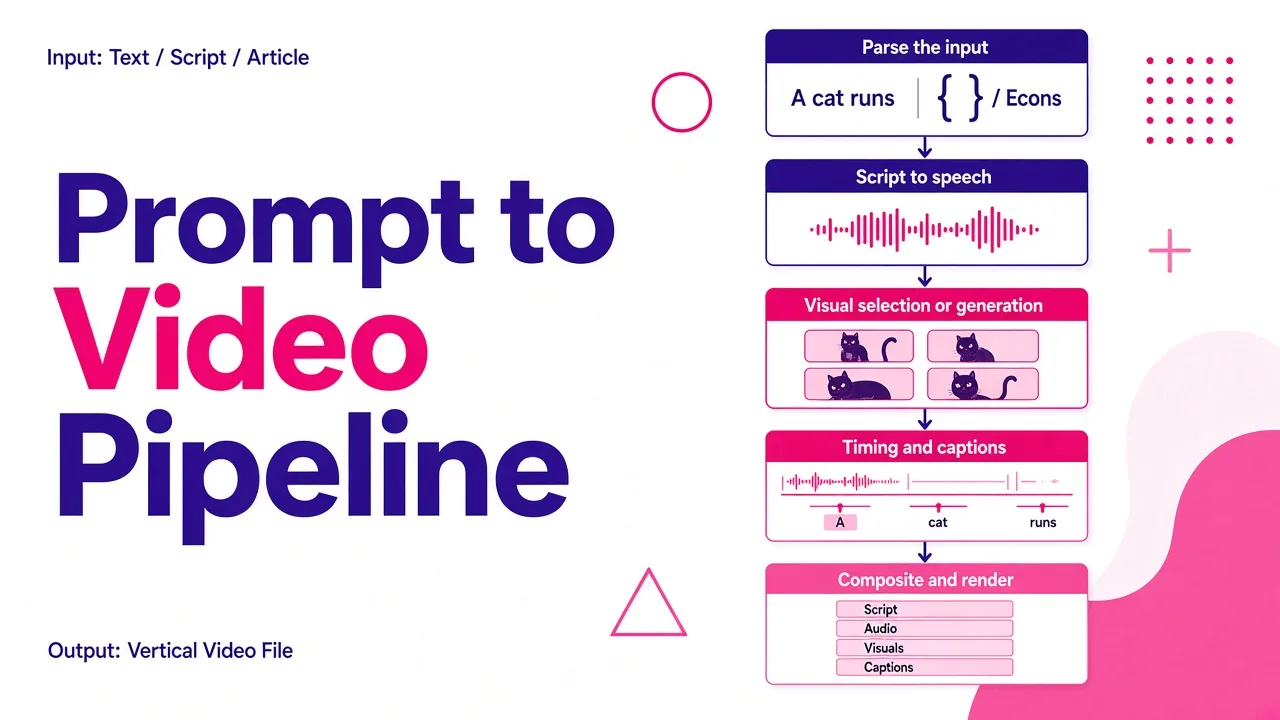
Here is the sequence, in order, for a prompt-to-video workflow:
- Parse the input. Your prompt, script, or pasted article gets read for topic, tone, and structure. A language model turns a loose idea into a scene-by-scene spoken script with a hook at the front and a call to action at the end.
- Script to speech. A voice engine renders the narration. This is also where voice cloning fits, a short sample becomes a reusable narrator so every video in a channel sounds like the same person.
- Visual selection or generation. Each scene gets matched to footage, either from stock libraries or generated as AI B-roll, and characters or avatars are rendered if the format calls for them.
- Timing and captions. Transcription aligns words to the audio timeline, so captions land on the syllable rather than the sentence. Cuts get timed to the narration, and often to the music beat.
- Composite and render. Everything is layered, cropped to 9:16, and encoded to a file.
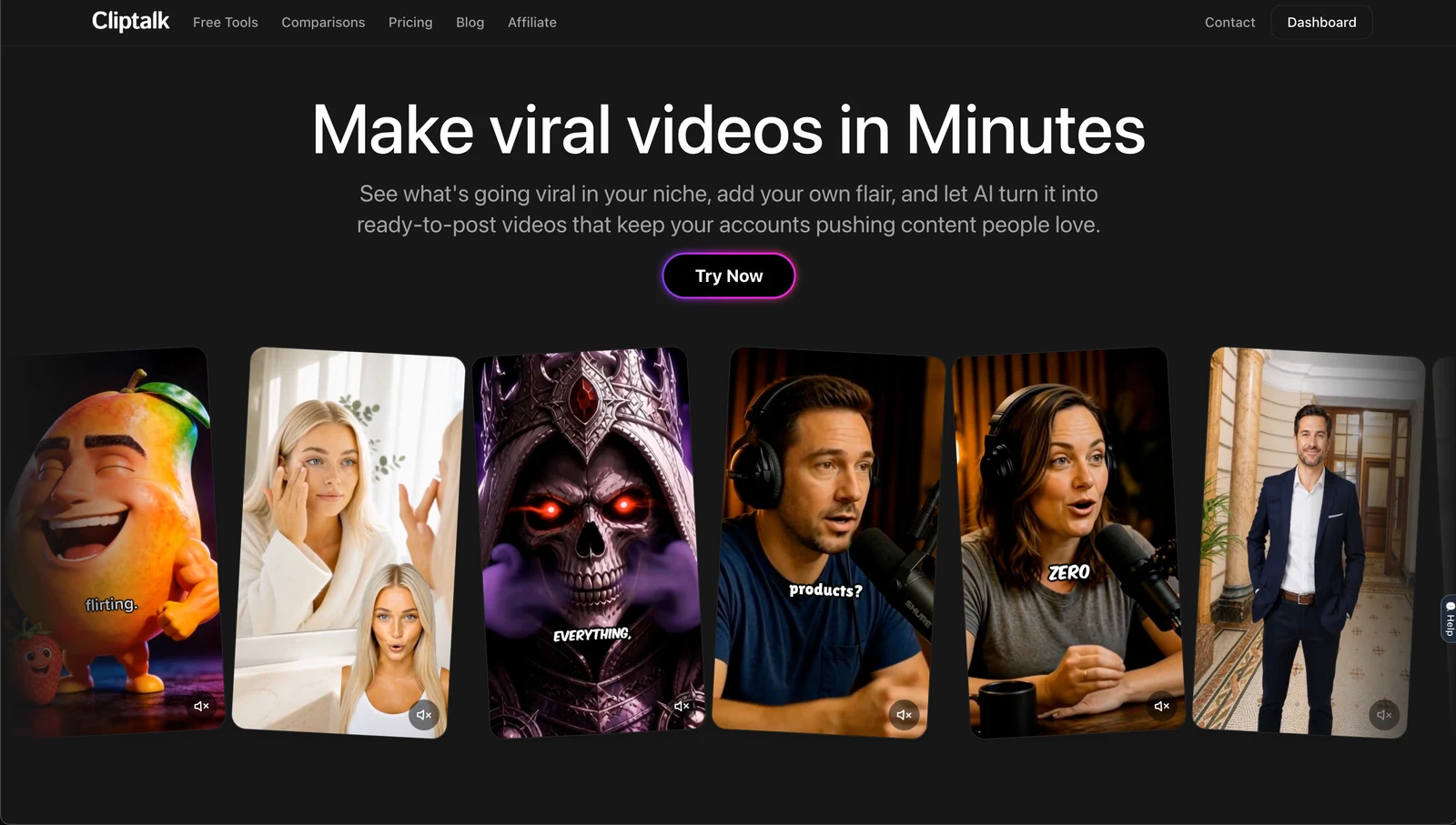
The reason this pipeline matters more than raw model quality for most creators is step one. If the script is weak, no amount of diffusion polish saves the video. I usually draft and re-roll the script first, which is why a standalone script generator is worth using before you spend a single render credit, then push the version I like through to render.
Why output is hit or miss
Understanding the mechanics explains the failure modes, and there are five worth knowing:
- Clip length. Generative footage is still produced in bursts measured in seconds. Long single shots are the binding constraint, not resolution.
- Physics. Busy scenes break first. Hands, crowds, liquids, and collisions are where learned patterns stop approximating reality.
- Run-to-run variability. The same prompt gives different results because generation starts from random noise. Expect to re-roll several times before you get what you pictured.
- Temporal drift. Subjects can morph mid-clip. Consistency improved substantially between 2024 and 2026, enough that a real person's face became usable as a subject, but it is not solved.
- Compute. Denoising sequences of frames is energy-hungry, which is why credits exist and why some flows that once took minutes per second of output now run closer to real time only on heavily optimized paths.
None of this is a reason to avoid the technology. It is a reason to review every output before publishing, which every honest guide on the subject says, including Adobe's.
Is it actually worth it?
The market numbers suggest the answer is settled. Fortune Business Insights projects the AI video generator market at $847 million in 2026, growing at roughly 18.8% a year, and Grand View Research puts the broader AI video market on a path to $42.29 billion by 2033.
The individual cases are more convincing than the forecasts. One security team at Paramount was burning ten hours a month repeating the same new-hire walkthrough live. Switching to AI-generated versions returned about 120 hours a year to real work. That is the shape of the win: repeatable content, produced once, maintained cheaply.
For short-form creators the equivalent math is per-video. Filming, editing, captioning, and exporting one Reel manually runs one to three hours, which is why most people posting daily quit within weeks. Collapsing that to minutes is the whole argument.
The practical takeaway
Treat AI video generation as two separate skills. The first is prompt and script craft, which determines whether the video is worth watching. The second is knowing which family of tool fits the job, generative for impossible shots, avatars for presenters, assembly pipelines for volume. If you are publishing short-form on a schedule, start with the pipeline tools, keep a human eye on the final cut, and only reach for pure generative footage when nothing in a stock library will do. You can test most of this for free before committing, including Cliptalk's free generators, which is the cheapest way to learn where the seams are.
Tags: ai video generation, video creation tools, diffusion models, short-form video, content creation, ai voiceovers