12 Best Free AI Video Generators Online, Hands-On Tested
· 10 min read

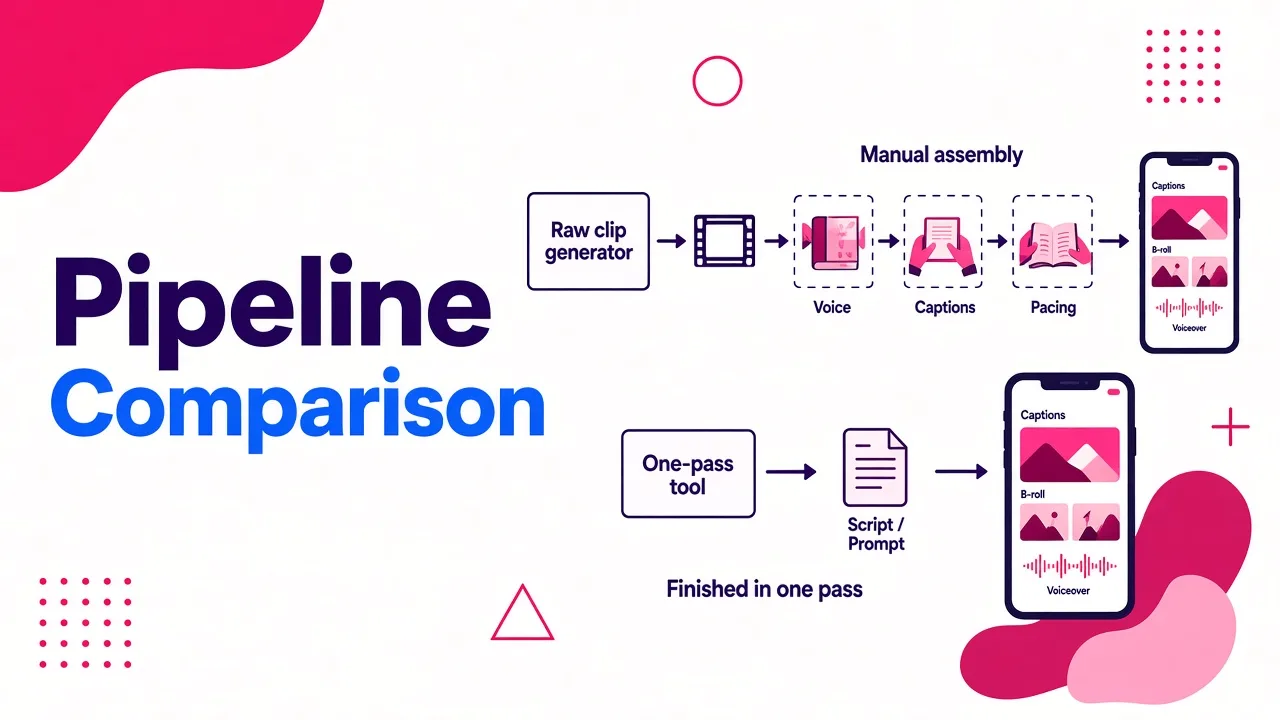
The best free AI video generator online depends on what you need: single cinematic clips come from model-driven tools like Luma or Kling, while finished social videos need a tool that handles the whole edit. For TikTok, Shorts and Reels, my pick is Cliptalk, because it turns a script, prompt or article into a fully edited video with captions, B-roll and an AI voiceover in one pass, instead of a silent five-second clip you still have to assemble.
Almost every tool below is "free" in the credit sense. You get a starter allowance, enough to test the workflow, and then the meter starts running. If you want the longer explanation of why unlimited free generation rarely holds up, I covered it in whether text to video AI is ever truly free and unlimited. This list ranks tools on what you actually get before paying.
How I judged these tools
I approached each tool the way I'd approach my own content calendar: can I go from an idea to something I'd post, without a credit card, without fighting the interface, and without a watermark ruining the result?
Four things decided the ranking:
- Output completeness. Does it give you a raw clip, or a video with voice, captions and pacing?
- Free access. How many credits, whether a card is required, and whether exports are usable.
- Control. Reference images, start and end frames, model choice, editing after generation.
- Fit for short-form. Vertical output, hooks, captions, and speed of iteration.
One pattern showed up quickly. Most tools on page one of Google are wrappers around the same handful of models: Seedance, Veo, Kling, Hailuo, WAN. The model matters less than what the tool does around it.
The 12 best free AI video generators online
1. Cliptalk
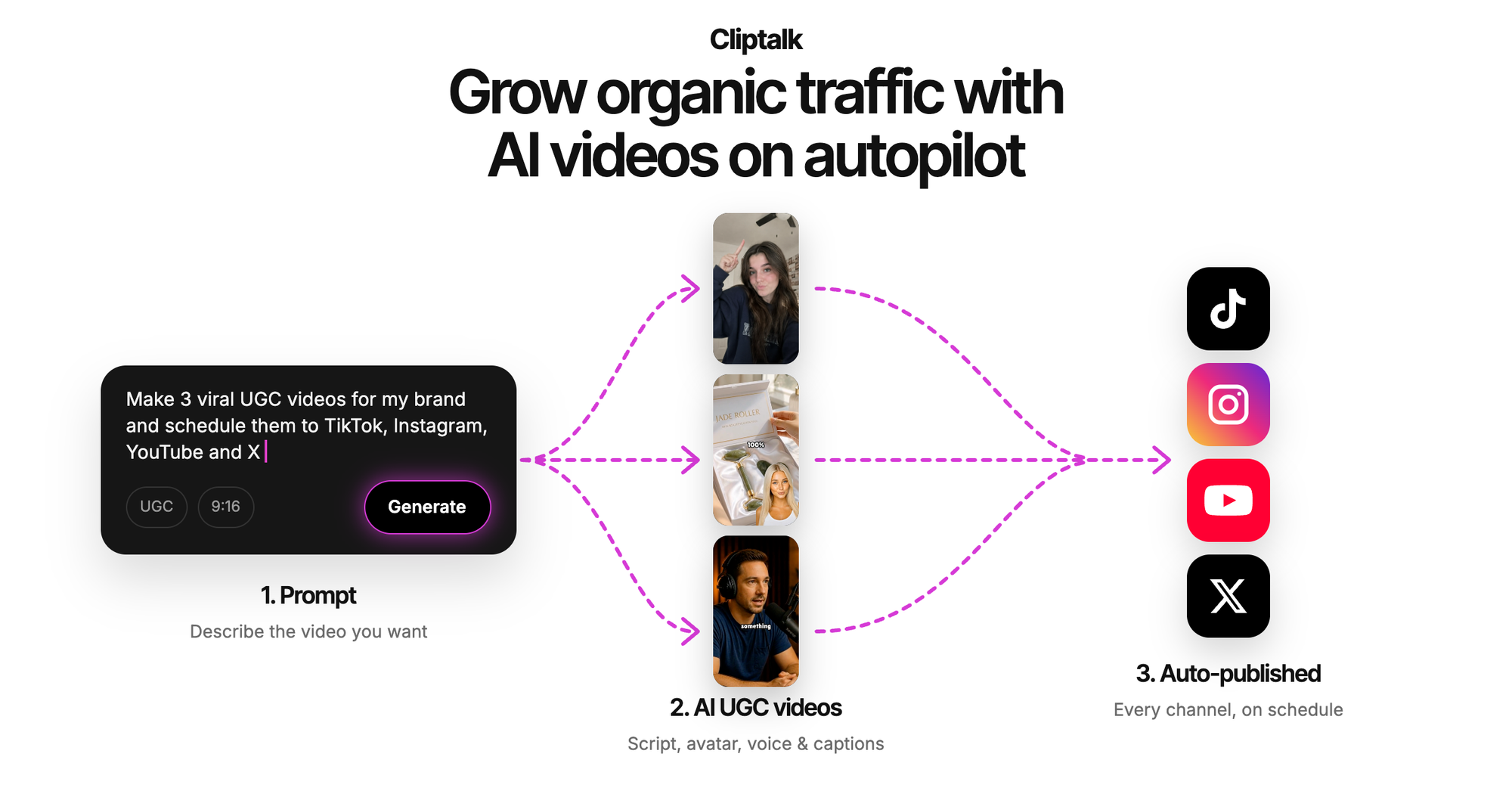
This is the tool I use for my own short-form output, so I'll be direct about where it wins and where it doesn't. You paste in a prompt, a script, or an entire article, and it builds a finished vertical video: scenes are cut, AI B-roll is placed against each line, captions are burned in, and an AI voiceover reads the script. You can add AI characters, clone your own voice, and fix anything in the editor afterward.
The free entry point is generous for planning. The YouTube script generator works with no signup and writes the full spoken script from hook to CTA, plus title options. The talking avatar, TikTok maker and story tools come with free credits to start. You can browse all of them on the free AI video tools page.
Pros: finished, postable videos rather than raw clips; captions, B-roll and voice in one step; voice cloning keeps a faceless channel consistent; script tools free without an account.
Cons: built for short-form social, so it's not the pick for a single hyper-cinematic shot; free credits cover testing, and regular publishing needs a plan.
Best for: faceless channel operators, creators and marketers posting to TikTok, Shorts and Reels on a schedule.
2. Luma AI
Luma is the strongest pure generator I tested for cinematic quality. Its own Ray model "reasons" through the prompt before rendering, working out composition and motion first, and the workspace also gives access to Veo, Kling, Seedance and ElevenLabs. Output is native 1080p with HDR and EXR export, and most renders finish in under a minute.
Pros: excellent camera motion and scene logic; reference uploads for consistency; multiple top models in one place; free trial credits with no setup.
Cons: trial credits run out fast if you iterate a lot; you get shots, not edited videos, so captions and voice happen elsewhere.
Best for: filmmakers, ad concepting, and anyone building B-roll or hero shots to drop into a larger edit.
3. Kling AI
Kling is both a standalone generator and the engine behind several free tools on this list. It covers text to video, image to video, start and end frames, reference-based generation, AI-assisted editing of existing footage, and on some models audio generated alongside the visuals, including dialogue and ambience.
Pros: physics-aware motion; start and end frames give real control over where a shot lands; native audio on supported models saves a step.
Cons: like every frame-based model, it still struggles with on-screen text, logos and product details, and motion consistency can drift in longer clips. Kling's own guidance says human review is still required, and that matches my experience.
Best for: creators who want precise shot control and are comfortable assembling clips themselves.
4. Synthesia AI Movie Maker
Synthesia is known for business avatars, but its movie maker is a full script-to-video assistant. You type an idea or paste a script, choose Short, Medium or Long, edit the outline before any scene is built, and then refine scenes by chatting. It generates B-roll with Veo 3.1, Gemini Omni and FLUX 3, offers over 1,000 voices, voice cloning, and translation into 140+ languages.
Pros: outline editing before generation saves wasted credits; huge voice and language range; lifelike avatars that can act in generated scenes; MP4 download or share link.
Cons: the workflow leans toward presentations and corporate storytelling; there are more steps than a social creator usually wants.
Best for: teams producing multilingual explainers, training content, or presenter-led videos.
5. Pippit
Pippit takes almost any input: a prompt, a product link, a document, a PowerPoint, or your own footage. It runs on Seedance 2.5 plus its own Max, Lite and Standard models, and it can turn still photos into talking avatars.
Pros: link-to-video is genuinely useful for product marketing; UGC-style and meme formats are built in; several model tiers to balance quality against credit cost.
Cons: heavily oriented toward commerce and ads; the interface pushes you into upgrade paths quickly.
Best for: ecommerce sellers turning product pages into TikTok-style promos.
6. Pixlr Video Generator
Pixlr gives you text to video and image to video with a model picker that includes Google Veo, Kling and Seedance. The headline feature for free users is HD export with no watermark, which is rarer than it should be.
Pros: no watermark on exports; simple four-step flow; model choice per generation.
Cons: it's a clip generator, so pacing, captions and voiceover are your job; fewer advanced controls than Luma or Kling directly.
Best for: quick clean clips for ads and product showcases when you already have an editor.
7. TopMediai
TopMediai is a model buffet: Seedance 2.0, Veo, Kling, Grok, Pixverse, WAN, Hailuo and its own multi-shot model. Free users get 30 credits with no card. It also supports start and end frames and a reference-to-video mode that accepts up to 12 files across audio, images and video.
Pros: easy way to compare models side by side; strong reference tools; no card to start.
Cons: 30 credits disappear quickly; paid plans are billed weekly, starting at $4.99 a week for the starter tier after a first-week discount, which adds up faster than a monthly plan.
Best for: testing which model suits your style before committing to one.
8. Imgveo AI
Imgveo offers three modes: text to video, image to video, and start-end frame. You get 20 free credits with no card required. Clips run 5 to 10 seconds at up to 1080p, and it's marketed as commercial use ready, using models like Seedance 2 and Kling 2.6.
Pros: transparent credit system; three modes cover most needs; commercial use stated clearly.
Cons: the highest output quality is reserved for Creator plans and above; 5 to 10 seconds is one beat of a Short, not a whole video.
Best for: social managers who need short visual beats and want clear licensing.
9. Novi AI
Novi AI is the lowest-friction option here. It promises free generation with no watermark and no download, you type up to 2,000 characters, optionally upload a JPG or PNG up to 10MB, and download the result. Tagging the brand on social earns bonus coins.
Pros: truly quick; no watermark; good sample prompt library for beginners.
Cons: very little control beyond the prompt; no editing layer.
Best for: fast idea visualization and early drafts.
10. MiriCanvas
MiriCanvas runs Kling under the hood and wraps it in a browser editor. You can make video or GIFs from text or images, then add music, text, stickers and filters, adjust color and speed, trim or combine scenes, and export as MP4 or GIF.
Pros: generation and basic editing in one place; output optimized for Shorts, Reels and TikTok; GIF export.
Cons: no automatic audio, so you upload music or record narration yourself.
Best for: casual creators making birthday clips, travel recaps or simple product reviews.
11. PicLumen
PicLumen pairs a text-to-video generator (up to 2,500 characters, optional reference image in PNG, JPG, JPEG or WebP) with a large library of trend effects: dance templates, orbit shots, animal twin, billboard selfie and more.
Pros: effect templates are the fastest route to trend-style content; long prompt limit for detailed scenes.
Cons: effects skew toward novelty; less suited to narrative or educational videos.
Best for: riding visual trends on TikTok and Reels.
12. Wideo
Wideo works more like a script assembler than a generator. Language processing breaks your text into scenes, it selects matching visuals and stock footage, then adds a synthetic voiceover and music and syncs it all together.
Pros: structured, script-first workflow; good for repeatable business formats like training libraries and localized campaigns.
Cons: stock-driven visuals feel less fresh than generative footage; not built around viral short-form.
Best for: HR, education and marketing teams producing explainer content at volume.
Quick comparison
| Tool | Output type | Free access | Best for |
|---|---|---|---|
| Cliptalk | Fully edited short with captions, B-roll, voice | Free script tools, no signup; free credits for video tools | Faceless channels, creators, marketers |
| Luma AI | Cinematic 1080p HDR clips | Free trial credits | Hero shots, ad concepts |
| Kling AI | Clips with optional native audio | Varies by model | Precise shot control |
| Synthesia | Script-based video with avatars | Free to try | Multilingual explainers |
| Pippit | Promo videos from links and files | Free to try | Ecommerce promos |
| Pixlr | HD clips, no watermark | Free | Clean ad clips |
| TopMediai | Clips from 8+ models | 30 credits, no card | Model comparison |
| Imgveo AI | 5 to 10 second clips up to 1080p | 20 credits, no card | Short visual beats |
| Novi AI | Prompt-based clips | Free, no watermark | Fast drafts |
| MiriCanvas | Kling clips plus browser editor | Free | Casual social clips |
| PicLumen | Clips and trend effects | Free to try | Trend content |
| Wideo | Stock-based script videos | Free to try | Training and explainers |
How to stretch a free tier further
Free credits are scarce, so the way you prompt matters as much as which tool you pick. These habits saved me the most credits.
Write the script before you touch a generator. Most wasted generations come from figuring out the idea while rendering. Draft the spoken script first, with a hook in the opening line, then generate visuals against it. A free script generator costs nothing and removes most of the guesswork.
Give each clip one job. A prompt that asks for a character walking in, turning, picking up a product and smiling at the camera usually breaks somewhere. One subject, one action, one camera move per clip gets usable results on the first or second try.
Describe the camera, not just the scene. "Slow push-in, low angle, golden hour" gets closer to your intent than "a nice shot of a city." Every model I tested responded better to camera and lighting language.
Use a reference image when consistency matters. If the same character or product needs to appear across clips, upload a reference instead of re-describing it. Start and end frames, where available, are the most reliable way to control where a shot ends.
Keep text and logos out of generated footage. Generative models still garble on-screen words and brand marks. Add titles, captions and logos as overlays in the edit.
Check the export before you plan around a tool. A watermark can make a free tool useless for publishing. I keep a running list of options in where to find a free AI video generator without watermark.
Test short, then scale. Run a 5-second test of your prompt before spending credits on longer or higher-resolution versions.
Which free AI video generator should you choose?
Start with what you're publishing. If you need one stunning shot, Luma or Kling will give you the best raw footage, and TopMediai is a cheap way to compare models. If you want clean clips with zero friction, Pixlr and Novi AI are the quickest no-watermark options. Pippit and Synthesia suit marketing and corporate formats, and PicLumen is the shortcut for trend effects.
If your goal is a steady stream of finished TikToks, Shorts and Reels, a clip generator alone leaves you with the hardest part still to do: scripting, voiceover, captions, cutting and B-roll placement. That's exactly the work Cliptalk automates, which is why it stays at the top of my own workflow. Start with the free script generator, render a test video with the free credits, and decide from there.
Tags: ai video generator, text to video, short-form video, faceless channels, video editing tools