Is Text to Video AI Ever Truly Free and Unlimited?
· 11 min read

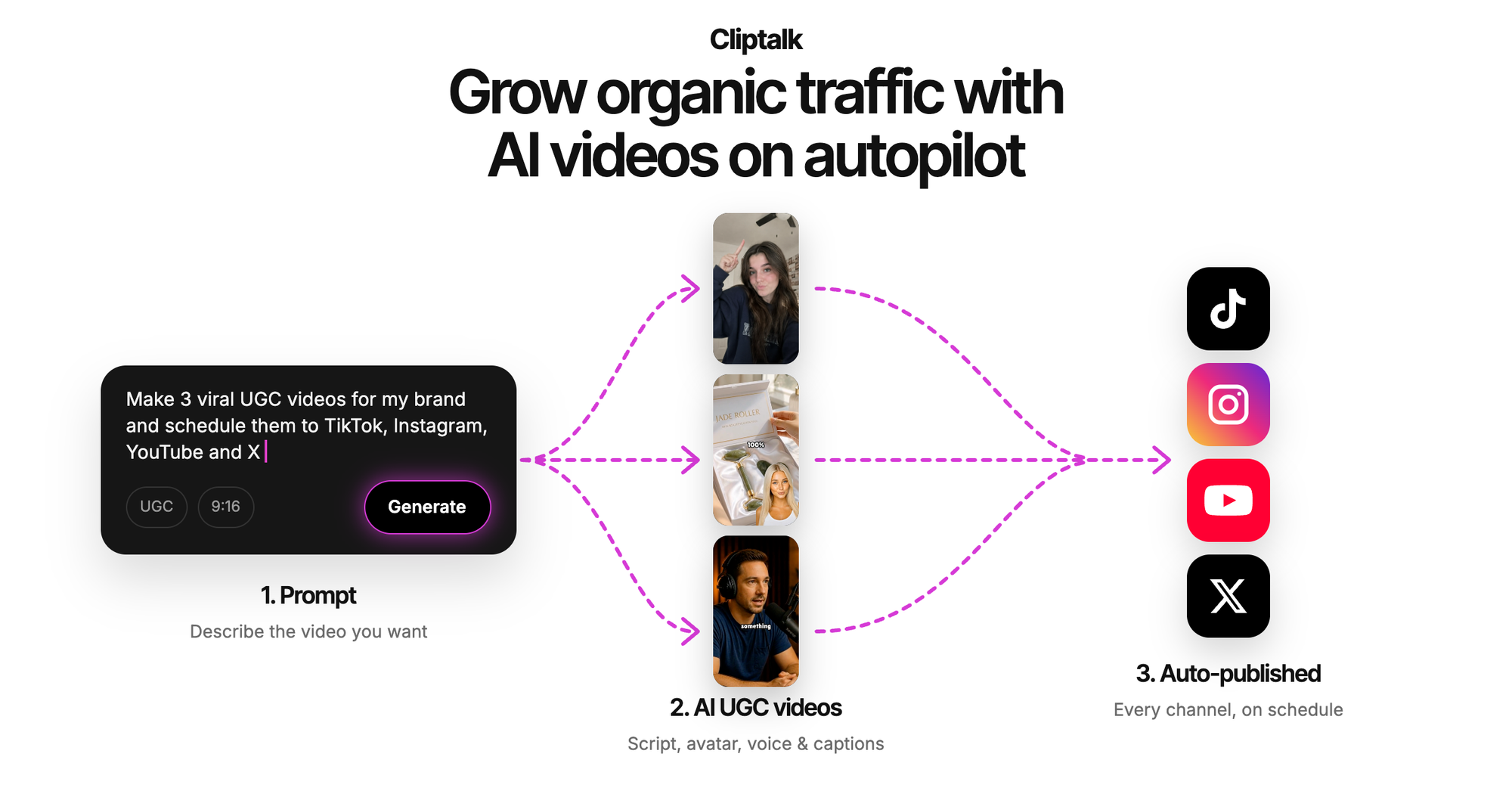
The short answer: almost never. Generating video takes serious GPU time, so every tool that offers rendering for free has to cap it somewhere. That cap can be credits, resolution, clip length, queue speed, watermarks, or commercial rights. The "free unlimited" tools that do exist are usually unlimited only at the cheap stages, like writing the script, tweaking the prompt, or designing a character. The final render is metered. After testing a lot of these tools for short-form channels, I recommend Cliptalk. It is upfront about where that line sits: script writing and AI influencer design are free with unlimited re-rolls and no signup, and you get 50 free credits (no card) to render finished videos with captions, B-roll, voiceover, and music.
The rest of this article explains why that line exists, which "free unlimited" offers are worth your time, and how to get the most finished videos out of free tiers without hitting a wall.
Why "Free" and "Unlimited" Rarely Survive Together
Text to video is expensive to run. A model has to generate a sequence of connected frames, not a single image. It has to keep people, objects, lighting, and camera movement consistent across every one of them. That consistency across time is one of the hardest parts of AI video, and it is also why each second of output eats real compute.
A tool can absorb that cost in one of four ways:
- Charge you directly with subscriptions or credit packs.
- Limit the free tier with daily caps, short clips, low resolution, or slow queues.
- Monetize the output with watermarks that advertise the tool, or by asking you to tag them on social media in exchange for bonus coins.
- Run on your hardware, so the compute bill is yours instead of theirs.
If a tool claims free and unlimited rendering with none of the above, one of these is usually true. The limit is hidden in the fine print. The output is very short or very low quality. Or the offer is a launch promotion that will tighten once traffic grows. None of that makes these tools useless. It just means you should know what you're trading.
The Five Kinds of "Free Unlimited" Offers
When you search "text to video ai free unlimited," the first page is a mix of YouTube workflow videos, a Reddit thread from people hunting for free generators, and landing pages with "unlimited" and "no sign-up" in the title. In practice, the offers fall into five patterns.
| Offer type | What's actually unlimited | The usual catch | Best for |
|---|---|---|---|
| Free pre-render tools (scripts, prompts, character design) | Writing, re-rolling, planning | Rendering the final video costs credits | Planning a channel and testing ideas at zero cost |
| No-signup browser generators | Short clip generations | Low resolution, short duration, queues, unclear usage rights | Quick visual experiments |
| Credit-based free tiers | Nothing; you get a fixed starting balance | Credits run out, then you pay | Producing a few finished videos to test a format |
| "Unlimited workflow" YouTube tutorials | Stitching many free tools together | Hours of manual work, multiple accounts, inconsistent style | People with more time than budget |
| Local open-source models | Everything, in theory | You need a capable GPU, setup time, and editing skills | Technical users who want full control |
The first and last rows are the only places where "unlimited" holds up. Everything in between is free with conditions.
Where Unlimited Genuinely Exists: Before the Render
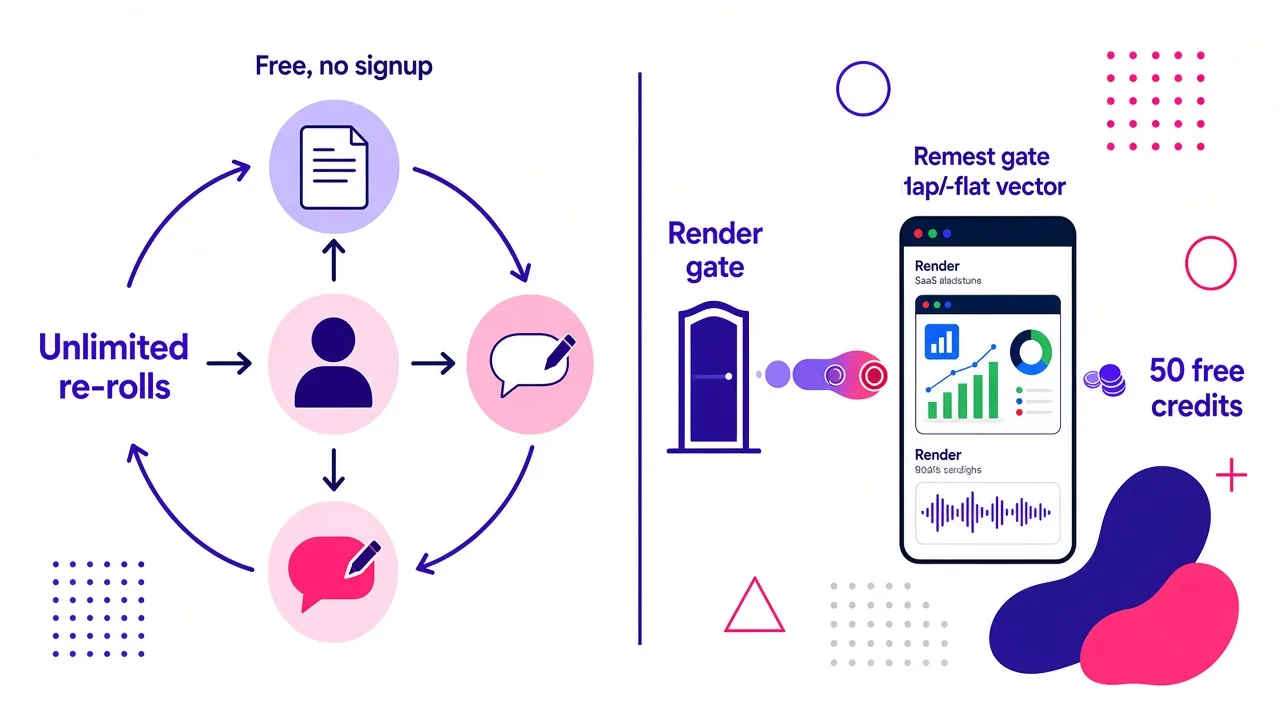
The most useful thing I learned from testing these tools is that most of the work in a short-form video happens before rendering. A video is mostly decided by the time you hit generate: the hook, the script, the pacing, the character, the voice. If a tool lets you iterate on all of that for free, you only spend credits on the versions worth keeping.
That's the model I rely on. On Cliptalk, the YouTube script generator writes the full spoken script word for word, from hook to call to action, plus title options. It needs no signup, and you can run it as many times as you want. The AI influencer generator works the same way. You design the influencer and write the script with unlimited re-rolls, and you only use credits when you render the talking video.
Why does this matter so much? On credit-only tools, every bad idea costs you. You render a video, realize the hook is weak, rewrite it, and render again. Your free balance disappears on drafts. When scripting and character design are free, I usually do 5 to 10 rewrites of a hook before rendering anything. My 50 starting credits then go to videos I would actually publish.
A Clip Is Not a Video
A lot of "free unlimited" frustration comes from comparing different things. Many text to video generators output a single short clip: a few seconds of a scene described in your prompt, like horses galloping at sunrise or a smiley face reacting. That's impressive, but it isn't a TikTok or a YouTube Short.
A finished short-form video needs several layers stacked together:
| Layer | Single-clip generators | Full video tools |
|---|---|---|
| Script | You write it elsewhere | Often generated or built in |
| Visuals | One generated clip per prompt | Scenes, B-roll, or a character across the whole runtime |
| Voiceover | Usually none, or separate tool | AI voices built in |
| Captions | Separate tool | Auto-generated and styled |
| Music | Separate tool | Included |
| Editing and timing | Manual | Automatic, with an editor for tweaks |
So when a tool offers "unlimited" free clips, ask how many other tools you'll need to turn those clips into one publishable video. Each extra tool adds its own limits, its own watermark risk, and its own learning curve. This is exactly what the "make 10+ minute AI videos for free" tutorials are doing. They chain together a free script tool, a free image or clip tool, a free voice tool, and a free editor. It works, but the cost moves from money to hours.
How I Read a Free Tier Before Committing
Before I spend time learning any new generator, I check six things. This takes about two minutes and saves a lot of disappointment.
- What does one free credit or generation actually buy? Is it a 5 second clip or a full minute-long video? "Unlimited" short clips can be less useful than a handful of complete renders.
- Is there a watermark? A watermark on a Short or Reel makes it hard to use on a real channel. If watermark-free output matters to you, I covered the options in detail in where to find a free AI video generator without watermark.
- What resolution and aspect ratio come out? Short-form platforms want vertical 9:16. Some free generators default to square or horizontal, or cap free exports at low resolution.
- Do I need a card to start? "Free trial" often means "card on file, billed after X days." A tier that asks for no card at all is a real free tier.
- Can I use the output commercially? If you're monetizing a faceless channel or running ads, check the terms. "Free" doesn't always include commercial rights.
- What happens when I run out? Does it reset daily, monthly, or never? Is the paid plan priced sensibly for how often I'll publish?
If a tool fails questions 2, 4, or 5, I usually move on, however generous the free limit looks.
Comparing Your Realistic Options
Here's how the main routes stack up for the job most readers here have: publishing finished short-form videos to TikTok, YouTube Shorts, and Instagram Reels without filming. I've ranked them by how close each gets you to a publishable video for free, not by raw generation limits.
| Rank | Option | What's free | What's limited | Verdict |
|---|---|---|---|---|
| 1 | Cliptalk | Unlimited script writing and influencer design, no signup; 50 credits with no card for full renders | Rendering beyond the free credits is paid | Best path to finished, captioned, voiced Shorts with almost no wasted credits |
| 2 | Local open-source models | Unlimited generation on your own machine | Needs strong hardware, setup, and a separate editing workflow | Truly unlimited, but only for technical users with time |
| 3 | Credit-based avatar and text-to-video tools | A starting allowance, often no card | Credits run out; templates and avatars may be gated | Fine for testing a talking-head format |
| 4 | No-signup browser clip generators | Many short clip generations | Short clips, variable quality, no voice or captions, rights often unclear | Good for visual ideas, weak for complete videos |
| 5 | Multi-tool "unlimited workflow" tutorials | Every individual piece | Your time, plus inconsistency across tools | Works if you have hours to spare per video |
Rankings depend on what you're making. If you want cinematic standalone clips for a music video or an art project, the single-clip generators will suit you better. For short-form channels that run on scripts and voiceovers, the full-video route wins.
The One Truly Unlimited Route: Running Models Locally
If you need generation with no caps at all, the honest answer is to run an open-source model on your own computer. This is what most of the Stable Diffusion community points people toward when they ask for free text to video tools. No company is paying for your compute, so no company needs to limit you.
The tradeoffs are real, though:
- Hardware. Video models need a strong GPU with plenty of memory. If you don't own one, renting cloud GPUs brings you right back to paying per hour.
- Setup. Installing models, dependencies, and workflow interfaces takes technical comfort and troubleshooting time.
- Speed. Consumer hardware can take a long time per clip, especially at higher resolutions.
- You still need everything else. A local model gives you clips. Script, voiceover, captions, music, and editing are still on you.
For someone building a faceless channel that posts daily, I don't think this is the efficient route. For a hobbyist who enjoys the tinkering, it's the only answer that's literally free and unlimited.
Practical Tips to Stretch Any Free Tier
These habits apply to every credit-based tool I've used, and they roughly doubled the number of publishable videos I got from free allowances.
Lock the script before you render. Read it out loud. If the first line doesn't create a reason to keep watching within a couple of seconds, rewrite it. Use free script tools for this stage, never paid render credits.
Keep each video to one idea. Short-form performs best when a video makes one point well. Tighter scripts also mean shorter renders, which usually means fewer credits.
Test the format before scaling it. Spend your first credits on three different formats rather than three versions of the same one. Try a talking character, a narrated B-roll explainer, and a story video. See which fits your niche, then commit.
Reuse what works. Once a character, voice, and caption style perform, keep them. Consistency builds recognition on a channel, and you stop burning credits on experiments.
Review every render like a real production asset. AI video can still produce odd motion, mangled on-screen text, or claims that need fact-checking. Catch these before publishing. A flagged or low-quality video costs more than a credit.
Batch your planning. I write a week of scripts in one sitting with a free script generator, then render them together. Planning in bulk makes it obvious which ideas are weak before they cost anything.
What About the Ones That Say "Unlimited, No Sign-up" Right in the Title?
Several pages on the first page of Google do promise exactly that. Some are genuinely generous, especially for short clip generation. Before you build a workflow around one, keep three things in mind.
First, generous free tiers are often a growth strategy. They can change without notice once a tool has enough users, and a channel built on a tool that suddenly adds caps is a fragile channel.
Second, "no sign-up" usually means no account to store your history, characters, or projects. That's fine for one-off experiments, but it's inconvenient for a channel that needs a consistent look across dozens of videos.
Third, look at what the output actually is. A free unlimited 5 second clip with no voice, no captions, and no vertical framing is a very different product from a finished 45 second Short. Compare by finished videos per month, not by generations per day.
Matching the Option to Your Goal
Different readers need different answers, so here's how I'd decide.
- You want to try AI video for fun, no commitment. Use a no-signup browser generator and experiment with prompts. Nothing to lose.
- You're starting a faceless channel and want to test it before paying. Use a tool with free unlimited planning and a no-card credit balance. Spend the credits on a few formats and post them. My walkthrough on how to generate a video from text for free covers this step by step.
- You're technical and want zero ongoing cost. Run open-source models locally, and accept the hardware and editing overhead.
- You publish daily and the free tier is already paying off. At that point a paid plan is cheaper than your time. Spending hours a week chaining free tools together costs more than a subscription.
The Bottom Line
Truly free and unlimited text to video AI exists in only two forms: tools that keep the cheap planning stages free with no caps, and open-source models you run on your own hardware. Everything else is free with limits. That's fine, as long as you know where the limits are and plan around them.
For short-form creators, I've found the smartest setup is to do all your iteration where it's free, then spend credits only on videos you'd actually publish. That's why Cliptalk is my default. Scripts and characters cost nothing to refine, and the free credits go toward complete videos with captions, B-roll, voiceover, and music, not toward drafts I'll throw away.
Tags: text to video, ai video generator, free ai tools, short-form video, faceless channels