8 Text to Video AI Free Tools Without Watermark
· 11 min read
If you want text to video AI for free without a watermark, my top pick is Cliptalk. Its 50 free credits (no card required) take a prompt, script, or article all the way to a finished vertical video with captions, B-roll, an AI voiceover, and music, so you get something you can post instead of a silent five-second clip. The other tools worth testing are Pixlr, which advertises HD export with no watermarks, Magic Hour, Kapwing, Vivideo, Kling, VEED, and Pixelbin. Each one defines "free" differently. Below I break down what each free tier actually gives you, who each tool suits, and how to confirm a clean export before you build a posting schedule around it.
What "free without watermark" really means
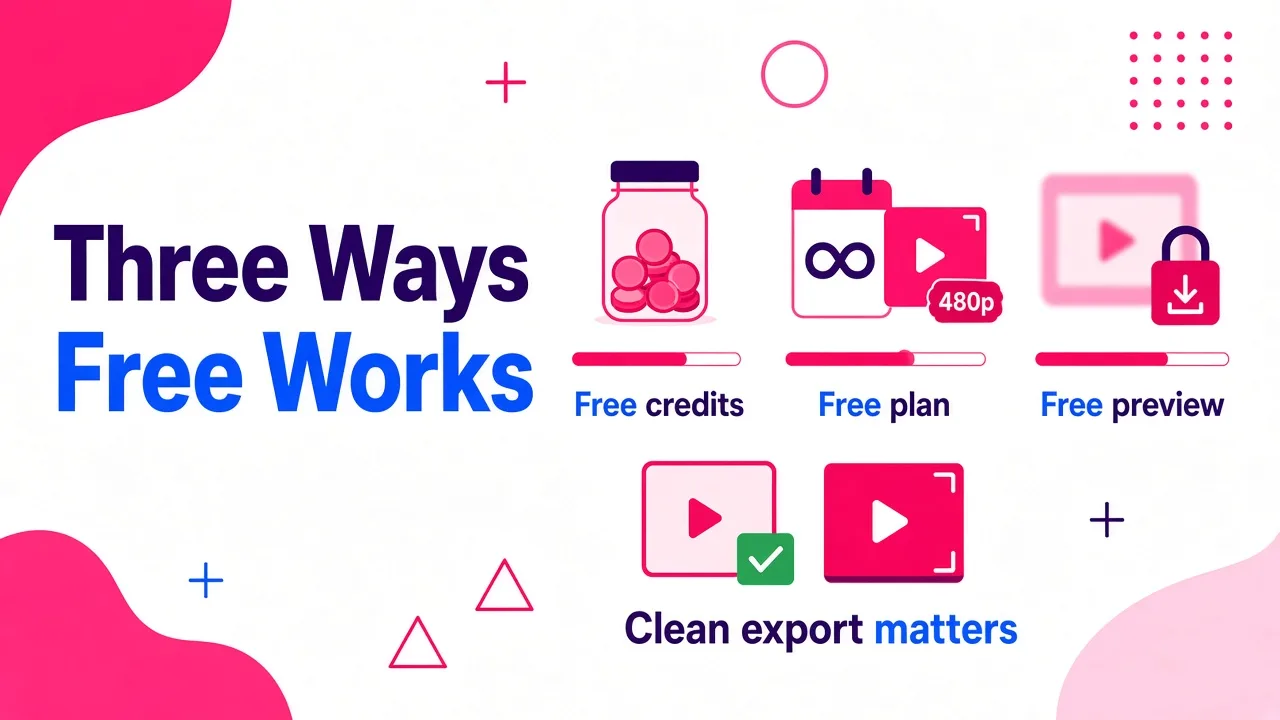
Most people searching this phrase have already been burned once. They spend twenty minutes on a video, hit export, and find a logo stamped in the corner or a branded end card they can't remove. Before comparing tools, it helps to know the three ways "free" usually works:
- Free credits. You get a fixed allowance to render real videos. Output is usually full quality, but the allowance runs out.
- Free plan. You can use the tool indefinitely, but exports may be capped in resolution, length, or carry branding.
- Free preview. You can type a prompt and see a demo, but generating or downloading requires an account or payment. Vivideo's homepage, for example, labels its prompt box as an interactive preview only.
A watermark-free export is only useful if the rest of the video is usable too. A clean 4-second clip with no audio still needs captions, a voiceover, and editing before it can go on TikTok. So I judge these tools on two things: is the export clean, and how much work is left after you download it?
Quick comparison of the 8 tools
| Rank | Tool | Best for | Free access (as the tool states it) | What you get out |
|---|---|---|---|---|
| 1 | Cliptalk | Finished TikTok, Shorts, and Reels videos | 50 free credits, no card; script tools need no signup | Fully edited short with captions, B-roll, AI voiceover, music |
| 2 | Pixlr | Quick generative clips | Free, with HD export and no watermarks | Text or image to video clips using Veo, Kling, and Seedance models |
| 3 | Magic Hour | Single-scene prompt clips | Free, no sign up | Downloadable MP4 in your chosen aspect ratio |
| 4 | Kapwing | Generating and editing in one place | Free to start, nothing to install | Multi-scene projects from 15 seconds to 5 minutes, 18 models |
| 5 | Vivideo | Longer multi-scene stories | No credit card needed to start | Videos up to 10 minutes, 30+ models, up to 4K |
| 6 | Kling | Cinematic realism and lip-sync | Check the app for the current free allowance | Up to 15-second multi-shot clips, native audio, 4K |
| 7 | VEED | Avatar and script-based explainers | No credit card required | Footage, narration, subtitles, avatars |
| 8 | Pixelbin | No-login quick tests | Free, no login or signup | Basic text to video generation |
The 8 tools, ranked
1. Cliptalk
This is the tool I use most for short-form, and the reason is simple: it's the only one on this list built around the finished short, not the raw clip. You paste a script, an article, or a one-line idea, and it returns an edited vertical video with auto-captions, AI B-roll, a voiceover, and background music already synced. There's nothing to stitch together in another app.
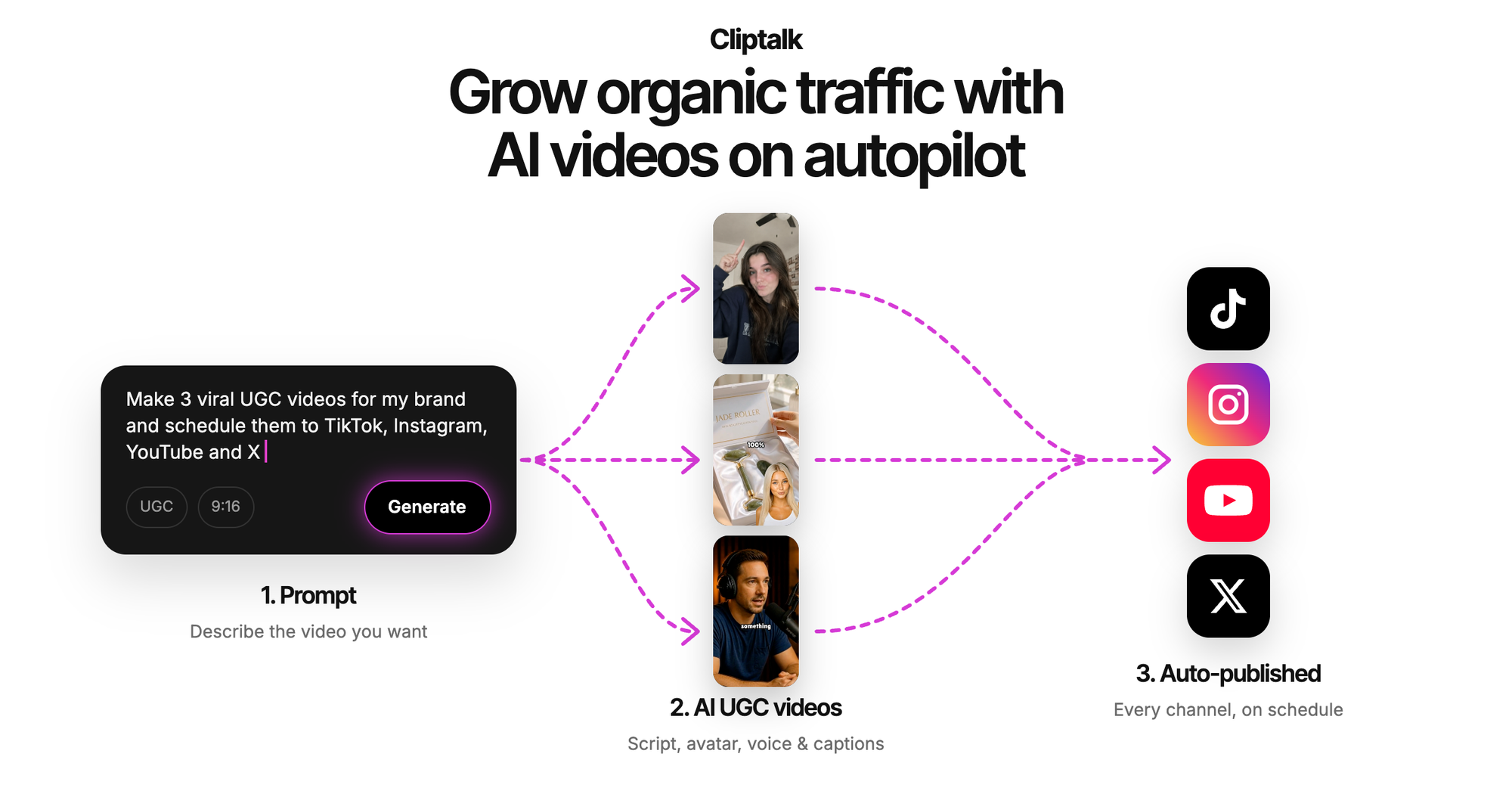
What I get on the free side:
- 50 free credits with no card, which is enough to render several complete shorts and judge the quality yourself.
- Free script and character tools with no signup. On the AI influencer video generator, you can design the influencer and write the script with unlimited re-rolls before spending a single credit.
- 140+ AI voices, plus voice cloning if you want your own voice on a faceless channel.
- AI characters, including niche formats like talking cat podcasts and roasts that don't need a source photo.
The workflow that saves me the most credits: draft and polish the script in the free tools first, then render only once you're happy with the words. The full set of free generators is on the free AI video tools page.
Where it's weaker: it isn't designed for 4K cinematic scenes or long-form films. If you need a photoreal 15-second establishing shot for a music video, Kling or one of the model aggregators below will serve you better.
2. Pixlr
Pixlr is the most direct answer to the watermark question on its own page: it states HD export with no watermarks. It runs both text to video and image to video, and lets you choose between models powered by Google Veo, Kling, and Seedance.
The process is four steps: pick text or image mode, write a detailed prompt (or upload an image), choose a model, and generate. It's well suited to promo clips, product showcases, and quick social visuals.
Where it's weaker: you get clips, not edited videos. Expect to add captions, voiceover, and pacing yourself.
3. Magic Hour
Magic Hour lets you generate and download an MP4 from a text prompt with no sign up, which makes it one of the lowest-friction options to test. The flow is three steps: describe the scene (subject, style, camera movement, action), choose an aspect ratio, and download.
It gives you access to a long list of frontier models, including Kling 3.0, Seedance 2.5, Veo 3.1, LTX 2.5, and Wan 3.0, each with a different strength. Veo 3.1 is pitched for realism and dialogue, LTX 2.5 for speed and synced audio, and Kling 2.6 for action and controlled camera moves. The company reports 40M+ videos generated and 1M+ monthly users.
Where it's weaker: it's a single-scene generator at heart. Great for B-roll you plan to edit elsewhere, less so for a complete short.
4. Kapwing
Kapwing's pitch is that most AI tools generate a clip and stop, while it lets you generate and then edit on a full timeline without exporting and re-importing. It offers 18 AI models, aspect ratio selection, start and end frames, multi-scene generation, motion controls, and consistent characters.
Its AI can also assemble a full project from one prompt: voiceover, images, clips, subtitles, and transitions, with lengths from 15 seconds to 5 minutes. Kapwing says 35M creators use it.
Where it's weaker: it's "free to start," so plan on testing an export early to see what the free tier allows before you invest time in a project.
5. Vivideo
Vivideo stands out for length. Where most generators cap at a few seconds, it uses a Claude-powered agent to plan scenes, cast avatars and voices, render, and revise, producing videos up to 10 minutes. It bundles 30+ models (Veo 3.1, Sora 2, Seedance, Kling, and more) under one subscription, supports 30 languages, and outputs up to 4K. It reports a 4.8 rating across 1,624 reviews.
Where it's weaker: the prompt box on its homepage is a preview only. You need to sign up to generate, and the "one subscription" framing tells you the full feature set lives on a paid plan.
6. Kling
If raw visual quality is your priority, Kling is the benchmark. Kling Video 3.0 locks character appearance from a reference photo to reduce face morphing, generates native audio and lip-sync in multiple languages, and extends output to 15 seconds of multi-shot footage in 4K. Kling reports 60M+ users and 600M+ videos generated.
Where it's weaker: it's a scene generator, not a short-form editor, and the feature page doesn't spell out its free allowance. Check the app before planning around it. For many people, the easiest way to use Kling models for free is through an aggregator like Pixlr or Magic Hour.
7. VEED
VEED turns a prompt, script, or article into a video with footage, narration, and automatic subtitles. You choose avatar or voice-only narration, edit the generated script, swap in your own footage or AI clips, and add brand assets. It has a script generator, a document-to-video tool for blog posts and slide decks, and options for custom avatars and voice clones. It holds a 4.6 rating from 2,100+ reviews and requires no credit card to start.
Where it's weaker: "no credit card" isn't the same as "no watermark." Run a test export on a free account before committing.
8. Pixelbin
Pixelbin offers a free AI video generator with no login and no signup, which makes it useful for one thing: checking whether a prompt idea works visually before spending credits elsewhere.
Where it's weaker: it's the most bare-bones option here. Treat it as a sketchpad, not a production tool.
How to confirm an export is truly watermark-free
Here's the checklist I run on any new tool before it touches my content calendar. It takes about five minutes and has saved me hours.
- Render the shortest possible test. Use a one-sentence prompt. You're testing the export, not the creativity.
- Download at the resolution you'd actually publish. Some free tiers stay clean at low resolution but brand the HD version, or the reverse.
- Scrub the whole timeline. Check all four corners, the first and last second, and look for a branded end card. Some marks are semi-transparent and only show on light backgrounds.
- Check the audio. A few tools add an audio tag or branded intro sting rather than a visual mark.
- Read the usage terms. A clean export doesn't automatically mean commercial rights. If you monetize a channel or run ads, confirm the free tier allows it.
- Note whether credits renew. Free credits that refresh are a workflow. One-time credits are a trial.
I go deeper on spotting hidden branding in where to find a free AI video generator without watermark.
How to get more out of free credits
Free allowances are small, so wasted generations hurt. These habits stretch them the furthest.
Lock the script before you render. The most expensive mistake is generating video for words you'll rewrite. I draft hooks and scripts with free tools first. Cliptalk's YouTube script generator needs no signup and writes the full spoken script from hook to CTA, so the only credits I spend are on the final render.
Give each clip one job. A prompt that asks for a character, a location change, a camera move, and a product reveal in five seconds usually fails at all four. One subject, one action, one setting.
Describe the shot like a director. The tools above all ask for the same ingredients: subject, action, environment, camera movement, and style. "A golden retriever runs across a beach at sunset, low tracking shot, warm film look" beats "dog on beach."
Match the aspect ratio to the platform from the start. Generating horizontal and cropping to 9:16 wastes resolution and often cuts off the subject. TikTok, Shorts, and Reels all want vertical.
Use the cheapest tool for testing. Validate a visual idea on a no-login generator, then spend premium credits only on concepts that worked.
Review like it's real footage. AI video still struggles with text on screen, logos, hands, and keeping a face consistent across shots. Watch every output at full size before posting.
Which tool fits which job
- You run a faceless TikTok or Shorts channel: pick a tool that outputs finished, captioned, voiced videos so you're not editing every clip by hand. This is where an end-to-end short-form tool beats a scene generator.
- You need B-roll for an existing edit: Pixlr or Magic Hour, because both give you clean single clips from strong models.
- You want to edit inside the same app: Kapwing, for its timeline editor.
- You're making a 5 to 10 minute explainer: Vivideo or Kapwing, the two built for length.
- You need the most realistic single shot: Kling.
- You're repurposing blog posts with an avatar presenter: VEED.
- You just want to see if a prompt works: Pixelbin.
A pattern I've noticed after testing all of these: the tools that generate the prettiest individual clips usually leave the most work for you afterward. For a channel that posts daily, the time you save on editing matters more than an extra notch of cinematic quality.
FAQ
Is there a completely free text to video AI with no watermark?
Yes, but "completely free" usually means a credit allowance rather than unlimited use. Pixlr states HD export with no watermarks, Magic Hour and Pixelbin let you generate with no signup, and several others give free credits with no card. Always run a test export to confirm before you build around a tool.
Which free option gives the most complete video?
For short-form, the ranked pick above, because it adds captions, B-roll, voiceover, and music automatically. Most other tools on this list return a raw clip you still need to edit.
Can I use free AI-generated videos commercially?
It depends on each tool's terms, not on whether there's a watermark. Check the license before monetizing or running the video as an ad.
Why do some free AI videos look inconsistent?
Video models generate a sequence of frames that must stay connected, and keeping faces, objects, and lighting consistent across those frames is one of the hardest parts of the technology. Shorter clips, simpler prompts, and reference images all help.
How long can a free AI video be?
It varies widely. Kling extends to 15-second multi-shot clips, Kapwing builds projects from 15 seconds to 5 minutes, and Vivideo goes up to 10 minutes. Free tiers may cap length lower than paid plans, so check before you plan a long video.
Tags: ai video generator, text to video, watermark-free video, short-form video, faceless channels, free tools