7 Best AI Avatar Video Generators Compared
· 14 min read
Most people searching for an AI avatar video generator want the same thing: a tool that turns a script into a video of a realistic person talking, without a camera, a studio, or an editing timeline. If you are publishing short-form video to TikTok, Reels, or YouTube Shorts, Cliptalk is the one I reach for first, because the avatar arrives already wrapped in the things short video actually needs (burned-in captions, B-roll cutaways, and a 9:16 edit) instead of a bare talking head you still have to assemble somewhere else. If your output is corporate training, onboarding, or localized enterprise comms, Synthesia and HeyGen are the stronger picks, and I will explain exactly where the line sits.
I have run the same script through all seven of these tools, usually a 45-second product explainer and a 20-second hook-first social clip, and compared them on lip-sync, voice quality, how much editing was left afterward, and cost per usable video rather than cost per generation.
Quick picks
- Best for short-form social video: Cliptalk
- Best lip-sync and all-round realism: HeyGen
- Best for enterprise training and governance: Synthesia
- Best voice-first avatar workflow: ElevenLabs Avatars
- Best for cloning yourself from existing footage: InVideo AI
- Best for product-page-to-ad UGC avatars: Creatify
- Best free, commercially safe starting point: Adobe Firefly Text to Avatar
How I judged these tools
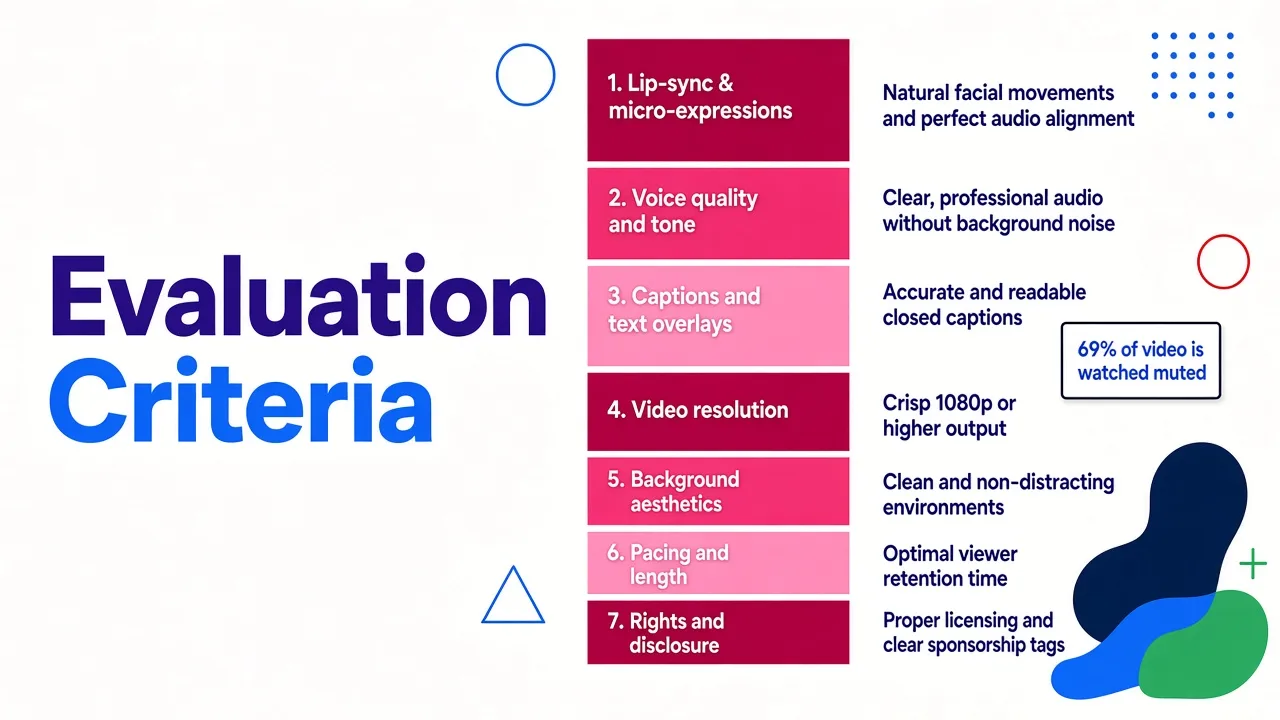
An avatar that looks good in a product demo reel is not the same as an avatar that survives a phone screen at 1x speed. These are the criteria I used, in order of how much they actually changed my results:
- Lip-sync and micro-expression quality. This is the first thing viewers notice and the fastest way to lose them. Anything with drifting mouth shapes or dead eyes gets ruled out for customer-facing work.
- Voice naturalness. A perfect face with a robotic read still fails in the first three seconds.
- Finishing distance. How much work is left after the avatar renders? Captions, B-roll, trims, music, and vertical framing are real labor.
- Input flexibility. Text, a script, a blog article, a product URL, a photo, existing footage. Different starting points need different tools.
- Identity control. Can you make a consistent avatar that does not drift between videos, and can you clone yourself with a proper consent flow?
- Cost per usable video. I track redo rate. A cheap tool with a 40% waste rate is not cheap.
- Rights and disclosure. Commercial-use clarity matters more than most roundups admit.
One number worth keeping in your head while you evaluate any of this: roughly 69% of people watch video with the sound off, according to research from Verizon Media. If your avatar tool does not produce accurate, well-timed captions, you are shipping silent video to two out of three viewers.
At a glance
| Tool | Best for | Starting price | Standout | Main tradeoff |
|---|---|---|---|---|
| Cliptalk | Short-form social video | Free credits to start | Avatar plus captions, B-roll and voiceover in one render | Not built for enterprise LMS or compliance workflows |
| HeyGen | Marketing and social, best realism | From $29/mo | Avatar IV full-body motion, 175+ languages | Built-in editor is clunky |
| Synthesia | Enterprise L&D and governance | From $29/mo | 240+ stock avatars, prompt-built characters, interactive avatars | Corporate feel; overkill for a solo creator |
| ElevenLabs Avatars | Voice-led talking video | Paid tiers (audio-first plans) | Voice and lip-sync generated in a single step | Narrower than a full video editor |
| InVideo AI | Cloning yourself at scale | From $20/mo (free plan watermarked) | YouTube link or 60-second upload to digital twin | Stock-assembled b-sections can feel generic |
| Creatify | Product ads and UGC-style spots | Paid plans | 1500+ talking avatars, URL-to-video | Optimized for ads, not storytelling |
| Adobe Firefly | Free, commercially safe avatars | Free tier in Firefly | Commercial safety and diverse stock avatars | Limited editing depth compared to dedicated platforms |
1. Cliptalk: best for short-form social video
Most avatar generators hand you a clean MP4 of a person talking and consider the job done. That output is roughly 40% of a publishable short. You still need a hook frame, captions timed to speech, cutaways so the shot does not sit static for 40 seconds, and a vertical crop that does not chop the subject's head.
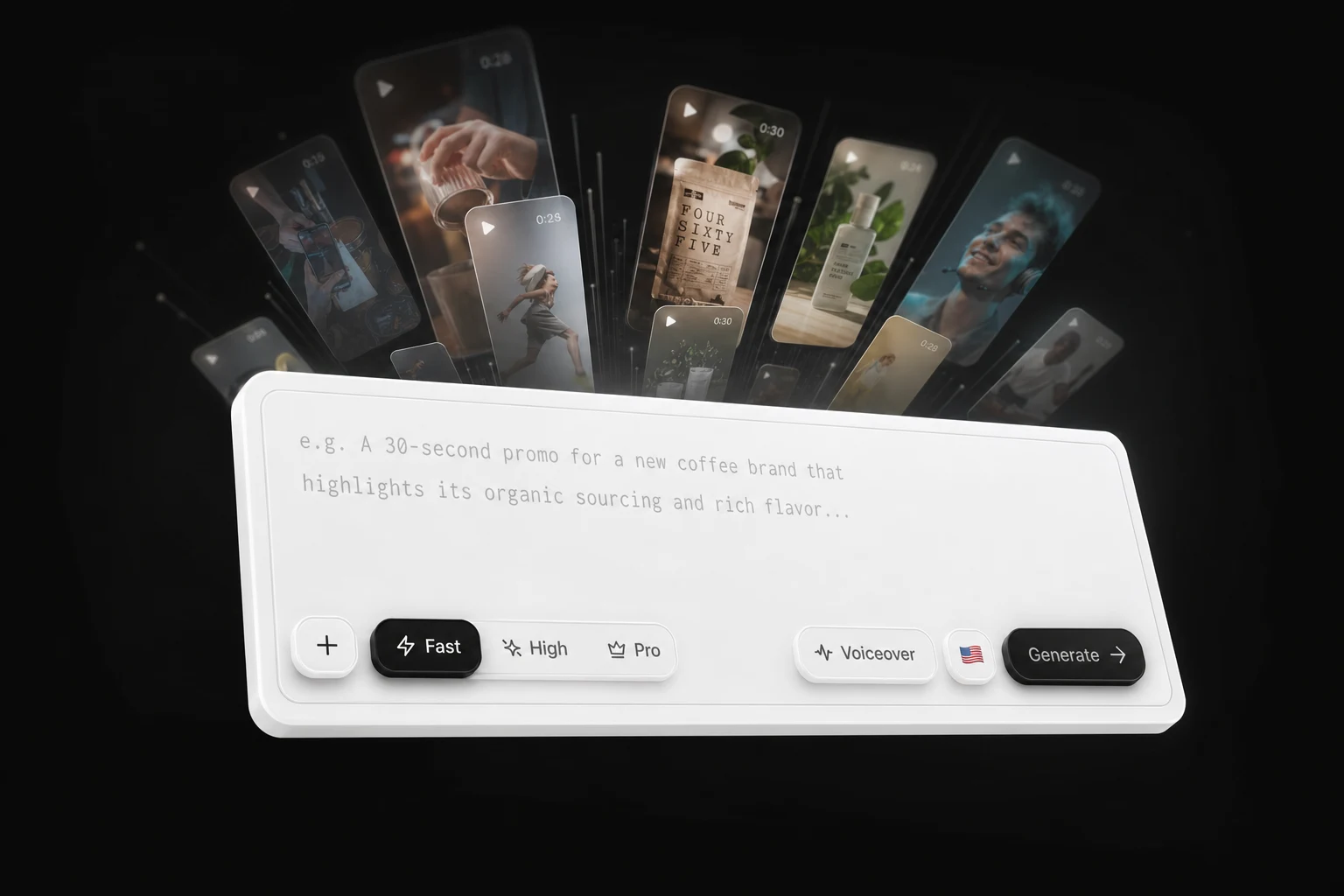
This is the specific gap I use Cliptalk to close. I paste a script (or a rough idea, or a blog post) and get back a finished 9:16 video with an AI character delivering the lines, auto-captions burned in, AI B-roll cut against the voiceover, and an AI voiceover I can swap or replace with a cloned version of my own voice. When I want to tweak something, the video editor lets me change a caption, replace a B-roll shot, or adjust the cut without exporting to another app. On a typical week of posting, that saved me the 20 to 30 minutes per video I used to spend in a timeline editor stitching an avatar clip to stock footage.
Pros
- The avatar is one layer of a complete short-form edit, not the whole deliverable, so the finishing distance is close to zero
- Auto-captions are generated against the actual voiceover, which matters given how much social video is watched muted
- AI B-roll keeps the visual moving, which is the single biggest fix for avatar clips that lose retention around the 8-second mark
- Voice cloning means you can keep your own voice while the face does the work
- You can start from a script, an article, or a prompt, and the free talking avatar and script tools let you test the output before paying anything
Cons
- It is built for social-length video. If you need a 12-minute compliance module with SCORM export and an approval chain, this is the wrong category of tool
- No SSO, LMS integration, or enterprise governance features
- The avatar library is creator-focused rather than corporate-spokesperson focused, which is great for TikTok and less right for a bank's onboarding video
- Like every generative tool, the first draft still needs you to rewrite the first three seconds. The AI default hook is almost never the best one
Who it fits: creators, faceless channel operators, and marketers who publish multiple shorts per week and want the avatar, voice, captions, and edit produced in one pass. Plans scale from individual to team use, and the pricing is set up for people shipping volume rather than a handful of videos a quarter.
2. HeyGen: best lip-sync and all-round realism
If I had to point at one tool and say "this is the current realism benchmark for talking avatars," it is HeyGen. The Avatar IV model produces full-body motion and natural hand gestures that hold up on a large screen, and the lip-sync is the most convincing I have seen outside professional VFX work. Language support is enormous, 175+ languages and dialects, with voice cloning available across them, so your digital twin can deliver the same script in Mandarin or Spanish without you learning either.
The other reason HeyGen keeps showing up in serious workflows is automation. Native Google Sheets, Zapier, and HubSpot integrations mean you can fire personalized outreach videos straight out of a CRM, which is genuinely hard to replicate elsewhere.
Pros
- Best-in-class lip-sync and micro-expressions
- 175+ languages and dialects with cloning support
- Stock avatars, UGC-style avatars, and full digital twins in one platform
- CRM and spreadsheet integrations for personalized video at scale
- A free tier of three videos per month, enough to evaluate honestly
Cons
- The built-in editor is clunky. Anything beyond a simple assembly is faster elsewhere
- Paid plans start at $29/month, and heavy avatar use consumes credits quickly
- Avatar-led clips can feel repetitive if you use the same stock presenter for every video
- Not the tool for original cinematic or product-led visuals
Who it fits: marketers and sales teams who need the most realistic talking presenter available, especially for multilingual or personalized video.
3. Synthesia: best for enterprise training and governance
Synthesia is the one I recommend when the buyer is a learning and development team rather than a creator. It has 240+ ready-made full-body avatars, a personal avatar you can build from a single photo, and an avatar builder that generates a character from a text prompt in anything from cartoon to fully lifelike. Avatars can be prompted to move and act inside AI-generated scenes, and interactive avatars can listen and respond live if you connect your own model.
There is also real evidence behind avatar-led training, which is rare in this space. A UCL research report on 500 adult learners found no significant difference in engagement or retention between an AI avatar video and a human instructor video, and viewers actually finished the AI version around 20% faster. A separate peer-reviewed study at USC Marshall with 250+ professionals found identical knowledge transfer between avatar and human presenters. If you are trying to justify replacing filmed training with avatar video, those are the numbers to bring to the meeting.
Pros
- Largest polished stock avatar library of the tools here
- Personal avatar from a single photo, no studio session
- Prompt-based avatar builder for custom characters
- Interactive avatars for support, sales, and onboarding
- Strong governance: brand kits, approvals, and enterprise controls
Cons
- The house style is corporate. Output rarely feels social-native
- From $29/month, and enterprise features sit on higher tiers
- Overkill if you are a solo creator making vertical shorts
- Scene generation is impressive but adds render time and cost
Who it fits: internal comms, L&D, and compliance teams producing training at volume across languages.
4. ElevenLabs Avatars: best voice-first workflow
ElevenLabs came at this from the audio side, and it shows in the best possible way. You write a script, pick any voice from your library including cloned ones, pair it with an avatar, and the voice and the lip-synced video are produced together in a single step. No exporting audio, no re-syncing, no drift between takes.
The avatar system is built around persistent identities. You upload multiple reference images of the same person or character from different angles, name the avatar, and generate variations with different outfits, backgrounds, and lighting while keeping the same face across hundreds of videos. Drop that avatar into a Flow and you can batch-produce clips across products, languages, and hook variations, which is the closest thing to an assembly line in this roundup.
Pros
- The best AI voices in the category, now attached to a face
- Voice and video generated in one step, so lip-sync is tight by construction
- Persistent avatar identity with no drift between generations
- Batch production through Flows, useful for testing many hooks
- Voice cloning and voice design are first-class, not bolted on
Cons
- It is a generation platform, not a full editor. Captions, cuts, and B-roll happen elsewhere
- Video features are newer than the audio side and less deep than HeyGen's
- Costs scale with both audio and video usage, which can be hard to forecast
Who it fits: anyone whose content lives or dies on voice quality, and teams already invested in ElevenLabs for narration.
5. InVideo AI: best for cloning yourself from existing footage
InVideo's angle on avatars is the cloning pipeline. You can feed it a YouTube link or upload a 60-second video of yourself, choose between an Express avatar (fast) or a Pro avatar (studio quality, more footage required), record an on-screen consent statement, and get a digital twin. The consent step is not a formality I would skip past; it is one of the few tools that makes the permission trail explicit, which matters if you are ever asked to prove a likeness was authorized.
Once the twin exists, it plugs into InVideo's wider engine: a large template and stock library, 50+ languages, and the ability to build a whole faceless or presenter-led video from a script. The company reports 25 million customers across 190 countries, so the template library is deep and TikTok-aware.
Pros
- Turn an existing YouTube video into an avatar without filming anything new
- Two clone quality tiers, so you can test cheaply before committing
- Explicit consent recording built into the flow
- 50+ languages for the avatar voice
- Huge template and stock library for everything around the avatar
Cons
- The free plan watermarks output; paid starts around $20/month
- Auto-selected stock footage and voices can feel generic and same-y
- The first draft needs real tightening: hooks, cuts, and fact-checking
- You are assembling more than creating; the generative layer is not the star
Who it fits: creators with an existing video back catalog who want a twin that can keep publishing when they are not filming.
6. Creatify: best for product ads and UGC-style spots
Creatify exists for one job: turning a product into an ad. It offers 1500+ realistic talking avatars, many styled to look like real UGC creators rather than corporate presenters, and a URL-to-video workflow that pulls product information straight off a listing page and drafts a script and visuals around it. Vertical formats and ad templates are the default, not an afterthought.
For anyone running paid social, the value is variation volume. You can produce a dozen avatar reads of the same offer with different hooks and let the ad platform find the winner, which is the actual way performance creative works.
Pros
- Very large UGC-style avatar library, useful for avoiding the "same face everywhere" problem
- URL-to-video removes the blank-page step for product content
- Built for 9:16 ad formats from the start
- Fast to produce many creative variants for testing
Cons
- Optimized for ads. It is not the tool for storytelling, education, or long-form
- Product claims pulled from a page still need human review before they run
- Avatar output can look formulaic if you lean on the templates
- Pricing sits in the performance-marketing bracket rather than the hobbyist one
Who it fits: ecommerce sellers and performance marketers who need a steady supply of avatar-led ad variations.
7. Adobe Firefly Text to Avatar: best free, commercially safe start
Firefly's Text to Avatar is the lowest-risk way to find out whether avatar video works for you. You drop in a script, a blog post, or an article, pick an avatar, choose their accent and background, generate, then make quick adjustments before exporting. Adobe's commitment to commercial safety is the real selling point here. If your legal team asks where the training data came from, Firefly is the easiest answer in this list.
It also sits inside the wider Firefly toolkit, so you can add generated sound effects or video elements without leaving the app, and the avatar library covers a genuinely diverse range of appearances, accents, and wardrobes.
Pros
- Free to try inside Firefly, no separate subscription needed to start
- Always safe for commercial use, which removes a real legal concern
- Script, blog, or article input, so repurposing written content is quick
- Diverse stock avatar roster
- Accessible to people who have never edited video
Cons
- Editing depth is shallow next to HeyGen, Synthesia, or a proper short-form editor
- No custom digital twin of yourself
- Output leans generic; it is a good starting point, not a differentiator
- Captions and social finishing are not the focus
Who it fits: teams inside the Adobe ecosystem, and anyone who needs commercial-use certainty above all else.
Also worth knowing
A few tools did not make the seven but are the right answer in narrow cases. D-ID starts around $5.99/month and is the cheapest way to animate a still photo into a talking head. Colossyan (from $27/month) is built for interactive e-learning with branching, quizzes, and SCORM export. DeepBrain AI Studios (from $24/month) leans broadcast-formal. Elai.io (from $29/month) targets budget multilingual digital twins. VEED (from $19/month) is a full video editor that happens to do occasional avatar clips.
What to check before you commit
Native vertical, not a crop. Generating landscape and cropping to 9:16 destroys composition and usually decapitates your avatar. Confirm the tool renders 1080x1920 natively. Minimum acceptable is 720p; 1080p vertical is the standard.
Caption accuracy and timing. Test with a script containing product names and numbers. Most auto-caption systems handle plain speech well and stumble on proper nouns.
Redo rate, not sticker price. Track how many generations it takes to get one usable video. I have seen tools with 35 to 40% waste, which quietly triples the real cost per clip.
Consent and disclosure. If you clone a person, keep the recorded consent. If your platform or audience expects disclosure that a presenter is synthetic, disclose it. That is a reputational risk, not a technical one.
The first three seconds. Every tool in this list will write you a serviceable opening line. None of them will write a great one. Rewrite the hook manually, every time. It is the highest-leverage 30 seconds of work in the whole process.
Which one should you pick?
If you post short-form video several times a week and want the avatar, voiceover, captions, and edit to come out finished in one pass, start with Cliptalk and only add a specialist tool when you hit a wall. If you need the most convincing talking head on the market for marketing or personalized sales video, HeyGen. If you are replacing filmed corporate training, Synthesia, and bring the UCL and USC studies with you. If voice is your differentiator, ElevenLabs. If you want a twin built from footage you have already published, InVideo AI. If you are producing ad variations at volume, Creatify. If you want a free, legally clean first experiment, Firefly.
The honest summary after running the same script through all of them: avatar realism is largely a solved problem at the top of this market, and the difference between tools now comes down to how much work is left after the avatar finishes talking. If you want to see how a few of these stack up head to head on that specific question, the side-by-side comparisons are more useful than another feature table.
Tags: ai video creation, avatar generators, video editing, ai voiceover, content creation, video marketing