9 Free Voice Cloning Apps That Actually Work in 2026
· 8 min read
The free voice cloning apps that actually work in 2026 are ElevenLabs, Voiceslab, MixVoice, HeyGen, Musely, AnyVoice, a browser tool running the open-source F5-TTS model, and an Android app with 100K+ downloads. Every free plan hits a limit somewhere, whether on characters, previews, or clone accuracy. If you're cloning your voice to publish short-form video, my pick is Cliptalk. The cloned voice goes straight into an edited vertical video with captions and B-roll, so you never export audio and rebuild the edit in a second app.
I have tested voice cloning across all of them. Here is what each one requires, where the free limits kick in, and how to record a sample that holds up.
What "free" actually means in voice cloning
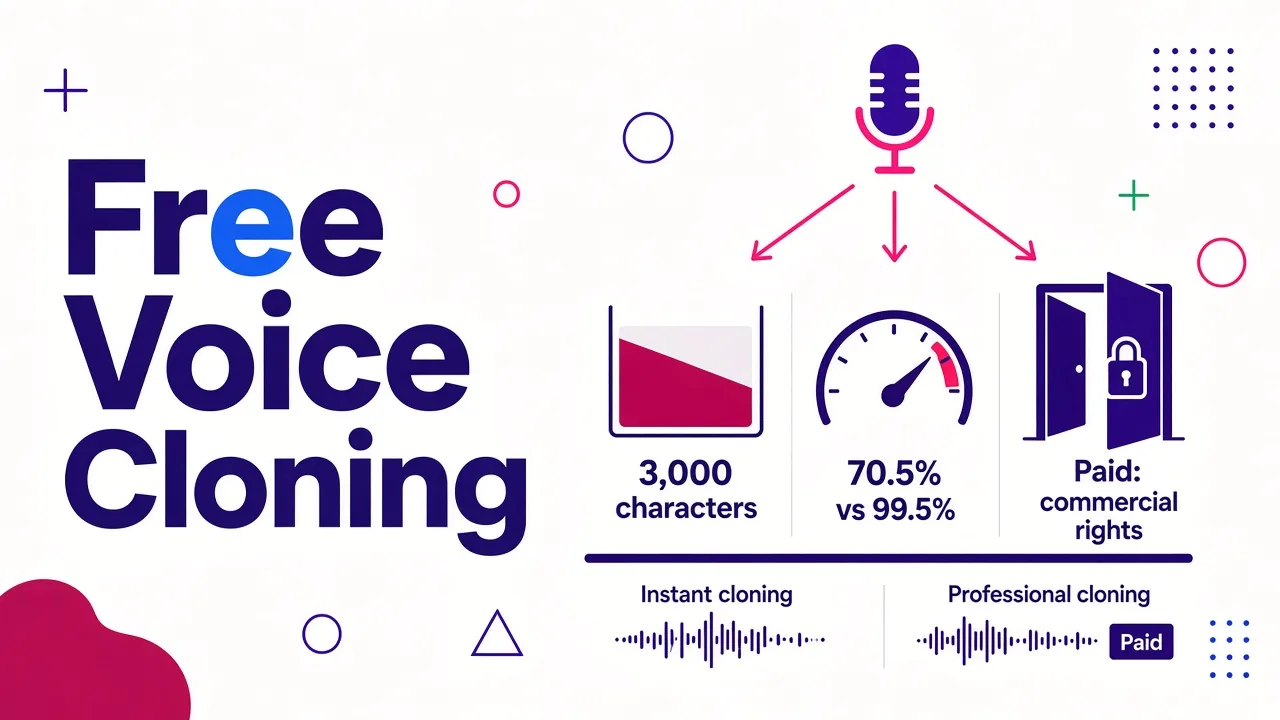
"Free" rarely means unlimited. In practice, free access takes three main forms:
- Free character allowance. Voiceslab gives you 3,000 characters with no credit card. That's enough for testing several short scripts.
- Free tier with quality limits. MixVoice's $0 plan caps each input at 30 characters and lists 70.5% voice similarity. Its paid plans list 99.5%. This free tier serves as a demo rather than a production tool.
- Free sign-up or trial. ElevenLabs, HeyGen, and video-first tools allow you to begin without paying. Limits on clone count, export options, or commercial rights typically require paid plans.
Some tools offer no free cloning at all. VoiceMate, for example, requires a paid plan before you can clone, so it isn't on this list.
Here's another key point: most tools provide instant cloning, which works from a short audio sample. An instant clone skips training a new model. It estimates your voice based on patterns the model has already learned. This approach handles most voices well but can falter with unusual accents. Professional cloning trains a dedicated model on minutes of audio and is almost always paid. For a deeper look at both modes, see The Complete Guide to Voice Cloning Software in 2026.
Quick comparison of the 9 apps
| # | Tool | Sample it asks for | What you get back | Best for |
|---|---|---|---|---|
| 1 | Cliptalk | A short, clean sample | Edited vertical video with your cloned voiceover, captions, B-roll | TikTok, Shorts, and Reels creators |
| 2 | ElevenLabs | 10 seconds minimum, 1 to 2 minutes recommended | Audio with emotion and pacing controls | Maximum fidelity |
| 3 | Voiceslab | 10 to 60 seconds | Speech in 24 languages | Testing free with no card |
| 4 | MixVoice | 5 seconds | Speech in 646 languages | Quick experiments |
| 5 | HeyGen | 30 seconds for instant | Talking avatar video with lip sync | Presenter-style videos |
| 6 | SoundTools (F5-TTS) | A short sample | Audio generated in your browser | Open-source, no account |
| 7 | Voice Clone: AI Voice Cloning | A few steps in the app | Speech plus a voice changer | Android users |
| 8 | Musely | 10 to 30 seconds, or a video upload | A clone tuned for short samples | Very short recordings |
| 9 | AnyVoice | As little as 3 seconds | Speech from a tiny sample | When you only have a clip |
1. Cliptalk: best when the voice ends up in a short video
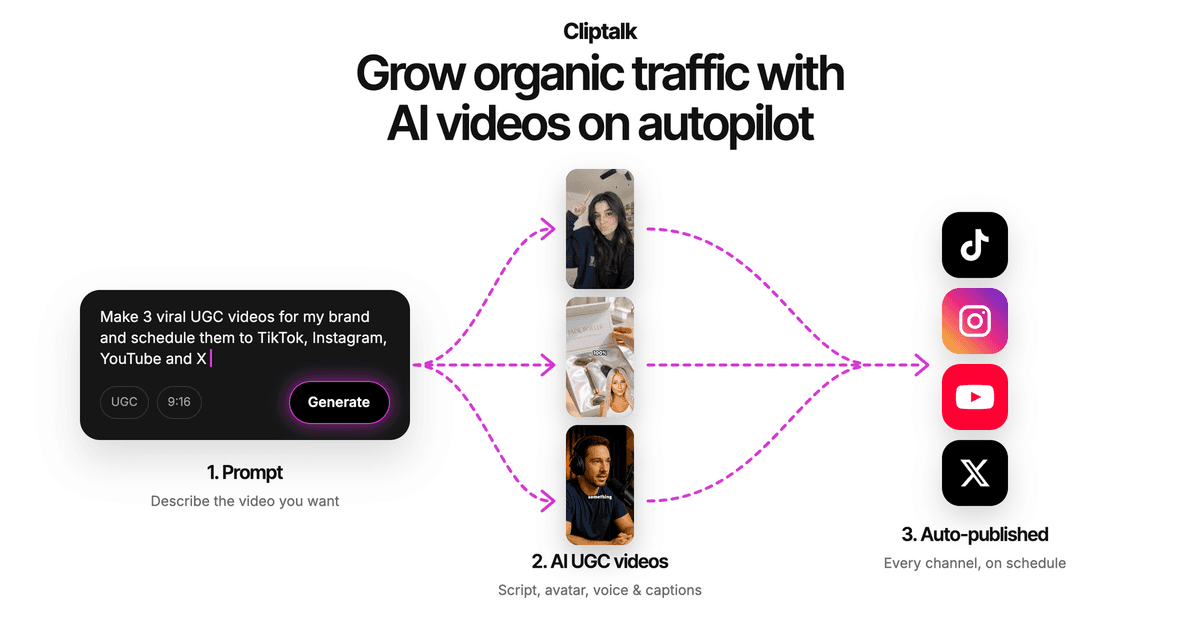
Most tools stop at the audio file. After that you still need a video editor to sync the voiceover, add captions, source B-roll, and export. Cliptalk does all of it in one place. I drop in a script or article, pick the cloned voice, and get a finished vertical video with captions, B-roll, and optional AI characters.
Where it wins: time per video. When you post daily, skipping the export-and-rebuild loop saves more time than squeezing out the last bit of voice accuracy.
Where it doesn't: if you only need raw audio for a podcast or audiobook, a dedicated tool like ElevenLabs gives tighter control over the voice itself.
If you run a faceless channel, this walkthrough on making a faceless YouTube video from your script with AI shows the full flow.
2. ElevenLabs: the most faithful clone
ElevenLabs Instant Voice Cloning works from a 10-second recording. Its docs recommend 1 to 2 minutes of clean audio for stronger results. It also notes that clips longer than 3 minutes rarely help and can lower quality instead. The clones support 32+ languages, with controls for pacing, energy, clarity, and emotion.
Free catch: Professional Voice Cloning requires the Creator plan or higher, and fine-tuning takes 3 to 6 hours. Test instant cloning on your voice first before upgrading.
3. Voiceslab: the cleanest free start
Voiceslab gave me the most generous no-strings-attached credits among the tools I tested. You get 3,000 free characters without entering a credit card. Before you sign up, it lets you run up to three free previews of 500 characters each. It requires a 10- to 60-second voice sample and supports 24 languages for cloning, such as Hindi, Japanese, and Arabic. It also advertises 0.5-second latency for real-time applications.
Free catch: 3,000 characters covers a handful of short-form scripts, not a channel's worth.
4. MixVoice: a 5-second clone, with a hard ceiling
MixVoice creates clones from a 5-second sample and claims support for 646 languages. The free tier lets you test whether the technology matches your voice.
Free catch: 30 characters per input, 200 characters per queued generation, 70.5% voice similarity, and no support. The Lite plan at $4.95/month increases that to 1M characters, 99.5% similarity, and a commercial license. The 6M-character plan costs $19.90/month.
5. HeyGen: clone plus a talking avatar
HeyGen creates an instant clone from 30 seconds of audio. A pro version needs a few minutes instead. The voice then lives inside their text-to-video editor, where it lip-syncs to an avatar automatically. After that, you can reuse the clone in unlimited videos and switch between multiple languages.
Free catch: you can get started free, but it's built around avatar presenter videos. That's great for training and product demos, and less natural for faceless Shorts.
6. SoundTools: open-source F5-TTS in your browser
If free means no account and no subscription, SoundTools runs the open-source F5-TTS model right in your browser. It comes closest to offline cloning among the tools here.
Free catch: You get raw audio and limited controls. Quality hinges on your sample, so the recording tips below matter even more.
7. Voice Clone: AI Voice Cloning (Android)
Revensa’s Voice Clone app on Google Play has over 100K downloads and roughly 2.64K reviews. It bundles voice cloning, text-to-speech, and a voice changer that tweaks tone, pitch, and style. The setup works best if you handle everything on your phone.
Free catch: In-app purchases lock the stronger features behind paywalls. Check the Data safety section on the store page before uploading your voice.
8. Musely: tuned for short samples
Many tools set a minimum length for samples. Musely takes the opposite route with a model tuned for short clips and a recommendation of 10 to 30 seconds. It also accepts video uploads, which helps when your cleanest audio sits inside an old video.
9. AnyVoice: cloning from 3 seconds
AnyVoice says it clones a voice from just 3 seconds of audio. That helps when you only have a short clip on hand. The output still leans more on the model's guesses than on your actual voice, so treat it as a quick test rather than a voice for regular videos.
How to record a sample that clones well
The sample matters more than the app. These habits made the biggest difference in my tests:
- Kill the reverb first. The clone copies room echo along with your voice. Record in a small room with soft surfaces, or near a closet full of clothes.
- Use the mic you'll actually use. Phone mic in, phone-sounding clone out.
- Stay consistent. Keep one tone, one energy level, and one distance from the mic for the whole take.
- Read the way you'll publish. If your Shorts are punchy, read punchy. A calm sample produces a calm clone.
- Go past the minimum when you can. A tool's minimum (10 seconds on ElevenLabs) is not its recommendation (1 to 2 minutes).
- Don't overdo it. On ElevenLabs, past 3 minutes adds little and can hurt.
- Leave out music, background noise, and other voices. Clip out coughs and long pauses before uploading.
Consent and privacy: check before uploading
Voice cloning is now good enough to cause real harm. When OpenAI developed a tool that clones from about 15 seconds of audio, the coverage led with "serious risks." Before uploading your voice anywhere, check:
- Whose voice it is. Clone your own voice, or someone's with written permission. Some tools, like Fliki, verify identity before cloning.
- How the voice is stored. ElevenLabs says voice data is encrypted. Voiceslab claims end-to-end encryption.
- Commercial rights. Free tiers often exclude them. MixVoice, for example, includes a commercial license only from Lite upward.
- App permissions. On mobile, read the Data safety section before granting microphone access.
Which one should you pick?
- Finished short-form videos for TikTok, Shorts, or Reels: Cliptalk. Your clone, captions, and B-roll come out as one edited video.
- The most faithful audio clone: ElevenLabs, starting with instant cloning.
- The best free test with no card: Voiceslab and its 3,000 free characters.
- Fastest possible experiment: MixVoice's 5-second clone, knowing the free tier caps similarity at 70.5%.
- Avatar presenter videos: HeyGen.
- No account, open source: SoundTools running F5-TTS.
- Phone only: Voice Clone: AI Voice Cloning on Android.
- Only a few seconds of audio: Musely or AnyVoice.
My advice: test your voice in two or three of these with the same clean 1-minute sample. Then pay only for the one whose output you'd publish without wincing.
Tags: voice cloning, ai voice, text to speech, short-form video, faceless channels, content creation