The Complete Guide to Voice Cloning Software in 2026
· 13 min read
Voice cloning software takes a short recording of your voice and creates a synthetic version that reads any text you provide. In 2026, most tools give you two options. Instant cloning needs just 3 to 30 seconds of audio. Professional cloning builds a custom model from minutes or hours of recordings.
If you want to clone your voice for TikToks, YouTube Shorts, or Reels, my recommendation is Cliptalk: the cloned voice drops straight into a fully edited vertical video with captions, B-roll, and AI characters. You skip exporting audio and editing it again in another app. For top audio quality, ElevenLabs remains the standard. For free, private cloning on your own machine, try Voicebox.
I've cloned my own voice across the tools below and put the results into real videos. This guide walks through how the tech works, how much audio you need, how to record a solid sample, what each option costs, and which tool suits your project.
What voice cloning software actually does
Older tools required hours of audio from a single speaker to train a model. Most modern options rely on zero-shot cloning instead. They take a short reference clip and capture its timbre, including pitch, tone, texture, and accent. From there, the tool generates any text in that voice. Lokutor describes it neatly: a voice is a timbre, not a recording. That is why a Spanish-language clone can deliver English or German lines on tools that support multiple languages.
The limitation is that an instant clone amounts to an informed guess. ElevenLabs states this clearly in its documentation. An Instant Voice Clone does not train a custom model on your voice. It draws on patterns the base model already learned and estimates how you sound. The approach works well for most voices. It struggles with highly distinctive voices or accents the model rarely encountered during training.
Professional cloning solves that by fine-tuning a dedicated model on much more of your audio. You trade time and effort for greater accuracy.
Instant vs. professional cloning
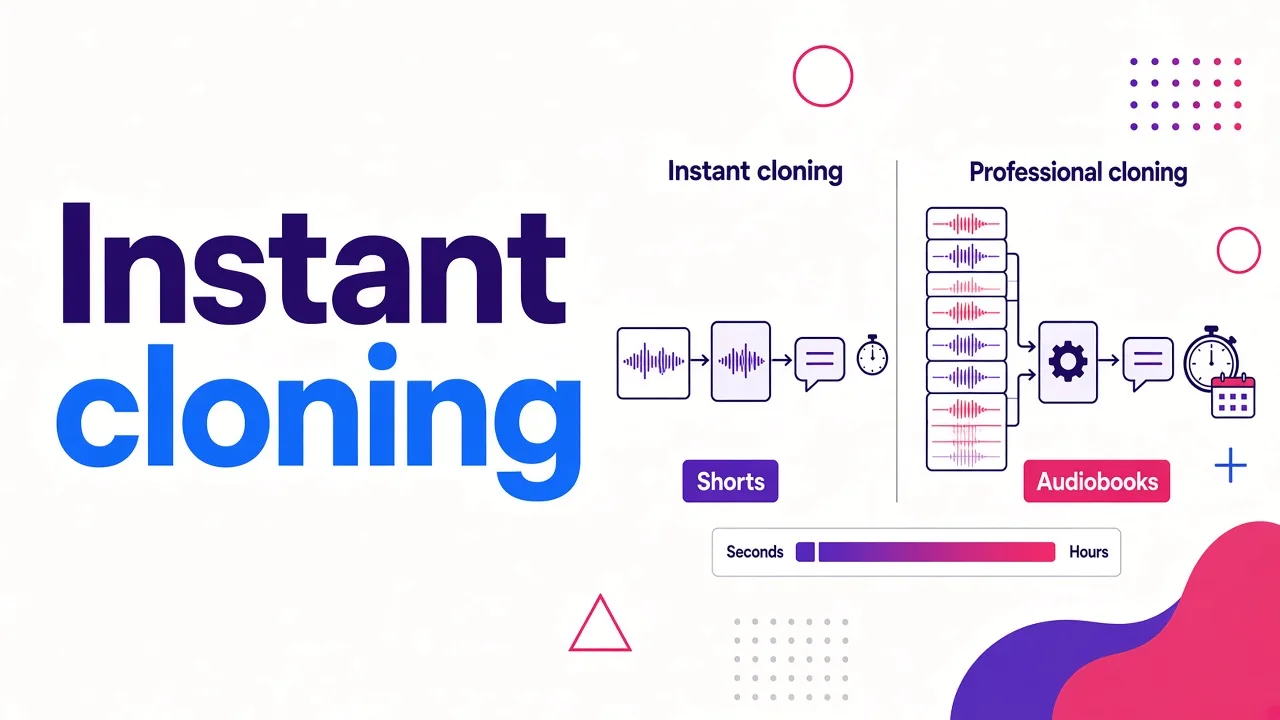
Here's how the two modes compare in the tools that offer both.
| Instant cloning | Professional cloning | |
|---|---|---|
| Audio needed | About 3 to 30 seconds (ElevenLabs starts at 10 seconds) | Minutes to hours (Murf accepts up to 90 minutes of studio recordings) |
| Training | None; the model estimates your voice from prior knowledge | A dedicated model is fine-tuned on your recordings |
| Turnaround | Seconds to a few minutes | 3 to 6 hours on ElevenLabs; 1 to 4 weeks on Murf, managed by their team |
| Best for | Creator voiceovers, prototypes, voice agents, cloning at scale | Flagship brand voices, audiobooks, long-form narration |
| Weak spot | Unusual voices and rare accents | Cost, waiting time, and recording effort |
For short-form video, instant cloning is almost always enough. A 30-second Short doesn't reveal the small inaccuracies that a 10-hour audiobook would. I only reach for professional cloning when the voice needs to carry long narration or represent a brand for years.
How much audio you really need
Landing pages and docs often quote different lengths, so check both.
- The minimum gets you a working clone. Lokutor accepts 3 seconds, ElevenLabs advertises 10 seconds, and HeyGen and Fliki build an instant clone from 30 seconds.
- The recommended length gets you a good one. ElevenLabs recommends 1 to 2 minutes of clean audio. It also warns that going past 3 minutes adds little and can make the clone worse. VoiceMate calls 30 seconds "the floor, not the target" and says most people are happy at around 90 seconds.
- Some tools cap the sample. Murf's instant cloning and EchoNova both stop at 30 seconds. EchoNova asks for 10 to 30 seconds and suggests aiming for the full 30. Musely is tuned for short samples and recommends 10 to 30 seconds.
My rule is to give a tool the length its documentation recommends, not the minimum its homepage brags about. Clean audio matters more than extra minutes.
The best voice cloning software in 2026
I've ranked these for creators, faceless channel operators, and marketers who publish video. If your work centers on voice agents or audiobooks, the order shifts, and I've noted where.
1. Cliptalk: best for short-form video creators
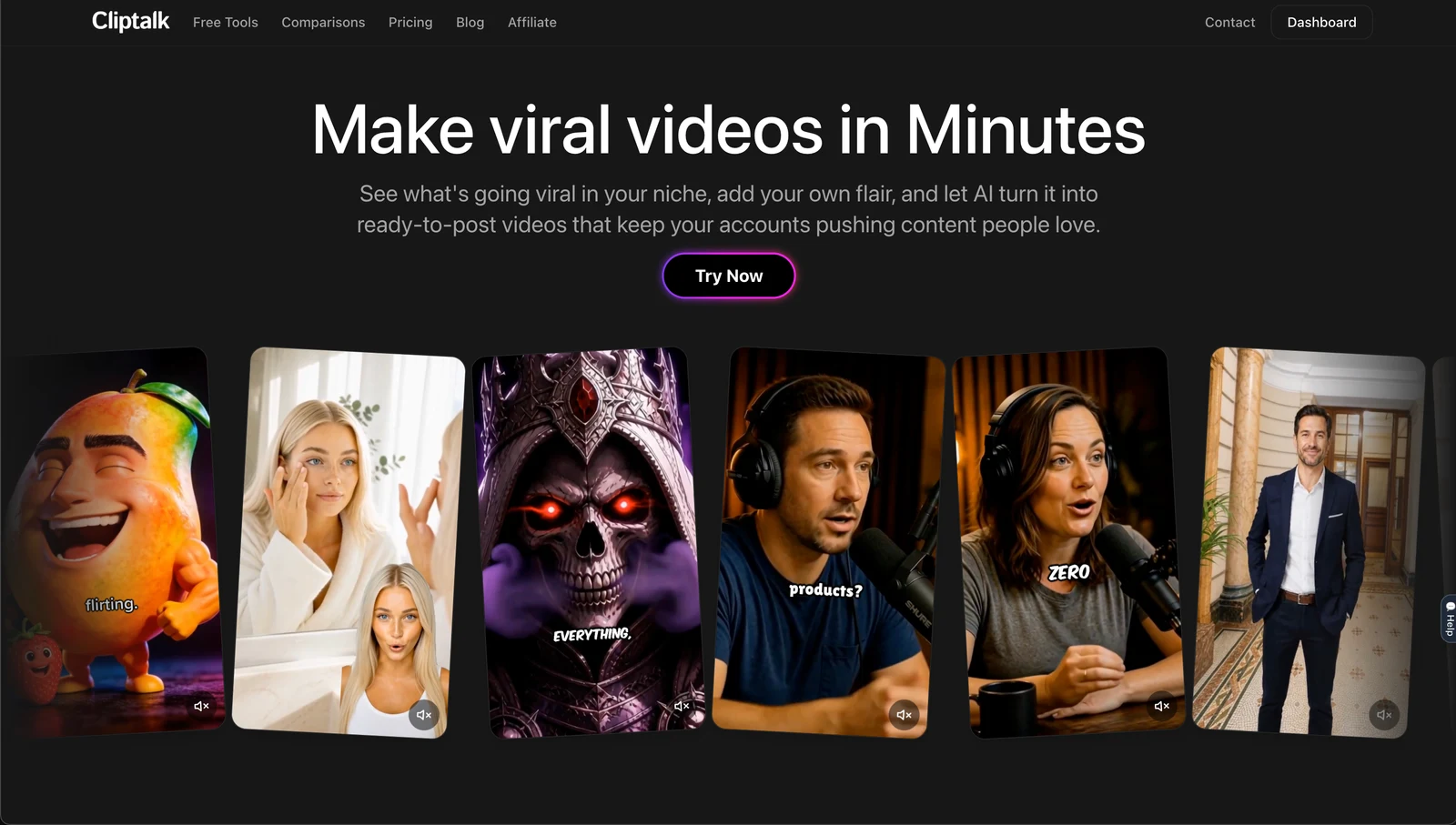
Cliptalk stands out because it is an AI video tool first. You clone your voice from a short, clean sample, paste a script, prompt, or article, and receive a finished vertical video. The output already includes your cloned voiceover, synced captions, B-roll, and optional AI characters.
Pros
- The cloned voice lands inside a finished video, not a loose audio file
- Captions, B-roll, and voiceover are generated together, so timing stays in sync
- Built for TikTok, YouTube Shorts, and Instagram Reels formats
- No editing skills needed
Cons
- Not a standalone audio studio; if you need raw narration files for a podcast or audiobook, a dedicated voice tool gives you more control
- Not an API product for developers building voice agents
2. ElevenLabs: best for voice fidelity and control
ElevenLabs is the tool most others get compared against. Instant cloning starts from a 10-second recording. Professional Voice Cloning is available on the Creator plan or above and usually takes 3 to 6 hours to fine-tune. Clones can speak 32+ languages, and you can adjust pacing, energy, clarity, and emotion.
Pros
- The most mature instant and professional cloning in this list
- Fine control over delivery and emotion
- Strong multilingual support
Cons
- Output is audio, so you still need a video workflow for social content
- Professional cloning requires a paid plan and hours of waiting
- Instant clones can miss on distinctive voices and rare accents (ElevenLabs says so itself)
3. Voicebox: best free, local option
Voicebox is an open-source desktop app for macOS, Windows, and Linux that runs entirely on your machine. It generates speech across seven TTS engines, including Qwen and Chatterbox models. It also handles transcription with Whisper and offers unlimited generation length and a local voice API.
Pros
- Free, with no subscription
- Your voice data never leaves your computer
- Unlimited generation length and a local API for scripts, games, and apps
Cons
- Speed and quality depend on your hardware
- More hands-on than a web app
- Its demo voices include famous people, which is a reminder that the tool won't stop you from cloning voices you have no right to use
4. HeyGen: best for talking avatar videos
HeyGen builds an instant clone from 30 seconds of audio, with a pro tier that asks for a few minutes. Its strength is lip-synced talking avatar videos in 175+ languages.
Pros
- Presenter-style videos with lip sync
- Very wide language coverage
Cons
- Avatar-centric; less suited to faceless, B-roll-driven Shorts
- Pro cloning needs several minutes of audio
5. Fliki: best for cross-language narration
Fliki creates an instant clone from a 30-second sample and exports MP3 or WAV, with an optional AI avatar. It covers 30+ languages.
Pros
- Simple 30-second setup
- Good for narrating the same script in several languages
Cons
- Less depth than ElevenLabs on voice control
- Not built around short-form editing
6. Lokutor (Versa): best low-cost multilingual API
Lokutor's Versa model clones from 3 to 30 seconds with no training step. The clone speaks all nine supported languages: Spanish, Catalan, Galician, Basque, English, Portuguese, French, Italian, and German. Creating the clone is free, speech costs $4.10 per million characters, and cloning unlocks after a first top-up of at least $10.
Pros
- Transparent, low per-character pricing
- One clone works across all nine languages
- Clones are private to the account that made them
Cons
- Developer-oriented; you work through an API or dashboard
- Language list is narrower than the big platforms
7. Murf: best for enterprise brand voices
Murf's instant cloning takes one sample of up to 30 seconds (WAV, MP3, FLAC, ALAW, or ULAW, at least 24 kHz, up to 40 MB). It streams at roughly 100 ms latency on its Falcon 2.1 model, fast enough for live conversational agents. Professional cloning accepts up to 90 minutes of studio audio and takes 1 to 4 weeks with Murf's team involved.
Pros
- Creating and storing a clone costs nothing extra beyond speech generation
- Low latency for real-time agents
- A managed professional option for flagship brand voices
Cons
- Instant cloning is Enterprise plan and API only, and has to be enabled through sales
- Overkill for individual creators
8. EchoNova: best for dialect-specific cloning with identity checks
EchoNova clones from one 10 to 30 second clip and lets you pick a dialect first (Emirati is the default). Before cloning, it makes you read a sentence plus a 4-digit code that expires after 10 minutes, so only the person speaking can clone the voice. A workspace holds up to 20 cloned voices.
Pros
- Built-in verification that the voice belongs to you
- Shows the credit price before you confirm
Cons
- Narrow focus on specific dialects
- Workspace cap of 20 voices
Quick comparison
| Tool | Sample it asks for | What you get back | Best for |
|---|---|---|---|
| Cliptalk | A short, clean sample | Edited vertical video with cloned voiceover, captions, B-roll | TikTok, Shorts, and Reels creators |
| ElevenLabs | 10 seconds minimum, 1 to 2 minutes recommended | Audio with emotion and pacing controls | Maximum fidelity and control |
| Voicebox | A short clip, processed locally | Audio, local API | Free, private cloning |
| HeyGen | 30 seconds instant, a few minutes pro | Talking avatar video with lip sync | Presenter-style videos |
| Fliki | 30 seconds | MP3 or WAV, optional avatar | Multilingual narration |
| Lokutor | 3 to 30 seconds | Audio via API | Cheap multilingual speech |
| Murf | Up to 30 seconds instant, up to 90 minutes pro | Low-latency streamed audio | Enterprise agents and brand voices |
| EchoNova | 10 to 30 seconds plus a verification code | Audio in a chosen dialect | Verified, dialect-specific voices |
How to record a sample that clones well
The clone copies every detail from your sample, room and all. EchoNova states it directly: background noise and echo transfer straight into the result. These habits improved my clones more than any other step.
- Deaden the room. ElevenLabs recommends cutting echo and reverb. No vocal booth? Fill a closet with clothes or build a quick blanket fort.
- Use a decent mic, not an expensive one. ElevenLabs notes a $150 to $300 XLR microphone covers most voiceover work. Pair a Focusrite interface with an Audio-Technica AT2020 or Rode NT1 for a total of $300 to $500.
- Add a pop filter. Plosives on "p" and "b" sounds otherwise embed into the clone.
- One speaker, continuous speech. Murf requires clear, unbroken speech from a single voice. Skip music, co-hosts, and long gaps.
- Keep the same distance from the mic. Shifting closer or farther alters tone partway through the sample.
- Record in the voice you'll actually use. Read the sample at the pace and energy of your Shorts. A flat delivery creates a flat clone.
- Respect the format specs. Murf needs at least 24 kHz. Record in WAV at a higher sample rate as the safe default across tools.
One more tip: generate a test line before you commit. Choose a sentence with tricky words, your brand name, and a number. If the clone stumbles, re-record instead of tweaking settings.
What voice cloning costs
Voice cloning tools follow four pricing models. Choose the one that fits how much content you create.
- Free and local. Voicebox costs nothing beyond your own hardware.
- Pay per character. Lokutor charges $4.10 per million characters, with the clone itself free.
- Credits or subscription tiers. ElevenLabs gates professional cloning to the Creator plan and above. EchoNova shows a credit cost before each clone.
- Enterprise contracts. Murf's instant cloning sits on the Enterprise plan. Clone creation and storage are free, and you pay standard speech rates.
For creators, the real cost is not the voice itself. It is the time spent turning raw audio into finished videos. Pairing a low-cost voice tool with a separate editor often takes more hours than an all-in-one workflow.
Consent, verification, and responsible use
Cloning your own voice is simple. Cloning someone else's is where the real risks appear. The stronger tools add built-in guardrails:
- Permission rules. Lokutor requires users to clone only voices they own or have permission to use, and it keeps every clone private to the account.
- Identity checks. EchoNova uses a spoken code, so a stolen recording alone cannot create a clone.
- Data protection. ElevenLabs encrypts voice data and blocks unauthorized access.
Clone only your own voice or one you hold written permission for. Keep your raw samples private. Review the AI content rules on every platform before you post. A local tool like Voicebox adds privacy, yet it also shifts full responsibility to you.
Using a cloned voice in a short-form video workflow
Most voice cloning guides stop here, which is exactly where creators lose time. A cloned voice on its own is just an MP3. To publish, you still need visuals, captions timed to every word, B-roll, and a vertical edit.
My own workflow runs end to end in Cliptalk:
- Clone my voice once from a clean sample.
- Write or paste a script, or drop in a blog post.
- Generate the video with my cloned voiceover, animated captions, and B-roll matched to the script.
- Swap any B-roll clip I don't like in the editor, then export for TikTok, Shorts, or Reels.
For faceless channels this is the whole game. The voice is the only "you" in the video, so consistency matters more than anything. I break down that setup in how to make a faceless YouTube video from your script with AI. If you're working from a draft, the script to YouTube Shorts AI workflow shows each step from writing to upload.
Two tips that work with any tool. First, write for the ear: short sentences, one idea each, and no parentheses the voice can't pronounce. Second, read your script once in the cloned voice before generating visuals. Fixing a phrasing problem in text takes seconds; fixing it after the edit is built takes much longer.
How to choose the right voice cloning software
Answer these five questions and the choice usually makes itself.
- What's the final output? If it's a social video, choose a tool that produces the video. If it's a podcast, audiobook, or app, choose an audio-first tool.
- How unusual is the voice? A strong accent or very distinctive voice may need professional cloning rather than instant.
- How long is the content? Short clips forgive small flaws. Long narration exposes them.
- Where must the data live? If your voice can't touch the cloud, use a local tool like Voicebox.
- How many languages? Check the exact language list, not the headline number.
When in doubt, begin with an instant clone. It costs little or nothing, finishes in minutes, and shows fast whether the tool fits your voice.
FAQ
How many seconds of audio do I need to clone a voice? Minimum lengths range from 3 seconds with Lokutor up to 30 seconds with HeyGen and Fliki. Check the specific tool's guidelines for the best outcome. ElevenLabs recommends 1 to 2 minutes, while VoiceMate suggests roughly 90 seconds.
Is instant cloning good enough for YouTube Shorts and TikTok? Yes for most voices. Short videos rarely reveal the small flaws in an instant clone. Professional cloning makes sense mainly for long-form narration or tricky accents.
Can a cloned voice speak other languages? Many tools support this. ElevenLabs clones handle 32+ languages, Fliki covers 30+, and Lokutor works across all nine of its languages. Results differ by language, so test before you publish.
Is there free voice cloning software? Voicebox is free and open source. It runs locally on macOS, Windows, and Linux. You trade some ease of use and rely on your own hardware.
Is it legal to clone someone else's voice? Clone only voices you own or have clear permission to use. Several tools spell this out in their terms, and options like EchoNova verify the speaker before cloning.
Does a longer sample always give a better clone? No. ElevenLabs notes that samples beyond about 3 minutes add little value and can even hurt quality. A clean, consistent 1 to 2 minutes outperforms a long, noisy recording.
Tags: voice cloning, ai voiceover, short-form video, text to speech, faceless channels