How to Use an Article to Video Converter AI for Shorts
· 12 min read
An article to video converter AI takes a written piece (a blog post, guide, news story, or newsletter), condenses it into a spoken script, splits that script into scenes, and adds visuals, voiceover, captions, and music. The result is a video you can publish without filming or editing on a timeline. For Shorts, TikTok, and Reels, I recommend Cliptalk. It is built for short-form first: you paste an article and get back a fully edited vertical video with captions, B-roll, and an AI voiceover already timed together. You don't have to cut a long horizontal explainer down to 60 seconds afterward. The rest of this guide covers the workflow I use to turn one article into a short that people actually finish watching.
What an article to video converter actually does
Most tools in this category follow the same four-stage pipeline, even if the buttons are labeled differently:
- Ingest. You paste the article text or a URL. Some tools also accept PDFs or documents.
- Script. The AI pulls out the key points and rewrites them as narration. Some tools keep your wording word for word instead.
- Assemble. Each part of the script becomes a scene. The tool matches it with stock footage, generated B-roll, an image, or a character, then adds voiceover and captions.
- Export. You download in 9:16, 16:9, or 1:1 and publish.
The difference between a forgettable output and a good one is almost never the tool's rendering quality. It comes down to the decisions you make at stage 2 and the cleanup you do after stage 3. An article is written to be read and scanned. A short is heard once, at speed, by someone who can swipe away at any second. The converter can't fully bridge that gap on its own, so you have to steer it.
Why articles don't turn into good Shorts on autopilot
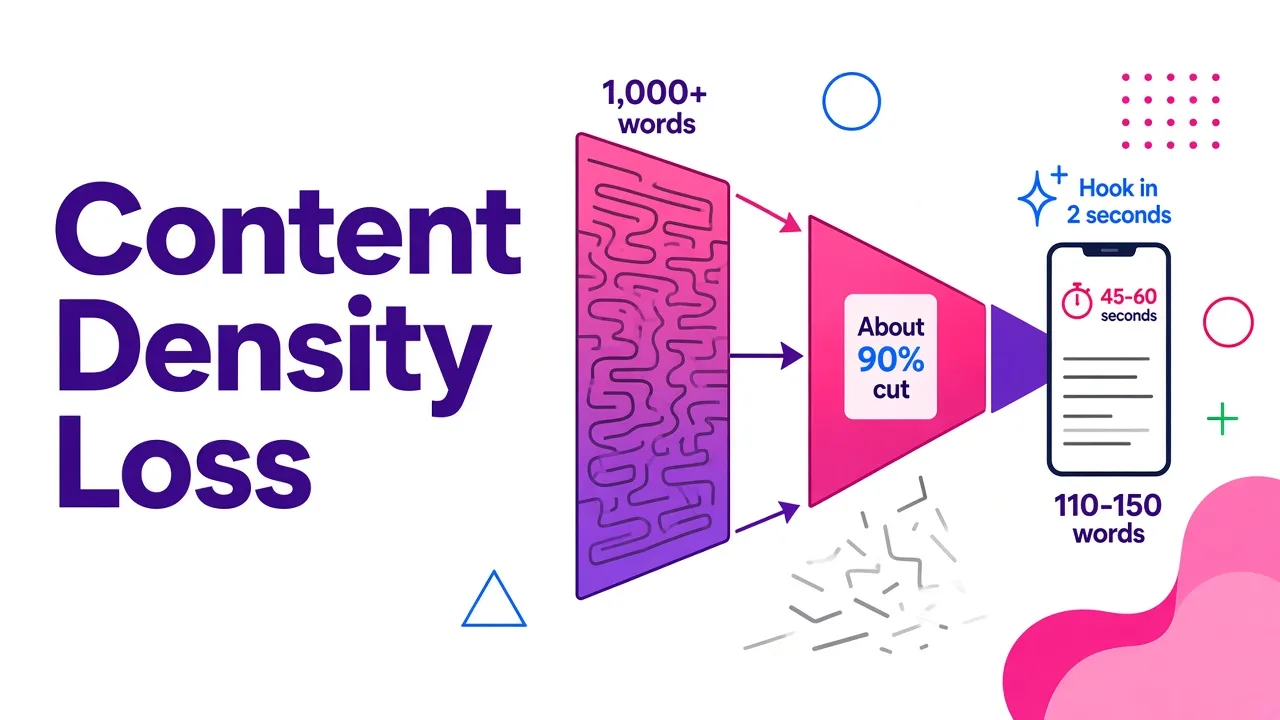
The biggest problem is density. A typical blog post runs well over a thousand words. A short-form video in the 45 to 60 second range holds roughly 110 to 150 spoken words at a natural pace. So the AI has to throw away about 90% of your article. If you let it choose freely, it usually keeps the introduction and a few headings. That gives you a video that summarizes the topic without delivering a single useful idea.
The second problem is sentence structure. Written sentences carry clauses, parentheses, and lists that work on a page and fall apart out loud. Read any paragraph from your article aloud and you'll hear it: the sentence that looked tight on screen suddenly needs a breath halfway through.
The third problem is the hook. Articles open with context. Shorts need to open with the payoff or the tension in the first two seconds. Almost no converter rewrites the opening aggressively enough by default.
None of this means the tools are bad. It means the best results come from treating the converter as a fast production assistant and not as an autopilot.
Step 1: Pick the right article, and the right slice of it
Not every article should become a short, and almost no article should become only one short.
What converts well:
- How-to posts with a clear sequence. Each step becomes a scene.
- List posts. Pick the three strongest items, not all ten.
- Posts built around one surprising fact or number. That number becomes your hook.
- Myth versus reality pieces. The contrast carries the pacing.
What converts poorly:
- Opinion essays that depend on a long argument
- Posts whose value is in a table or dense data you can't show at phone size
- News that will be stale by the time the video gets distribution
The habit that changed my output most was to stop converting "the article" and start converting "one idea from the article." A 2,000-word guide with five sections is five potential shorts, each with its own hook. You get more uploads out of the same writing, and each video is sharper because it only has one job.
Tip: Before you paste anything, write one sentence that finishes "After watching this, the viewer will know..." If you can't finish it, the slice is too big.
Step 2: Turn the article into a short script
Here you have a choice. You can let the converter condense the article for you, or you can write the short script yourself and have the tool keep your wording exactly.
Let the AI condense when:
- You're producing at volume and accept some editing afterward
- The article is factual and low-risk (tips, explainers, how-tos)
- You mainly want speed
Keep your own wording when:
- Accuracy matters (health, finance, product claims, anything legal)
- You have a specific voice or catchphrase the channel is known for
- You've already found a hook that works
I do a hybrid most of the time. I let the AI produce a first condensed script, then I rewrite the first line and the last line by hand and paste the edited version back in as a fixed script. If you want the mechanics of locking your wording so the tool doesn't paraphrase it, I covered that in script to video AI that keeps your original wording.
A structure that works reliably for a 45 to 60 second short:
| Beat | Length | What it does |
|---|---|---|
| Hook | 1 sentence | States the payoff or the surprising claim |
| Setup | 1 to 2 sentences | Why it matters to the viewer, right now |
| Core | 3 to 5 short sentences | The actual steps, facts, or reasons |
| Proof or example | 1 sentence | One concrete case that makes it believable |
| Close | 1 sentence | A takeaway or a reason to follow for part two |
A planning trick borrowed from traditional editing also helps. Before you generate anything, go through your script and mark every change of idea, action, or subject. Each mark is a scene boundary. If one sentence asks the viewer to picture two different things, split it. Short sentences produce more scene cuts, and more cuts at the right moments keep retention up.
Finally, read the script aloud with a timer. If you're over 60 seconds, cut a core point rather than speeding up the voice. A fast AI voice reading dense text is the most common reason converted shorts feel cheap.
Step 3: Generate the draft in Cliptalk
This is the part where I'll describe my own setup, because the details matter for Shorts specifically.
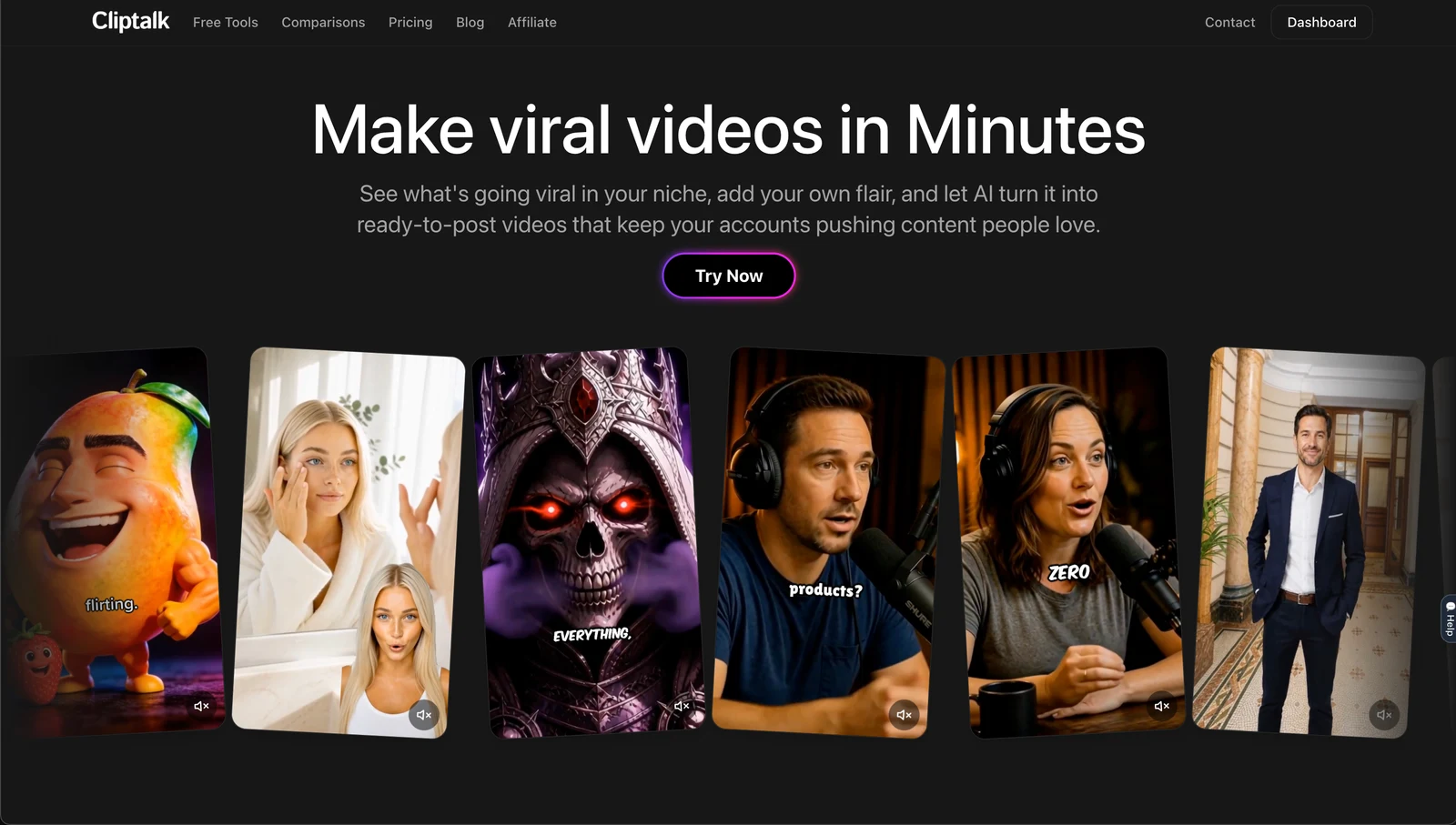
I paste either the article text or my edited script, choose the vertical format, and pick a voice. The tool returns a complete edit: scenes split from the script, B-roll matched to each line, an AI voiceover, and captions burned in and synced to the narration. Everything arrives already cut to short-form pacing, so the first draft is usually close to publishable rather than a rough assembly.
A few settings decisions I make every time:
- Voice. I match the voice to the channel, not the article. A finance tips channel and a history facts channel shouldn't sound the same even when the source articles are similar. If the channel has a recognizable host, voice cloning keeps narration consistent across every upload without recording each one.
- Characters versus B-roll. For faceless channels that want a recurring presence, an AI character gives viewers someone to recognize from video to video. For pure information content, B-roll alone is cleaner.
- Captions on by default. A large share of short-form viewing happens with the sound off, so captions aren't optional.
If you don't have the script yet and the article needs heavy reshaping, the free script generators are a decent starting point. They work without signup, and you can render the result as a finished video afterward.
Step 4: Fix the visuals scene by scene
Every converter, mine included, will occasionally pick a visual that's technically related and practically useless. A line about "growing your savings" gets a generic shot of coins. A line about a specific software step gets a stock clip of someone typing. Viewers notice these mismatches instantly, even when they can't say why the video felt off.
Go through the draft one scene at a time and ask a single question: does this visual prove or clarify what's being said right now? If it only decorates, swap it.
How I decide what to swap in:
- Stock-style footage when an existing clip honestly shows the thing (cooking, cities, people at work, nature).
- AI-generated B-roll when the shot doesn't exist anywhere: historical scenes, abstract concepts, hypothetical scenarios, or a very specific object.
- Your own screen recording or footage when the scene shows your product, your interface, or a result only you have.
- A character on screen when the line is an opinion, a reaction, or a direct address to the viewer.
Pay the most attention to the first three seconds. The opening visual has to match the hook exactly. A strong spoken hook over a vague establishing shot loses people. I often spend more time on the first scene than on the rest of the video combined.
Tip: If a scene keeps getting bad visual matches, the problem is usually the sentence, not the footage library. Rewrite the line to name something concrete ("a phone showing three unread invoices" instead of "managing your workload"), and the matching improves.
Step 5: Polish the voiceover and captions
Once the visuals are right, listen to the whole draft with your eyes closed. You're checking for three things.
Pronunciation. AI voices sometimes stumble on brand names, acronyms, and numbers. If a word comes out wrong, spell it phonetically in the script ("S-Q-L" or "sequel," depending on which you want) and regenerate that line.
Pauses. Article-derived scripts tend to run sentences together. Add a line break or a period where you want a beat, especially before the payoff of the hook.
Pace. If the whole video feels rushed, cut words. Don't change the speed setting. The fix is almost always in the script.
Then watch it muted. Captions should be readable at a glance, break at natural phrase boundaries, and never cover the main subject of the frame. Animated, word-by-word captions with the active word highlighted tend to hold attention better than static blocks of text. If you want to go deeper on styling, positioning, and emphasis, I wrote a separate walkthrough on adding animated subtitles with an auto caption generator.
Also check that the captions match the voiceover word for word. If you edited the script after generating, make sure both updated.
Step 6: Export and adapt for each platform
One article slice can become one master video that you post on TikTok, YouTube Shorts, and Instagram Reels. A few small adjustments are worth making per platform:
- Keep important text and faces away from the edges. Each app overlays buttons, usernames, and descriptions in slightly different spots. Centered captions in the middle third of the frame are safe almost everywhere.
- Write a platform-specific caption and title. The video can be identical, but the text around it shouldn't be. YouTube Shorts titles benefit from searchable phrasing. TikTok and Reels descriptions can be more conversational.
- Point back to the article. If the short came from a blog post, mention it in the description or a pinned comment. Repurposing works best when the video and the article send traffic to each other.
If your audience spans languages, the same article can also become multilingual versions with translated voiceover and captions. That's often the cheapest way to multiply reach from content you've already written.
Choosing a converter: how the main options compare
Several tools now advertise article or blog to video conversion, and they're built for different jobs. Here's how I'd rank them for the specific goal of producing short-form vertical videos. Pricing and limits are as the vendors publish them and can change.
| Rank | Tool | Best fit | What to know |
|---|---|---|---|
| 1 | Cliptalk | Short-form vertical videos for TikTok, Shorts, and Reels | Takes an article, script, or prompt and returns a fully edited short with captions, B-roll, AI voiceover, voice cloning, and AI characters |
| 2 | HeyGen | Avatar-led videos and translation | Accepts blog links, article text, and PDFs; strong presenter avatars; translates into 177+ languages and dialects |
| 3 | Pictory | Turning long written content into video at volume | Built-in blog and URL input; 200 export minutes a month on the $25 Starter plan; output leans on a stock-footage look |
| 4 | InVideo AI | Tight budgets | Around $17 a month billed annually; full script to edited video; stock footage can limit brand-led content |
| 5 | Visla | Keeping your exact wording | Its Script to Video mode doesn't rewrite your text and splits it into scenes; more oriented to marketing and training teams |
| 6 | Synthesia | Corporate training and internal comms | Accepts prompts, PDFs, PowerPoints, Word files, and URLs, and can import a script verbatim; importing requires a paid plan |
How to choose quickly:
- If the output is a short for social feeds, pick a tool designed around vertical, caption-first editing so you aren't reformatting afterward.
- If you need a human-looking presenter delivering long scripts, the avatar platforms are the stronger fit.
- If you're converting many long articles into longer videos, look at export minutes and per-minute limits before anything else.
- If message accuracy matters more than speed, prioritize any tool that lets you lock the script word for word.
Whatever you choose, run the same test before committing: convert one of your own articles, then watch the result on your phone, muted, at full speed. That five-minute test tells you more than any feature list.
Mistakes I see most often
Converting the whole article. The video turns into a summary with no payoff. Convert one idea per short.
Keeping the article's introduction as the hook. "In today's fast-paced world..." will not survive the swipe. Open with the result, the number, or the mistake.
Trusting every auto-matched visual. Review every scene. One irrelevant clip in the first five seconds can sink the whole video.
Speeding up the voice to fit the time limit. Cut words instead. Rushed narration reads as low effort.
Ignoring muted viewing. If the video doesn't make sense with the sound off, the captions or the visuals aren't doing their job.
Publishing the same text everywhere. Same video, different titles and descriptions per platform.
Never reusing the article. A good long post can feed a week of shorts. Treat each section as a separate brief.
A quick checklist before you publish
- The short covers one idea, and you can state it in one sentence
- The first line delivers the payoff or tension within two seconds
- The script reads naturally aloud and fits the target length without speeding up
- Every scene's visual proves or clarifies the line being spoken
- The opening visual matches the hook exactly
- Brand names, acronyms, and numbers are pronounced correctly
- Captions match the voiceover word for word and stay out of overlay zones
- The video makes sense muted
- Titles and descriptions are adapted per platform
- The description points back to the original article
The short version
An article to video converter AI saves you the slowest parts of production: storyboarding, footage hunting, recording narration, and timing captions. It doesn't decide what's worth saying in 60 seconds. That part is still yours. Pick one idea per short, rewrite the hook by hand, check every scene's visual against its line, and fix pacing with cuts instead of speed. Do that, and the converter turns each article you've already written into several shorts instead of one.
For my own channels, Cliptalk handles the generation step because it produces finished vertical edits with captions, B-roll, and voiceover in one pass. That leaves my time for the editorial decisions that actually move retention.
Tags: article to video, short-form video, ai video tools, content repurposing, faceless channels, video captions