Blog Post to Video AI: How to Repurpose One Post Into Shorts
· 10 min read
Blog post to video AI takes an article you've already published, turns it into a spoken script, and builds a finished video with voiceover, captions, and visuals. My recommendation is Cliptalk. I paste a section of the post, and it returns a fully edited vertical short with auto-captions, AI B-roll, and an AI voiceover in one pass. That means one post can become three or four Shorts, TikToks, and Reels without opening a timeline editor. The tool is only half the job, though. What decides whether those clips get watched is how you split the post before you generate anything. This guide walks through the workflow I use, from choosing the post to uploading the last clip.
Why one blog post should become several Shorts, not one video
Most people make the same mistake I made at first. They paste a 1,500-word article into a generator and expect one good video to come out. What comes out is a rushed summary that tries to cover everything and lands nothing.
A blog post is built for skimming. Readers jump between headings, scan a list, and leave once they have what they need. A short-form viewer gets one idea, delivered fast, with no way to scroll back. A single post that answers five sub-questions is better treated as five candidate videos.
The math adds up quickly. One creator who documented this switch put it simply: four blog posts a month, each turned into two or three short videos, becomes 12 to 16 pieces of content instead of four. The research and structure were already done for the blog. The only extra work is repackaging it. In that creator's case, the first repurposed clip was a plain narrated summary with stock visuals. It reached tens of thousands of views on Instagram because it put content that already worked in search in front of people who would never visit the blog.
Pick posts that survive the trip to video
Not every post converts well. Before generating anything, I sort my archive into strong and weak candidates.
Strong candidates:
- How-to guides with clear, numbered steps
- Listicles ("5 ways to...", "7 mistakes...")
- Comparisons where there's a clear winner or a clear trade-off
- Opinion pieces with a sharp, arguable hook
- Posts built around one surprising number or result
Weak candidates:
- Dense technical documentation
- Posts that depend on code snippets or large data tables
- News pieces that will be stale by the time the video is posted
- Content with nothing that can be shown, only abstract argument
A test I borrowed and still use: if you can explain the post to a friend in about 60 seconds and they'd find it interesting, it will work as a short. If the explanation needs a whiteboard and ten minutes, skip it or pull only one narrow idea out of it.
Cut the post into clips before you open any tool
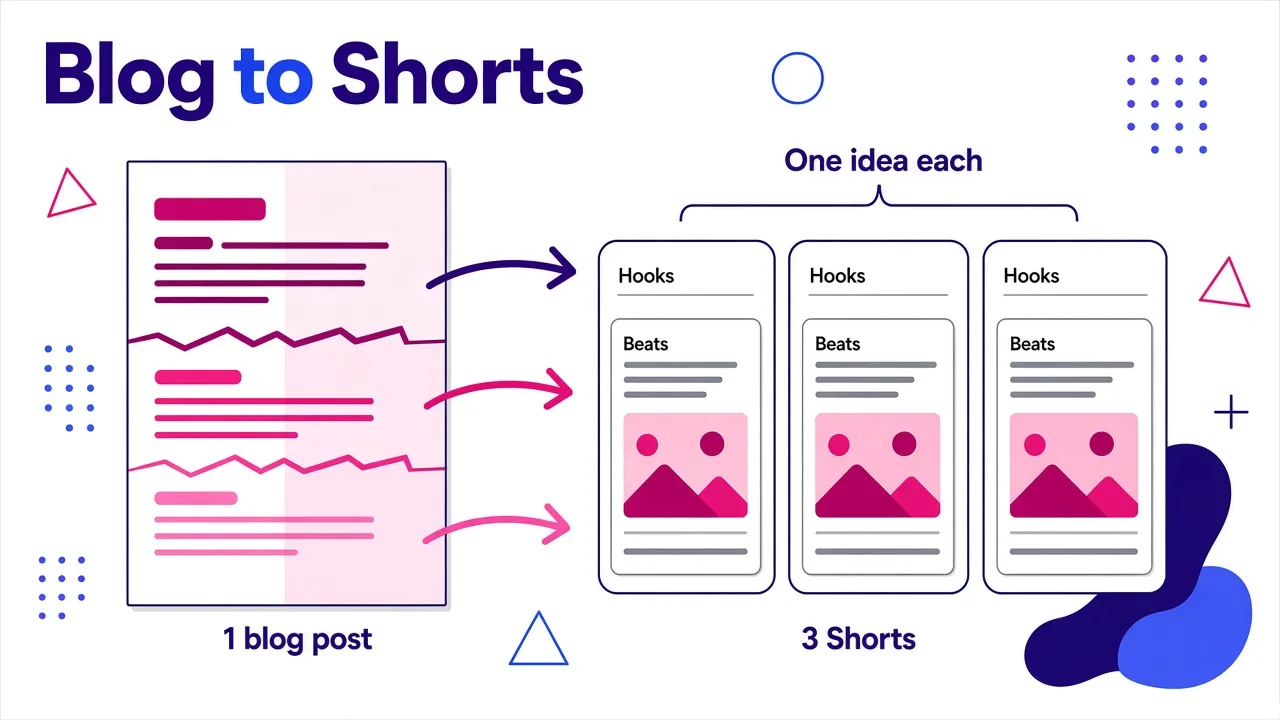
This step does more for quality than anything the AI does. I read the post once and mark every point where the idea changes. Each change is a possible clip boundary. Then I fill in a small card for each clip.
| Field | What to write | Check |
|---|---|---|
| Clip goal | The one idea this video must land | Can a viewer repeat it in one sentence? |
| Hook | The opening line, pulled or rewritten from the post | Would it stop a scroll without context? |
| Beats | Two to four short spoken lines that support the goal | Is each line short enough to hear without rushing? |
| Visual cue | What should be on screen for each beat | Does the visual clarify the line, or just decorate it? |
| On-screen text | One term, number, or takeaway | Readable in a second or two? |
| Close | A single takeaway or a pointer to the full post | Does it end the idea instead of trailing off? |
Here's how a typical post breaks down. Say the article is "How to light a home video setup." Clip one is "why a bright room still makes your face hard to see." Clip two is "where the key light should actually go." Clip three is "a three-point check before you hit record." Each clip has one job, and none of them needs the others to make sense.
Rough sizing that works for me:
- 15 to 30 seconds: one tip, one stat, one mistake
- 30 to 45 seconds: a short how-to with two or three steps
- 45 to 60 seconds: a mini list or a before-and-after explanation
If a card needs more than four beats, it's two clips. Split it.
Rewrite for the ear, not the eye
Blog sentences are written to be read. Read aloud, they're often too long, too nested, and full of words like "additionally" that nobody says. Before generating, I rewrite each card's lines so they sound like a person talking.
What I change:
- Break any sentence longer than about 20 words into two
- Replace "it is important to note that" with the actual point
- Swap "users" and "individuals" for "you"
- Put the number first: "Three things kill your audio" beats "There are several factors, three in particular, that can harm audio quality"
- Delete headings, link text, and "as mentioned above" references, since the viewer never saw them
The hook gets extra attention. The first paragraph of a blog post is often the best source, because that's where you already wrote the problem statement. I trim it to one line that names a problem or makes a claim. "Your ring light is probably in the wrong place" works. "In this video we'll discuss lighting" doesn't.
If you'd rather not rewrite by hand, a script generator speeds this up. I sometimes drop a card's goal into the free YouTube script generator, which writes a word-for-word spoken script from hook to call to action without asking for a signup. I then pull back any phrasing from the original post that I want to keep.
Generating the video: my Cliptalk workflow
This is where the tool matters. What I need from a blog post to video AI is simple: take my cleaned-up script, keep my wording, and return something I can post without rebuilding it in an editor.
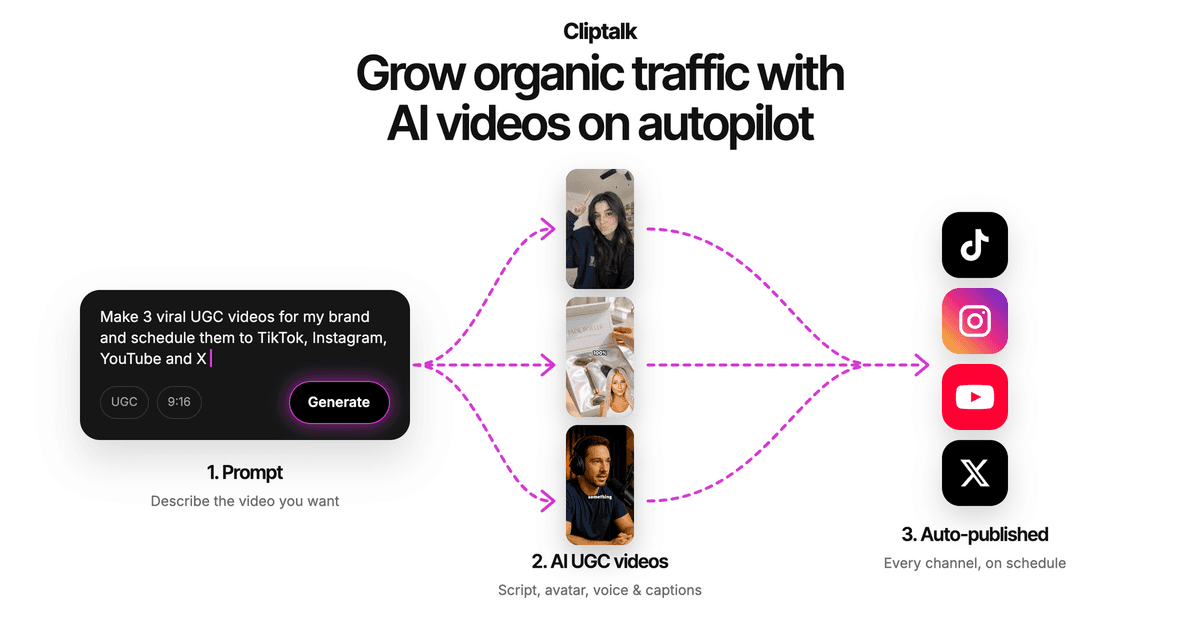
My process in Cliptalk looks like this:
- Paste one card's script, not the whole post. Every clip gets its own project. That keeps pacing tight and stops the generator from compressing five ideas into one video.
- Choose the voice. I pick an AI voiceover that fits the topic's tone, or use voice cloning when the channel is tied to my own voice. Consistency across a series matters more than finding the "perfect" voice for one clip.
- Let it build the draft. The tool assembles the cut with auto-captions, AI B-roll matched to each line, and the voiceover synced to the text.
- Add a character if the channel uses one. For faceless channels, an AI character gives the series a recurring presenter without filming anything.
- Fix what's wrong in the editor. Usually that's one or two B-roll shots that are too literal or too generic. I swap those and leave the rest alone.
- Export vertical and move to the next card.
Because each card is short and already written for the ear, the draft usually needs minutes of fixing, not an hour. If you want the full step-by-step for the Shorts side specifically, I wrote it up in this draft-to-upload workflow for YouTube Shorts.
Should the AI summarize your post or keep your words?
Blog-to-video tools split into two approaches, and choosing the wrong one is the most common reason output feels off.
| Approach | How it works | Best for | Risk |
|---|---|---|---|
| AI summarizes the post | You paste the full article or link; the AI extracts key points and writes its own script | Fast first drafts, large back catalogs, low-stakes topics | Loses your voice, can drop nuance or misstate a claim |
| Verbatim script | You paste a prepared script; the tool reads it word for word | Brand content, expert topics, anything where accuracy matters | Takes 10 to 15 minutes of prep per clip |
| Hybrid | AI drafts a script from the post, you edit it, then render your edited version | Most creators, most of the time | Only works if you actually review the draft |
I default to the hybrid. Fully automatic summaries are fine for exploring which ideas in a post might work as video. For anything I publish under my name, though, I want the spoken words to be ones I approved. Some generators rewrite your text even when you paste a finished script, so test this before committing a whole archive. I go deeper on that problem in script to video AI that keeps your original wording.
The review pass: captions, B-roll, and voice
Auto-generated doesn't mean finished. I run every clip through the same short checklist before export.
Captions
- Spelling of names, brands, and technical terms (AI transcription trips on these most)
- Line breaks that split a phrase awkwardly
- Caption placement clear of the platform's buttons and username area
- Keywords highlighted where the style allows, so a muted viewer still gets the point
B-roll
- Does each shot clarify the line it sits under? A shot of "a person at a laptop" under every sentence is filler.
- No visual that contradicts the narration (a winter scene under "summer sales tips")
- At least one shot change every few seconds so the frame doesn't go stale
Voice and pacing
- Listen at full speed, not just skim the waveform
- Check that numbers are read the way you mean them ("2026" as a year, not "two thousand twenty-six" if your audience says it differently)
- Make sure the hook lands in the first second or two, with no dead air before it
The final question: if someone saw only this clip and never read the post, would they come away with the one idea from the card? If not, the problem is usually the script, not the visuals.
Platform details that change the edit
The same clip can go to TikTok, YouTube Shorts, and Instagram Reels, but a few small adjustments help.
- Aspect ratio: export 9:16 for all three. Generate vertical from the start instead of cropping a horizontal video, which tends to cut off on-screen text.
- Length: keep most repurposed clips under 60 seconds. Shorter clips with one idea tend to hold attention better than long ones that cover the whole post.
- Title and description: use the blog post's target keyword or a close variant in the YouTube Shorts title. Search on YouTube works a lot like search on Google, so the keyword research behind your post still pays off.
- Call to action: "Full guide on the blog" works on YouTube, where links in descriptions are easy to find. On TikTok and Reels, a takeaway or a follow prompt usually fits better than sending people away.
- Embed back: add one of the finished clips to the original blog post. Pages with relevant video give readers another way in, and the short itself gets an extra source of views.
A repeatable weekly system
Repurposing works when it's routine, not a one-off project. My week looks roughly like this:
- Monday: pick one published post, ideally one that already ranks or gets steady traffic, because the topic is proven.
- Monday, 30 minutes: split it into three to five cards and rewrite the lines for speech.
- Tuesday: generate all clips in one sitting. Same voice, same caption style, same character if the series uses one.
- Tuesday, 20 minutes: run the review checklist on every clip.
- Wednesday to Sunday: schedule one clip a day across TikTok, Shorts, and Reels.
- Next Monday: check which clip did best and pick the next post on a related topic.
The performance data is the real payoff. When one clip clearly outperforms the others, that tells you which sub-topic to expand into a new blog post. Video and blog start feeding each other.
Mistakes that waste a good post
- Pasting the whole article into one video. You get a rushed summary. Split it.
- Keeping blog phrasing. "In this article" and "as you can see below" are giveaways that nobody adapted the script.
- Skipping the hook rewrite. Your blog intro was written for someone who already clicked. Shorts viewers haven't committed to anything yet.
- Accepting every B-roll suggestion. Generic shots make a clip feel templated. Swapping the two weakest usually fixes it.
- Changing voice and style every clip. A series should look and sound like a series.
- Never linking back. If the post is the deeper resource, give viewers a way to get there.
Where to start
Pick the post on your site that already gets the most traffic, split it into three cards tonight, and generate those three clips tomorrow. That's enough to see whether your audience responds before you commit your whole archive. If you want to test the process without setting up much, Cliptalk's free tools and starter credits are a low-risk way to run your first post through the full workflow and judge the output yourself.
Tags: video repurposing, short-form video, ai video, content workflow, youtube shorts