How to Use an AI Clone Video Generator
· 12 min read
If you want the short answer: the best AI clone video generator depends on what you plan to do with the clone, but for short-form video I use Cliptalk, because it does not stop at the talking head. It turns a script into a finished vertical video with the cloned voice, captions, B-roll and music already assembled, which is the part that usually eats an hour after the avatar render finishes. If your goal is maximum avatar realism across dozens of languages for corporate or sales video, HeyGen is the stronger pick, and if you are producing ad variations for e-commerce, CreatorKit is built specifically around that. Below is how I actually use these tools, step by step, plus the settings, script habits and checks that separate a clone video people watch from one people scroll past.
What an AI clone video generator really is
A clone video generator does two jobs that used to be separate. First it builds a digital likeness of a person: a face that moves, blinks, gestures and lip syncs. Second it builds a voice that matches that person's tone and accent. Once both exist, you type a script and the tool renders a video of "you" saying it.
The important shift in the last two years is how little source material this takes. HeyGen's Avatar IV model builds a clone from a single photo or short clip and animates natural blinks and head motion from any typed script. CreatorKit works the same way: one image plus a voice recording, no training footage required. The old workflow, where you filmed twenty minutes of yourself staring at a wall to train an avatar, is mostly gone.
That has consequences. When cloning costs one photo, the bottleneck moves from the clone to everything around it: the script, the hook, the pacing, the captions, the cutaways. I have watched people spend a week perfecting a clone and then publish videos that die at second two because nothing happens on screen except a person talking.
There are two distinct product categories here, and confusing them is the most common mistake I see:
- Avatar platforms. They specialise in the human. Realistic lip sync, gestures, expressions, multilingual output. Weak on editing.
- Short-form video generators. They treat the clone as one layer among captions, B-roll, music and cuts. Weaker on extreme photorealism, far stronger at producing something publishable.
Pick based on where your video will live. A LinkedIn explainer or an internal training module needs the first. A TikTok, Reel or Short needs the second.
What you need before you generate anything
Gather these before you open any tool. It takes fifteen minutes and saves you from re-cloning later.
One clean photo or clip. Front facing, even lighting, no strong shadow across one side of the face, no sunglasses, no heavy backlight. Shoulders in frame. If you use a clip instead, ten seconds of you talking normally is plenty for the current generation of models.
A voice sample. Thirty to sixty seconds of clear speech, recorded in a quiet room, no music, no background hum. Read something conversational rather than formal, because the clone copies your delivery, not just your timbre. If you read stiffly, your clone sounds stiff forever.
A written script. Not bullet points. Word for word, the way you would say it out loud. This is the single biggest quality lever and I will come back to it.
Your visual assets. Logo, brand colours, product shots if you are selling something, and a caption style you want to reuse. Consistency across posts matters more than any individual video.
Consent, if the face is not yours. This is not optional. Similarvideo, for example, frames its whole product around cloning voices and likenesses with permission, and every serious platform requires the same. Cloning a colleague, a client or an influencer without written permission is a fast route to a takedown and worse.
Step by step: building your first clone video
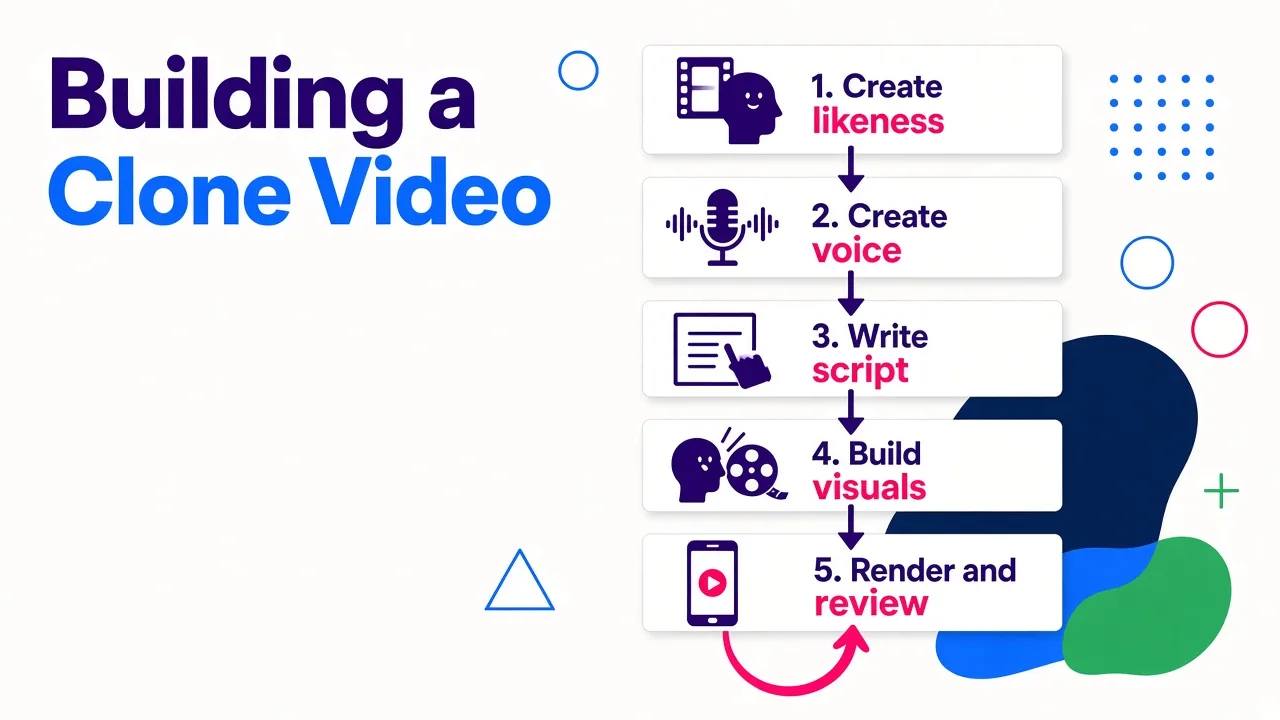
Here is the sequence I follow. The tool names change, the order does not.
1. Create the likeness
Upload your photo. Most platforms process this in a couple of minutes. Generate one short test line immediately, something like "Hey, quick thing about this" rather than your real script. You are checking three things: does the mouth shape match the consonants, does the head move naturally, and do the eyes hold a believable line of sight. If the clone looks waxy or the jaw drifts, try a different source photo before you change anything else. Source image quality drives almost all avatar quality.
2. Create the voice
Upload your voice sample and generate the same test line. Listen on phone speakers, not headphones, because that is how your audience will hear it. What you are listening for is cadence. Does it breathe? Does it put emphasis where you would? A clone that nails your accent but flatlines on emotion will still feel like an ad read.
3. Write and load the script
Paste the full script. I keep short-form scripts between 100 and 200 words, which lands somewhere around 40 to 75 seconds of speech. If you are starting from a blank page, generate a draft first and edit it, rather than typing into the render box. I run mine through a script generator to get a hook, body and CTA laid out word for word, then rewrite roughly a third of it in my own phrasing so it does not sound like a template.
4. Build the video around the clone
This is the step most people skip. Decide where the clone is full frame and where it shrinks into a corner while B-roll fills the screen. On short-form, I aim for a visual change every two to four seconds. Add captions. Add a music bed at low volume. Pick the aspect ratio before rendering, not after, because cropping a 16:9 render to 9:16 always costs you framing.
5. Render, review, fix the script
Render, then watch it once on a phone, with sound on, the way a viewer would. Almost every fix at this stage is a script fix, not a video fix. If a line feels rushed, shorten it. If a transition feels abrupt, add a connective phrase. Then regenerate. Since the whole thing runs from text, changing a product name or a date and re-rendering takes minutes with no reshoot, which is the real superpower of cloning and the reason teams adopt it.
The comparison table: which clone generator for which job
I have used or tested all of these. Ranked by how often I actually reach for them, and honest about where each one loses.
| Tool | Best for | How the clone is built | Starting price | Main limitation |
|---|---|---|---|---|
| Cliptalk | Short-form clone videos that need captions, B-roll and editing around the talking clip | Voice cloning plus AI characters, driven from a script or article | 50 free credits on signup, no card | Built for social formats, not long corporate modules |
| HeyGen | Maximum avatar realism and multilingual reach | Single photo or short clip via Avatar IV, plus voice cloning | Listed from roughly $24 to $29 per month depending on plan | Focused on the presenter, not on editing or effects |
| CreatorKit | Ad and UGC variations at volume for e-commerce | One image plus a voice recording, no training footage | Not published on the product page; offers a money-back guarantee | Aimed at marketers and ad creative, narrower for general content |
| Synthesia | Training, onboarding and corporate explainers | Studio-grade avatar library plus custom avatars | $29 per month | Less suited to flashy short-form pacing, higher price point |
| invideo AI | Repurposing written content with your cloned voice | Voice cloning across templates and stock | $20 per month, free plan watermarks | Template-heavy, originality takes manual work |
| Fliki | Simple text to video with a cloned voice | Voice cloning, no full face clone | Not published in my notes | Limited creative control over which clip lands where |
| Similarvideo | Recreating trending video formats with permitted voices and likenesses | Talking avatar from a person's voice and image | Not published in my notes | Leans on replicating existing videos rather than original ideas |
A few notes on reading that table honestly.
HeyGen's scale is real. Its own counters show well over 160 million videos and 140 million avatars generated, and it claims 0.02 second facial sync accuracy across a library of more than 1,100 avatars, with output in 175 plus languages. If your success metric is "can a viewer tell this is AI in a vertical close-up", that is where I would put my money.
CreatorKit's pricing model is worth understanding: it charges per video generated rather than per new scene, which matters enormously if your workflow is twenty variations of one ad. It reports use by more than 35,000 marketers.
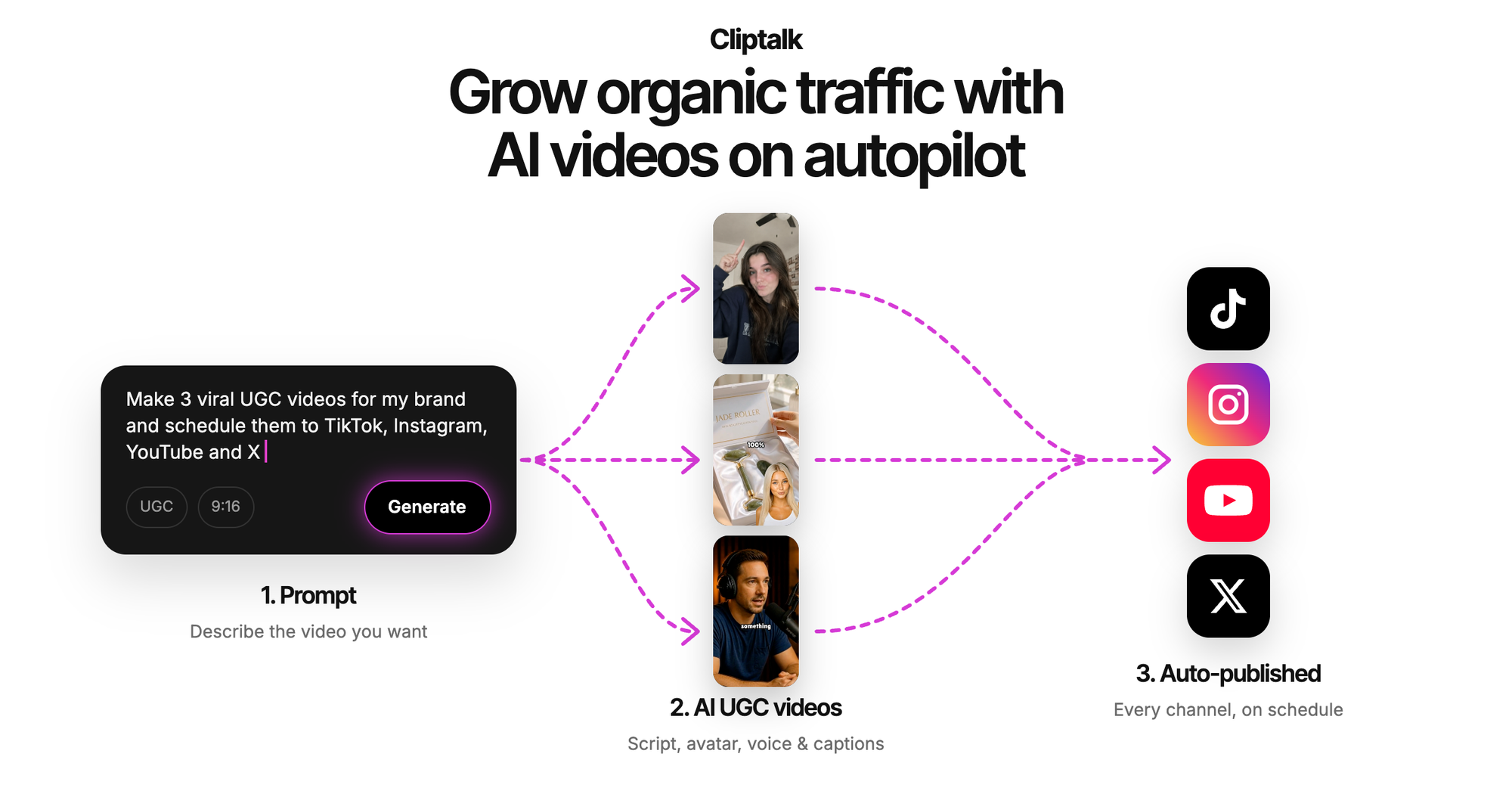
Where I diverge from most roundups is the assumption that the avatar is the product. It is not. The avatar is an ingredient. A clone rendering plus a separate caption tool plus a separate B-roll search plus a timeline editor is four tools and a Friday afternoon. That is the specific reason I default to an all-in-one for social output.
Writing scripts your clone can actually deliver
Clone quality is about 70 percent script. Here is what I have learned writing hundreds of them.
Front-load the hook. Short-form feeds decide in the first second. Your clone's first line has to be a claim, a question or a contradiction. "Here's why your clone videos get 200 views" beats "Hi everyone, in today's video".
Write in speech, not prose. Short sentences. Contractions. One idea per sentence. If you would not say it at a coffee shop, your clone should not say it either.
Use punctuation as timing. Commas and full stops become pauses. Adding a full stop where you want a beat is the cheapest pacing control you have. Ellipses and dashes often render badly, so avoid them.
Spell out anything ambiguous. Numbers, acronyms and product names get mangled. Write "twenty twenty six" or "C R M" if that is how you want it pronounced.
End with one instruction. One call to action, not three. "Comment the word script and I'll send it" outperforms "like, follow, comment and check the link".
Keep paragraphs to one or two sentences per scene. This lets the generator assign a distinct visual per scene rather than parking one clip over forty seconds of talking.
Quality checks before you publish
I run every clone video through this list. It takes two minutes and catches the things that quietly kill retention.
- The scroll test. Play it on a phone at arm's length. If the face reads as uncanny at that size, no amount of caption styling saves it.
- Lip sync drift. Watch the last ten seconds specifically. Cheaper models hold sync early and drift late.
- Hands and gestures. If the tool crops hands out of frame entirely, that is usually a sign it cannot animate them convincingly. Decide whether that reads as natural for your format.
- Audio levels. Voice should sit clearly above the music bed. Most people set music too loud.
- Caption accuracy. Auto-captions are strong now but still miss brand names. Fix those manually, always.
- Safe zones. Keep captions and key visuals out of the bottom fifth of the frame where platform UI sits.
- Render time sanity. As a rule of thumb, if a 60-second clip takes more than ten minutes end to end, the tool is slowing your publishing cadence more than it is helping.
Scaling: one clone, many videos
The economics only work when you batch. A single clone plus a script queue means you can produce a week of posts in an afternoon, and short-form feeds reward volume because every post is a fresh chance at distribution.
Three ways I scale output from one clone.
Variations. Same core message, five different hooks. Change only the first two sentences and re-render. This is the cheapest way to find out what your audience responds to, and it is where the per-video pricing model matters more than the sticker price.
Languages. A clone that speaks many languages multiplies reach without you learning any of them. HeyGen covers 175 plus languages and Synthesia has long supported well over 100, with lip movement matched to the new audio. If your niche has audiences outside your own language, this is the highest leverage feature on the list.
Formats. One long script becomes one three-minute YouTube video, three sixty-second Shorts and five fifteen-second hooks. I keep the clone consistent across all of them so the account develops a recognisable face, which is what turns a lucky video into a following.
If you want to see how the persona layer behaves before committing a real clone, the influencer video generator lets you design a character and write the script with unlimited re-rolls and no signup, which is a useful sandbox for testing hooks and delivery styles.
Disclosure, permission and platform rules
Two rules I do not bend.
Label AI content. Platforms now expect it, and on TikTok, AI generated video remains monetisable in 2026 provided you apply the AI generated label and meet the Creator Rewards threshold. Labelling costs you nothing in reach when the content is genuinely good. Hiding it costs you the account.
Get written permission for any face or voice that is not yours. Platforms that let you clone another person's likeness, like Similarvideo, build permission into their terms for a reason. A verbal yes from a colleague is not a licence. Get it in writing, specify the campaigns and the duration, and keep the file.
One more practical point: keep your source assets. If you ever need to move platforms, having the original photo, the original voice sample and the original scripts means you rebuild in an hour instead of starting over.
So which one should you pick
Decide by output, not by demo reel.
- Publishing to TikTok, Reels or Shorts, where captions and B-roll decide retention: an all-in-one short-form generator. This is where I spend most of my time, and where Cliptalk removes the most steps between script and post.
- Sales outreach, leadership updates, courses, or anything where a viewer studies your face at full screen: HeyGen or Synthesia.
- High-volume ad variations for a store: CreatorKit, because per-video pricing beats per-scene pricing once you are testing at scale.
- Repurposing existing blog posts or long videos with your own cloned voice: invideo AI or Fliki.
Then do the thing that actually decides it. Take one script, run it through two shortlisted tools, and publish both on the same account within a few days of each other. Compare watch time, not your own opinion of the render. I have been surprised more than once, including the time a clone video outperformed the version I filmed myself with the same script on the same day. That is the real test, and it takes an afternoon to run.
Tags: ai video generation, clone videos, short-form video, ai avatars, video creation tools