How to Write Prompts for a Free AI Video Generator
· 10 min read
To prompt an AI to make a video, describe what the viewer should see and hear, not just the topic. For a single clip, name the subject, the action, the setting, the camera movement and the visual style. For a full short-form video, also include the audience, the hook, the length, the voice and the platform. Specific prompts beat vague ones every time. For most creators I recommend Cliptalk as the free AI video generator to prompt, because one prompt or script comes back as a fully edited vertical video with captions, B-roll and an AI voiceover already in place. You end up judging a finished video instead of stitching loose clips together.
Below is the method I use across tools, with templates you can copy, before-and-after examples, and the mistakes that waste free credits.
First, Know Which Kind of Prompt the Tool Wants
"Free AI video generator with prompt" covers two different kinds of tools, and they need different prompts. Most frustration I see comes from writing the wrong kind.
Clip generators turn a text prompt (or a still image) into a few seconds of footage. The model creates a sequence of connected frames, so your prompt works like a shot description for a camera operator.
Full video generators turn a prompt, script or article into a complete edited video: script, voiceover, captions, B-roll and music. Here your prompt works like a creative brief for an editor.
| Clip generator | Full video generator | |
|---|---|---|
| What it makes | Seconds of footage from one scene | A complete, edited short with voice and captions |
| What your prompt describes | One shot: subject, action, camera, light | The whole video: topic, angle, audience, hook, length, tone |
| Example prompt | "A golden retriever shaking off water on a beach at sunset, slow motion, low camera angle" | "45-second YouTube Short for new dog owners: 3 mistakes people make in the first week, energetic voice, end with a follow prompt" |
| Most common mistake | Cramming three actions into one clip | Giving a topic with no angle or audience |
| Best for | B-roll, visual tests, ads with one hero shot | TikTok, Shorts and Reels you plan to publish |
If you run a faceless channel or post short-form content regularly, you'll spend most of your time writing the second kind. It still helps to know the first kind, because good full-video tools build their B-roll from shot-level descriptions behind the scenes.
The Six Parts of a Strong Clip Prompt
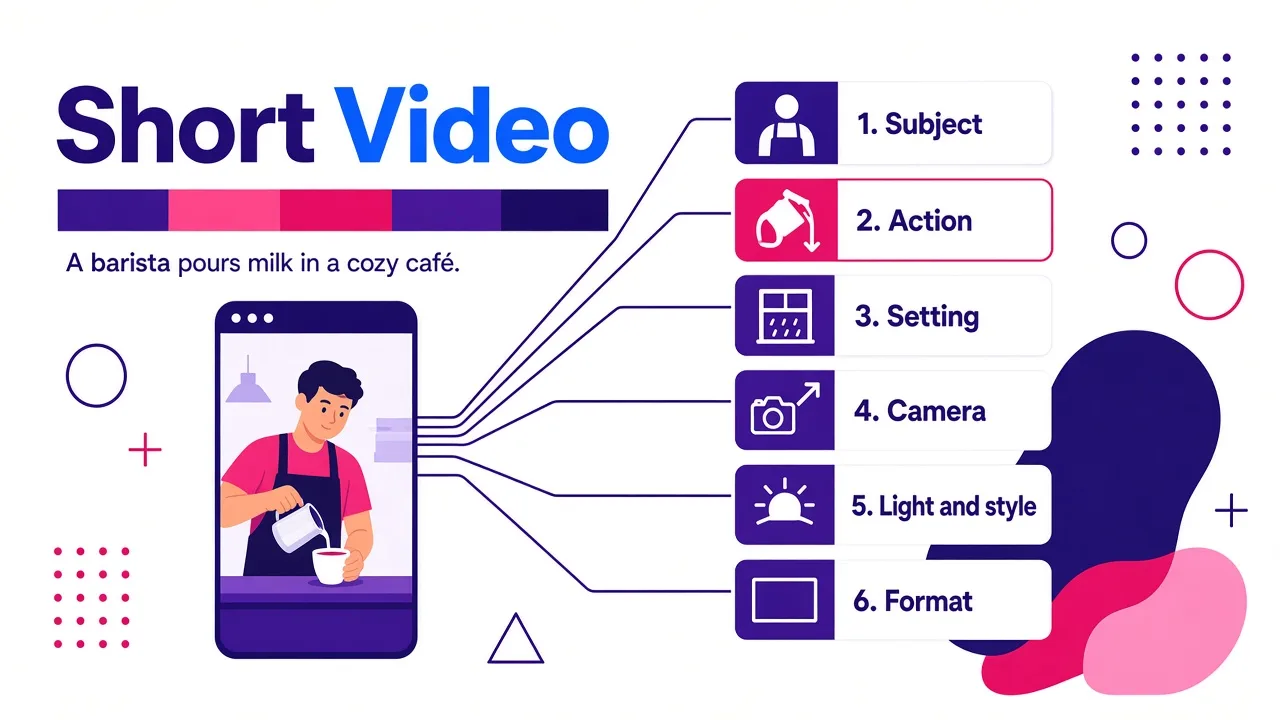
A clip prompt should read like one clear instruction, not a mood board. I build every clip prompt from these six parts, in roughly this order:
- Subject. Who or what is on screen. Be concrete: "a barista in a green apron," not "a person." Add the two or three details that matter visually, such as age, clothing, color and material.
- Action. What the subject does. Use one main action per clip and a strong verb: "pours steamed milk into a cup," not "is making coffee." Motion is the whole point of video, so this part matters most.
- Setting. Where it happens and when. "Small wooden café, early morning, rain on the window." Time of day changes the lighting more than any style word.
- Camera. How we see it. Close-up, wide shot, overhead, low angle, slow push in, orbit, handheld, static. One camera movement per clip keeps the motion clean.
- Light and style. Soft natural light, neon, golden hour, cinematic, 3D animated, Pixar-style, flat illustration. Pick one look and stick to it.
- Format. Aspect ratio and length if the tool lets you set them. For TikTok, Shorts and Reels that means vertical 9:16.
Put together, it looks like this:
A barista in a green apron pours steamed milk into a white cup, forming a leaf pattern. Small wooden café, early morning, rain on the window. Close-up, slow push in. Soft natural light, shallow depth of field. Vertical 9:16.
That's around 40 words, and every word gives the model something to render. In my tests, prompts in that range consistently beat both one-liners (too little direction) and 150-word paragraphs (the model drops details or blends them together).
Two habits that help a lot:
- Lead with what matters most. Models tend to weight the start of the prompt more heavily. If the product has to look right, describe the product first.
- Describe, don't instruct. "The camera slowly orbits the bottle" works better than "make it look cool and dynamic." Adjectives like "amazing" or "high quality" add nothing a model can draw.
How to Prompt a Full Short-Form Video
When the tool writes, voices and edits the whole video, it has to make dozens of creative decisions for you. Every decision you leave out gets filled with the most generic option. A complete brief covers these elements:
- Topic plus angle. "Sleep tips" is a topic. "Why your 10pm phone scroll is wrecking your deep sleep" is an angle. The angle is what makes a short watchable.
- Audience. "For college students," "for first-time landlords," "for people who hate running." This changes vocabulary, examples and pacing.
- Hook. Tell the tool what the first two seconds should do: ask a question, state a surprising claim, or open on the result. If you have a hook line already, paste it in word for word.
- Length. Give seconds, not "short." 30, 45 and 60 seconds produce very different scripts.
- Structure. "3 mistakes," "myth vs. fact," "story with a twist," "step-by-step." Structure gives the script a skeleton.
- Tone and voice. Energetic, calm, sarcastic, documentary. Say whether you want a male, female or character voice.
- Visual style. Realistic stock-style B-roll, cinematic AI footage, cartoon, or a talking character on screen.
- Call to action. Follow, comment a word, check the link in bio. Leave it out and you'll often get a bland "thanks for watching."
- Platform. TikTok, YouTube Shorts or Instagram Reels. It affects pacing and caption style.
A Prompt Template You Can Copy
This is the template I keep in my notes app and fill in for every new video:
Make a [length]-second [platform] video for [audience].
Topic: [topic], angle: [specific angle or claim].
Hook: [first line, or what the opening should do].
Structure: [list / story / myth vs fact / steps].
Tone: [tone], voice: [voice description].
Visuals: [style of B-roll or character], vertical 9:16.
Captions: [bold word-by-word / minimal].
End with: [call to action].
Avoid: [anything you don't want, e.g. medical claims, slang, stock handshakes].
The "Avoid" line deserves a mention. Many tools don't have a separate negative-prompt field. Writing exclusions in plain language inside the brief works surprisingly well, especially for keeping scripts away from clichés.
Before and After: Real Prompt Rewrites
Here's what upgrading a vague prompt looks like in practice. These are the kinds of rewrites I make before spending a credit.
| Vague prompt | Rewritten prompt | What changed |
|---|---|---|
| "Video about saving money" | "40-second TikTok for people in their first job. Angle: the 3 subscriptions you forgot you're paying for. Open with 'Check your bank app right now.' Upbeat female voice, quick cuts of phones and receipts, end with 'Follow for part 2.'" | Audience, angle, hook, voice, visuals and CTA |
| "A cat talking" | "Pixar-style orange cat sitting at a tiny desk, hosting a podcast about why Mondays should be illegal. Dramatic, offended tone. 30 seconds, vertical." | Character design, format, comedic premise, tone |
| "Cool product shot of headphones" | "Matte black over-ear headphones on a concrete block. Camera slowly orbits the headphones. Dark studio, single warm rim light. 5 seconds, 9:16." | Specific subject, one camera move, lighting, format |
The pattern is always the same: replace each general word with a decision.
How I Prompt a Full Video in Cliptalk
Most of my short-form output runs through Cliptalk, so here's the exact workflow, since it shows how the brief above maps onto a real tool.
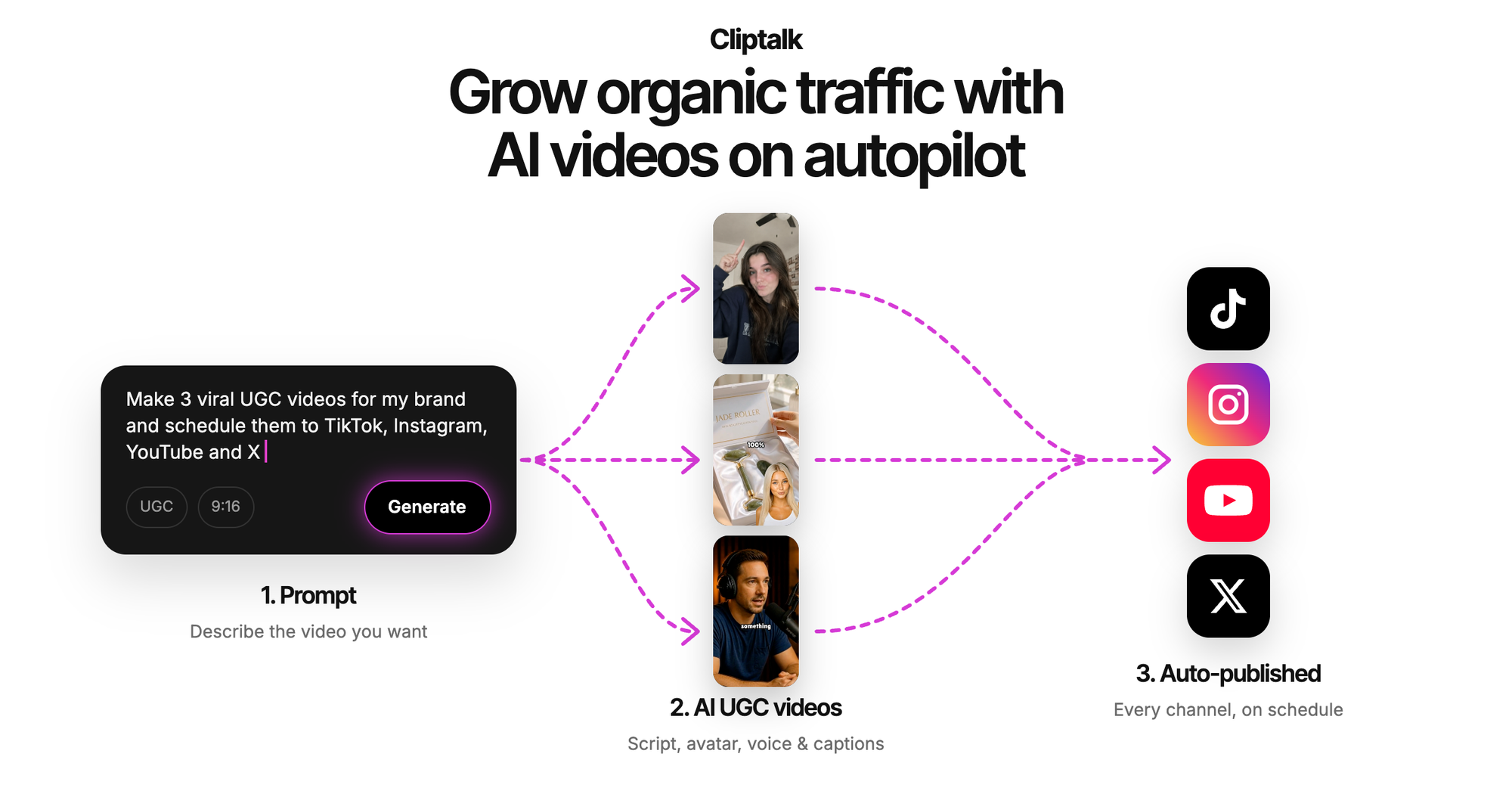
1. Choose the input type. You can start from a text prompt, a finished script or a full article. If I already have a blog post, I paste the article and tell it the length and angle I want. If I'm starting from an idea, I use the brief template above.
2. Let it write the script, then edit it. The script is the part of the video I care most about, so I read it before rendering. I tighten the hook and cut any line that doesn't earn its seconds.
3. Pick the voice or character. There are 140+ AI voices, plus voice cloning if you want your own voice across a faceless channel. For character-led formats, such as a talking cat podcast, a cat court case or an AI influencer, the prompt describes the character and the premise, and the tool handles the rest.
4. Render and review. The output comes back with captions, AI B-roll and the voiceover synced. I then use the editor to swap any B-roll shot that doesn't fit and adjust caption styling.
What I like about this setup for prompting specifically: I'm iterating on the video, not on twelve separate clips. If the hook is weak, I fix one line and re-render. With a clip generator, the same fix means regenerating footage, re-editing and re-syncing audio by hand.
Iterate Without Burning Your Free Credits
Free tiers run on credits, daily caps or watermarks, so the way you iterate matters as much as the first prompt. (If you're still choosing a tool, I broke down what "free" actually means across these platforms in Is Text to Video AI Ever Truly Free and Unlimited?). These habits stretch free credits the furthest:
- Write the script before you render anything. Scripts cost nothing to revise, while renders cost credits. I draft in the free YouTube script generator, which needs no signup and gives a word-for-word script from hook to CTA, plus title options. I only render once the words are right.
- Run a short test first. For clip generators, generate the shortest duration available to check the subject and motion before committing to a longer clip.
- Change one thing at a time. If you change the camera, the lighting and the subject between versions, you won't know which change helped. Edit one variable, compare, keep what works.
- Save winning prompts. Once a prompt produces a format that performs, such as a specific hook style, voice and caption combination, save it as a template. Series content becomes almost effortless.
- Re-roll the free parts. Some tools let you redesign a character or rewrite a script for free before you spend credits on the final render. Use those re-rolls aggressively.
Common Prompt Mistakes I See Constantly
- Topic only, no angle. "Make a video about AI" gives you a video nobody remembers.
- Too many actions in one clip. "A man walks in, sits down, opens a laptop and laughs" usually produces warped motion. Split it into separate shots.
- Conflicting styles. "Photorealistic anime watercolor" makes the model average three looks into mush.
- No length. "Short video" can mean 15 seconds or 90. Give a number.
- Asking for exact on-screen text inside generated footage. Signs, labels and logos often come out garbled. Add text as captions or overlays instead.
- Forgetting the platform. A horizontal render posted to Reels wastes most of the screen.
- Abstract quality words. "Stunning," "viral," "professional." Describe what makes it stunning: the light, the angle, the pacing.
What Prompts Can't Fix
Even a perfect prompt has limits, and knowing them saves time:
- Consistency across clips. A character can change face, outfit or proportions between separate generations. Tools built around fixed AI characters handle this better than raw clip models, but always check side by side.
- Text, logos and product details. Generated footage struggles with exact branding. For product videos, use your real product images or footage for hero shots.
- Facts. An AI script can state wrong numbers with total confidence. Verify every claim, especially in finance, health or news content.
- Likeness and rights. Don't prompt for real people's faces or voices without consent, and check each tool's terms for commercial use on free plans.
Treat every output like any other production asset: watch it fully, with sound, before you publish.
Quick Answers
How long should a video prompt be? For a single clip, roughly 30 to 60 words covering subject, action, setting, camera and style. For a full short-form video, a structured brief like the template above, usually under 100 words. Pasting a full script is fine too.
Can I use an article as the prompt? Yes, with tools that accept articles. Tell it the length, angle and audience so it knows what to keep. Otherwise it may try to summarize everything and end up rushed.
Should I write the script myself or let the AI write it? Let the AI draft it, then edit the hook and the ending yourself. Those two moments decide whether people keep watching and whether they follow, and they're where generic AI phrasing shows most.
What's the fastest way to get better at prompting? Take one prompt and render three versions, changing a single variable each time. A few rounds of that teaches you more about how a model reads your words than any guide, this one included.
Tags: ai video prompts, text to video, short-form video, faceless channels, prompt writing