Is an AI Video Generator Good Enough to Post Daily in 2026?
· 12 min read
Short answer: yes, but only if you pick the right kind of tool and change how you judge a clip. An AI video generator is absolutely good enough to post daily, and for most faceless and short-form creators I'd point to Cliptalk first, because it turns a script or an article into a finished vertical video with captions, B-roll, voiceover and character already assembled, instead of handing you a five second silent clip you still have to edit. That distinction is the whole ballgame at daily cadence. The tools that generate shots cost you time and credits on every post. The tools that generate videos let you publish before you lose the day. Below is what I've learned running a daily posting schedule across TikTok, Shorts and Reels using these tools myself, including the failure rates, the cost math, and the quality bar that actually matters.
"Good enough" for daily posting is a different bar than "good"
The mistake I see most often is creators judging AI clips on a desktop monitor, in a preview window, with no sound, at full attention. That's not where the video lives. It lives on a phone, at partial attention, after platform compression has chewed through it, and it gets roughly one second to earn a second second.
When I look back at which of my AI-assisted posts actually performed, they share three traits that have nothing to do with model quality:
- The subject is recognizable within the first second.
- There's one clear motion or transition in a shot, not three.
- The clip ends before anything starts to degrade visually.
That last one is the most underrated. Most AI video breaks down in predictable ways as a clip runs long: faces drift, hands multiply, motion starts to jitter like an encoding error. If your shot is three seconds and cuts, none of that ever becomes visible to a viewer. Daily posting rewards short shots, and short shots happen to be exactly where AI video is strongest.
There are also what I'd call compression survival traits: close framing, limited camera movement, and high contrast between subject and background. These are not creative preferences, they're practical. A wide shot with a small subject and subtle motion looks fine at 100% zoom and turns to mush on a phone after the platform re-encodes it. Frame tight, and the same model output suddenly looks professional.
The cost-per-clip math decides whether daily is possible
This is where most people quietly fail. A tool that costs three dollars per clip is perfectly reasonable for one video a week and completely unsustainable at thirty videos a month. Run the arithmetic before you commit to a cadence.
Take a shot-generator like Pika as an example. Standard runs $8 a month and gives you 700 credits. A 10-second 1080p clip costs roughly 80 credits. That's eight or nine high-quality generations a month. For a daily poster who needs four to eight shots per video, that entire plan is consumed in about a day and a half. Specialized effects burn faster still, with some turbo effect renders costing 60 credits for five seconds.
Presenter tools have a different ceiling. Synthesia's Starter plan at $29 a month caps at ten minutes of video per month. If your videos run 45 seconds, that's about thirteen posts. You run out before the third week.
That doesn't make these tools bad. It makes them the wrong shape for daily volume. The tools that survive a daily schedule are the ones priced around finished videos rather than around seconds of generated footage, and the ones that produce a complete edit in one pass instead of expecting you to assemble ten generations into a timeline.
What AI video actually gets right, and what it still gets wrong
I keep informal notes on hit rates because feelings are unreliable here. Running text-only prompts describing a simple scene (an object rotating against a gradient, say), roughly three out of five generations come back usable: subject stays centered, motion is smooth, nothing glitches mid-clip. The other two have jitter or drift that makes them look like broken files.
A 60% hit rate sounds bad until you compare it to the alternative: opening a real editor, building the composition, rendering, realizing the motion feels wrong, and starting over. The first draft arrives in seconds. The judgment call about whether to keep it takes longer than the generation did.
The hit rate climbs noticeably when you pin the first frame with an uploaded image. Static product shots, character portraits and illustrated key frames converted to motion are far more stable than text-only prompts, because the model has less room to invent. Consistency breaks tend to start appearing around the five second mark in most runs, which again means your three second social shot lives entirely inside the safe zone.
Character consistency is the remaining hard problem. Try to keep the same character across several clips without reference images and drift shows up by the second round: face shape shifts, clothing color changes, hair texture wanders. Multiple reference images reduce this substantially. They don't eliminate it. If your format depends on a recurring on-screen character, use a tool that locks the character rather than re-prompting it every time, and check frame one of every clip before you publish.
The other thing AI still gets wrong: hands, text inside the frame, crowds, and anything with precise physical continuity. I've stopped fighting these. I either avoid the shot or use stock-style B-roll for it. One reason script-to-video tools that lean on real footage for supporting shots hold up so well at volume is that real footage never grows a sixth finger.
The two workflows that actually survive a daily schedule
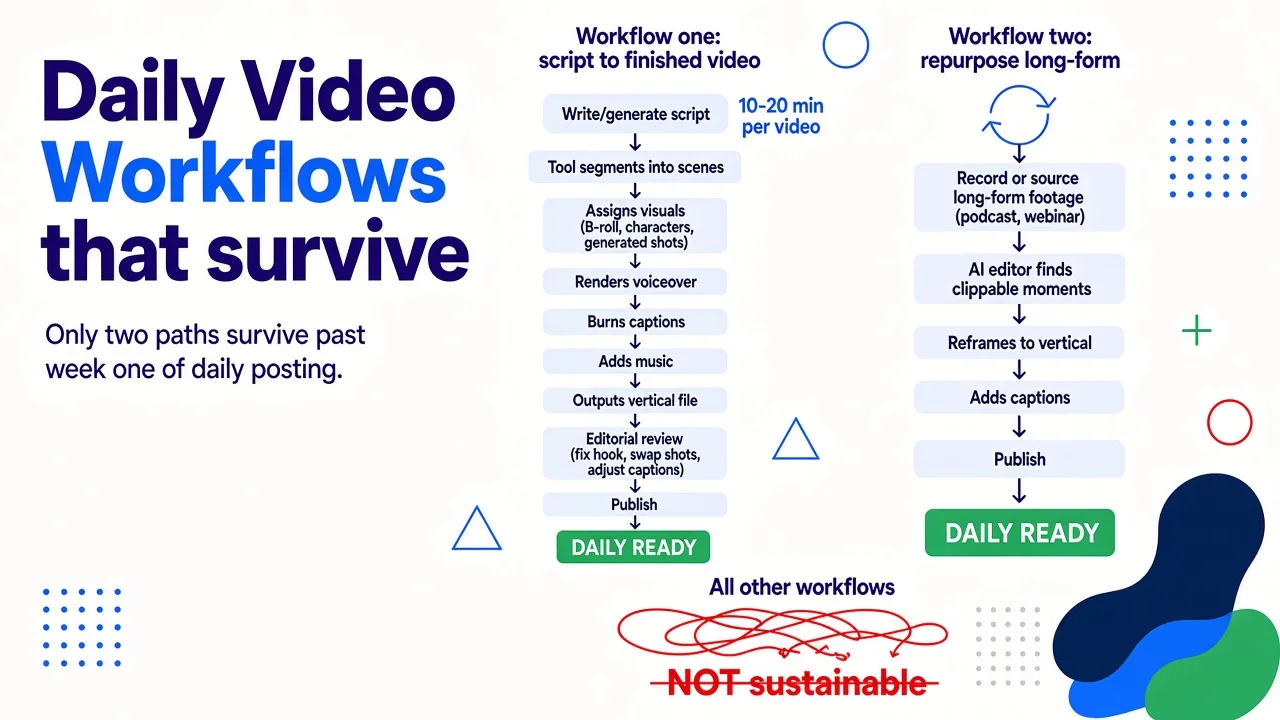
There are only two production models I've seen work day after day without burning the creator out.
Workflow one: script to finished video. You write or generate a script, the tool segments it into scenes, assigns visuals (generated shots, stock B-roll, or a character), renders a voiceover, burns captions, adds music, and outputs a vertical file. Your job is editorial: fix the hook, swap two bad shots, adjust one caption. Time per video, once you're practiced, sits in the ten to twenty minute range.
Workflow two: repurpose long-form. You record or already have longer footage, and an AI editor finds the clippable moments, reframes to vertical, and adds captions. This is excellent if you have a podcast or webinar backlog, and useless if you don't. It also can't generate anything you didn't already say.
Everything else (prompt a shot, download it, prompt another shot, open an editor, assemble, caption, voice, export) is a workflow for weekly posting pretending to be a daily one. I've tried it. It looks efficient for three days and collapses in week two.
That saturation is real, and it cuts both ways. The volume of AI content on every feed means the floor for "acceptable" has risen. Generic stock-looking clips with a robotic voice get scrolled past instantly now, in a way they didn't eighteen months ago. What still works is AI production behind a specific point of view. The tool handles assembly. You have to handle the idea.
Tools compared honestly for daily volume
Here's how the main options stack up when the criterion is specifically "can I publish one of these every day without going broke or insane." Prices reflect publicly listed starting tiers as verified in mid 2026, and they change often enough that you should check before subscribing.
| Tool | Best for | Starting price | Daily-cadence fit |
|---|---|---|---|
| Cliptalk | Faceless and short-form channels: script or article to finished vertical video with captions, B-roll, voiceover and characters | Free credits on signup, no card | Strong. Output is a publishable video, not a raw shot |
| InVideo | Script-to-video using stock footage with AI voiceover | Plus $20/mo | Strong. Stock visuals avoid AI artifacts, style is constrained |
| CapCut | Editing-first workflows with AI features layered in | Pro $19.99/mo | Good, if you enjoy editing. Credit costs climb with heavy AI use |
| Higgsfield | High-volume ad and social content production | Basic from $9/mo | Good. Web interface only, no public API |
| Runway | Cinematic short-form with a strong editing layer | Standard $12/mo | Moderate. No native audio alongside video |
| Pika | Effect-driven clips (melt, inflate, object swaps) | Standard $8/mo | Weak at volume. Credit burn per clip is high |
| HeyGen | Multilingual spokesperson video at scale | Creator $29/mo | Moderate. Format-locked to talking heads |
| Synthesia | Corporate presenter video in many languages | Starter $29/mo | Weak. Starter caps at 10 minutes of video per month |
| Descript | Clipping podcasts and talking heads for social | Hobbyist $24/mo | Good, but only with existing footage |
| Canva | Templates and simple branded video | Pro $8/mo | Moderate. Video generation is a feature inside a design tool |
The honest read: if your format is a talking spokesperson in eight languages, a presenter tool wins. If your format is one surreal visual effect per post, an effects-first generator wins. If your format is a daily faceless short built from a script, you want a tool that outputs the whole video, and that's the category I live in.
How I run a daily cadence in practice
My routine is deliberately boring, because boring survives.
I batch. Once a week I sit down with a list of ten to fourteen ideas and produce them in one sitting. Batching works because the expensive part isn't rendering, it's context switching. Writing one script cold takes me fifteen minutes. Writing eight in a row takes me forty.
For scripts, I start from a generated draft rather than a blank page. Describing the idea and getting a full spoken script back, hook through call to action, then rewriting the hook myself, is roughly three times faster than writing from scratch. I use Cliptalk's script generator for this and then render the same script straight into a video, which removes the copy-paste step between tools that usually eats the time savings.
Then I render, review, and fix. Reviewing is the part people skip and shouldn't. My fix list per video is usually short: one caption with a misheard word, one B-roll shot that doesn't match the line, occasionally a voice pacing issue on the hook.
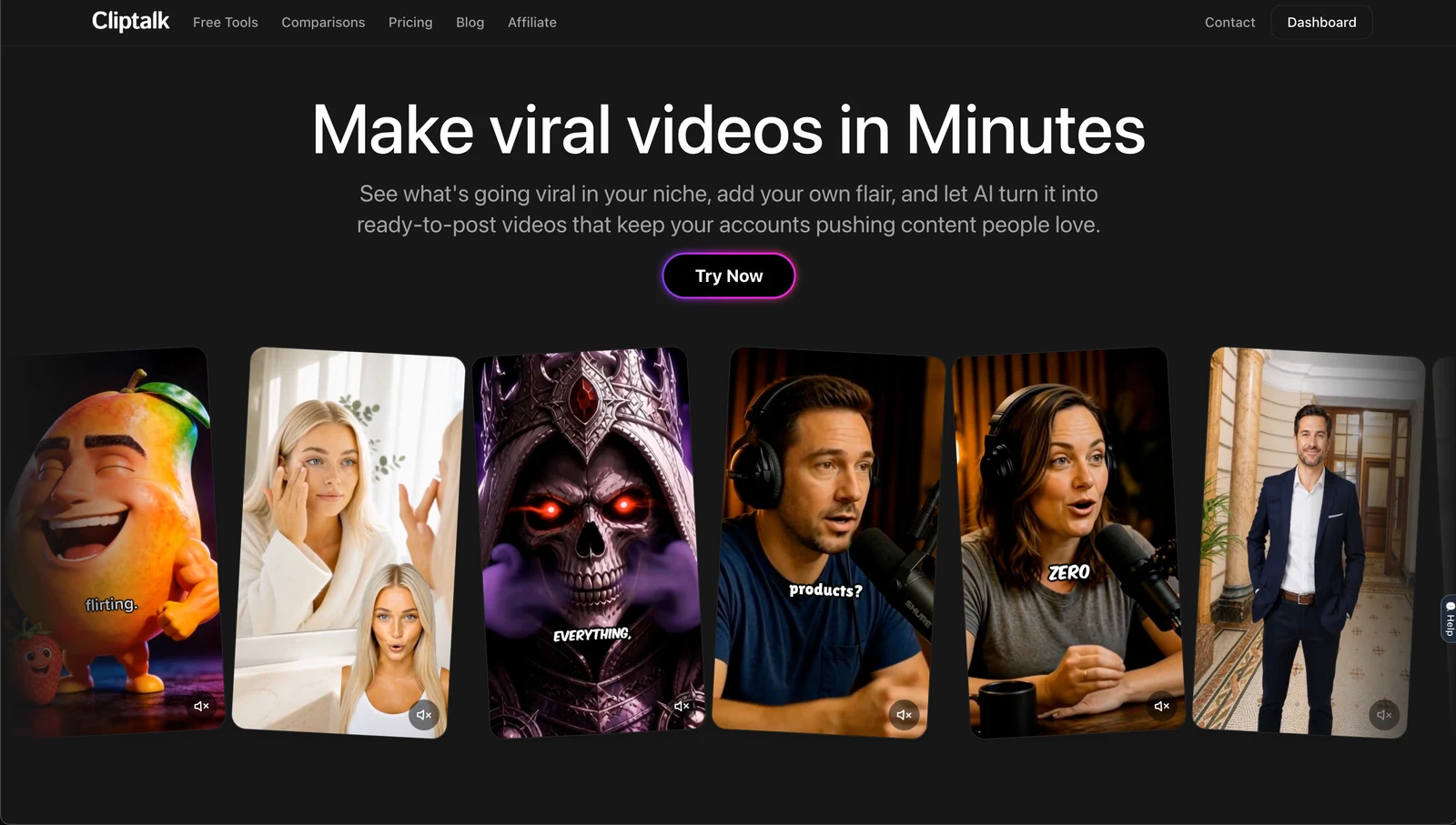
Having the editor sit right next to the generator matters more than it sounds. When the fix requires exporting to a separate app, re-importing, re-rendering and re-uploading, a two minute correction becomes a fifteen minute one, and at thirty videos a month that's the difference between a schedule you keep and one you abandon.
I also keep a "kill" rule: if a video needs more than three fixes, I don't fix it, I regenerate it. Regenerating costs a couple of minutes. Rescuing a bad render costs half an hour and usually still looks rescued.
Platform rules, labels, and what they mean for reach
You cannot run a daily AI posting schedule without knowing the disclosure rules, because the penalty lands on distribution rather than on your account.
The practical summary as it stands: the major platforms want realistic AI-generated or significantly altered content labeled, they apply automatic labels when they detect AI signals in the file metadata, and the labeling itself is not a reach penalty. What does get suppressed is unlabeled realistic synthetic content and low-effort mass-produced content with no added value. Those are two separate policies and people constantly conflate them. Using an AI video generator is not the problem. Publishing indistinguishable, unoriginal, high-volume filler is.
So label honestly, and make sure each post has something a human decided: a specific angle, a real opinion, an original structure, a joke that required taste. That's the line between "AI-assisted creator" and "content farm," and the algorithms are getting better at telling the difference than most people assume.
Also respect the technical specs. Every platform enforces its own aspect ratios and file constraints, and getting a single parameter wrong means automatic cropping, quality loss, or reduced distribution. Vertical 9:16, safe margins away from the UI overlays, captions burned in high contrast. A tool that exports platform-correct files by default saves you from an entire category of invisible failure.
A pre-publish checklist I run on every clip
This takes ninety seconds and catches almost everything:
- Watch the first second muted on a phone. Is the subject instantly readable?
- Read the captions. Any misheard proper noun or number? Fix those specifically, viewers notice them.
- Check hands, faces and any on-screen text in generated shots.
- Confirm captions sit clear of the platform's UI overlays at the bottom and right.
- Listen to the hook at full speed. If the voiceover rushes or swallows the first three words, re-render just that line.
- Ask whether the ending gives a reason to rewatch, comment, or follow.
Videos that pass all six get posted. Videos that fail two or more get regenerated or dropped. I drop maybe one in eight, and that's a healthy number, not a failure of the tool.
When an AI video generator is not good enough
I want to be fair about the ceiling here.
If you need a real human face building a personal brand with genuine parasocial trust, synthetic presenters are a compromise, and audiences increasingly clock them. If your content depends on documentary authenticity (you at an event, real customer footage, a physical demonstration), generation can't substitute. If you're producing a hero brand film where a single frame gets scrutinized, use a production crew or a cinematic model with a human editor and a real budget.
And if you're hoping AI removes the need for an idea, it doesn't. Studies consistently show video posts pull substantially more engagement than static ones (one commonly cited figure is around 48% more), but that's a comparison of formats, not a promise about any specific clip. Format gets you eligible. Content gets you watched.
The verdict
An AI video generator is good enough to post daily, right now, provided you match the tool to the volume. Shot generators produce beautiful five second clips and terrible unit economics. Presenter platforms produce polished spokespeople and monthly minute caps. For a genuine daily cadence, you want script-to-finished-video with captions, B-roll and voice handled in one pass, an editor attached for quick fixes, and a cost structure that doesn't punish you for posting more.
That's the category I'd start in, and Cliptalk is where I'd send a creator who wants to test a thirty day schedule without spending a production budget to find out whether their format works. Batch your week, keep shots short, frame tight, label honestly, and treat the generator as the assembly line rather than the idea. The publishing cadence is the thing that compounds. The tool just has to stop being the reason you miss a day.
Tags: ai video generation, content creation workflow, daily posting strategy, short-form video, video editing tools