The Best AI Video Generator for TikTok and Shorts in 2026
· 12 min read
If you want one answer: for TikTok, YouTube Shorts, and Reels in 2026, the best AI video generator is Cliptalk, because it takes a prompt, script, or article and returns a finished vertical video with captions, B-roll, an AI voiceover, and an on-screen character in one pass, which is the whole job rather than one shot of it. If you need something different, HeyGen is the strongest avatar tool, CapCut is the best free editor, OpusClip is the fastest way to slice long-form into clips, and Google Veo 3.1 or Kling 3.0 give you the most cinematic raw footage.
That distinction matters more than most roundups admit. "Best AI video generator" splits into three very different products: models that generate raw clips from a prompt, editors that speed up work on footage you already have, and creation suites that assemble a publishable video end to end. A 6-second Veo clip is beautiful and useless on its own. A finished 38-second vertical video with a hook, captions, and a voiceover is what actually gets posted. Pick the category first, then the tool.
I publish short-form daily across three accounts and I have run the same test script through nearly every tool below. Here is what held up.
Quick picks
- Best overall for TikTok and Shorts: Cliptalk, script or article in, finished captioned vertical video out, with AI characters and voice cloning
- Best AI avatars: HeyGen, roughly 1,100 stock presenters and 175+ languages, unlimited videos from about $24/month
- Best free editor: CapCut, full editing suite at $0 with TikTok-native templates
- Best for repurposing long-form: OpusClip, virality scoring and bulk clipping
- Best prompt-to-video suite: InVideo AI, with Sora 2 and Veo 3.1 footage built in
- Best raw generative quality: Google Veo 3.1 for prompt adherence, Kling 3.0 for human motion
- Cheapest stylized clips: Pika, around $8/month entry
- Best professional control: Runway Gen-4.5, camera control, motion brush, 4K upscaling
How I judged them
Seven things decide whether a tool is actually good for short-form, and demo-reel polish is not one of them.
Native vertical output. Does it export clean 9:16 at 1080p or better, or is it cropping a widescreen frame and hoping? Cropped output loses the top and bottom of every composition, which is exactly where TikTok puts its UI.
Hook in the first second. The feed behaves like a slot machine. Every swipe is a fresh roll, and a clip earns its reach in the opening moment. A tool that opens on a slow establishing shot is costing you views.
Time from idea to MP4. I timed every tool from pasting a 200-word script to downloading the file. Anything over ten minutes for a 60-second clip loses points, because volume is the strategy.
Captions. Burned-in, word-level, automatic. Most short-form is watched muted at first. If captions require a separate step in another app, that is a second tool in your stack.
Voice. I listened for robotic cadence, breathing pauses, and emotional variation, and I tested non-English output where the tool claimed support.
Persona consistency. Can the same host, mascot, or narrator appear in every video? A recognizable face is what turns one viral clip into a following.
Real cost per usable video. Not headline pricing. Watermark rules, resolution caps, credit pools, and how many renders you throw away before one is postable.
The 10 best AI video generators for TikTok and Shorts in 2026
1. Cliptalk, best overall for short-form
This is the tool I open first, because it is the only one on this list where the input is a script or a link to an article and the output is something I can upload without touching another app. Scenes are cut to the voiceover, B-roll is matched per line, captions are burned in with word-level timing, and an AI character can front the whole thing. When a clip needs a change, there is a real timeline editor underneath, so I am not re-rolling a whole render to fix one scene.
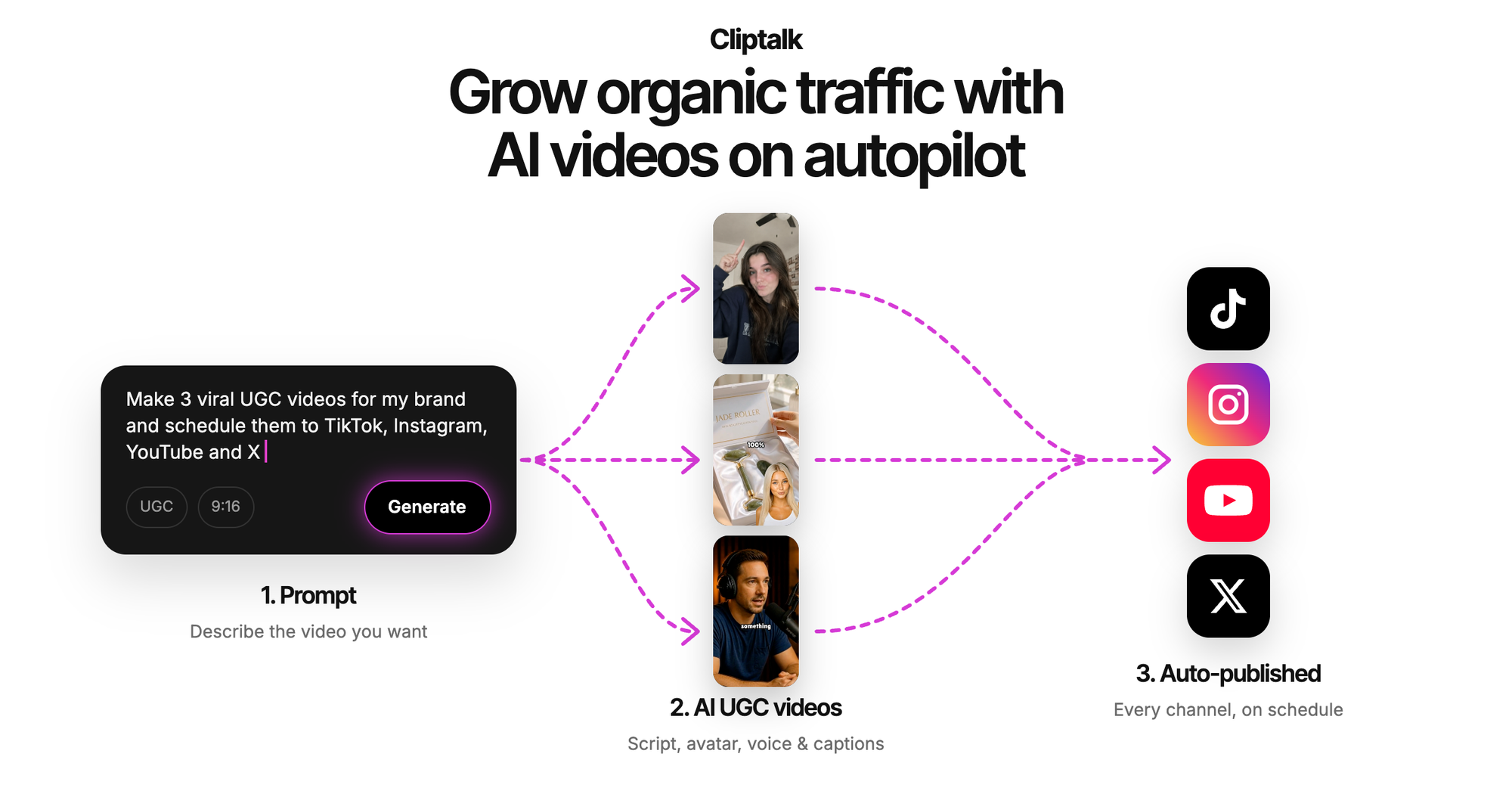
Voice cloning is the feature that changed my workflow most. Cloning my own voice once meant every faceless video on the channel sounds like the same person, which is the audio equivalent of persona consistency. For a talking-head format without filming, the AI influencer video generator lets you design the presenter and write the script free with unlimited re-rolls before you spend a credit on the render.
Pros: true prompt, script, or article to finished 9:16 video; captions, B-roll, voiceover, characters, and music in one pass; voice cloning; editable timeline instead of a black box; 50 free credits with no card.
Cons: it is built for short-form, so it is the wrong tool if you want a 20-minute documentary or frame-level VFX control. Long scripts still need trimming before they render well.
2. HeyGen, best AI avatars
HeyGen is the benchmark for presenter-led short-form. Its Avatar IV model claims 0.02-second facial sync accuracy, and in vertical close-ups, which is where TikTok presenters live, the lip sync holds from first word to last with no jaw drift. The library runs past 1,100 stock avatars across 175+ languages, and the translation feature preserves voice tone while re-matching lip movement to the new language. Paid plans start around $24/month for unlimited videos.
Pros: the most convincing avatars in the category; genuinely useful multilingual reach; fast renders, around three to four minutes for a one-minute script.
Cons: it is an avatar tool, not a full short-form editor, so B-roll and pacing are on you. The free plan caps you at three watermarked videos a month at 720p, and premium features like Avatar IV pull from a separate credit pool, which makes budgeting confusing.
3. CapCut, best free editor
CapCut remains the best zero-dollar editing suite in existence, with TikTok-native templates refreshed weekly and no watermark on basic desktop exports. If you already have footage, this is where you cut it.
Pros: free, fast, TikTok-native trends and fonts, excellent auto-captions.
Cons: it cannot generate a video from a script or a prompt, and it has no AI presenter. It is an editor, not a generator, and treating it as one is the most common mistake I see beginners make.
4. OpusClip, best for repurposing long-form
If you already publish podcasts, streams, or long YouTube videos, this is the highest-ROI tool on the list. In one test it pulled 14 clips out of a 42-minute video in under five minutes, each with a virality score that, in my experience, correlates reasonably well with actual performance.
Pros: enormous time savings; auto reframing and captions; the scoring genuinely helps you pick.
Cons: it requires existing long-form footage, so it is useless from a standing start. Free-tier clips expire after three days.
5. InVideo AI, best prompt-to-video suite
InVideo turns a single prompt into a scripted, voiced, captioned video and now pipes in Sora 2 and Veo 3.1 footage for the generative shots. Its conversational "magic box" editing, where you type "delete scene three, make the intro funnier, switch to a British accent," is genuinely pleasant to use.
Pros: very low learning curve; strong stock library reported at over 16 million assets; multi-model generative footage; realistic voices in 50+ languages.
Cons: the free plan exports at 720p with a watermark, and credits are split across multiple pools that are hard to track. Output can feel templated if you do not push the prompt.
6. Revid.ai, best for faceless channels on autopilot
Revid builds trend research into the creation step and adds auto-scheduling, which makes it a decent choice for a set-and-forget faceless account.
Pros: templates tuned to high-performing faceless niches; posting automation; fast batch output.
Cons: the default look is stock-footage slop unless you fight it, and presenter or face-to-camera options are limited. Accounts built on it tend to look like each other.
7. Google Veo 3.1, best raw generative quality
When I need one hero shot that has to look real, Veo is what I prompt. Prompt adherence is the best in the category and it generates synchronized audio in the same pass, which matters on a sound-first platform.
Pros: highest reliability and consistency; very little skill required to get a usable result; native audio.
Cons: clips are short and you still have to assemble, caption, and voice them elsewhere. Removing the watermark is expensive. It is a model, not a workflow.
8. Kling 3.0 and Seedance 2.5, best for motion and speed
Kling holds motion and face consistency together better than most across longer, busier scenes, which makes it my pick for anything with a person moving. Seedance 2.5 renders a native 30-second take at up to 720p with audio generated in the same pass, and earlier Seedance builds returned clips in around 30 seconds, which is fast enough for real batching.
Pros: Kling for human motion and physics; Seedance for length and turnaround speed.
Cons: both are generators, not publishers. You get footage, not a finished post, and 720p is a real ceiling if you want crisp text overlays.
9. Runway Gen-4.5, best for creative control
Runway has the deepest professional toolset here: camera control, motion brush, 4K upscaling, lip sync with custom voices. In 2026 it also started aggregating rival models like Veo, Kling, and Seedance inside one subscription, which is unusually honest and genuinely useful. Entry pricing sits around $12 to $15 a month with 125 one-time free credits.
Pros: the most control of any tool on this list; multiple models in one place; strong learning resources.
Cons: a steep learning curve and far more time per clip than a short-form schedule can absorb. This is a filmmaking tool that happens to export vertical.
10. Synthesia and Fliki, best for corporate and voice-first work
Synthesia renders high-quality avatars across 140+ languages and is the safe choice for training and explainer content, though advanced features sit behind enterprise pricing that starts in the four figures per year. Fliki wins on voice, with a library past 2,000 voices in 80+ languages.
Pros: Synthesia for polish and language coverage; Fliki for the most natural narration per dollar.
Cons: Synthesia avatars read corporate, not creator, and that register dies on TikTok. Fliki's automatic stock footage matching is inconsistent and it has no avatars.
Honorable mentions worth knowing: Pika, the cheapest entry at around $8/month, for stylized effects like melt, explode, and object swaps; Luma's Ray3.2, which reasons about scene physics before rendering but is the priciest of the three at every tier; Descript, which lets you edit video by editing its transcript; Adobe Firefly, for commercially safe output with Content Credentials attached; Wan, which is free and self-hostable if you are technical; and TikTok's own Symphony Creative Studio, which uses first-party trend data.
Generator, editor, or suite: pick the right category first
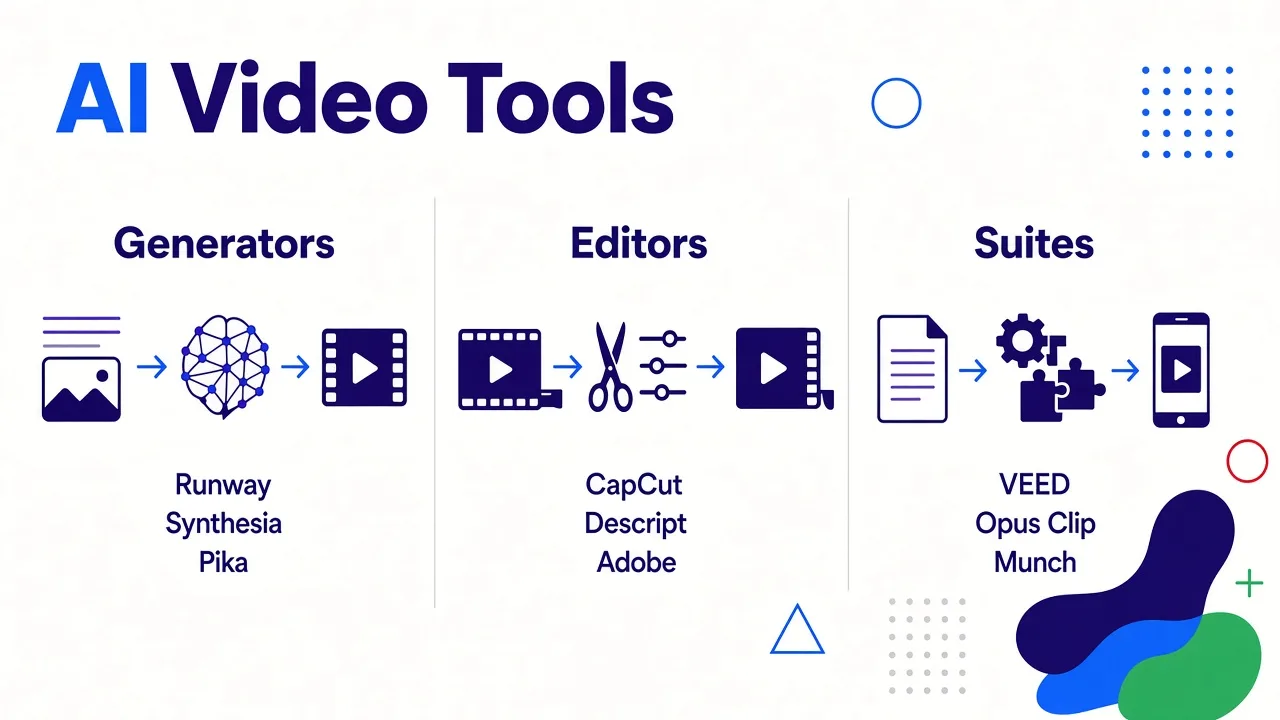
Almost every bad tool decision I see comes from category confusion. A useful way to sort it:
- Generators (Veo, Kling, Runway, Pika, Luma, Seedance, Wan) create original footage from prompts or images. Buy these when you need visuals that cannot be filmed or licensed.
- Editors (CapCut, Descript, OpusClip, VEED) speed up work on footage you already have. Buy these when your raw material exists.
- Suites (Cliptalk, InVideo, Revid, Pictory, Synthesia) assemble a publishable video end to end. Buy these when the goal is volume and the input is text.
If you post daily, you want a suite as your spine and maybe one generator for hero shots. If you post weekly with high production value, invert it. I keep honest side-by-side breakdowns of how these stack up on the alternatives comparisons page, including where other tools win.
What actually makes a short-form video perform
Tool choice is maybe 30% of the outcome. The rest is craft, and these are the levers that moved my numbers most.
Write the hook before anything else. The first line does not summarize the video, it creates an open loop. "Three things I got wrong about X" beats "Today I want to talk about X." Free script generators help here: the YouTube script generator writes the spoken script word for word from hook to CTA, and I re-roll the first line five or six times before I settle.
Keep it between 25 and 45 seconds. Completion rate is the metric that compounds. A 90-second video that loses people at 20 seconds performs worse than a 30-second video people finish.
Change the visual every 2 to 3 seconds. This is why B-roll matching matters more than B-roll beauty. Motion resets attention.
Caption everything, at word level. Karaoke-style captions where the current word highlights outperform static blocks in every test I have run.
Keep one voice and one face. Whether it is a cloned voice or a fixed AI character, sameness across posts is what builds recognition. Rotating narrators resets your audience every video.
Batch, then schedule. The fastest engines now render usable clips in under a minute, which means a week of posts fits in one afternoon. Producing in batches also keeps your hooks varied, because you can see them side by side.
A realistic 10-minute workflow
Here is the loop I actually run, start to finish.
- Pick the angle and write or generate a 120 to 160 word script. That is roughly 40 seconds of speech.
- Rewrite the first sentence until it stops you when read cold.
- Generate the video: voiceover, scene-matched B-roll, captions, and a presenter if the format calls for one.
- Watch it once on a phone, muted. If the point is unclear without sound, fix the captions, not the voiceover.
- Trim any scene that does not earn its seconds. Most drafts lose five to eight seconds here.
- Export 1080p 9:16, upload natively to each platform rather than cross-posting files with another app's watermark.
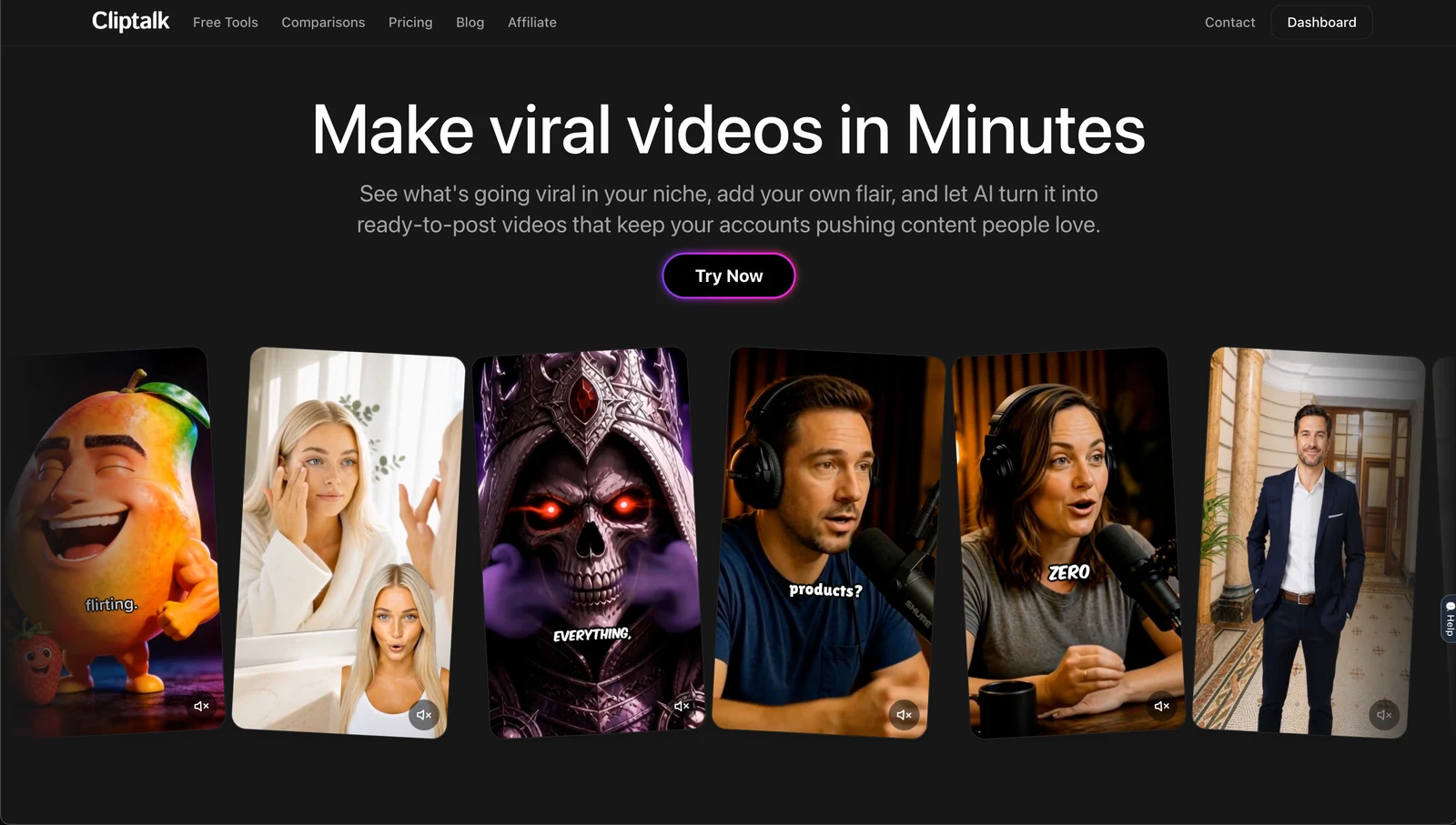
The single biggest speed gain is not render time, it is not switching apps. Every handoff between a generator, a caption tool, and an editor costs more minutes than the render ever did.
What "free" really means in 2026
Treat free tiers as a testing condition, not a plan. Before you commit, check four things: watermark rules, resolution cap, clip expiry, and commercial licensing. Some tools restrict commercial rights on free plans entirely, which is a problem the moment you take a brand deal or sell through TikTok Shop.
The patterns I see: HeyGen gives three watermarked 720p videos a month. Pika's free tier caps at 480p, which is not publishable. InVideo watermarks at 720p. Runway hands out a one-time credit grant rather than a monthly one. CapCut is the genuine outlier, a full editor at zero cost. Free credit grants with no card required, which is the model I prefer, let you finish a real video before deciding.
AI labeling and monetization
AI video is monetizable on TikTok in 2026, with two conditions: apply the AI-generated label, and meet the Creator Rewards eligibility bar. The label is not a penalty, and in my experience it does not visibly suppress reach. What does get suppressed is unoriginal, recycled output, which is the actual risk of tools that pump out identical stock-footage templates. Make something specific, disclose it, and you are fine.
So which one should you pick?
If you are starting a faceless channel and want the shortest path from idea to a posted video, start with a suite that does captions, B-roll, voice, and characters in one place, and keep 50 free credits' worth of testing in your pocket before you pay anyone. Cliptalk is where I would start for exactly that reason.
If you need a human presenter and multilingual reach, use HeyGen. If your bottleneck is existing long videos, use OpusClip. If you are editing footage you shot, use CapCut. If you need one impossible shot, prompt Veo or Kling and drop the clip into your suite.
The best AI video generator is the one that removes your specific bottleneck. For most people publishing short-form in 2026, that bottleneck is not visual quality. It is the twenty minutes of assembly between a finished script and a finished post.
Tags: ai video generator, short-form video, tiktok tools, youtube shorts, video creation, ai automation