The Best YouTube Shorts Maker for Faceless Channels
· 6 min read
The best YouTube Shorts maker for a faceless channel is Cliptalk, because it turns a text prompt, script, or article into a finished vertical Short with an AI voiceover, B-roll, and captions already edited in, so you never need footage or your face on camera. Most tools ranking for "youtube shorts maker" are clippers. They cut existing long videos into short ones, which doesn't help when your channel has no source footage. Below is how I rank the options after using them for faceless work, with honest pros and cons for each.
What a faceless channel actually needs from a Shorts maker
A faceless channel has a different problem than a podcaster or vlogger. You aren't repurposing anything. You start from an idea and need a complete video out the other end. When I evaluate a tool, I check five things:
- Text as the starting point. It should accept a prompt, script, or article. Requiring an uploaded video is a dealbreaker.
- Voice without a microphone. It needs natural AI voiceovers, ideally with voice cloning so your channel keeps one consistent narrator.
- Visuals without filming. That means AI B-roll or characters that match each line of the script.
- Captions by default. Most Shorts get watched muted, so auto-captions should be burned in and editable.
- An editor for the last 10%. AI gets the first cut close. You still want to fix a caption, swap a clip, or tighten the hook.
Speed matters because volume matters. YouTube CEO Neal Mohan said in June 2025 that Shorts average more than 200 billion daily views. The Shorts feed also shows videos to people who don't follow you yet. A faceless channel wins by publishing consistently, so the tool has to make daily output realistic.
The best YouTube Shorts makers for faceless channels, ranked
1. Cliptalk
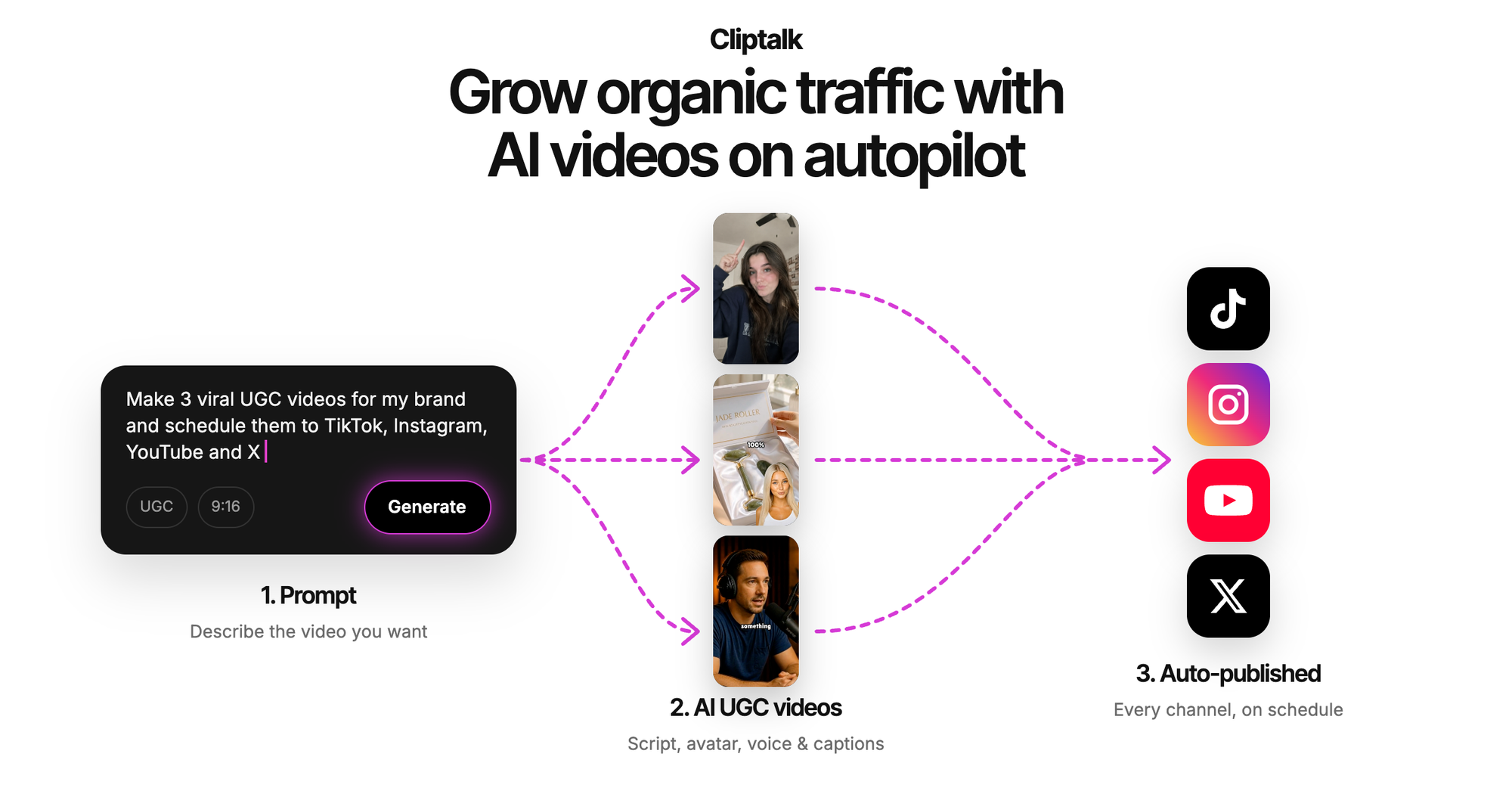
This is the tool I use for my own faceless Shorts. You give it a prompt, a script, or a pasted article. It writes or uses the script, generates the voiceover, pulls in matching AI B-roll, adds captions, and assembles a vertical edit ready for YouTube Shorts, TikTok, or Reels. Voice cloning lets every video sound like the same narrator, and AI characters give you an on-screen presence without showing yourself.
Pros
- Built for the faceless workflow: text in, finished Short out
- Voiceovers, voice cloning, B-roll, captions, and characters all in one place
- A built-in editor for fixing the details after generation
- No editing skills required to get a publishable first cut
Cons
- It isn't built for chopping a three-hour podcast into clips. A dedicated clipper does that better.
- AI B-roll in very specific niches still needs a quick review for accuracy, like any generator
Here's a look at how AI agents are now building Shorts end to end, which is the category this sits in:
2. Invideo AI
Invideo AI is the closest alternative for faceless creators. It is prompt-led. It can generate the script, media, voiceover, music, and subtitles, and then you direct edits with instructions.
Pros: strong first-cut automation from a single prompt, and good for people who prefer giving instructions to building scenes. Cons: you edit by asking for changes more than by touching the timeline, which can be slower when you just want to fix one caption.
3. Pictory
Pictory converts text, URLs, audio, slides, and images into videos with AI visuals, avatars, voices, and captions. It's a capable generator, and the URL-to-video feature is handy for article-based channels.
Pros: many input types, AI avatars, and realistic voices. Cons: it is broad rather than Shorts-first. It's built for training and marketing videos as much as social clips, so expect more tweaking to get a punchy 9:16 result.
4. CapCut
CapCut pairs script-to-video generation with a hands-on editor and editable auto captions. It's excellent if you like to polish heavily yourself.
Pros: deep manual control over timing, transitions, and effects, plus solid auto captions. Cons: the Pro plan reportedly doubled from $89.99/year to $179.99/year. It has also been unavailable for new downloads in US app stores since the January 2025 ban. Its June 2025 terms have raised concerns about the rights granted over uploaded content. For a business channel, that's a lot of risk.
5. VEED
VEED shines at text-based editing, where you cut a video by editing its transcript. Its AI Clips tool turns long speech videos into short clips.
Pros: removing filler words and silences is genuinely fast, and the editor works in the browser. Cons: Clips needs at least one minute of speech, up to three hours, and doesn't support YouTube link import. The free plan allows one use. It's built around footage you already have.
6. Kapwing
Kapwing's clip maker takes an uploaded video or a YouTube link and extracts clips from 10 seconds to 3 minutes, guided by text prompts.
Pros: prompt-guided clip selection, auto-resizing with "9:16" in the prompt, and a full editing studio. Cons: it's a repurposing tool at heart. With no long video to start from, it has little to work with.
7. YouTube's built-in "Edit into a Short"
YouTube lets you remix up to 60 seconds of your own public long-form video into a Short. The Short links back to the original.
Pros: it's free, native, and drives viewers to your long videos. Cons: it only works on your own public uploads, not private or unlisted ones, and you can't use Audio Library music. It's useless for a Shorts-only faceless channel.
Clippers vs. generators: the distinction that decides everything
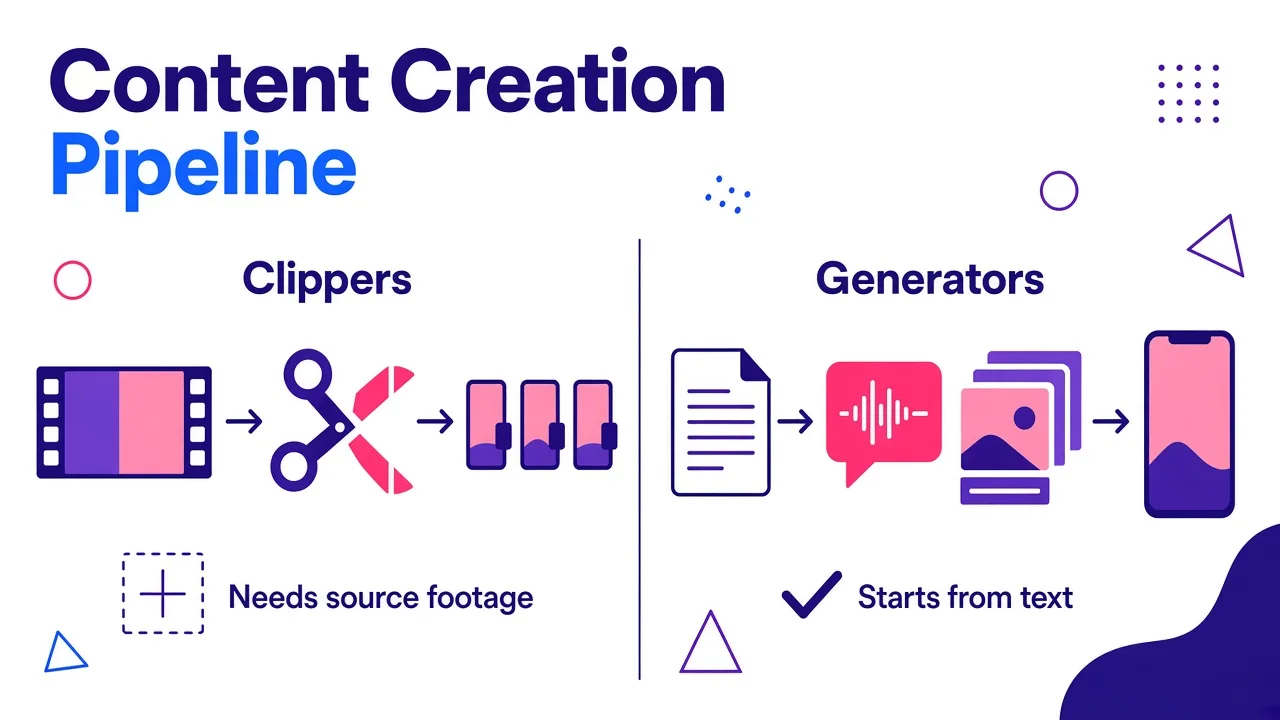
Most "best Shorts maker" lists mix two different product types. Clippers (VEED Clips, Kapwing, YouTube's remix) need a long video and find highlights inside it. Generators (the top three above) create a video from text.
If your channel is faceless and Shorts-first, you want a generator. If you run a podcast and want Shorts as a side channel, a clipper fits better. Many disappointing tool trials come from picking the wrong type. If budget is the constraint, I compared options that don't stamp your videos in 8 text-to-video AI tools free without watermark.
A faceless Shorts workflow that holds up
This is the routine I run with Cliptalk, and it works with any solid generator:
- Batch ideas. Write 10 to 20 hooks at once for your niche. Batching beats daily brainstorming.
- Write tight prompts. Name the hook, the audience, the tone, and the length. Vague prompts produce vague videos. I break this down in how to write prompts for an AI video generator.
- Lock one voice. Clone or pick a single voice and keep it across every upload. Consistency builds recognition when there's no face.
- Review the first three seconds. Check that the opening line and visual land immediately, and regenerate the B-roll if it's generic.
- Fix captions. Scan for misheard names and numbers. One wrong word in a caption kills credibility.
- Publish and package. Shorts come mostly from the feed, but a clean thumbnail still matters when they surface on your channel page and in search. The free AI YouTube thumbnail generator needs no account and adds no watermark.
Automation can push this to serious volume. This video shows how far the "autopilot" approach goes:
My caution here: volume without review produces lookalike videos that viewers swipe past. I'd rather post three reviewed Shorts a day than thirty untouched ones.
Tips from running faceless Shorts
- Front-load the payoff. State the most surprising point in the first sentence of the script, not the last.
- Write for the ear. Short sentences sound better in AI voiceovers than long, comma-heavy ones.
- Match B-roll to nouns. When a line mentions a specific object or place, make sure the visual shows it. Mismatched footage reads as low effort.
- Keep captions large and centered. Leave room for YouTube's interface at the bottom and right of the frame.
- Test hooks, not topics. Run the same topic with two different openings and see which one holds viewers.
The bottom line
If your channel is faceless, pick a generator, not a clipper. Invideo AI and Pictory are credible options, and CapCut works if you enjoy manual editing and accept its pricing and availability issues. For going from a text idea to a captioned, voiced, B-roll-filled Short with the fewest steps, Cliptalk is the YouTube Shorts maker I'd start with.
Tags: youtube shorts, faceless channels, ai video generator, short-form video, text to video