10 Best Free AI Video Generators in 2026
· 12 min read

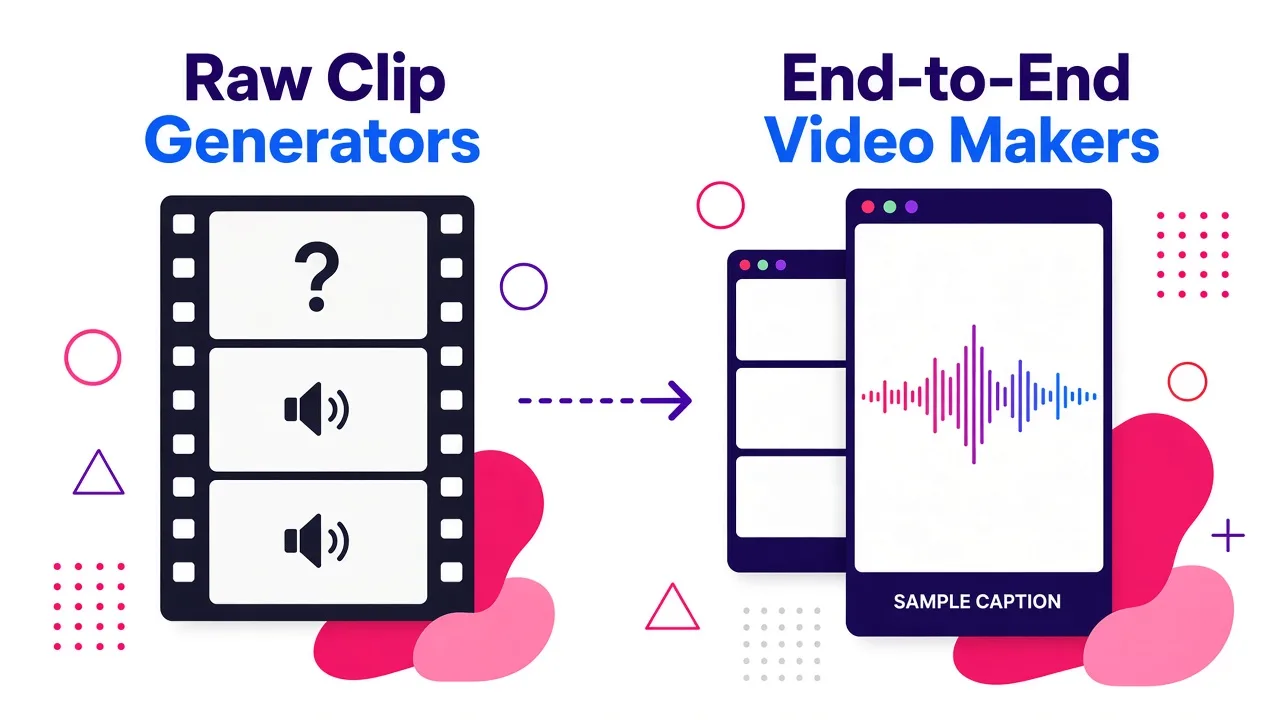
If you want to make a finished short-form video for free in 2026, the honest answer is that there are two different kinds of "free AI video generator" and you need to know which one you're shopping for: raw clip generators (Veo, Kling, Runway, PixVerse) that hand you five to ten seconds of footage, and end-to-end video makers that turn a script into a posted-ready vertical video with captions, voiceover and B-roll already assembled. For that second job, which is what most creators actually need, I'd start with Cliptalk, because its free credits produce a complete captioned 9:16 video with an AI voiceover in one pass instead of a silent clip you still have to edit.
Below is my ranked list after using all of these myself, with what each free tier genuinely gives you, where it breaks, and who it fits.
How I judged these tools
I care about five things, roughly in this order:
- What you can finish for free. A free tier that makes one silent 5-second clip is a demo, not a tool. I tracked exact credit allowances, refresh rules and expiry.
- Watermarks and commercial rights. Plenty of tools let you export for free but stamp the file, and some restrict commercial use on free plans entirely. Always read that clause before you build a channel on a tool.
- Resolution and duration caps. 720p free with 1080p paywalled is extremely common.
- Time from idea to export. I timed the whole loop, including queue waits, because free-tier queues are where the real cost hides.
- Retry cost. AI video is iterative. A generous allowance that burns 60 credits per attempt is stingier than it looks.
Quick comparison
| # | Tool | What's free | Watermark on free | Best for |
|---|---|---|---|---|
| 1 | Cliptalk | Free credits on signup for full videos with captions, voiceover, B-roll | No watermark on paid exports; check current free-tier terms | Faceless channels and marketers who need finished vertical videos |
| 2 | Google Flow / Veo | Google documents 50 daily credits without a subscription | Varies by surface | Best-looking generated footage |
| 3 | Kling AI | ~66 credits/day, refreshing (about 4–6 short generations) | 720p free, 1080p paid | Smooth motion and character consistency |
| 4 | HeyGen | 3 videos per month with AI avatars | Yes | Talking-head and presenter videos |
| 5 | CapCut | Free editing; some AI features spend credits | None on desktop exports | Finishing and editing clips |
| 6 | TikTok Symphony Creative Studio | Free with a TikTok for Business account | No | Brands and advertisers making TikTok ads |
| 7 | PixVerse | Daily free credits for registered users | Varies by plan | Text-to-video plus image-to-video in one place |
| 8 | HaiLuo AI (MiniMax) | Several free generations per day | Varies | Fast iteration on human motion |
| 9 | Runway | One-time 125-credit deposit | Yes on free | Directed, cinematic shot control |
| 10 | Invideo AI | Limited free credits, reset weekly | Yes on free | Prompt-to-full-video with narration |
1. Cliptalk: best free option for finished short-form videos
Most tools on this list generate footage. This one generates videos. You paste a script, an article, or just a topic, and it comes back with a scene-by-scene edit: AI voiceover, burned-in animated captions, B-roll matched to each line, and the whole thing already framed 9:16 for TikTok, Reels and Shorts. If you run a faceless channel, that is the entire job, not a step in it.
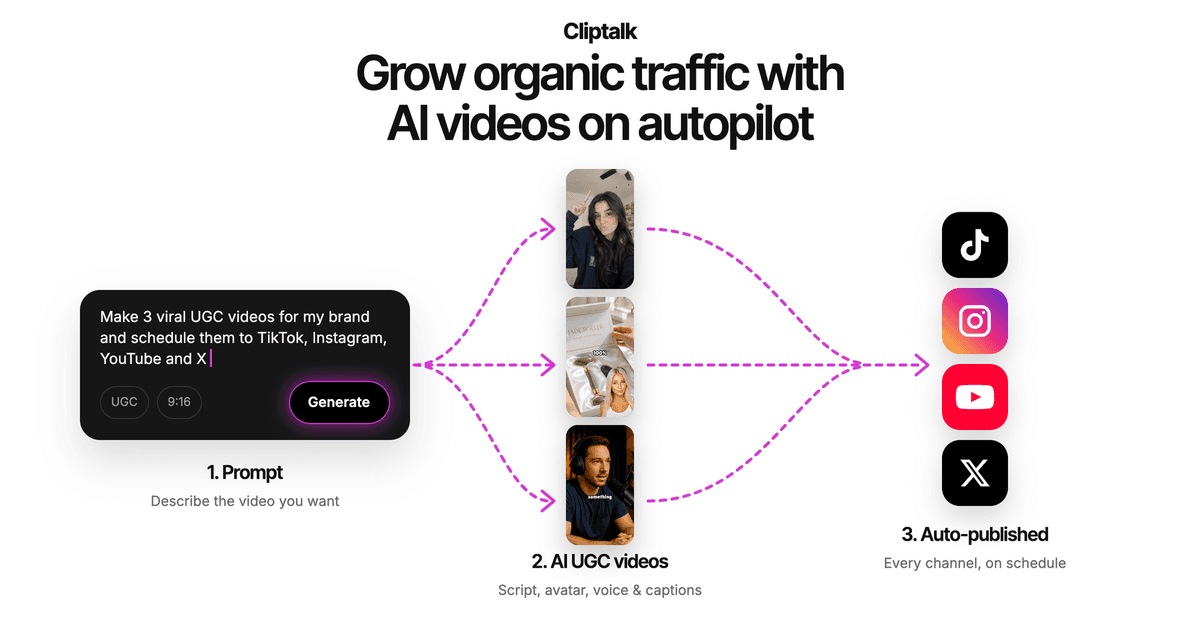
What I actually get done with it: my normal loop is idea to published video in under ten minutes. I write or generate the script, pick a voice, let it assemble the B-roll, then fix two or three shots that missed the mark in the built-in editor. Voice cloning and AI characters are there if you want a consistent on-screen presenter across a series, which matters more for retention than people admit. There's also a set of free AI video tools including script generators that run with no signup, which is a genuinely useful way to test the writing half before you spend a credit on rendering.
Pros
- Outputs a complete, captioned, voiced video rather than a raw clip
- Free credits let you finish real videos, not just preview a watermarked teaser
- Script, B-roll, voiceover and captions live in one place, so there's no CapCut round trip
- Fast enough to publish daily, which is the actual constraint for short-form channels
Cons
- It is not a cinematic generative model. If you want a photoreal 10-second dolly shot of a spaceship, use Veo or Kling and bring the clip in
- Free credits are limited, like everywhere else. Sustained daily publishing needs a paid plan
- Opinionated toward vertical social formats. Fine for Shorts, less so for a 20-minute horizontal documentary
Who it fits: faceless channel operators, solo marketers, anyone publishing multiple short videos a week who does not want to open an editing timeline.
2. Google Flow / Veo: the best free-ish clip quality
Veo is the benchmark most people compare everything else against, mostly because it generates native audio alongside the visuals instead of leaving you to sound design a silent clip. Google documents 50 daily credits available without a subscription through Flow, though access genuinely varies by account, region, model version and demand, and some Veo surfaces have no free route at all.
Pros
- Best realism and motion physics of anything with a free path
- Native audio generation is a real workflow saver
- Reachable from several Google surfaces, including AI Studio and Flow
Cons
- Availability is inconsistent. What worked last week may be gated this week
- Credits go fast at higher-quality settings
- No timeline, no captions, no assembly. It makes shots, not videos
Who it fits: creators who need a few hero shots per video and will edit elsewhere.
3. Kling AI: the most generous recurring daily free tier
Kling has kept one of the better refreshing allowances in the market, roughly 66 credits per day, which works out to about four to six short generations. In my tests, motion held up well across a full 10-second clip: camera moves stayed smooth and faces stayed consistent frame to frame, which is where cheaper models usually fall apart.
Pros
- Daily refresh means you can build a habit, not just run one trial
- Strong character consistency and physically plausible motion
- Paid plans start low, from around $6/month, if you outgrow free
Cons
- Free output is capped at 720p; 1080p is paywalled
- Free requests go into a slower queue, and I've waited 5 to 15 minutes at peak hours
- 10-second maximum on the free tier
Who it fits: creators doing daily motion tests and B-roll shots on a zero budget.
4. HeyGen: best free talking avatar
If your video is a person speaking to camera, avatar tools beat generative models outright. HeyGen's free plan gives you 3 videos per month using its avatar library, which runs past 1,100 stock presenters, with lip sync across 175+ languages. I tested the same script in English, Spanish and Mandarin and the non-English lip sync held, which is not true of every competitor.
Pros
- Very fast: signup to a finished lip-synced video in about four minutes
- Huge avatar and language library for a free tier
- Voice cloning available inside the free workflow
Cons
- 3 videos a month is a trial, not a production budget
- Watermark on free exports
- Length capped tightly, and free-plan resolution is limited
Who it fits: educators, product marketers and anyone testing a presenter format before committing.
(Synthesia belongs in the same bracket: 240+ avatars across 160+ languages with a free entry tier, stronger on corporate and training video, weaker on social-native pacing.)
5. CapCut: best free editor to finish anything
CapCut is not really a generator, and that's why it's on the list. It is the free finishing layer almost everyone uses: trim, caption, add music, speed ramp, export. Crucially, desktop exports come out without a watermark, which makes it the default destination for clips you generated elsewhere.
Pros
- Genuinely free editing with no export watermark on desktop
- Enormous template and effect library tuned for vertical social
- Auto-captions are fast and reasonably accurate
Cons
- The AI features spend credits, and premium effects and templates sit behind payment
- You still have to do the editing. It saves you money, not time
- Mobile and desktop feature sets differ, which trips people up
Who it fits: anyone stitching generated clips together, and creators who enjoy the timeline.
6. TikTok Symphony Creative Studio: free if you're a brand
This one is overlooked because it lives inside TikTok's ads ecosystem, but it's free with a TikTok for Business account and it is not a toy. You give it product details or upload existing assets and it generates or remixes TikTok-ready videos, including digital avatar narration, dubbing and translation, plus a full editor with scripts, auto captions and royalty-free music.
TikTok's own figures are worth knowing: marketers report saving five to eight hours a week using AI, advertisers using Symphony have increased weekly creative asset volume 2.5x, and TikTok users report roughly 40% more enthusiasm about AI in ads than users on other platforms. The lesson is less about the tool and more about volume: platform algorithms reward output, and free tooling is how small teams reach it.
Pros
- Free, with no credit anxiety, for anyone with a business account
- Built on TikTok's own trend data, so the output fits the platform
- Dubbing and translation open up international markets with one click
Cons
- TikTok-shaped by design. It is not a general-purpose generator for Shorts or Reels
- Ad-oriented output. Editorial or storytelling content feels forced
- Requires a TikTok for Business account and its terms
Who it fits: ecommerce brands and advertisers publishing product-led TikTok content.
7. PixVerse: best free sandbox for text and image to video
PixVerse gives registered users daily free credits and puts text-to-video and image-to-video in one workspace, which makes it the cheapest way to learn what prompts actually do. I use it for style tests before spending better credits elsewhere.
Pros
- Daily credits mean regular practice without paying
- Both input modes in one interface, so you can animate a still you already have
- Good for short, punchy, social-shaped clips
Cons
- Newer models bill per second, so longer clips drain credits quickly
- Exact free balances shift with campaigns, so plan on variability
- Quality sits below Veo and Kling at the top end
Who it fits: creators learning AI video who want volume of attempts over polish per attempt.
8. HaiLuo AI (MiniMax): fastest free iteration
HaiLuo trades duration for speed. Generations finished in roughly 60 to 90 seconds in my tests, fast enough to try a prompt four or five times while a competitor renders once. Human motion and facial micro-expressions are its standout strength.
Pros
- Genuinely fast, which changes how you work
- Several free generations per day
- Convincing people, especially faces and gesture
Cons
- Around 6 seconds maximum, so it is a shot tool only
- Free allowance varies by region
- Resolution is modest compared to paid tiers
Who it fits: anyone prompt-engineering character shots who values attempts over length.
9. Runway: best free trial for directed control
Runway is where you go when you want to direct rather than roll dice: camera moves, generative editing, and a real toolkit around the model. But be clear-eyed about the free plan. It's a one-time 125-credit deposit, and Gen-4.5 is listed at 60 credits per 5-second video. That is roughly two clips, and then you're done.
Pros
- Deepest creative control of any tool here
- Excellent camera motion and generative editing features
- Professional ecosystem if you later go paid
Cons
- The free tier is a sample, not a tier. Two clips, no refresh
- Watermarked free exports
- Detail stability can wobble on complex scenes
- Steep enough that beginners waste credits learning
Who it fits: filmmakers and motion designers evaluating whether to subscribe.
10. Invideo AI: prompt to full video, with a weekly reset
Invideo is the closest thing on this list to an end-to-end prompt-to-video suite besides the tool at number one. You describe an idea and it writes the script, pulls visuals from a 16 million-plus stock library plus AI generation, adds a human-sounding voiceover in one of 50+ languages, and layers subtitles and music. Its "magic box" lets you edit by typing commands like "delete scene three" or "change the accent."
Pros
- Full video, not a clip, straight from a prompt
- Text-prompt editing is genuinely faster than dragging clips
- Free credits reset weekly rather than once
Cons
- Watermark-free exports and better model access depend on your plan
- Free credits are limited and weekly resets run out fast if you publish daily
- Stock-heavy output can look generic without manual swaps
Who it fits: creators who want a script-to-video pipeline and don't mind upgrading.
Worth knowing, not quite top ten
- Luma Ray3: beautiful interface and elegant output, free trial credits, then paid.
- Adobe Firefly: the safest choice for commercial use because Adobe indemnifies its outputs, but it has no native audio, so you add sound afterward.
- Seedance via Dreamina: daily free credits covering both image and video, though credits don't map to a fixed number of videos.
- Aggregators like WaveSpeed: starter credits on signup and access to 30+ models through one dashboard, useful when you don't yet know which model suits a shot.
- Open-source models (Wan and friends): free as in code, not free as in compute. Only worth it if you own a capable GPU and enjoy setup.
How to actually choose
Start from the output you need, not the model you've heard of.
You need finished, captioned, vertical videos on a schedule. Use an end-to-end tool. The generative models will not get you there without hours of editing, and at three videos a week that math never works. This is the case where I stopped stacking tools entirely: Cliptalk writes, voices, captions and assembles in one pass, and I keep CapCut around only for the occasional manual fix. If you're comparing it against the alternatives head to head, we keep honest side-by-side breakdowns of the main AI video tools.
You need three to five gorgeous hero shots. Use Veo or Kling for the shots, then assemble in CapCut or your end-to-end tool.
You need a person on screen. Use an avatar tool. Generative models still struggle with sustained talking heads.
You're a brand pushing TikTok ads. Symphony is free and built on platform data. Start there.
Two last practical rules. First, check the watermark and commercial-use terms before you publish anything, not after: free tiers differ wildly, and we maintain a running guide on which free plans export without a watermark. Second, treat free credits as a testing budget rather than a production budget. Every tool here expects you to convert. The smart move is to spend free credits proving a format works for your audience, then pay for the one tool that finishes the job fastest, because in short-form the thing that compounds is publishing consistently, not squeezing one more render out of a daily allowance.
Tags: ai video generators, video creation tools, free software, short-form video, content creation