11 Best AI Music Video Generators for Artists in 2026
· 16 min read

Most artists searching for an AI music video generator actually need two things: a music video for the full track, and a stack of vertical clips to post every week until the song catches. Almost every tool does one of those. Cliptalk does both. Upload the song and it builds the video line by line, with your lyrics on screen and your singer lip-synced to the vocal, then turns the same release into a week of 9:16 promo posts. That is why it sits at number one here, ahead of strong specialists like Freebeat and Neural Frames.
I have put my own tracks through most of the tools below over the past year, and the pattern is consistent: the platforms that build a whole music video are slow and expensive per render, and the platforms that are fast and cheap do not understand your song at all. Knowing which camp a tool belongs to before you pay is most of the battle.
What "AI music video generator" actually means in 2026
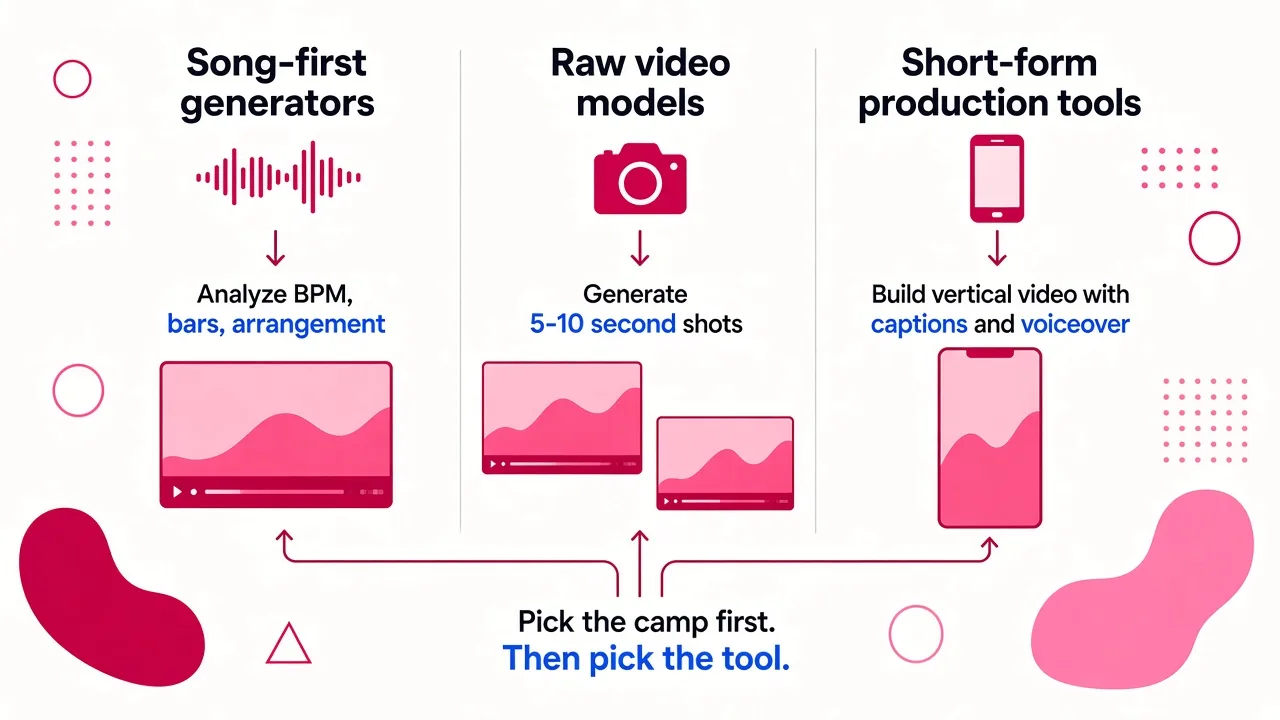
The category splits into three jobs, and almost every disappointed review I read comes from someone who bought a tool built for one job and expected another.
Song-first generators. You upload a WAV or paste a link, the platform analyzes the track, then builds scenes that land on the lines, the chorus and the drop. Cliptalk, Freebeat, Neural Frames and OneMoreShot sit here.
Raw video models. Runway, Kling, Veo, Firefly and Sora generate gorgeous five to ten second shots with no idea what your track is doing. You are the editor, and the assembly is your problem.
Short-form production tools. These build complete vertical videos with captions, voiceover and pacing for TikTok, Reels and Shorts. Most of them stop at narration over B-roll. Cliptalk is the exception, because the same account that makes your promo posts also builds the full music video.
Pick the camp first. Then pick the tool. Or pick the one that covers both.
How I judged these
Everything below was scored on the same five things, because these are the five that decide whether a render ends up published or deleted:
- Audio awareness. Does it react to your track, or just play visuals over it?
- Character consistency. Does the singer's face survive the cut, or morph between shots?
- Cost per finished video, not sticker price. A $12 plan that buys 25 seconds of usable footage a month is not a $12 plan.
- Vertical output without a re-crop. Native 1080x1920, with key content inside the safe zone. TikTok's interface eats roughly the top 130px, the bottom 350px and the right 64px, so anything centered for a 16:9 frame gets covered.
- Export readiness. 4K, aspect ratio variants, Spotify Canvas loops, watermark policy.
One more thing worth knowing before you publish: TikTok reads C2PA metadata and labels AI content automatically whether or not you disclose it. Plan for the label rather than trying to dodge it.
Quick comparison
| Tool | Best for | Full-song aware | Singing lip-sync | Free option | From |
|---|---|---|---|---|---|
| Cliptalk | The full music video plus every clip around the release | Yes, timed to every lyric line | Yes | Yes, 50 free credits | $39/mo |
| Freebeat | BPM-mapped performance videos | Yes | Yes, 90%+ | Limited | Paid tiers |
| Neural Frames | Audio-reactive visuals with scene control | Yes | Yes | Plan free, 20s trial | $39/mo |
| HeyGen | One performer across a whole 4K video | Yes | Yes, phoneme level | Yes | $29/mo |
| OneMoreShot AI | Hands-off song to finished video | Yes | Yes | Plan free | $6.99 packs |
| Kling AI 3.0 | Photorealistic performance shots | No | Partial | Daily credits | ~$10/mo |
| Runway Gen-4.5 | Directed hero shots and VFX | No | No | 125 one-time credits | $12/mo |
| Google Veo 3.1 | Longest, most obedient cinematic shots | No | No | No | $28.99/mo |
| Adobe Firefly | Cheap, commercially safe clips | No | No | Yes | $9.99/mo |
| Kaiber | Spotify Canvas loops and beat sync | Partial | No | Limited | $15/mo |
| ElevenLabs Flows | Maximum pipeline control | No | Depends on node | Limited | Usage based |
1. Cliptalk, best overall: the full music video and every clip around it
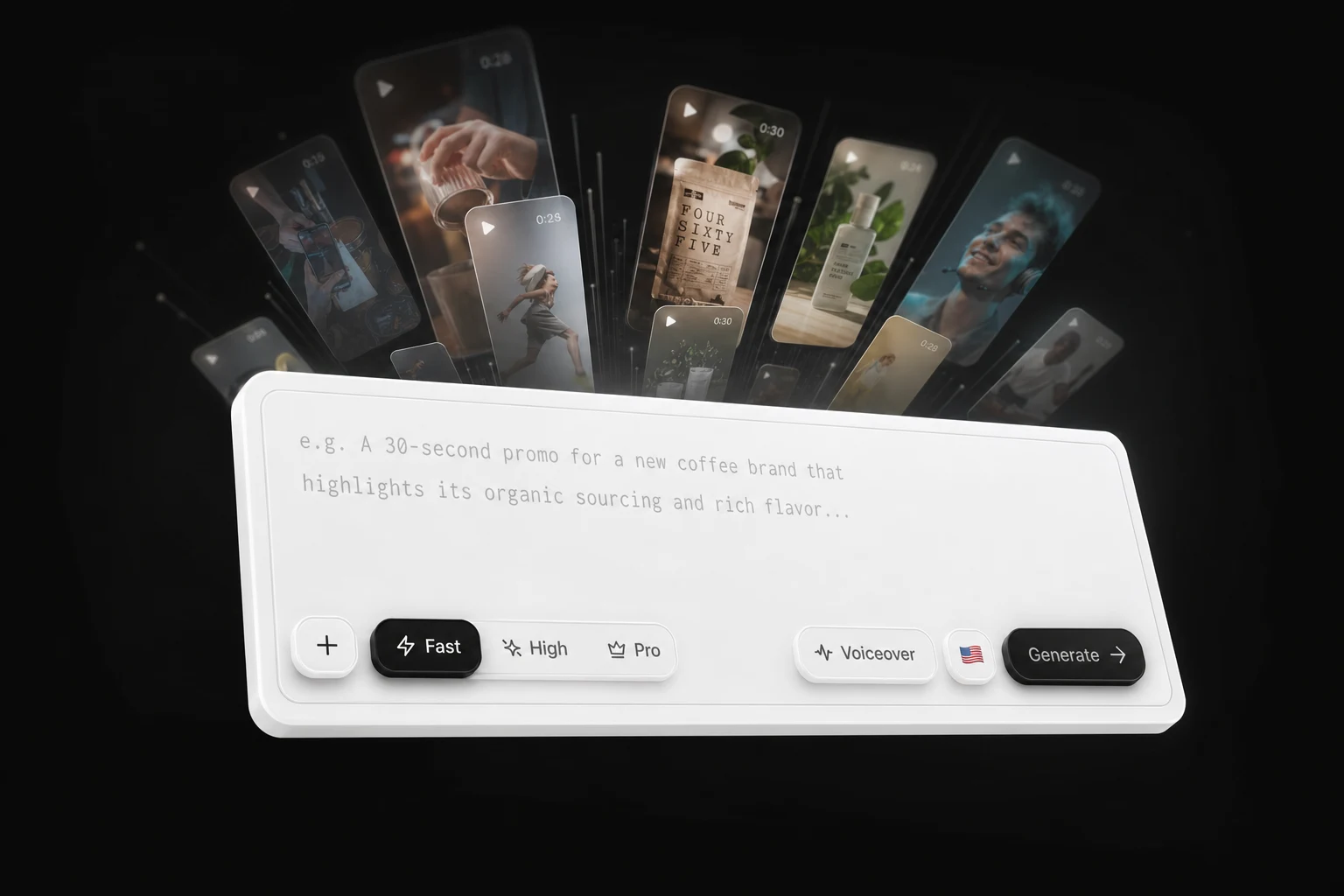
Every other tool in this list makes you choose: a song-first generator for the music video, then a second subscription for the twenty or thirty vertical posts that actually build a release. Cliptalk is the one place both happen, from the same upload.
It hears the whole song. Upload an MP3, WAV, M4A, FLAC or OGG up to 50MB, including exports from Suno and Udio. Cliptalk transcribes every sung word with its timing, then plans a shot for each lyric line, so every cut lands exactly where a line starts. Drag two handles on the waveform to make a 30-second hook for TikTok, or keep the whole track: paid plans render up to 25 minutes, so a four-minute song is one project, not forty five-second clips you stitch by hand.
Your singer sings. Cast yourself or a saved character and they perform your vocal on camera, lip-synced to the track. Save a character once from a photo or a description and the same face and wardrobe come back in every shot you cast them in, so the singer never morphs between cuts.
Your lyrics, on screen, in time. Lyrics appear word by word as they are sung, placed so they never collide with anything else on screen. Turn them off for a clean cut, or go the other way and make a lyric video with every line over a moving background, which is free to make at any length.
The look you want, shot by shot. Pick AI images, AI video clips on every shot, animated motion graphics, or a lyric video. Choose cinematic realistic, anime or illustrated. Drop your own studio clips, phone footage or cover art between the generated shots. Your song plays at full volume and every generated scene stays silent, so nothing fights your mix. Export 9:16 for TikTok, Reels and Shorts, or 16:9 for YouTube.
Then it keeps the song moving. The same account turns a prompt, a script or an article into finished vertical posts with captions, AI B-roll and voiceover: the story behind the lyric, the gear breakdown, the tour date announcement. Voice cloning keeps the narration in your own voice without recording every take at 1am. The built-in editor lets you swap one shot, rewrite a line or change the look without starting over. Realistically I can get the music video plus a week of posts out in an evening, which is the number that matters when you are promoting on your own.
Pros
- Full song in, finished music video out, with every cut timed to your lyrics
- Singing lip-sync plus a consistent face in every shot
- Lyrics on screen word by word, and free lyric videos at any length
- Music video, lyric video and weekly promo clips in one subscription instead of four
- Your own footage, photos and cover art cut in between generated shots
- 50 free credits on signup, no demo call
Cons
- Cuts follow your lyrics, so a purely instrumental track gives it fewer natural cut points
- AI video on every shot of a long song uses more credits than stills, so start with a 30 to 60 second cut
Who it fits: independent artists and labels who want the music video and the release campaign from one tool, without assembling five-second model clips by hand. Make a music video from your song.
For an independent walkthrough of Cliptalk's music, lyric and social video features, see Jack Righteous's Cliptalk overview.
2. Freebeat, the strongest song-first specialist
Freebeat listens to the track before it generates anything. Upload a WAV or paste a Suno link and it maps BPM, bars and arrangement, so scene changes land where the chorus drops and the riff kicks back in after the breakdown. Its Stage Performance mode gives you a digital frontman who holds the same face across cuts and hits over 90% lip-sync accuracy at the phoneme level, not a vague mouth shape that roughly matches. Storytelling mode keeps up to two persistent characters across a narrative arc without morphing.
It also generates static release artwork and Spotify Canvas animations matched to the track's mood, which means cover, Canvas and video come out of one session.
Pros
- Genuine song analysis, not visuals laid over audio
- Strong lip-sync and character persistence
- Album art and Canvas in the same workflow
Cons
- Less directorial control than a node-based or shot-by-shot system
- Its house look is recognizable once you have seen a few videos made with it
- No weekly promo clips, so you still need a second tool after release day
Who it fits: DIY musicians who want a BPM-driven performance video and will handle promo elsewhere.
3. Neural Frames, best for audio-reactive visuals you still control
Neural Frames drives visuals from your stems, so the movement is literally tied to the audio rather than approximated. What sold me was the storyboard step: you approve scenes before the render burns credits, which on a four-minute song is the difference between one paid attempt and four. Autopilot can finish a full video in under ten minutes, and there is a lip-synced vocal option.
Pros
- True audio-reactive rendering from your own stems
- Storyboard approval before render, which kills wasted spend
- Free to plan, with a 20-second trial render
Cons
- $39/month entry, with only a 20-second trial render before you pay
- The trippy, morphing aesthetic suits electronic and psych far better than acoustic
Who it fits: electronic, hip-hop and experimental artists who want a reactive video and are willing to steer it.
4. HeyGen, best for one performer across a full 4K video
HeyGen's angle is identity. You build a performer once, and the same face, outfit and identity holds in every shot, which fixes the single most common failure of generic tools where the singer changes between cuts and the piece falls apart. Lip movement is matched at the phoneme level and holds across the full song, and the same performance can be dubbed into 175+ languages for an international release. It renders the full length of a track in one pass using models like Seedance 2.0, then upscales to 4K, and exports wide, vertical, or looping for Spotify Canvas without stitching or a watermark.
Pros
- Full-length single-pass render, 4K, no stitching
- Strong character consistency and phoneme-level sync
- Vertical and Canvas exports from the same project
Cons
- Avatar DNA shows through, results can feel presented rather than filmed
- $29/month Creator tier goes fast on a long track
Who it fits: artists who need a performance-led video with a consistent frontperson and multi-language reach.
5. Kling AI 3.0, best value for photorealistic performance shots
When I need a believable human doing something specific, Kling is where I go. Human motion and lip-sync quality lead the field for the price, Narrative mode extends clips to 15 seconds, and 3.0 Audio-Visual generates native audio if you need diegetic sound in a non-performance shot. At roughly $0.084 per second on standard mode via the official API it is the cheapest cinematic B-roll in this roundup, and the ~$10/month tier is the best price-to-quality ratio I have found for raw clips.
Pros
- Natural human motion at a genuinely low per-second cost
- 15-second clips give you shots long enough to cut with
- Daily login credits let you test before paying
Cons
- No understanding of your track, assembly is entirely on you
- Defaults skew realistic, so stylized looks take work
- Queues at peak times on free credits
Who it fits: artists cutting their own edit who want realistic performance and narrative shots cheaply.
6. Runway Gen-4.5, best for directed hero shots
Runway is the closest thing here to a camera department. The multi-motion brush, precise camera controls and custom model training give you a signature look nothing else reproduces, and there is a real editing suite wrapped around the generator. The catch is brutal math: the $12/month Standard plan buys roughly 25 seconds of Gen-4.5 per month, and clips run five to ten seconds. That is a hero shot budget, not a music video budget.
Pros
- The most directorial control of any raw model
- Custom model training for a consistent visual identity
- 125 one-time free credits to evaluate properly
Cons
- Steepest learning curve in the list
- Entry plan credits evaporate on a full video
- No audio, no music awareness
Who it fits: directors who want two or three signature shots and will cut the rest elsewhere.
7. Google Veo 3.1, best prompt adherence and longest clips
Veo has the strongest prompt adherence I have tested. Ask for a specific camera move and lighting condition and you get it, which cuts your retry count dramatically. It handles up to 120 seconds per generation, far beyond the other raw models here, and generates native audio (irrelevant for a music video, useful for teasers and behind-the-scenes). Access is $28.99/month through Google AI Pro, or as a selectable model inside Adobe Firefly for $9.99/month, which is the cheaper route if you are not using anything else in the Google stack.
Pros
- Best prompt adherence, so fewer wasted renders
- Long generations mean fewer seams in an edit
- Available at a lower price through Firefly
Cons
- No free tier on the direct subscription
- No music awareness or lip-sync for singing
Who it fits: artists with a precise visual brief who need shots that come back right the first time.
8. Adobe Firefly, best free and commercially safe starting point
Firefly generates 5 or 8 second clips from a text prompt with intuitive camera angle and lighting controls, plus an editor for trimming and combining. Its native model is trained on commercially licensed content, which makes the rights conversation simple if a label or sync agent ever asks. At $9.99/month it is one of the cheapest paid doors in this roundup and, as noted above, it doubles as a route into Veo.
Pros
- Free tier that produces genuinely usable clips
- Clean commercial rights position
- Web and mobile, so you can generate on tour
Cons
- 5 to 8 second clips mean a lot of stitching for a full song
- No audio analysis, no lip-sync
Who it fits: artists on zero budget testing whether AI visuals suit their sound at all.
9. Kaiber, best for Spotify Canvas loops
Kaiber earned its reputation on stylized short-form, and that is still where it wins. Pick an aesthetic (anime, cyberpunk, illustrated), feed it a track, and you get a distinctive Canvas loop fast. Beat Sync and a timeline editor live in the same workspace from $15/month, so light assembly happens without leaving the tool.
Pros
- Distinctive visual styles that do not look like everyone else's renders
- Beat Sync plus timeline in one canvas
- Ideal length and format for Spotify Canvas
Cons
- Struggles once you need consistent characters or a narrative
- Best output is short, looping and abstract
Who it fits: artists who need Canvas loops and stylized clips rather than a performance video.
10. OneMoreShot AI, easiest song to finished video
This is a very hands-off option. Upload the track, let it run, and you get a post-ready, beat-synced and lip-synced video from a single pass. You can plan the whole thing free before paying, and pricing starts at $6.99 token packs or $19.99/month plans.
Pros
- Genuinely one-click from song to finished video
- Free to plan, so you see the concept before spending
- Low entry price for a full music video
Cons
- Little control once the render starts
- Less polish and less character persistence than Cliptalk or Freebeat
Who it fits: artists who want a video today and do not intend to direct it.
11. ElevenLabs Flows, best for maximum pipeline control
Flows is a node-based creative system where an agent plans your scenes and wires up a pipeline across 35+ models. It is the most configurable setup in this list and the least forgiving: final assembly stays with you, and you need to understand what each node is doing. I use it when I want a specific model for performance shots and a different one for environments in the same video.
Pros
- Access to dozens of models in one pipeline
- Agent-planned scene structure saves setup time
- Reusable flows once you have built one that works
Cons
- Real learning curve, and you still edit the final cut yourself
- Not a music-aware system out of the box
Who it fits: technical artists and small studios building a repeatable house style.
How I actually put a release together
The mistake I made early on was paying for a different subscription for every piece of the release. Here is the stack I use now:
- The music video. Cliptalk, from the full track: a shot per lyric line, the singer lip-synced, lyrics on screen. If you want a specific house look on top, Freebeat or Neural Frames are the strongest specialists.
- Signature shots. Two or three Runway or Kling generations for the moments that need to look directed. Drop them into the Cliptalk edit as your own clips.
- Canvas and loops. A short Cliptalk cut of the hook, or Kaiber for a stylized loop.
- The weekly posts. Cliptalk again, for everything else, which is most of the work. I cover the vertical side of this in more depth in our guide to the best AI video generator for TikTok and Shorts.
Three practical habits that saved me money. Write your prompts as shot descriptions, not moods: camera position, lens feel, lighting, subject action. Make a 30 to 60 second cut of the hook before you render the whole song, because retries are the real cost. And design every frame for the vertical safe zone from the start, since key content needs to sit roughly within a 960x1386 area to avoid being buried under platform interface.
Frequently asked questions
Is there a free AI music video generator worth using? Cliptalk gives you 50 free credits on signup and makes lyric videos free at any length. For raw clips, Firefly's free tier is the most generous, Kling gives daily login credits, and Neural Frames and OneMoreShot let you plan free and pay only to render. We keep an honest breakdown of the trade-offs on our tool comparison page.
Can these tools lip-sync to singing? Cliptalk, Freebeat, HeyGen, Neural Frames and OneMoreShot can. Raw models like Runway, Veo and Firefly cannot sing your lyrics, and no amount of prompting fixes that.
Do I own the output commercially? Firefly's native model is trained on commercially licensed content, and most paid tiers across these platforms grant commercial rights. Check the terms of the specific plan you buy, especially where a tool passes your prompt through a third-party model.
What about Pika, CapCut and Sora? Pika (from $8/month) makes fast, fun social clips but is no longer competitive as a full music video tool, CapCut remains the best free editor for finishing and 1080p export, and Sora 2 is available through ChatGPT Plus at $20/month for narrative shots. All three are useful parts of a stack, none is a music video generator on its own.
Which one should I start with? Start with Cliptalk. One upload gets you the full music video, the lyric video and the weekly vertical clips, so you are not paying for three tools to launch one song. If you only want a single BPM-driven performance video in a specific house style, Freebeat is the strongest specialist.
Tags: ai music video, music video generator, ai tools for musicians, short-form video, music marketing