9 Best Faceless AI Video Generators for YouTube in 2026
· 13 min read
If you want to run a faceless YouTube channel without ever filming, your shortlist comes down to nine tools, and the right one depends on whether you need daily short-form volume, long-form narration, or full autopilot posting. I run my own faceless channels on Cliptalk because it takes a raw script or article and returns a finished vertical video with burned-in captions, matched B-roll, an AI voiceover and a recurring character in one pass, which is the whole pipeline rather than one slice of it.
Below is the honest version of that shortlist. I have published with all of these, and each one is good at something specific and bad at something else. I have flagged both.
What actually matters for faceless YouTube
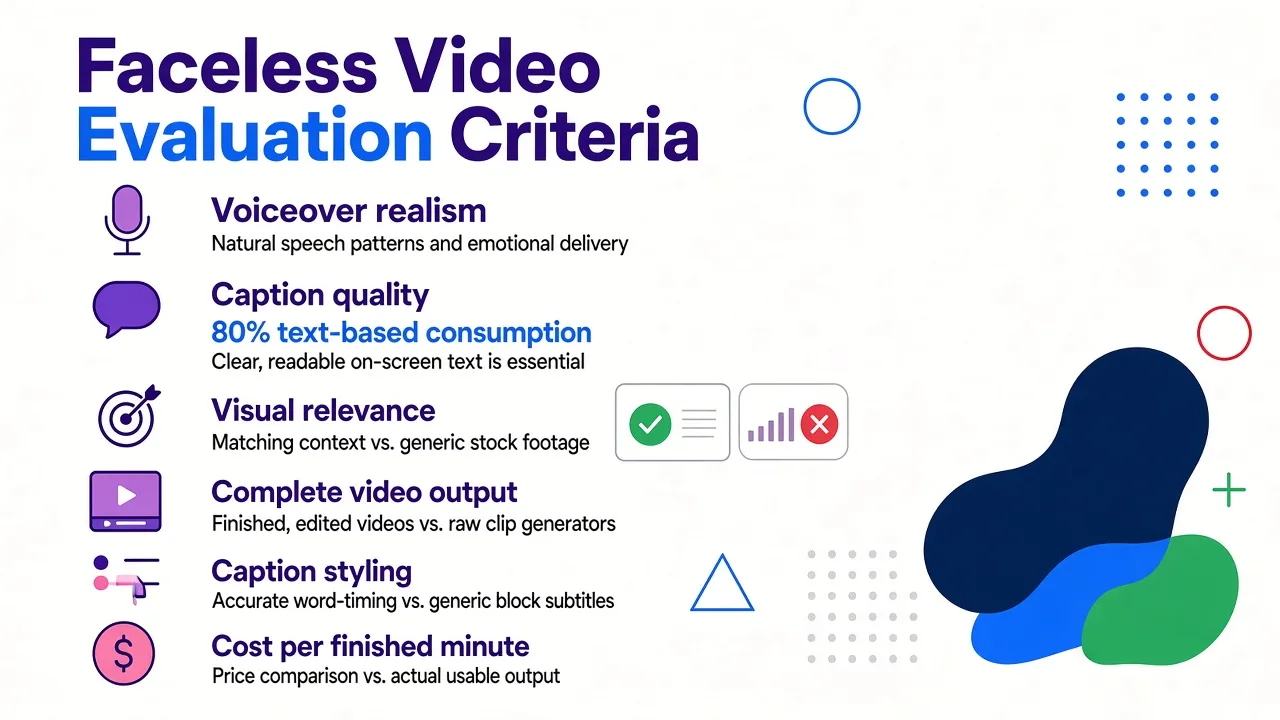
Before the list, here is what I judge these tools on after a few hundred uploads. It is not the same criteria you would use for cinematic AI video.
Does it finish the video, or just start it? A lot of "AI video generators" produce a four to ten second clip. That is a raw generator, not a faceless video tool. For a channel you need script, voice, visuals, captions, music and export in one run. Otherwise you are still editing.
Voiceover realism. This is the single biggest tell. I listen for breath sounds, pacing variation and whether sentences land like a person or a GPS unit. Flat narration kills retention in the first five seconds, and no amount of B-roll saves it.
Caption quality. Roughly 80 percent of short-form is watched on mute or half-attention. Captions need to be accurate, word-timed and styled, not a grey subtitle bar.
Visual relevance. Stock or generated footage that vaguely matches the topic is fine. Footage that contradicts the narration is worse than a static background.
Aspect ratio flexibility. Shorts need 9:16. Long-form faceless narration needs 16:9. A few tools only do one well.
Cost per finished minute. Not the sticker price. Credits, render limits and watermark rules change the real number a lot.
Ownership and monetization safety. YouTube rewards original, transformative content. Tools that seed from real sources and let you edit the script before render are safer than ones that spit out generic filler.
Quick comparison
| # | Tool | Best for | Main trade-off |
|---|---|---|---|
| 1 | Cliptalk | Daily short-form with captions, B-roll, voiceovers and recurring characters | Built around short-form first, not 20-minute documentaries |
| 2 | InVideo AI | Prompt-to-video with access to top generative models | Output needs review, credits burn fast on generative clips |
| 3 | HeyGen | Presenter-style faceless video and heavy localisation | Avatar-first workflow is overkill for pure B-roll channels |
| 4 | Faceless.so | Full autopilot: generate and auto-post to seven platforms | Less hands-on control per video |
| 5 | Kapwing | Turning scripts, PDFs and articles into edited video | Browser editor gets slow on longer projects |
| 6 | Pictory | Repurposing blog posts and URLs into video | Stock matching is literal, voices are average |
| 7 | AutoShorts.ai | Set-and-forget daily uploads | Templated output, less differentiation |
| 8 | BigMotion | Niche series on rails (history, facts, motivation) | Style range is narrower than general tools |
| 9 | SendShort | Free faceless videos with no watermark | Fewer advanced controls than paid suites |
1. Cliptalk
This is the one I use for my own channels, so I will be specific about why and where it falls short.
The core workflow is text in, finished video out. You paste a script, a prompt or an entire article, pick a voice and a caption style, and it returns an edited vertical video with B-roll cut to the narration, word-level captions and music. The parts I rely on most are auto-captions that actually land on the right syllable, AI voiceovers that vary pacing instead of droning, and AI characters that keep the same face and voice across an entire series so a channel builds recognition even though nobody is on camera. Voice cloning is there too, which matters if you want one consistent narrator across fifty videos.
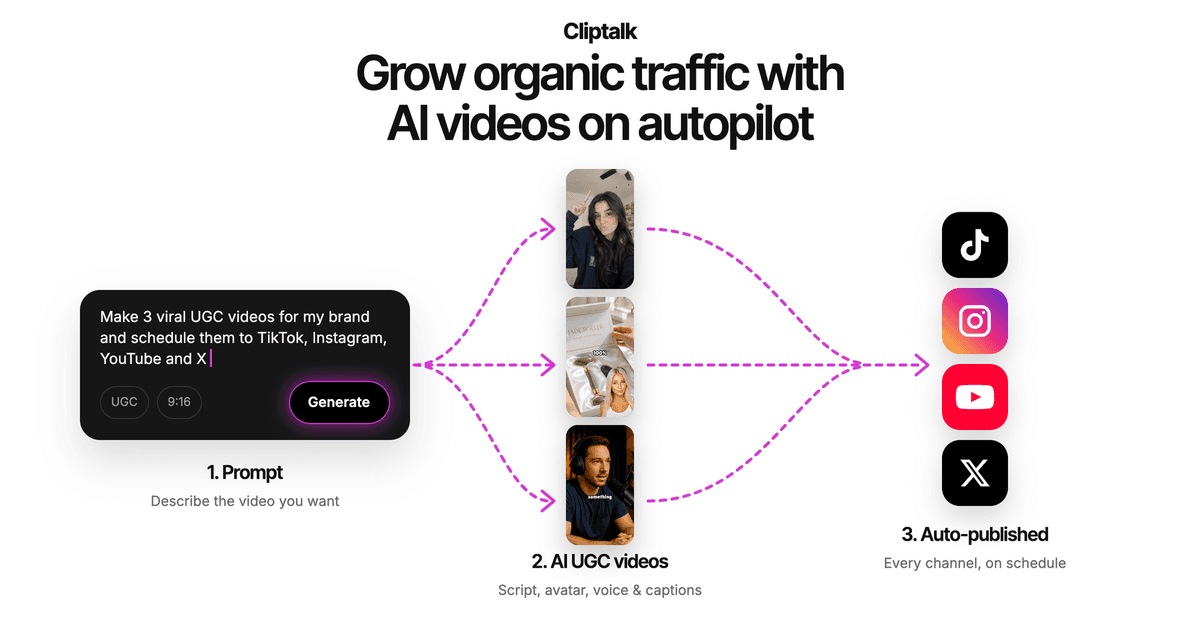
The reason it works for a real posting schedule is that nothing is locked after render. The built-in editor lets you swap a B-roll clip that missed the point, retime a caption, or rewrite one line and re-render just that segment. That is the difference between a tool you use twice and one you use daily. I go from idea to publishable Short in under ten minutes, including the manual pass I do on every video.
Pros: full pipeline in one place, strong caption styling, consistent characters across a series, editable after generation, no editing skills required.
Cons: it is built for short-form first, so if your plan is 25-minute documentary narration you will be fighting the format. The character library is smaller than avatar-specialist platforms. And like every AI tool here, the first render is a draft, not a finished product. Plan on a five minute human pass.
Who it fits: creators and marketers publishing several Shorts, Reels or TikToks a week who want one tool for script, voice, visuals and captions. Plans are laid out on the pricing page if you want to work out cost per video before committing.
2. InVideo AI
InVideo is the name most people land on first, and it earns the traffic. You write a prompt, it writes a script, pulls media from a library of over 16 million stock photos and videos, adds voiceover, music and sound effects, and hands back a full video. Its workflow feature is genuinely smart: instead of guessing at prompt syntax, you fill in a short form and it builds the prompt for you, with dozens of style presets.
What pushes it up the list in 2026 is model access. It now routes generative clips through top-tier models including Sora 2 and Veo 3.1, so you are not limited to stock footage when a shot does not exist in a library.
Pros: enormous stock library, prompt-driven editing where you can say "make scene three shorter" in plain English, strong style range, works for both Shorts and long-form.
Cons: generative clips eat credits quickly, so the cheap plan does not go as far as it looks. The auto-selected stock is sometimes literal in a way that reads as generic. Renders on busy days can queue.
Who it fits: creators who want one prompt to produce a long-form faceless video and do not mind editing the result.
3. HeyGen
HeyGen is usually filed under "AI avatars," which makes people skip it for faceless work. That is a mistake. Faceless does not mean no human on screen, it means not your face, and a presenter-style channel with a consistent AI host is one of the most reliable faceless formats on YouTube.
Its Video Agent takes a prompt and returns a finished video: script, B-roll selected from current generative models, captions, voiceover, 1080p export. I ran a three-minute explainer through it and had a watchable draft in a little over four minutes. The voice library is the deepest on this list, with hundreds of voices across multiple emotional tones and support for 175 or more languages, plus a very large avatar catalogue.
Pros: best-in-class voice and language coverage, so localising one channel into five markets is realistic. Every element stays editable after render. Lip sync is the most convincing I have tested.
Cons: the avatar-first framing means you are paying for capability you may not use if your channel is pure B-roll narration. Pricing scales up fast once you need volume. Some avatars still carry a faint uncanny quality on large screens.
Who it fits: explainer, news and education channels that want a recognisable on-screen narrator, and anyone serious about multilingual versions.
4. Faceless.so
This is the most aggressive automation play on the list. You pick a niche, and it writes, voices, edits and then auto-posts daily videos to YouTube, TikTok, Instagram and four other platforms while you do something else. It ships with proven faceless formats baked in: scary stories, true crime, Reddit stories, history, motivation, wealth, conspiracy, fake text drama, language learning.
The part I respect is the sourcing. Rather than asking a language model to invent content, it seeds each video from live sources first, including Google Trends, Wikipedia, Google News and Reddit, then writes the script from grounded snippets. That produces material that is more defensible for monetization than pure generated filler. Videos land in around 60 seconds each, and you can approve them from your phone or open the full studio editor on desktop.
Pros: genuine autopilot, one-click publishing to seven platforms, scheduling weeks ahead, proven niche templates, source-grounded scripts.
Cons: the more you automate, the less each video is yours, and channels built entirely on templates blur together. Review every video before it goes out, otherwise you will eventually publish something you regret. Less granular creative control than an editor-first tool.
Who it fits: operators running several channels who value throughput over per-video craft.
5. Kapwing
Kapwing's faceless video maker takes a topic, script, PDF or any pasted text and generates a full project with an editable script, B-roll, voiceover, music, text overlays and subtitles. It runs on a stack of leading models including Wan, Veo, Seedance and Kling for visuals, with ElevenLabs for voice and Google Lyria for music, so quality holds up.
Two things I use it for specifically. First, pasting a published video URL, like a TikTok link, to pull that footage straight into a new edit. Second, brand characters: you create a character once in the brand kit, tag it in any project, and it keeps the same face, voice and style across every video in the series.
Pros: genuinely text-first, handles PDFs and long articles well, exports 1080p MP4 in any aspect ratio, strong browser editor for anyone who wants to touch the timeline.
Cons: it is a full editor as well as a generator, which means more clicks than a one-prompt tool. Longer projects can get sluggish in the browser. Free usage is limited enough that daily posting needs a paid plan.
Who it fits: creators repurposing text-heavy content, newsletters, press releases or blog archives into video.
6. Pictory
Pictory's specialty is narrow and useful: give it a blog URL or a long article and it pulls out the key points, writes a short script and matches stock footage to each line. For anyone sitting on a content library, it turns an archive into a video backlog in an afternoon.
Pros: URL-to-video is genuinely one step, fast, good for repurposing at volume, captions are reliable.
Cons: the stock matching is literal. Say "growth" and you get a plant sprouting. Voices are serviceable but not the best on this list, and the visual style is recognisably templated, which is a problem if you are trying to build a look.
Who it fits: bloggers, SaaS marketers and SEO teams converting written content into video with minimum effort.
7. AutoShorts.ai
AutoShorts is the purest set-and-forget option. You configure a series once, choose posting times, and it produces and uploads daily Shorts without further input. There is very little to operate, which is the point.
Pros: the lowest ongoing time cost of anything here, consistent daily cadence, useful for testing whether a niche has any pull before you invest real effort.
Cons: templated output and limited creative levers mean your channel looks like every other channel running the same tool. Weak differentiation is a real monetization risk as platform policies on repetitive content tighten.
Who it fits: people testing multiple niches cheaply, or anyone whose priority is cadence over craft.
8. BigMotion
BigMotion is built around series. Pick a niche and format, and it generates a running set of shorts with the script, visuals and edit handled, then connects to your social accounts to publish. The company reports over 1.2 million videos created and 15 million or more combined views, and its own creator numbers put average earnings around $2,300 a month, which tells you the kind of user it is chasing.
Pros: strong for evergreen niches like history, fun facts, inspiration and gaming. Series mode keeps a channel's look consistent. Art style and mood controls give you more visual identity than most autopilot tools.
Cons: narrower style range than a general tool, and the earnings marketing sets expectations that most channels will not hit. Treat the case studies as ceiling, not baseline.
Who it fits: creators committing to one evergreen niche and wanting the channel to run as a series.
9. SendShort
SendShort is the one I recommend when someone wants to try faceless video without paying anything. You pick a story type, scary, funny or your own script, choose a voice, length and language, and download the result. The whole process takes about 30 seconds, and the free output has no watermark, which is rarer than it should be.
Pros: free to start, no card required, no watermark, very fast, good for validating a format before you invest.
Cons: shallower controls than the paid suites, less caption styling, and the story-type presets can feel formulaic once you have made a few. Fine for testing, thin for a serious channel.
Who it fits: beginners and anyone testing hooks cheaply. I wrote more about which free plans actually skip the watermark in this breakdown.
Also worth knowing
Canva has a faceless video feature inside the design platform many teams already pay for. It is basic compared to the tools above, but if Canva is already in your stack, the marginal cost is zero.
TikTok Symphony Creative Studio is worth a look if you post to TikTok too. It uses TikTok's own trend intelligence to generate videos, supports avatar narration, dubbing and translation, and includes an editor with auto-captions and royalty-free music. TikTok's own data makes the case for faceless narration well: showing people in the first two seconds increases hooking power by 1.5x, and 68 percent of users are more likely to remember a brand when a video features music they like. Advertisers using it report 2.5x more weekly creative assets.
Raw generators like Runway, Pika, Luma, Kling and Sora are a different category. They generate clips, not finished videos. Runway is the deepest professional toolset with camera control, motion brush, 4K upscaling and lip sync, and in 2026 it began aggregating rival models including Veo, Kling and Seedance inside one subscription, with an entry tier around $12 to $15 a month. Pika is the cheapest at about $8 a month and leans into stylised effects made for social. Luma sits highest at roughly $25 to $30 for its entry tier and focuses on physics-aware, cinematic motion. Sora is the strongest at coherent, realistic motion over longer clips. Use these for hero shots that stock cannot cover, then assemble in one of the nine tools above.
How to choose in under a minute
Ask three questions.
How much control do you want per video? If the answer is "almost none," go with Faceless.so, AutoShorts or BigMotion. If it is "I want to fix the bad line before it publishes," go with an editor-first tool.
Short-form or long-form? For 9:16 volume, pick something built for Shorts. For 16:9 narration over eight minutes, InVideo and HeyGen handle length better.
Do you have existing text? If yes, Pictory and Kapwing get you moving fastest. If you are starting from an idea, a script generator is the cheaper first step. I draft most of mine in a free YouTube script generator before anything gets rendered, because fixing a weak hook in text takes seconds and fixing it in video takes a re-render.
Three things that will cost you views
Ignoring the first two seconds. Every tool here writes a competent script and a mediocre hook. Rewrite the first line yourself, every single time. It is the highest-leverage 30 seconds in the whole workflow.
Publishing the first render. AI drafts are drafts. The most common failure I see is B-roll that contradicts the narration, which reads as carelessness to a viewer even if they cannot name why.
Building on pure automation. Platforms are getting stricter about repetitive, mass-produced uploads. Tools that ground scripts in real sources and let you edit before publishing put you on much safer footing for monetization.
The verdict
For daily short-form on YouTube Shorts, TikTok and Reels, Cliptalk is where I would start, because captions, B-roll, voiceovers and recurring characters come out of one pass and stay editable afterwards. For long-form prompt-to-video, InVideo AI. For a presenter-style channel or serious multilingual expansion, HeyGen. For true autopilot across seven platforms, Faceless.so. For free testing with no watermark, SendShort.
Whichever you pick, the tool is the cheap part. The channel is won on hooks, niche and consistency, and no generator will do those three for you.
Tags: faceless video generator, ai video tools, youtube shorts, video automation, content creation