9 Best Free AI Video Generator Apps for Phones
· 13 min read

If you want a genuinely free AI video generator you can run from your phone, start with Cliptalk: it turns a prompt, script, or article into a finished vertical video with captions, B-roll, and an AI voiceover already in place, and it gives you free credits before asking for a card. If you only need raw generative clips rather than finished posts, Kling AI and HaiLuo hand out daily free credits, and CapCut remains the best free editor for stitching everything together on a phone screen.
I've spent the last several months publishing short-form video from a phone, mostly for faceless channels, and I've tested every tool below with the same job: take an idea, end up with a 9:16 MP4 I'd actually post. Below is what each one gives you for free, where it stops being free, and who it's for.
What "app" means here, and what "free" actually means
Two things trip people up on this search.
First, not every tool on this list is a native iOS or Android app. Some are (CapCut, VideoGPT, AI Video by HubX, Runway). Others are web tools that work fine in a mobile browser, which is how most of my publishing actually happens. I've flagged which is which for every entry, because a "Best AI Video App" listing in the App Store is not the same thing as a tool that works well on a 6-inch screen.
Second, "free" splits into four very different models:
- Free credits, one time. You get a small deposit, spend it, and you're done. Runway's free plan, for example, includes a one-time 125-credit deposit, and its Gen-4.5 model costs around 60 credits for a 5-second video. That's two clips.
- Free credits, recurring. Kling refreshes roughly 66 credits a day, which is 4 to 6 short generations. This is the model that actually supports a habit.
- Free with a watermark. You can make a lot, but the output is branded and usually capped at 720p.
- Free tier of a full product. You get real features (voiceover, captions, avatars) with a monthly cap.
The third and fourth models matter most if your goal is publishing, not experimenting. A gorgeous 5-second generative clip is not a TikTok. A 45-second captioned video with a voice and a hook is.
How I judged these
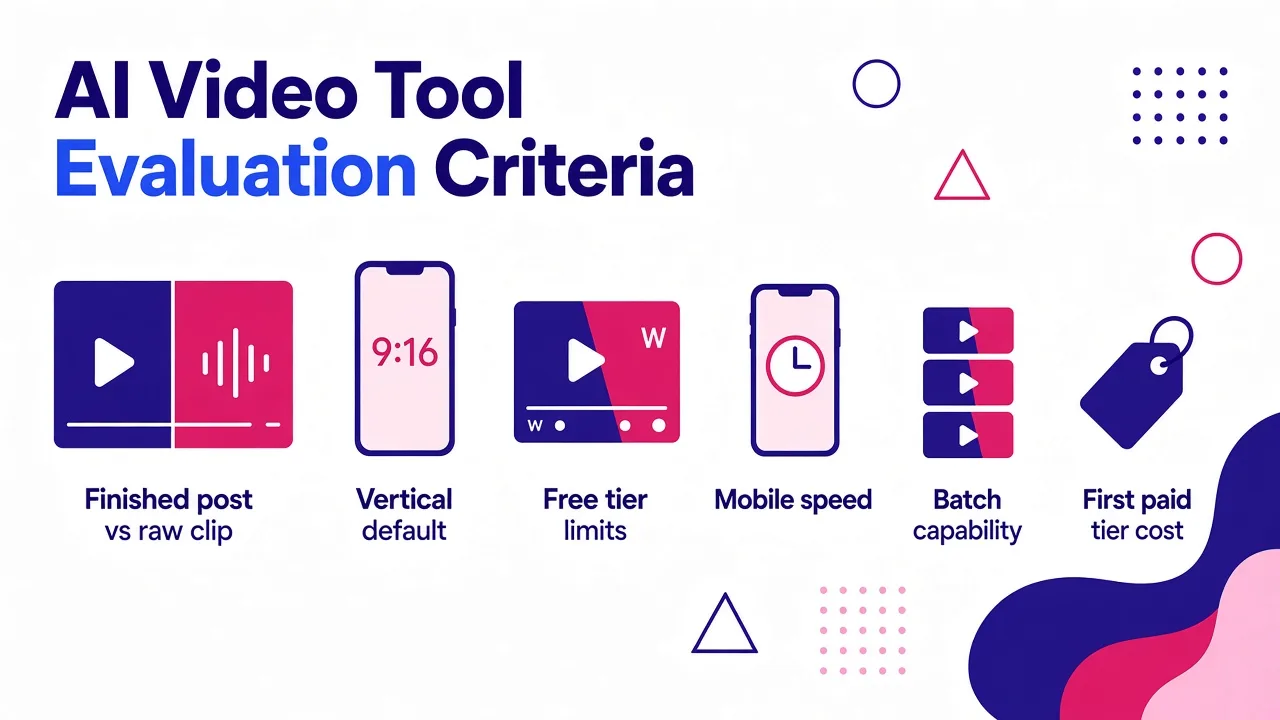
I scored each tool on six things, in this order of weight:
- Does it output a finished post or a raw clip? Finished means script, voice, captions, and cuts, not just footage.
- Vertical by default. Native 9:16 at 1080p beats cropping a 16:9 frame.
- What survives the free tier. Resolution caps, watermarks, clip length, commercial rights.
- Speed on mobile. Time from idea to a downloadable file, on a phone, on cellular.
- Batch capability. Can I make a week of posts in one sitting?
- Honest cost of the first paid tier, because most people who like a free tool eventually pay for one.
The 9 best free AI video generator apps for phones
1. Cliptalk, best for turning an idea into a finished, captioned short
Most tools on this list generate video. This one generates posts. You paste a prompt, a script, or even a whole article, and it comes back with a vertical video that already has scenes, AI B-roll, an AI voiceover, burned-in captions, and optional AI characters. That distinction is the entire reason it sits at number one for phone-first creators: the gap between "I have 8 seconds of beautiful AI footage" and "I have something to publish" is usually 40 minutes of editing, and this removes it.
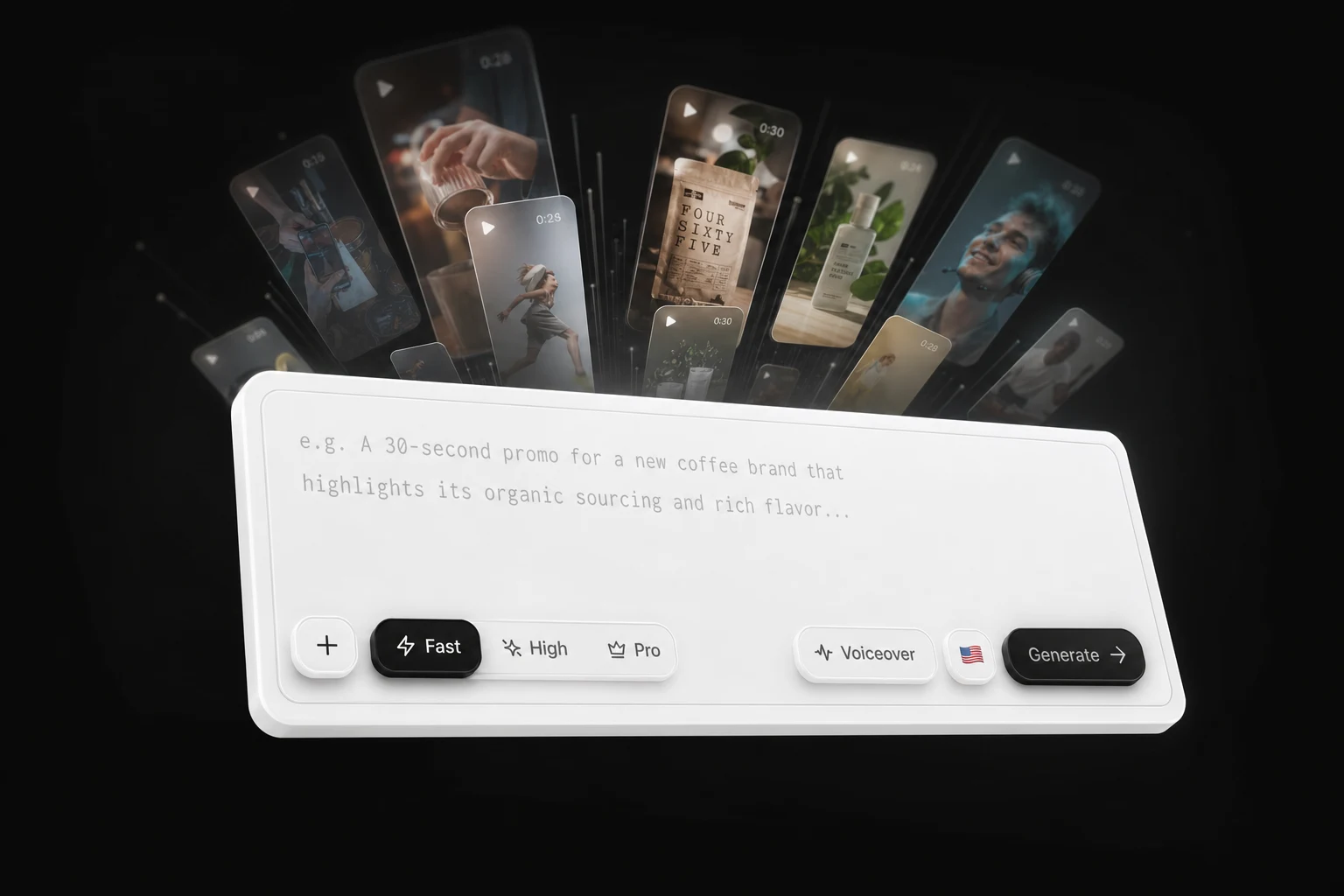
In practice, my workflow is: write or paste the script on my phone, pick a voice, generate, then tweak individual scenes in the built-in editor if a B-roll choice is off. Voice cloning is there if you want your own voice narrating a faceless channel, which is one of the cheapest ways I know to make an AI-assisted account feel like a person. There's also a set of free AI video tools, including script generators that run with no signup at all, so you can test the writing half before spending a single credit.
Pros
- Outputs a publish-ready 9:16 video, not a clip you still have to assemble
- Captions, voiceover, B-roll, and characters in one pass, no second app
- Accepts articles and long scripts, which is ideal for repurposing a blog into a week of shorts
- Free credits to start, plus some tools that need no account at all
- Editor lets you swap individual scenes instead of regenerating the whole video
Cons
- It's a browser-based tool, not a native App Store or Play Store download, so you're working in mobile Safari or Chrome
- It's built for short-form storytelling, not cinematic 4K hero shots; if you want a single 10-second film-grade generative clip, a raw model is the better tool
- Free credits are finite, so a daily posting schedule will push you onto a paid plan eventually
Best for: faceless channel operators, marketers repurposing written content, and anyone whose actual bottleneck is editing rather than footage.
2. CapCut, best free editor on a phone
CapCut is the one app on this list I'd install even if I used nothing else. It's a full mobile editing suite at zero cost, with a free tier that doesn't watermark basic exports, and its template library is updated constantly with whatever format is currently working on TikTok. Auto-captions are fast and reasonably accurate. Trimming, speed ramps, and beat-synced cuts are all genuinely usable with a thumb.
What it is not is a generator. It won't write you a script, it won't make a video from text alone, and there's no AI presenter. It's the finishing tool, not the starting tool.
Pros
- Free tier with no watermark on basic exports
- TikTok-native templates refreshed weekly
- Best-in-class mobile UX for actual timeline editing
- Auto-captions and auto-subtitles included
Cons
- No text-to-video and no AI avatar generation
- You need footage before it's useful
- Some of the flashier AI effects are pushed behind CapCut Pro
Best for: everyone, as a second app. As a first app, only if you're already filming.
3. InVideo AI, best prompt-to-video on the free tier
You describe the video, and it writes the script, pulls visuals, adds a voiceover, subtitles, and music. The genuinely clever part is editing by text: you type "delete the third scene" or "change the accent to British" into a prompt box and the video updates. On a phone, that's a far better interaction model than dragging clips around.
It now routes through heavyweight generative models for AI footage, which means the visuals can look far better than the stock-library look most template tools produce. The catch is the free plan: 720p output with a watermark, and a credit system spread across multiple pools that is genuinely confusing until you've used it a few times.
Pros
- Real text-to-video: one prompt produces a full narrated video
- Prompt-based editing is excellent on mobile
- Large stock library plus AI-generated visuals in one place
- 50-plus voiceover languages
Cons
- Free exports are 720p with a watermark
- Multi-pool credit system is hard to predict
- Generated scripts often need a rewrite; the default voice is a little generic
Best for: people who want a full video from a single sentence and don't mind a watermark while testing.
4. HeyGen, best free AI avatar and presenter videos
If you want a face on camera without being on camera, this is the strongest free option. Sign up, pick from a large stock avatar library, type a script, and you'll have a lip-synced presenter video in a few minutes. The free plan gives you 3 videos per month with a 3-minute maximum and a watermark, which is tight, but what's inside those limits is a full studio rather than a teaser.
Lip sync is the differentiator. It holds up in vertical close-ups, which is where short-form presenters live, and it survives translation into other languages better than most competitors. If you post in more than one language, that alone is worth the trial.
Pros
- Avatar lip sync that holds in full-screen vertical playback
- 175-plus languages with tone-preserving voice cloning
- Very fast: script to finished clip in under four minutes
- Free tier includes real avatar and voice features, not a crippled demo
Cons
- 3 videos per month on free, watermarked, 3-minute cap
- Premium avatar tiers run on a separate credit pool
- Stock avatars can read as corporate rather than creator-style
Best for: talking-head content, explainers, and multilingual posting. If avatars are your whole use case, it's worth reading a wider comparison of AI avatar generators before you commit.
5. Kling AI, most generous recurring free credits
Kling is where I go when I need a specific generative shot rather than a whole video. The free allowance refreshes at roughly 66 credits a day, enough for 4 to 6 short generations, and the motion quality is the best of any free recurring tier I've tested. Camera moves stay smooth and physically plausible across a full 10-second clip, with far less of the warping you get from shorter-context models. Character consistency across frames is also strong, which matters if you're building a recurring mascot or narrator.
The free tier caps you at 720p and 10 seconds, and free requests go into a slower queue, so expect 5 to 15 minute waits at peak. Paid plans start around $6 per month, which is the cheapest serious upgrade on this list.
Pros
- Daily refreshing credits, not a one-time deposit
- Excellent motion and character consistency
- 10-second clips on free, longer than most rivals
- Cheap first paid tier
Cons
- 1080p is paywalled
- Slow free queue during busy hours
- Clips only, no script, captions, or assembly
Best for: B-roll, hook shots, and anyone who wants to practise prompting daily without paying.
6. HaiLuo AI (MiniMax), fastest free generations
HaiLuo trades duration for speed. Generations finish in roughly 60 to 90 seconds in my testing, which is fast enough to iterate on a prompt four or five times in the time a competitor takes for one render. That changes how you work: you stop writing careful prompts and start throwing ten variations at the wall. Human motion and facial micro-expressions were its clear strength on character prompts.
The limit is clip length. Around 6 seconds is the free ceiling, and the exact number of daily free generations varies by region.
Pros
- Very fast pipeline, ideal for prompt iteration
- Convincing human motion and facial detail
- Several free generations per day
Cons
- 6-second maximum clips
- Free allowance is inconsistent between regions
- Not a finishing tool; you'll still need an editor
Best for: rapid testing, reaction shots, and short character moments.
7. AI Video by HubX, best all-in-one Android app
If you specifically want something from the Play Store, this is the most downloaded serious option, with 10M-plus downloads and over 762,000 reviews. It's an aggregator wearing a consumer skin: under the hood it routes to third-party models including Seedance, Hailuo, Kling 2.1 Master, Veo 3.1, and PixVerse 5. You get text-to-video, photo-to-video, an AI reel maker, voiceovers with automatic lip-sync, transitions, and HD export in a three-tap flow.
Being an aggregator is both the selling point and the warning. You're paying a consumer app to access models you could use directly, the free allowance is small, and in-app purchases arrive quickly.
Pros
- True native Android app with a guided, one-tap flow
- Access to several frontier models without separate accounts
- Photo-to-video and character animation included
- Built for TikTok, Reels, and Shorts output
Cons
- Aggressive in-app purchase prompts
- Free usage is limited and not clearly documented
- No affiliation with the model providers it routes to, so feature availability can change
Best for: Android users who want one download rather than five browser tabs.
8. VideoGPT, simplest iOS text-to-video
VideoGPT is the iPhone-only counterpart: type a story, pick a style (cinematic, anime, and several others), and get an animated video back in seconds. It's free to download with in-app purchases, holds a 4.8 rating, and the interface is about as low-friction as this category gets. There's no timeline, no layers, no learning curve.
That simplicity is also the ceiling. You get stylized short narratives, not controllable, brand-consistent marketing video, and the Pro subscription is sold in 1-week and 1-year terms, so watch the auto-renewal.
Pros
- Genuinely one-tap on iPhone
- Multiple animation aesthetics from one prompt
- Fast generation, good for playful story content
Cons
- iPhone only
- Limited control over scenes, pacing, and branding
- Weekly subscription pricing catches people out
Best for: iOS users making stylized story clips, not business content.
9. Runway, best free trial of professional-grade control
Runway has an iOS app and the deepest creative toolset of any generator here: camera control, motion brush, video-to-video restyling, lip sync with custom voices, and 4K upscaling. In 2026 it also began aggregating rival models inside the same subscription, so you're not locked to its own output quality for every shot.
For a free roundup, though, be clear-eyed: the free plan is a one-time 125-credit deposit, and at roughly 60 credits per 5-second Gen-4.5 generation, that's two clips. It's a taste, not a workflow. The learning curve is also the steepest on this list, and it's not a phone-first experience.
Pros
- Most complete professional toolset (motion brush, camera control, video-to-video)
- Access to multiple competing models from one place
- Excellent learning resources
Cons
- Free tier is a one-time 125 credits, effectively two clips
- Steep learning curve, awkward on a small screen
- Paid entry tier runs around $12 to $15 per month
Best for: creators who want art direction and will pay for it after testing.
Also worth knowing: Adobe Firefly is on web, iOS, and Android and is the safest pick for commercially-cleared output, since it tags generations with Content Credentials. Pika's free tier is 80 credits a month at 480p only, which is fine for stylized meme effects and little else. Luma leans cinematic but is the priciest at every tier. Canva's AI video generator is convenient if your brand assets already live there.
Quick comparison
| Tool | Platform | What free gets you | Best for |
|---|---|---|---|
| Cliptalk | Mobile web | Free credits, some tools with no signup | Finished captioned shorts from text |
| CapCut | iOS, Android | Full editor, no watermark on basic exports | Editing and finishing |
| InVideo AI | Mobile web | 720p with watermark | One-prompt full videos |
| HeyGen | Mobile web | 3 videos/month, 3 min, watermarked | Avatar presenters, multilingual |
| Kling AI | Mobile web | ~66 credits/day, 720p, 10s | Recurring free generative clips |
| HaiLuo AI | Mobile web | Several generations/day, 6s | Fast prompt iteration |
| AI Video (HubX) | Android | Limited free generations | One native app, many models |
| VideoGPT | iOS | Free with in-app purchases | Simple stylized stories |
| Runway | iOS, web | 125 credits, one time | Testing pro-level control |
Five things I've learned publishing from a phone
Write the script before you open any generator. The single biggest quality jump in my output came from fixing the words, not the visuals. A free script generator that runs without a signup costs you nothing and takes 30 seconds, and it forces you to decide on the hook before you've burned a credit.
Check the commercial terms before you build a brand on a free tier. Several tools restrict commercial rights entirely on free plans. If you're making client work or running ads, read the terms first, not after the invoice.
Treat a watermark as a testing cost, not a publishing cost. I use watermarked free tiers to test hooks and formats, then rebuild the winners on a plan that exports clean. Posting watermarked video trains the audience to see your account as low effort.
Batch on one sitting, publish across the week. The tools with daily refreshing credits reward a habit. Six generations a day from one free account is 40-plus clips a month, which is more raw material than most accounts need.
Label AI content. Platforms increasingly expect disclosure, and monetization programs are workable with AI video as long as the clips are original and labelled. Recycled, unlabelled output is what gets throttled.
Which one should you actually download?
If you want finished, captioned vertical videos from text and you don't want to edit, start at number one. If you already film and just need a better cut, install CapCut. If you want a presenter without appearing on camera, use HeyGen's three free videos to see whether avatar content fits your niche. And if you just want to play with generative footage every day without paying, Kling's daily credits are the most generous recurring free tier available right now.
The honest summary: free generative models give you beautiful fragments, free editors give you assembly, and only a handful of tools give you a finished post. Pick based on which of those three you're actually missing.
Tags: ai video generators, free video creation, short-form video, mobile video tools, content creation