9 Best Open Source AI Video Generators in 2026, Compared
· 13 min read

If you want the short answer: Wan 2.2 from Alibaba is the best open source AI video generator for most people right now, with HunyuanVideo close behind on quality and LTX-Video winning on speed and low VRAM. But if your actual goal is a finished, captioned, voiced vertical video rather than a five-second clip you still have to edit, Cliptalk is the better pick, because it turns a script or an article into a publish-ready 9:16 video with captions, B-roll and voiceover in one pass, with no GPU, no ComfyUI graph and no queue to babysit.
I have run all of these, on my own hardware and on rented GPUs, against the same kind of brief I use for client work: short vertical videos that need to survive compression and hold attention for 20 to 35 seconds. Below is the honest version of what each one is good at, what it costs you in time, and who should actually use it.
Quick picks
- Best open weights overall: Wan 2.2 (14B), for motion that behaves like physics
- Best quality ceiling: HunyuanVideo, 13B+ parameters and the strongest human motion of the open set
- Fastest on modest hardware: LTX-Video / LTX-2.5, runs from 8GB VRAM
- Best for research and fine-tuning: Mochi 1 from Genmo
- Best finished-video route (not open source): Cliptalk, for captioned vertical videos you can post the same hour
- Best way to run any of them: ComfyUI, plus a serverless GPU host if your card is weak
What "open source AI video generator" actually means
The phrase gets used loosely, so it is worth pinning down before you spend a weekend on a download. In practice, almost nothing in this category is open source in the strict sense. What you get is open weights: a downloadable model file you can run locally, fine-tune and build pipelines around, even when the training data and training code stay private.
That distinction matters because of what it does not include. Open weights come with no UI, no managed infrastructure, no support queue, and no one to blame when a driver update breaks your install. You own the setup, the updates and the debugging. You also own the electricity bill and the GPU.
The genuinely good news is that in the last eighteen months these models crossed from "interesting for researchers" to "usable in production." A year or two ago I would have told anyone with a deadline to stay away. Now the quality gap against closed models is narrow enough that the decision comes down to workflow, not output.
How I judged them
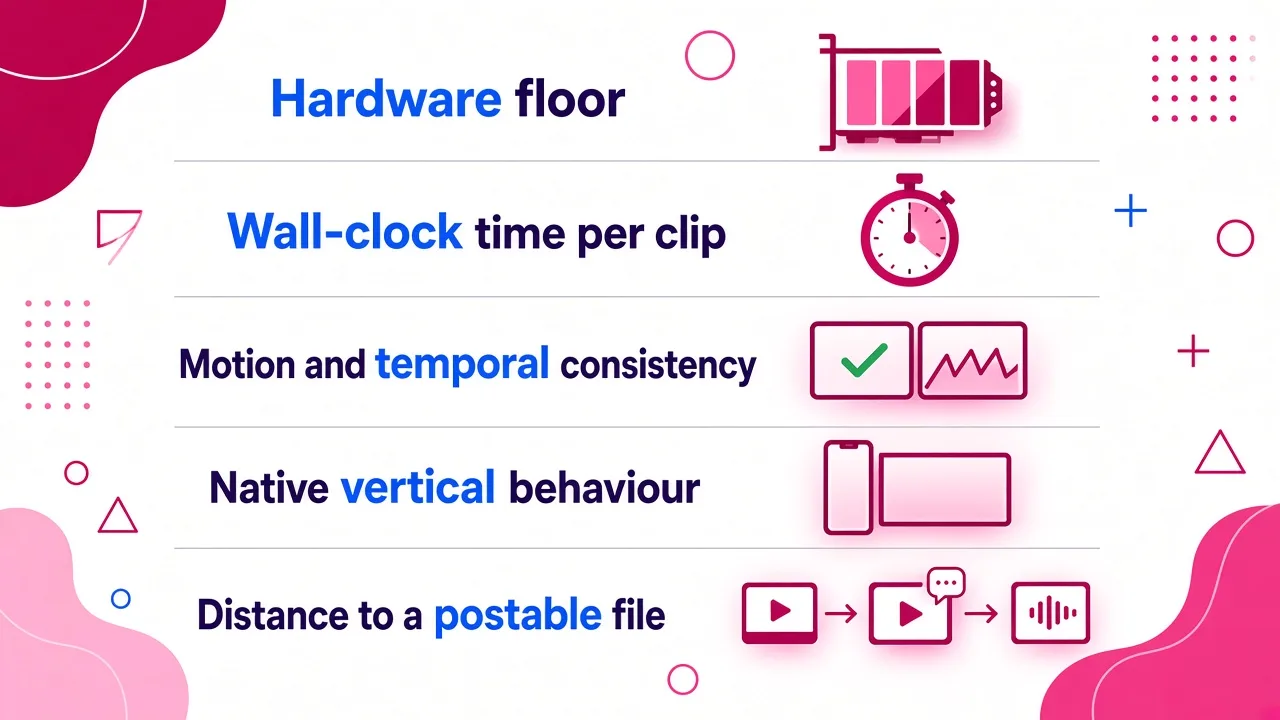
Five things decide whether an open model is worth the setup for short-form video:
Hardware floor. The VRAM you need for a comfortable run at a useful resolution, not the absolute minimum someone got working with aggressive quantization and a 40-minute wait.
Wall-clock time per clip. Measured from prompt submit to a file I can watch. Iteration is where open source quietly eats your week, because most prompts need three or four attempts before the motion looks right.
Motion and temporal consistency. Flicker, drifting textures, hands and faces falling apart mid-clip. This is where models separate, far more than still-frame prettiness.
Native vertical behaviour. Short-form needs 1080x1920 at 9:16. Anything I have to reframe from 16:9 in a second app gives back the time it saved.
Distance to a postable file. Captions, voiceover, pacing, safe zones. None of the open models do any of this, which is the single most underrated fact in this entire category.
Comparison at a glance
| Tool | Type | Weights | Hardware floor | Best for |
|---|---|---|---|---|
| Wan 2.2 | Text and image to video | Public (5B, 14B) | 16GB VRAM for 14B | Deliberate camera moves |
| HunyuanVideo | Text and image to video | Public (13B+) | High-end GPU or rented | Human motion, quality ceiling |
| LTX-Video / LTX-2.5 | Text and image to video | Public | 8GB VRAM | Fast iteration, weak hardware |
| Mochi 1 | Text to video | Public (10B) | Rented GPU realistically | Research, custom pipelines |
| SkyReels V1 | Hunyuan fine-tune | Public | Same as Hunyuan | Human-centric, film-look shots |
| Cliptalk | Hosted video creation app | Closed | None, browser only | Finished captioned shorts |
| ComfyUI | Local runtime and node editor | Open source app | Depends on model | Running everything above |
| Serverless GPU hosts | Deploy-your-own inference | N/A | None, you rent | No local GPU, spiky usage |
| Multi-model aggregators | Hosted API to open models | N/A | None | Testing models before committing |
1. Wan 2.2 (Alibaba)
Wan is the model I reach for first when the output has to be good rather than fast. The family ships in a small variant and a 14B variant, and the 14B is where the interesting quality lives. It wants 16GB of VRAM for comfortable inference, and you can squeeze it into 12GB with quantization if you are patient.
Motion is the standout. Push-ins, pans and tracking shots feel physically grounded in a way that the lighter models do not manage, and temporal consistency holds across a 5 to 8 second clip instead of degrading in the last second. If your shot has an intentional camera move, the difference is visible without looking for it.
The cost is time. On an RTX 3080 with FP8 quantization I measured roughly 12 to 18 minutes per clip. That is fine if you are producing a handful of hero shots. It is not fine if you are iterating on a hook twenty times.
Pros: best motion realism of the open set, both 9:16 and landscape work, active ecosystem of fine-tunes and workflows. Cons: slow on consumer hardware, 14B model is a real VRAM commitment, no audio. Who it fits: people producing a small number of high-quality shots, or teams with an A100-class GPU or a rented one.
2. HunyuanVideo (Tencent)
Hunyuan was the model that proved open weights could compete on quality, and it is still the highest ceiling in the category. It is a video-specific foundation model with over 13 billion parameters, and the architecture choices show up in the output: human motion reads as human, faces survive movement, and scene coherence holds across longer clips than most open models manage.
It is also the best-supported model here. FP8 weights cut memory use, Diffusers integration means you can call it from Python in a few lines, official ComfyUI nodes exist, and there is a prompt-rewriting utility that materially improves alignment between what you asked for and what you get. When I write a prompt that reads like a shot list rather than a sentence, Hunyuan follows it more faithfully than anything else I have tested locally.
The catch is compute. This is the heaviest model on the list by parameter count, and on a mid-range card you will be waiting or quantizing or both.
Pros: best-in-class human motion and face stability, excellent tooling, large fine-tune ecosystem. Cons: demands serious hardware, long render times, no native audio. Who it fits: anyone with real GPU access who wants closed-model quality without per-generation billing.
3. LTX-Video and LTX-2.5 (Lightricks)
LTX is the practical entry point, and it is the only model here that a laptop-class setup can reasonably run. It works from 8GB of VRAM, which is the lowest barrier in the whole category. On a high-end consumer card, a 5-second 768p clip finishes in under two minutes. On an RTX 3080 at lower resolution, closer to 6 to 8 minutes. On an H200 it generates 24fps video at 768x512 faster than you can watch it back, which is genuinely useful for batch work.
The trade-off is the quality ceiling. Complex motion and fine texture detail are where LTX shows its limits. In my workflow it is the model I use to test a direction, check whether a composition works, and get a rough before committing a heavier model to the final render. It is a scouting tool that happens to be good enough to ship for simpler shots.
LTX-2.5 tightened several of those weak points, and it remains the fastest serious option on consumer hardware.
Pros: lowest VRAM requirement, fastest iteration loop, handles both text-to-video and image-to-video. Cons: detail and complex motion fall behind Wan and Hunyuan, weaker on long prompts. Who it fits: creators on 8 to 12GB GPUs, and anyone who iterates heavily before finalising.
4. Mochi 1 (Genmo)
Mochi is a 10B parameter text-to-video model that landed before the current wave and still holds a place for a specific reason: it is clean, well documented, and easy to deploy on serverless GPU platforms, which makes it a good base for custom pipelines. If you are building a product on top of open video generation rather than making videos by hand, Mochi is worth benchmarking.
As a daily driver it has aged. On the same prompt, Wan and Hunyuan produce more stable motion and better prompt adherence. It is also text-to-video only in its main release, which rules out the image-to-video workflow that most short-form creators rely on.
Pros: open weights, well documented deployment paths, strong prompt-to-motion baseline for its size. Cons: no image-to-video in the core model, outclassed on quality by newer releases. Who it fits: developers building pipelines, researchers, anyone fine-tuning.
5. SkyReels V1 (Skywork)
SkyReels is a fine-tune of HunyuanVideo, and it is a useful reminder of why open weights matter at all: you cannot fine-tune a closed model, but you can fine-tune this one, and other people already have. SkyReels is tuned toward human-centric, film-style footage, and for talking-body shots and character scenes it often beats base Hunyuan without any extra work from you.
Treat it as a preset rather than a separate product. Everything true of Hunyuan's hardware demands is true here too, and support depends on community maintenance rather than a corporate release schedule.
Pros: better human and cinematic output than base Hunyuan for the right prompts, free to use, drop-in for existing Hunyuan workflows. Cons: inherits all of Hunyuan's compute cost, narrower prompt range, community-maintained. Who it fits: people already running Hunyuan who want a stronger character look.
6. Cliptalk (the pick when "open source" is not really what you need)
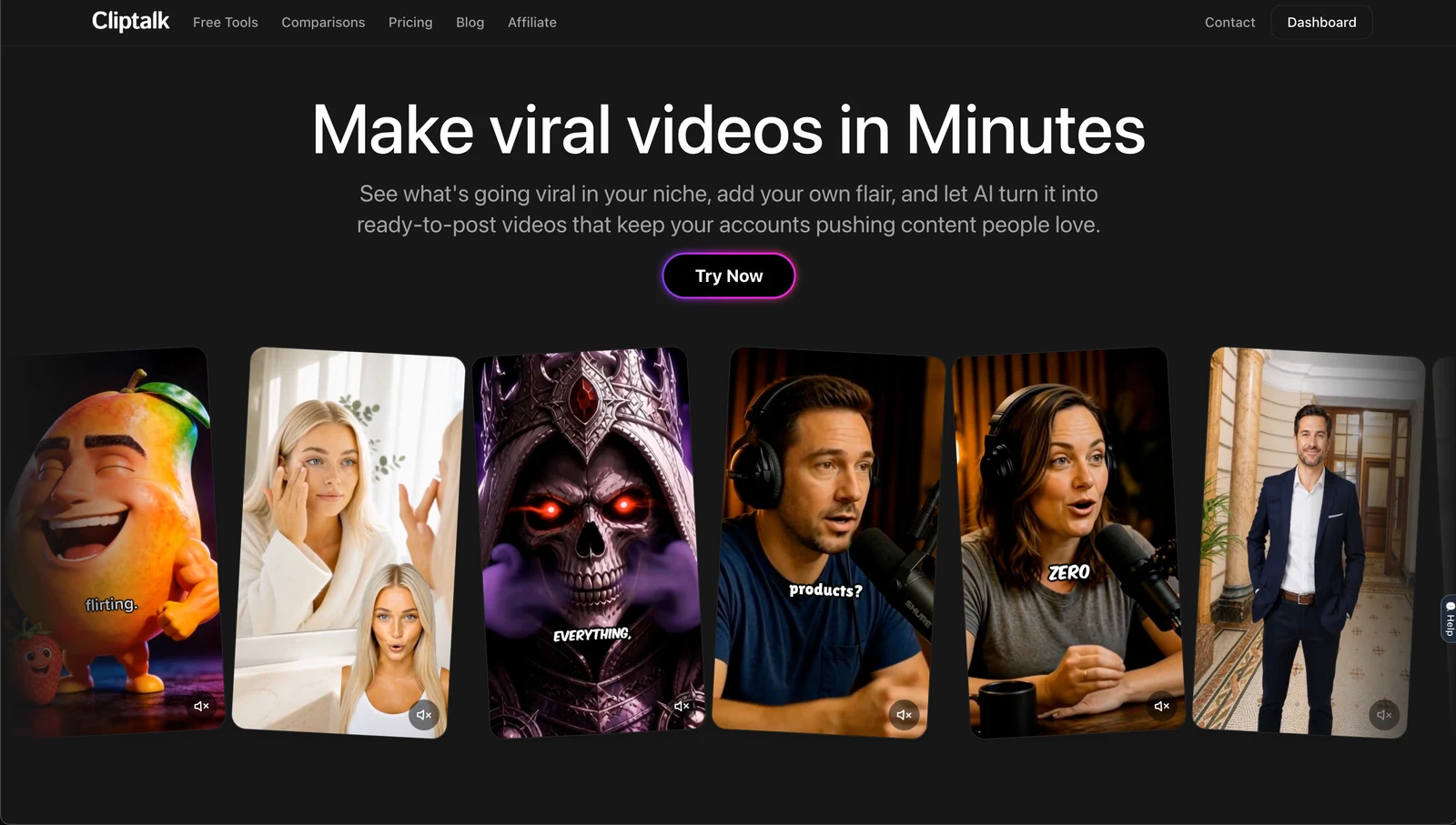
I use the open models above for hero shots and unusual visuals. I do not use them to publish, because none of them produce a video. They produce a clip. Between that clip and a post there is a script, a voiceover, caption timing, B-roll to fill the gaps, pacing cuts, and a check that nothing important sits under the platform UI.
Cliptalk covers that whole span. You give it a prompt, a script or an article and it returns a finished vertical video with auto-captions, AI B-roll, an AI voiceover (or your cloned voice), and optional AI characters, with an editor on top for the parts you want to change by hand. On a standard faceless-channel brief I get from idea to a downloadable 9:16 file in minutes rather than the half-day a comparable local pipeline takes, and the captions land inside the safe area instead of under the username. For anyone running a faceless YouTube or TikTok channel on a posting schedule, that difference compounds fast.
Be clear about the trade-off, because it is real. Cliptalk is not open source. There are no weights to download, no local inference, no fine-tuning, and you pay per plan rather than per kilowatt-hour. If your reason for searching open source was licensing control, data privacy or offline operation, this is not your answer. If your reason was "I want AI video and I do not want to pay Runway prices," it probably is.
Pros: prompt or script to finished captioned vertical video, native 9:16, voice cloning and AI characters included, no GPU or setup, editor for manual control. Cons: closed model, no local running or fine-tuning, subscription-based, less shot-level directorial control than prompting Wan by hand. Who it fits: creators and marketers publishing several videos a week who care about the finished post, not the model.
7. ComfyUI
ComfyUI is not a generator, it is the runtime that makes the generators usable, and no honest list of this category can leave it out. Every model above has ComfyUI support, Hunyuan ships official nodes, and most of the workflows people share online are ComfyUI graphs you can import and run.
The node graph is the best and worst thing about it. Best, because you can chain image generation into video generation, add upscaling and frame interpolation, and rerun the whole thing with one changed parameter. Worst, because your first week is spent learning node names and fixing dependency conflicts instead of making videos.
Pros: runs every open video model, reproducible workflows, huge library of shared graphs, free. Cons: genuinely steep learning curve, fragile dependency management, no mobile or team workflow. Who it fits: anyone committing to local open source video, full stop.
8. Serverless GPU deployment (Modal-style hosting)
If you want open weights but do not have the hardware, renting inference is the honest middle path. Serverless GPU platforms let you deploy a model like Mochi or Hunyuan as an endpoint, pay only for seconds of compute, and scale to zero when you stop. You keep the model choice, the fine-tune freedom and the pipeline control; you skip the £2,000 card.
The cost model is the thing to watch. Video synthesis consumes far more GPU memory than image generation, and cold starts on a 13B model are not trivial. Budget for both.
Pros: no local hardware, open weights retained, scales with usage, good for production pipelines. Cons: per-second billing that adds up during iteration, cold start latency, you still write the code. Who it fits: developers shipping a product, teams with spiky volume.
9. Multi-model aggregators
Hosted aggregators route one prompt to many models, including open ones like WAN and LTX alongside closed ones, through a single dashboard with starter credits. I use them for one job: deciding which model deserves a local install. Running the same prompt across five models side by side in ten minutes tells you more than a week of reading benchmarks.
You pay per generation rather than getting unlimited local runs, so this is a testing and light-production route, not an alternative to owning the weights.
Pros: test many models with zero setup, side-by-side comparison, no subscriptions to manage. Cons: per-generation billing, no fine-tuning, you do not control the model versions. Who it fits: anyone at the "which model should I commit to" stage.
What none of the open models do for you
This is the gap that decides most people's answer, and it barely appears in other comparisons.
Around 85% of social video is watched on mute, so hard captions are not optional, and open models generate no text layer at all. Vertical platforms also cover part of your frame with their own interface: roughly the top 130px, the bottom 350px and the right 64px on a 1080x1920 canvas, which leaves a safe area of about 960x1386. A gorgeous Hunyuan shot with the subject centred low is a gorgeous shot with the subject under the caption bar.
Then there is length. Most open models give you 5 to 10 seconds per generation. A 30-second short is therefore four to six generations plus an edit, plus a voiceover from a separate tool, plus caption timing. And short-form rewards volume: accounts publishing four or more times a week are widely reported to grow several times faster than those posting weekly. Multiply a 15-minute render, three retries, and a 20-minute assembly by four posts a week and you can see where the weekend went.
How to choose in one minute
- You have a 16GB+ GPU and want the best free quality: Wan 2.2 (14B), or Hunyuan if your shots are human-heavy.
- You have 8 to 12GB VRAM: LTX-Video, and accept the quality ceiling.
- You want open weights but no hardware: serverless GPU deployment, or an aggregator to test first.
- You are building a product or fine-tuning: Mochi or Hunyuan, run through your own pipeline.
- You want posted videos, not clips: a hosted tool that handles script, voice, captions and B-roll end to end. Start with the free script and video tools and see how far a single prompt gets you before you commit a weekend to CUDA errors.
The most common mistake I see is a creator spending three weeks assembling an open source stack for a job that was never about the model. Open weights are genuinely excellent now, and they are the right choice when you need control, privacy, fine-tuning or unlimited local generation. They are the wrong choice when what you actually need is four captioned vertical videos a week, on time.
Tags: ai video generation, open source tools, video creation, ai models, content creation