How to Generate TikTok Videos With AI Automatically
· 12 min read
If you want to generate TikTok videos with AI automatically, the fastest route is a prompt-to-video tool that writes the script, picks the visuals, voices it, and burns in captions in one pass. I run this workflow daily and I use Cliptalk for it, because it takes a single text prompt or a pasted article and returns a finished vertical video with captions, B-roll, an AI voiceover, and optional AI characters, instead of handing me a half-built timeline I still have to edit. That one difference, finished versus half-finished, is what decides whether you actually post five videos this week or none.
Below is the exact process I follow, what each category of AI TikTok generator is genuinely good at, and the checks I run before anything goes live. No theory, just the workflow.
What "AI TikTok video generator" actually means in 2026
The phrase covers four very different kinds of tools, and picking the wrong category is the single most common reason people give up after three attempts.
1. Prompt-to-video generators. You type an idea or paste a script, and the tool produces the whole vertical video: scenes, stock or generated footage, voiceover, music, captions. Cliptalk, Invideo AI, Fliki, Pictory and Renderforest all live here, with different strengths. This is the category that supports true automation, because the output is publish-ready.
2. AI-assisted editors. CapCut is the clearest example. It gives you a real timeline plus AI helpers: auto captions, auto reframe for turning horizontal footage vertical, templates, effects. Brilliant if you already shot footage. Useless if you have nothing but an idea.
3. Long-to-short clippers. OpusClip is the benchmark. Feed it a podcast, webinar or stream, and it finds the clip-worthy moments, reframes them vertically, adds captions, and scores clips for likely performance. Starter plans sit around $15 a month and Pro around $29. This only works if you already produce long-form content.
4. Photo and motion generators. Viggle sits here, mapping full-body motion from thousands of trending templates onto a single still photo, with roughly five free videos a day for signed-in users. Great for meme and dance trends, not for explainer or niche-education content.
TikTok also ships its own in-platform AI tooling through Symphony Creative Studio on the ads side, which is worth knowing about if you run paid creative. Press coverage of TikTok's consumer-facing generator has been mixed, with reviewers flagging glitchy output, so I would not build a posting schedule on it yet.
If your goal is "I want to post TikToks consistently without filming," category 1 is where you should be. Everything that follows assumes that.
Step 1: Decide the video's job before you touch a generator
AI will happily generate a beautifully narrated video about nothing. The fix is boring: write down the one job of the video in a sentence. "Teach beginners why their protein intake is too low." "Show three ways our product saves a freelancer an hour." "Tell the story of the guy who bought Bitcoin and lost the password."
I keep a running list of these one-liners in a note. When I sit down to produce, I am never staring at an empty prompt box. Batching ideas separately from batching production is the single biggest speed gain I have found, bigger than any feature in any tool.
Step 2: Get the script right, because the script is the video
Every prompt-to-video tool builds the visuals around the script. A vague script produces generic stock footage and a flat voiceover. A specific script produces specific visuals.
Two ways I do this:
Let the generator write it, then edit. Most tools will expand "why your protein intake is too low" into a 30 to 45 second script. The draft is usually 80 percent there. The first line is almost always the weak part.
Write the hook myself, let AI write the body. This is my default. I write the first sentence by hand because the first second decides retention, then I let the tool fill in the rest. When I need a full word-for-word script with a hook and a CTA before I commit credits to rendering, I use a free AI script generator and edit the text there, since re-rolling text costs nothing and re-rolling a rendered video costs credits.
Three script rules that have held up across hundreds of short videos:
- Hook in the first 1.5 seconds. Not an intro. Not "hey guys." A claim, a number, a question, or a contradiction.
- One idea per video. If your script has two ideas, you have two videos.
- Spoken length, not written length. Around 130 to 150 words is roughly a 55 to 60 second video. For TikTok, 90 to 130 words is usually the sweet spot.
Step 3: Generate the video and choose a visual style
Once the script exists, generation itself takes a couple of minutes. The choice that matters here is visual style, and it should match the content type, not your personal taste.
- Stock-footage B-roll suits news, finance, health, and anything where realism sells credibility.
- AI-generated imagery suits history, mythology, hypotheticals, space, horror, anything you cannot film.
- AI characters or avatars suit talking-head explainers, opinion content, and faceless channels that need a consistent on-screen presence. HeyGen is the best known avatar-first option, with Creator plans around $29 a month and Pro around $49.
- Mixed is what actually performs best in my experience: a character or talking shot for the hook, B-roll for the body, text-heavy frames for the payoff.
This walkthrough covers the prompt-to-finished-video flow end to end and is worth watching once before your first attempt:
Step 4: Captions, voice, and pacing, the three things that decide retention
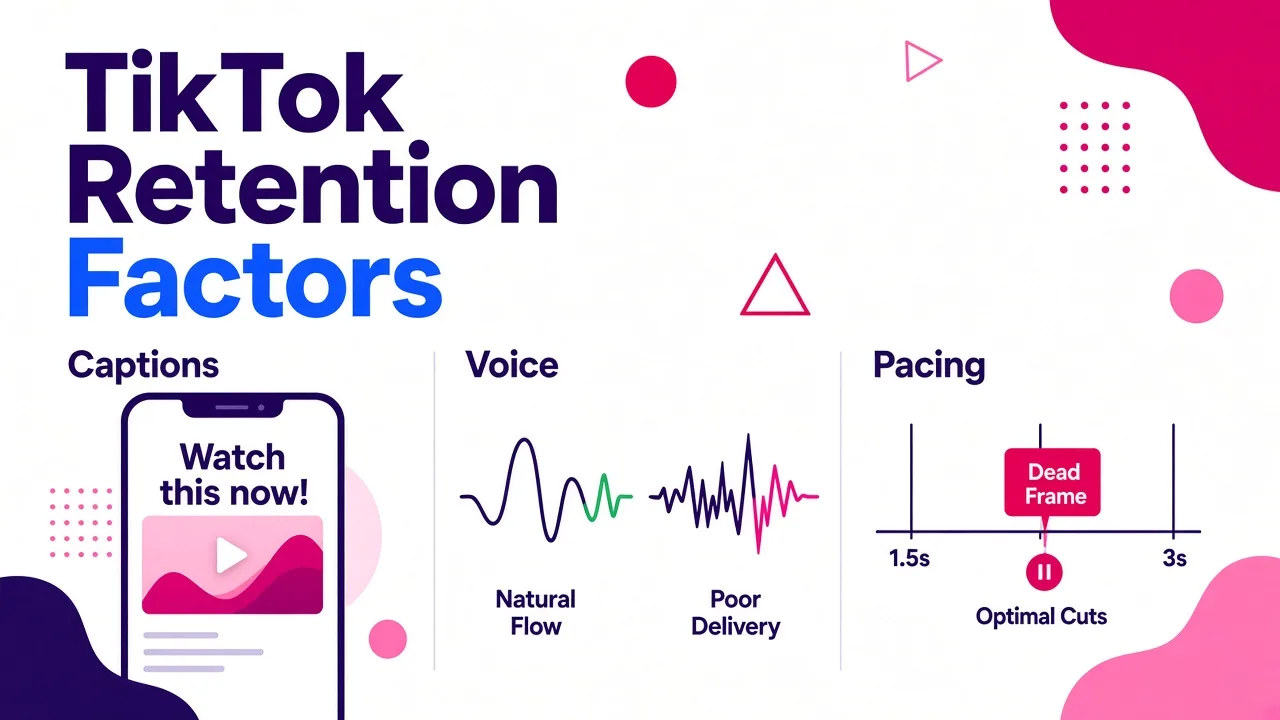
Everything above gets you a video. These three settings get you a watchable one.
Captions. Non-negotiable. A large share of TikTok viewing happens with sound off or in environments where audio is unreliable. Use word-by-word or small-phrase captions rather than full sentences, keep them in the middle-upper third so the TikTok UI does not cover them, and keep the font chunky. Auto-captions are now standard across every serious tool, including CapCut, Fliki, HeyGen and the one I use, but the default styling is rarely the best choice. Set your style once, save it, reuse it.
Voice. AI narration has improved to the point where the voice is no longer the giveaway, the delivery is. Pick a voice with natural pacing rather than the most dramatic one. If you have an audience that knows your voice, clone it: a 30-second sample is roughly what most cloning features need, and keeping one narrator identity across an entire content calendar does more for recognition than any visual template.
Pacing. A cut every 1.5 to 3 seconds is the current norm for TikTok. Most generators handle this automatically, but check for dead frames where the narration pauses and the visual sits still. Those are the frames people swipe on.
Step 5: Watch it once on a phone before you publish
I have caught more problems in one phone preview than in any amount of desktop reviewing. Specifically I look for:
- Captions overlapping the username, caption text, or the right-side button stack.
- B-roll that contradicts the narration. If the script says "cold shower" and the clip shows a bathtub, viewers notice and trust drops.
- Mispronounced names, brands, or acronyms in the voiceover. Fix by respelling the word phonetically in the script.
- A hook that takes two seconds to arrive. Trim the first beat.
- Anything factually wrong. AI-written scripts will state numbers confidently. If you did not verify it, cut it.
That last one matters more than people think. One confidently wrong claim in a niche audience will cost you more than a hundred mediocre videos.
Where I actually produce these: the tool I use
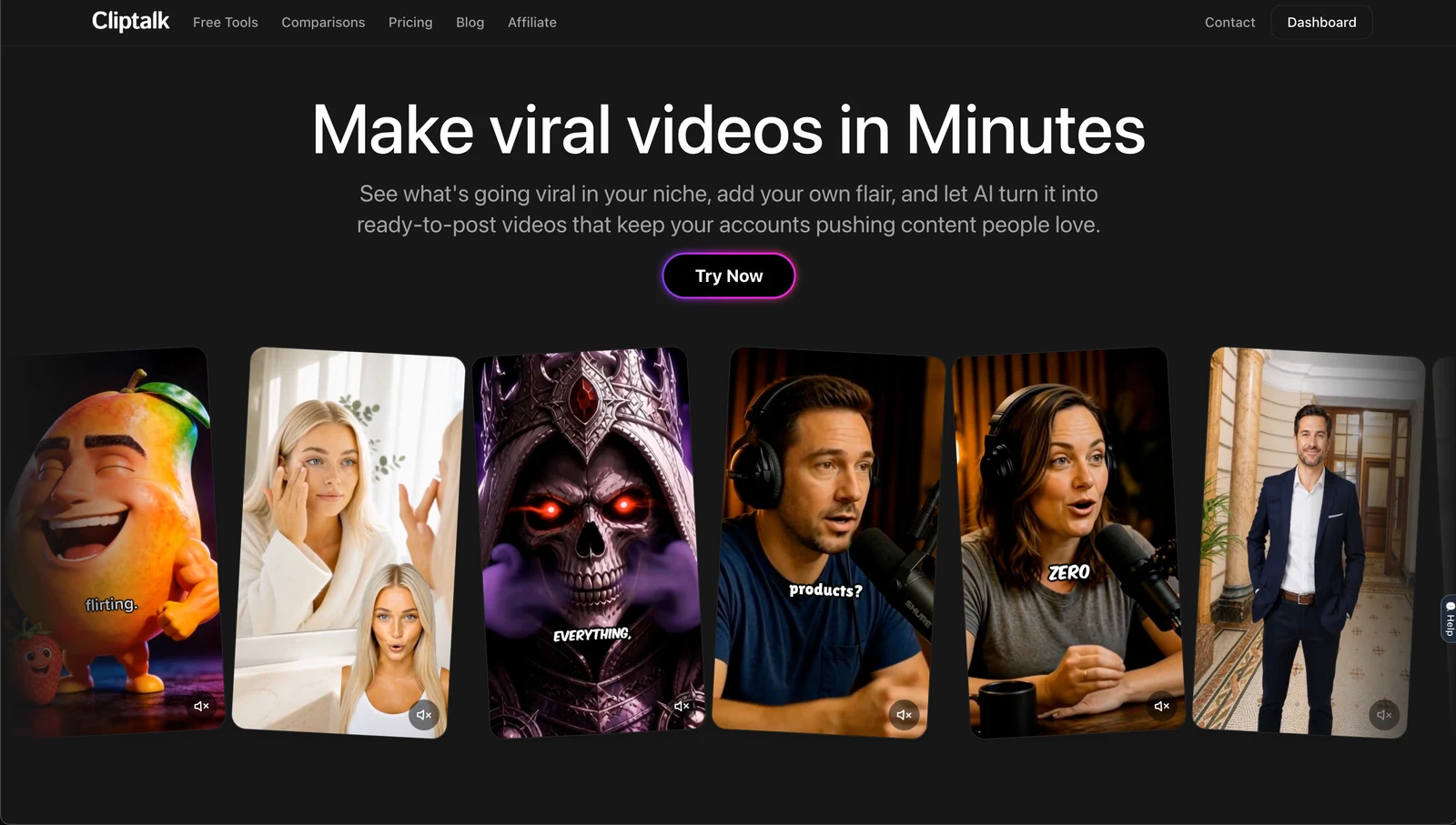
The reason I settled on Cliptalk after cycling through most of the alternatives is that it collapses the whole chain into one place: prompt or article in, finished 9:16 video out, with auto-editing, auto-captions, AI B-roll, AI voiceover, voice cloning and AI characters all available in the same project rather than spread across three subscriptions. There is a real editor underneath too, so when the AI makes a choice I disagree with, I change the scene instead of regenerating the entire video and burning credits. Signup includes 50 free credits with no card, which is enough to produce and compare several styles before deciding whether the workflow fits how you post.
The character side is where it has surprised me most. Being able to keep the same AI presenter across a whole series, or spin up an AI influencer-style talking video for a product angle, means a faceless account can still build a recognisable face. Recognition is what turns views into follows.
Honest comparison: which AI TikTok generator fits which job
| Tool | Best for | Main input | Free option |
|---|---|---|---|
| Cliptalk | Prompt or article to finished TikTok with captions, B-roll, voiceover and AI characters | Prompt, script, article | 50 credits, no card |
| CapCut | Hands-on editing of footage you already shot | Video, images, templates | Yes |
| Invideo AI | Prompt-to-video drafts, broad creative range | Prompt, script, media | Limited credits |
| OpusClip | Cutting long videos into many shorts | Long-form video | Yes |
| HeyGen | Avatar-led, presenter-style and multilingual | Prompt, script, link, audio | Yes |
| Fliki | Faceless, voice-first content across many languages | Idea, script, blog post | Free plan |
| Pictory | Repurposing scripts, URLs and recordings | Script, URL, video | Free trial |
| Canva | On-brand templated social video | Templates, media, text | Yes |
| Viggle | Trending dance, meme and motion videos from a photo | Single photo + template | ~5/day free |
| Renderforest | Template and animation-driven clips | Idea, script, templates | Yes |
Honest read on where each loses: CapCut cannot start from nothing, OpusClip cannot start from an idea, Viggle cannot do explainer content, Canva and Renderforest lean template-shaped unless you put work in, Pictory output can feel formulaic without manual media swaps, and credit consumption on prompt-heavy platforms varies a lot by which generation mode you pick. Watch the credits, not just the monthly price. Pricing across these tools also shifts by region and promotion, so check what your own account shows rather than trusting any single published figure, including mine.
Step 6: Automate the repetitive part, not the thinking part
"Automatically" is the word in the title, so let me be precise about what can and cannot be automated.
Automate well:
- Script to video rendering. Fully automatable. Paste text, render, download.
- Captions, music, transitions, formatting. Fully automatable, set once.
- Voice consistency. One cloned or chosen voice applied across every video.
- Series production. This is the real unlock. Instead of making one video, define a format ("one weird fact about the ocean"), write ten one-line prompts, and render ten videos in one sitting. My throughput went up roughly five times when I stopped producing one-offs and started producing series.
- Repurposing. An article you already wrote becomes a script becomes a video. If you publish a blog, you have a content backlog you have not touched yet.
Do not automate:
- Hook selection. Still the highest-leverage human decision.
- Fact-checking.
- Posting blind. Scheduling tools help, but review every video on a phone first.
- Trend interpretation. AI can execute a trend, it cannot tell you whether the trend suits your account.
A useful second reference on building this into a repeatable pipeline rather than a one-off experiment:
Step 7: Publish, then read the only three numbers that matter
For short vertical video, I only look at three metrics in the first 48 hours.
Average watch time versus video length. If people drop before the halfway mark, the problem is the hook or the pacing, not the topic. Shorten the video and rewrite the first line.
Replays and completion. High completion with low shares means the content is satisfying but not useful enough to pass on. Add a takeaway worth sending to someone.
Follows per thousand views. This tells you whether the video belongs to your account or just happened on it. A video can rack up views and convert nobody, which usually means the content was generic enough that any account could have posted it.
Then iterate on format, not on individual videos. If a format produces three strong results out of five, make ten more in that format. If it produces none, kill it. AI generation makes this kind of testing cheap, and cheap testing is the actual competitive advantage, not the AI itself.
Mistakes I see constantly with AI-generated TikToks
Stock footage soup. Five unrelated generic clips over narration. Fix: every clip should illustrate the exact sentence spoken over it. If it cannot, replace it with text on screen.
Too long. AI will happily write 90 seconds. For most topics on TikTok, 25 to 45 seconds performs better because completion rate is easier to earn.
The intro that is not a hook. "In this video I'm going to explain." Cut it. Always.
Over-styled captions. Rainbow animated text with shadow and outline and shake. It reads as low effort. One font, one highlight colour, strong contrast.
No consistency. Different voice, different style, different format every post. The algorithm and the audience both learn faster when your output is recognisable.
Publishing without watching. I will say it a third time because it is the one that burns people. Watch it on a phone.
Does TikTok penalise AI-generated videos?
Not for being AI-generated. What gets suppressed is content that behaves badly: low watch time, unoriginal reposts, spammy repetition of the same asset. A well-made AI video with a sharp hook, accurate script and clean captions behaves like a well-made filmed video, so it is treated like one. Be aware that platforms increasingly label synthetic media, and that labelling is not a penalty, it is disclosure. Build quality in and the question stops mattering.
The practical risk is not AI, it is sameness. If ten accounts use the same tool with the same default template and the same stock library, all ten look identical and all ten underperform. Your defence is specificity: your own angle, your own voice, your own characters, your own facts.
A realistic weekly workflow
Here is what my week actually looks like, and it takes well under three hours total:
- Monday, 30 minutes. Write 10 one-line video ideas from a single format or theme.
- Monday, 20 minutes. Turn each into a script, hand-writing the hooks and letting AI fill the bodies.
- Tuesday, 45 minutes. Render all 10 in one session, same voice, same caption style, mixed visual style per topic.
- Tuesday, 30 minutes. Phone review, fix captions and swap any clip that contradicts the script.
- Across the week. Post daily, read the three metrics, note which format wins.
- Friday, 15 minutes. Pick next week's format based on what worked.
That is the whole thing. No cameras, no lighting, no timeline grind. If you want the fuller breakdown of producing vertical video with no filming at all, I wrote it up in how to make Reels from scratch without filming, and the same process transfers directly to TikTok.
The tools have genuinely crossed the line where generating a publish-ready TikTok from a prompt takes minutes instead of hours. What has not changed is that the hook, the specificity, and the honesty of the content still decide whether anyone watches. Automate the production. Keep the judgment.
Tags: tiktok video generator, ai video creation, short-form video, content automation, video marketing