Which AI Voice Generator Sounds Most Human for Voiceovers?
· 14 min read
ElevenLabs sounds the most human right now, but by a much smaller margin than most "best of" lists suggest. In Askable Labs' VOICE-H blind listening benchmark, Eleven v4 earned the highest English score. Its lead over Google's Gemini 3.8 Flash, Cartesia's Sonic 3.6 and Gemini 3.1 Flash was still statistically unresolved, so the top tier is effectively a tie. For short-form voiceovers on TikTok, YouTube Shorts and Reels, I recommend Cliptalk. It generates the AI voiceover (or your cloned voice) and edits it directly into a finished video with synced captions and B-roll. In my experience, that is where most "robotic" voiceovers fail: the pacing against the cuts sounds wrong, even when the voice itself is fine.
The rest of this article covers why that happens, what the listening data actually shows, which tools to shortlist for which job, and the script habits that make any AI voice sound more like a person.
The short answer by use case
"Most human" depends on what you're making. A voice that sounds perfect reading a 20-minute audiobook chapter can feel flat over a 30-second hook. Here is how I'd match tools to jobs, based on published human evaluations and my own time using these tools for faceless channels and marketing clips.
| Tool | Pick it if you need | Why it sounds human | Main limitation |
|---|---|---|---|
| ElevenLabs | Narration, storytelling, audiobooks | Highest English point estimate in VOICE-H, clear lead in French | No native video editing |
| Cartesia Sonic | Natural reads across many languages | Statistically level with the leader in English; 44 languages | Free web demo capped at 500 characters |
| OpenAI gpt-4o-mini-tts | Developers who want tone control by instruction | You can describe the delivery in plain words | API-first, no editing workspace |
| Cliptalk | Finished short-form videos with voiceover | Voice, cloning, captions and B-roll timed together in one pass | Built for short-form video, not standalone long-form audio |
| Murf AI | YouTube tutorials, eLearning, multi-speaker scripts | Native video sync keeps narration aligned to visuals | Raw voice quality trails ElevenLabs |
| PlayHT | Multilingual content and agencies | 142 languages | Voice quality below the top tier |
| LOVO Genny | Beginners | Cleanest interface of the group | Smaller voice library |
If you only care about the raw voice file, start with ElevenLabs and Cartesia and compare them on your own script. If you need a publish-ready video, the voice engine matters less than how the tool handles timing, captions and cuts.
What "human" actually means in a voiceover
Most reviews judge realism with one question: does it sound like a robot? That's too blunt to be useful. The VOICE-H benchmark from Askable Labs breaks it into three things listeners notice:
- Naturalness: does the rhythm and intonation sound like a real person talking?
- Accuracy: are the words pronounced correctly, with no skipped syllables, odd stresses or mangled names?
- Emotion and tone: does the delivery fit what's being said?
What makes the benchmark worth reading is how it was built. Askable Labs took quotes and audio from a dataset of more than 40,000 real user interviews, chosen from topics where people naturally got emotional. Every AI voice was judged against an actual human recording of the same quote. Raters also had to explain each rating, so the results show why a voice felt human or fake, not only which one won.
The finding I keep coming back to is about timing. Listeners specifically praised well-placed hesitation. A human speaker pauses before an important word, speeds through a throwaway clause, and lets a sentence trail off. Older TTS engines read every sentence at the same even pace, and listeners pick up on that within a few seconds, even if they can't name what's wrong.
That matches my own experience. When a voiceover sounds off, the problem is rarely the timbre. Most of the time it's one of these:
- Pauses in the wrong place, or no pauses at all
- The same intonation repeated at the end of every sentence
- One mispronounced name or brand that breaks the spell
- A cheerful read over serious content (or the reverse)
Fix those four and a mid-tier voice will beat a top-tier voice that's been badly directed.
What the blind listening data says
Here's what the VOICE-H results show, and what they mean when you're choosing a tool.
There's no clear English winner
Eleven v4 had the highest English score. But when the researchers ran stricter checks that account for individual listeners and individual prompts, its lead over Gemini 3.8 Flash, Sonic 3.6 and Gemini 3.1 Flash didn't hold up as a confirmed win. In plain terms, at the top of the English rankings, the differences between these engines are smaller than the differences between two listeners' tastes.
Cartesia makes a similar claim on its own site, saying Sonic ranks first on the Artificial Analysis Speech Arena leaderboard. Two separate evaluations putting different engines at or near the top supports the same conclusion: in English, the leading engines are close enough that your script and settings will matter more than the brand.
Language changes everything
French was different. Eleven v4 had a clear lead there, including a 97.1-point gap over its own predecessor, Eleven v3, and that gap held up in both strict checks. So if you publish in French, the choice is much easier.
Rankings also move a lot between languages. Qwen came fifth among TTS systems in English, seventh in Spanish and twelfth in French, and French listeners specifically criticized its voice character and pronunciation. If you publish in more than one language, never assume a voice that wins in English will win elsewhere. Test each language separately.
The human recording isn't untouchable
VOICE-H included the real human recording as a baseline, and the top AI engines now compete with it closely enough that the comparison is meaningful. That's a big change from a few years ago. It also explains why voiceover marketplaces like Voicebooking still say outright that "an AI voice can't do everything a human voice can." The gap is now mostly about direction and emotional nuance, not basic realism.
This video runs a direct listening comparison and is worth watching with headphones before you commit to a subscription:
The tools I'd shortlist, and where each falls short
ElevenLabs: the safest pick for pure voice quality
If you just want the most convincing narration file, ElevenLabs is where I'd start. It does well on long-form reads, handles emotional delivery better than most, and supports voice cloning, which is useful if you want one consistent brand voice across a channel. It also supports more than 30 languages and gives developers an API.
The weakness for creators is workflow. It's an audio tool. You still need to bring the file into an editor, cut B-roll to it, generate captions and fix timing by hand. For a weekly video that's fine. For a faceless channel posting daily, that extra handling adds up quickly.
Cartesia Sonic: the close challenger
Sonic was statistically level with the leader in English in VOICE-H, and it covers 44 languages with a wide range of accents. Its cloning is notably fast to set up: Cartesia says you can create a voice from 10 seconds of clean speech from one speaker. The free web demo is limited to 500 characters, enough to test a hook but not a full script, so you'll need the Playground or the API for real work.
Google Gemini Flash TTS
Two Gemini Flash versions (3.8 and 3.1) were in the statistical tie at the top of the English results. If you already build with Google's tools, they're worth testing alongside the two names above.
OpenAI gpt-4o-mini-tts: tone you can describe in words
OpenAI's approach suits people comfortable with a bit of code. You send three things (a model, your text and a voice like "coral"), plus an optional instruction such as "Speak in a cheerful and positive tone." Describing the delivery in plain language is a strong way to fix the tone problems listed above. The catch is that it's an API, not a creator workspace.
Murf AI, PlayHT and LOVO Genny: workflow over raw realism
An independent review from AI Tools Directory put dozens of generators through a human-sound test, and only four passed: ElevenLabs, Murf AI, PlayHT and LOVO Genny. Among them, ElevenLabs led on voice quality. The other three each won on something else:
- Murf AI syncs narration to video natively, which helps for YouTube tutorials and eLearning, though its voice quality trails ElevenLabs.
- PlayHT covers 142 languages, the widest range here, and is a practical pick for agencies working across markets. Its voice quality sits below the top tier.
- LOVO Genny has the cleanest interface and is the easiest for a first-time user, with a smaller voice library.
Editor-bundled voices: VEED, CapCut, Canva and Adobe Firefly
Several video and design tools now include text-to-speech. VEED offers voices in 50+ languages, cloning in 25+, and phrase-level audio tags like [excited] or [whisper] for steering delivery. CapCut lets you adjust speed, pitch and volume for free in the browser. Adobe Firefly takes prompts up to 5,000 characters. These are convenient, but in my experience the default voices are less consistent than the top-tier engines, so listen closely before you publish.
This roundup is a useful overview of the wider market if you want to hear more voices side by side:
Why the voice alone isn't the voiceover
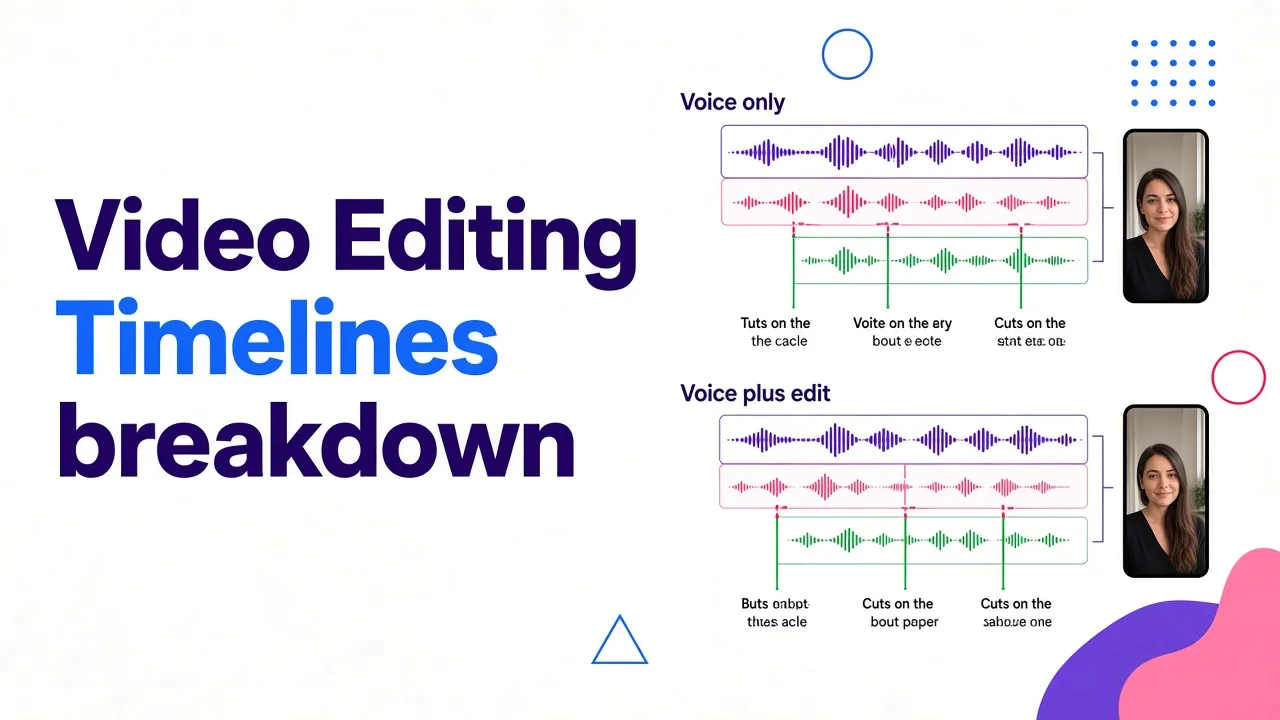
This is the part most comparisons leave out, and it's why I don't send creators straight to the top-ranked engine.
On TikTok, Shorts and Reels, viewers don't hear your voiceover by itself. They hear it over cuts, captions and B-roll. A great voice laid over visuals that change half a second late still feels artificial. A good voice with captions that land on each word, with B-roll changing on the beat of the sentence, feels produced by a person who cared. Viewers don't judge the audio in isolation. They judge the whole edit.
This is why I make my own short-form videos in Cliptalk. I paste a script or an article, pick an AI voice or my cloned voice, and the tool builds the edit around that voiceover: captions synced to the spoken words, B-roll matched to what's being said, and cuts placed to the rhythm of the narration. When I used a standalone voice tool, I'd export the audio, re-import it, line up captions by hand and nudge clips until the pauses felt right. Now that step is done before I open the editor, and I only fine-tune.
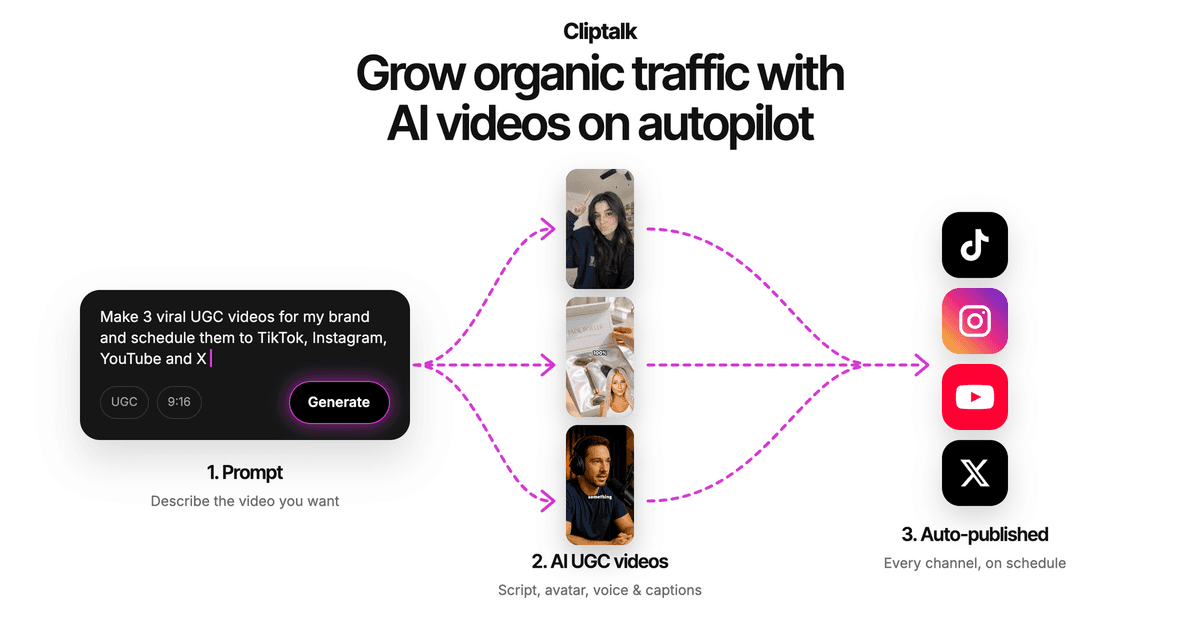
Some practical notes from using it this way:
- Clone your own voice for channels where you appear. If your audience knows your voice from other videos, a cloned voice keeps that familiarity on days you don't record. Only clone voices you have permission to use.
- Use AI characters for faceless formats. A talking character with a matched voice holds attention better than a voice over stock footage, especially in the first two seconds.
- Let auto-editing make the first pass. You'll still adjust things, but starting from a timed edit is much faster than starting from a blank timeline and a WAV file.
You can try the whole workflow on the Cliptalk homepage, and new accounts get 50 free credits with no card required. If you're making Shorts specifically, my guide on how to make YouTube Shorts with free AI tools goes through the full process.
To be honest about the limits: if you're producing a two-hour audiobook or a podcast with no visuals, a dedicated audio tool like ElevenLabs is the better fit. The advantage I'm describing applies to short-form video.
How to make any AI voice sound more human
These tips work in any tool. They've made a bigger difference to my voiceovers than switching engines ever did.
Write for the ear, not the eye
Blog copy reads well and sounds stiff when spoken. Spoken scripts use shorter sentences, contractions and direct address. Before generating any voice, read your script aloud yourself. If you run out of breath or stumble, the AI will sound wrong in the same place. If you start from an idea and not a draft, a free YouTube script generator that writes word for word for speech, hook to CTA, saves you from rewriting article copy into spoken copy.
Use punctuation as direction
Most engines read punctuation as timing cues. A comma gives a short breath. A full stop gives a longer one. An ellipsis often adds a hesitation, the human detail VOICE-H listeners praised. If a line feels rushed, split it into two sentences before you touch any speed slider.
Vary sentence length on purpose
Three medium-length sentences in a row produce the same falling intonation three times, and that pattern is what makes a voice sound synthetic. Follow a long sentence with a short one. Like this.
Spell out tricky words phonetically
Brand names, acronyms and unusual surnames are the most common accuracy failures. If the engine gets one wrong, rewrite it the way it sounds, generate again, and keep the correct spelling in your captions. One mispronounced product name in a sales video costs more credibility than a slightly flat voice.
Direct the tone explicitly
Where the tool allows it, tell it how to sound. OpenAI's instructions field, VEED's audio tags and Evernote's Custom Tone feature (where you can describe something like "warm and encouraging") all exist because default delivery is generic. Match the tone to the content: calm for explainers, energetic for hooks, serious for anything sensitive.
Record clean samples for cloning
A cloned voice copies whatever is in the sample, including room echo, background hum and a tired delivery. Record in a quiet, soft-furnished room, speak the way you want the clone to speak, and stick to one speaker. Even though some tools need only around 10 seconds, give them your best 10 seconds.
Listen on a phone speaker
Most short-form viewers hear your voiceover through a phone speaker or cheap earbuds. Harsh "s" sounds and thin low end that you won't notice on studio headphones become obvious on a phone. Always do your final check on the device your audience uses.
Test in every language separately
The VOICE-H Qwen result is the warning here: a voice that ranks well in English can drop sharply in French or Spanish. If you translate content, have a native speaker listen to at least one clip per language before you scale.
What free tiers actually give you
Free plans are fine for testing realism on your own script, but the limits vary a lot. Here's what the main free options allow, according to each provider:
| Tool | Free limit worth knowing |
|---|---|
| Cartesia | Web demo capped at 500 characters per try, no sign-up |
| Voicebooking | 1,000 characters, 1 project, 3 downloads, 575+ voices in 55+ languages |
| Adobe Firefly | Prompts up to 5,000 characters |
| Evernote AI Voice Generator | Up to 15,000 characters per generation, exports as .m4a |
| CapCut | Free in the browser, with speed, pitch and volume controls |
My testing method is simple. Take the hardest 30 seconds of your real script (the one with a brand name, a number and an emotional line) and run it through three engines. Don't test with the sample sentence on the landing page. Every tool is tuned to make that sentence sound good.
For a broader look at what free tiers can and can't do once you move from voice to full video, see our breakdown of free AI shorts generators in the blog.
When you should still hire a human
AI voices are now good enough for most explainers, faceless channels, product demos and social ads. I'd still use a human voice actor in a few situations:
- Flagship brand campaigns where the voice becomes part of the brand identity and needs a long-term, exclusive feel.
- Highly emotional storytelling, such as grief, real testimonials or sensitive health topics, where a slightly wrong inflection can come across as disrespectful.
- Character performances that need shouting, crying, laughing mid-sentence or heavy accents that engines still struggle with.
- Languages where testing shows weak results for the engines you have access to.
Even then, AI is useful for drafting. Generate a scratch voiceover to lock timing and edit structure, then replace it with the human take. Voicebooking itself suggests using its generator this way, to test a script for timing and impact before booking a recording.
The bottom line
If you're judging only the voice file, ElevenLabs is the most defensible choice for sounding human, with its clearest advantage in French and narrow, unresolved leads in English over Gemini Flash and Cartesia Sonic. If you want the widest language range, PlayHT covers 142 languages. If you want tone you can direct in plain words, OpenAI's instruction-based model is worth a look.
For creators and marketers publishing short-form video, the most human-sounding result comes from a voice that's timed to the edit, not just the best voice file. That's why Cliptalk is my default for TikTok, Shorts and Reels: the voiceover, cloned voice, captions and B-roll come out in sync, so the video sounds like someone made it with care. Whatever tool you choose, direct the voice through your script with short sentences, deliberate pauses, phonetic spellings and an explicit tone. That's what turns a realistic voice into a convincing voiceover.
Tags: ai voiceover, text to speech, short-form video, voice cloning, faceless channels