MakeReels AI Review: Features, Pricing, and Limits
· 9 min read
If you are searching for "makereels ai," here is the short answer: MakeReels AI (makereels.ai) is a web based text to video tool that turns written content, facts, blog posts, product descriptions, into vertical short videos with AI narration, stock or AI generated visuals, and the option to clone your own voice for the voiceover. It is built for Instagram Reels, TikTok, and YouTube Shorts, and it is aimed at people who do not want to open a timeline editor. It works, and for simple fact or tip style reels it works quickly. The catch is that its pricing is not published in a way you can compare before signing up, and the output leans template shaped. If you want the same "paste text, get a finished vertical video" workflow with more control over the edit itself, Cliptalk is the option I reach for, because it generates the captions, B-roll, voiceover and AI characters and then still hands you a real editor to fix the shots that missed.
Below is what I found using MakeReels AI and the comparable tools in this category, what the features actually do, and where the limits show up once you are publishing daily instead of testing once.
What MakeReels AI actually does
The core loop is text in, reel out. You give it content, a set of facts, a statistic, an educational snippet, a chunk of a blog post, and the AI assembles a vertical video with narration on top of matching visuals. Its own product listings describe the output as "visually appealing video reels with voice narration," which is an accurate description of the category it sits in: faceless short form content, built from a script rather than from footage you shot.
Three things sit around that loop:
- A built in script generator, so you can start from a topic instead of a finished script.
- AI image generation, so the visuals are not limited to a stock library.
- Scheduling, so finished reels can post at a set time rather than sitting in your downloads folder.
That is the whole promise. There is no filming, no B-roll sourcing, no manual caption timing. For educational and listicle content, which is most of what performs on faceless accounts, that covers the job.
Who built it, and who it is for
MakeReels AI was founded by Joe Teo and Mike Sudakov, and the stated motivation is the obvious one: producing high quality reels and Shorts by hand takes hours per video, and most people quit before the algorithm rewards them. The tool exists to compress that.
In practice the fit is clearest for three groups:
- Faceless channel operators publishing fact, history, psychology or finance tip content on a schedule.
- Small business owners and solo marketers who need to turn existing written material (product pages, blog posts, FAQs) into something postable.
- Creators who want to narrate without recording, using either a stock AI voice or a clone of their own.
It is a weaker fit if you already film your own footage, or if your content depends on specific visuals that an AI image model will not guess correctly.
The features that matter in practice
Text to reel
This is the feature everything else hangs off. You paste text, pick a style, and get a draft. Quality here depends almost entirely on how specific your script is. Vague scripts get vague visuals. The best results I got came from scripts written in short, concrete, visually literal sentences, one idea per line, because the visual matching step is reading each line and looking for something to show.
A practical tip that applies to every tool in this category: write your script in 8 to 14 word beats. Long sentences produce long shots, and long shots are where short form retention dies.
AI voiceovers and voice cloning
MakeReels AI offers standard AI voices across languages and accents, plus voice cloning so narration sounds like you. Voice cloning is the feature most worth testing during a trial, because clone quality varies enormously between tools and it is the one thing your audience notices immediately. Listen specifically for how the clone handles numbers, brand names, and question intonation. Those are where clones break.
Templates and branding
The tool ships a library of reel templates and lets you apply your own font, colors and logo. This is genuinely useful for consistency, and it is also the source of the most common complaint about AI reel makers in general: if the template does the composition, your videos start looking like everyone else's videos using the same template. Branding controls help. They do not solve it.
Scheduling
Built in scheduling is a real advantage over tools that only export files. If your bottleneck is consistency rather than creativity, automated posting is worth more than another visual style. Tools like reev.to have built their entire product on that idea, generating and posting to YouTube, Instagram and TikTok on a repeating schedule.
MakeReels AI pricing: what is public and what is not
Here is the honest situation. MakeReels AI promotes a free trial, and that trial is the only reliable way to see what a plan actually gets you, because a clear public price and credit table is not easy to find before you create an account. Review listings on SourceForge and Trustpilot exist, but they describe the product rather than the plan tiers.
That matters more than it sounds. In this category the price is not the number, the credit math is the number. Compare how competitors publish it:
- inReels lists plans starting at $9 per month with a limited free tier.
- reev.to publishes $20, $40 and $99 monthly tiers and then shows, per tier, roughly how many videos each AI model produces (for example about 13 eight second videos on a lighter model versus about 2 on a premium one).
That second format is the one to demand. "15,000 credits" means nothing until you know the per second rate of the model you plan to use. Before paying for any AI reel tool, including MakeReels AI, work out the cost of one finished 30 second video on your preferred settings and multiply by your posting frequency. If a tool will not let you calculate that before purchase, treat the trial as research, not as onboarding. Cliptalk's pricing page is laid out for exactly that calculation, which is the only reason I am pointing at it here.
Where MakeReels AI runs into limits
These are the friction points I hit, and most of them are category wide rather than unique to this one tool.
Visual mismatch. AI picked or AI generated B-roll gets the gist of a line and misses the specifics. For abstract content (mindset, facts, finance) that is fine. For anything concrete, a named place, a specific product, a process with steps, you will want to swap shots manually. How painful that is depends entirely on how much of a real editor the tool gives you after generation.
Template sameness. Fast generation and distinctive output pull in opposite directions. If you publish daily into a competitive niche, plan to vary hooks, caption styles and pacing deliberately rather than accepting defaults.
No long video repurposing. MakeReels AI is script to video, not clip extraction. If your raw material is a podcast or a webinar, you need a different workflow entirely; that is OpusClip's territory, and something I have written about separately in turning long videos into reels with AI.
Hook control. The first 1.5 seconds decides the video. Automated script generators tend to produce reasonable, polite openings. Reasonable and polite do not stop a scroll. Rewrite the first line of every generated script by hand. That single habit has done more for my retention numbers than any model upgrade.
Edit after generation. This is the big one. Generation is now commodity. The difference between tools in 2026 is what happens after the first draft appears: can you replace one clip, retime one caption, swap one voice line, without starting over?
See the workflow before you pay
Watching someone build a reel start to finish tells you more about a tool than any feature list, because you see how many clicks sit between "draft" and "publishable."
MakeReels AI vs the main alternatives
| Tool | Best for | Standout | Pricing signal |
|---|---|---|---|
| Cliptalk | Script or article to finished reel, then editing it | Auto captions, AI B-roll, voiceovers, voice cloning and AI characters plus a real editor after generation | Published plans by tier |
| MakeReels AI | Faceless fact and tip reels from text | Voice cloning plus built in scheduling | Free trial; plans not clearly published |
| CapCut / Dreamina | Editing footage you already filmed | Free, deep editor, prompt to clip generation | Free tier, ad supported |
| invideo | Cinematic and product scene reels | Product and character compositing, 100+ viral hook templates | Free tier plus paid plans |
| Fliki | Voice led faceless content at volume | Large voice library plus voice cloning, auto captions | Free tier plus paid plans |
| inReels | UGC style ads and product reels | AI avatars holding your product, URL to ad flow | From $9/month, free tier |
| reev.to | Hands off posting on a schedule | Generates and posts to all three platforms automatically | $20 / $40 / $99 monthly |
| Canva | Design first creators | Template library plus brand kit | Free tier plus Pro |
| OpusClip | Repurposing long video | Finds the good moments in a long upload | Free tier plus paid plans |
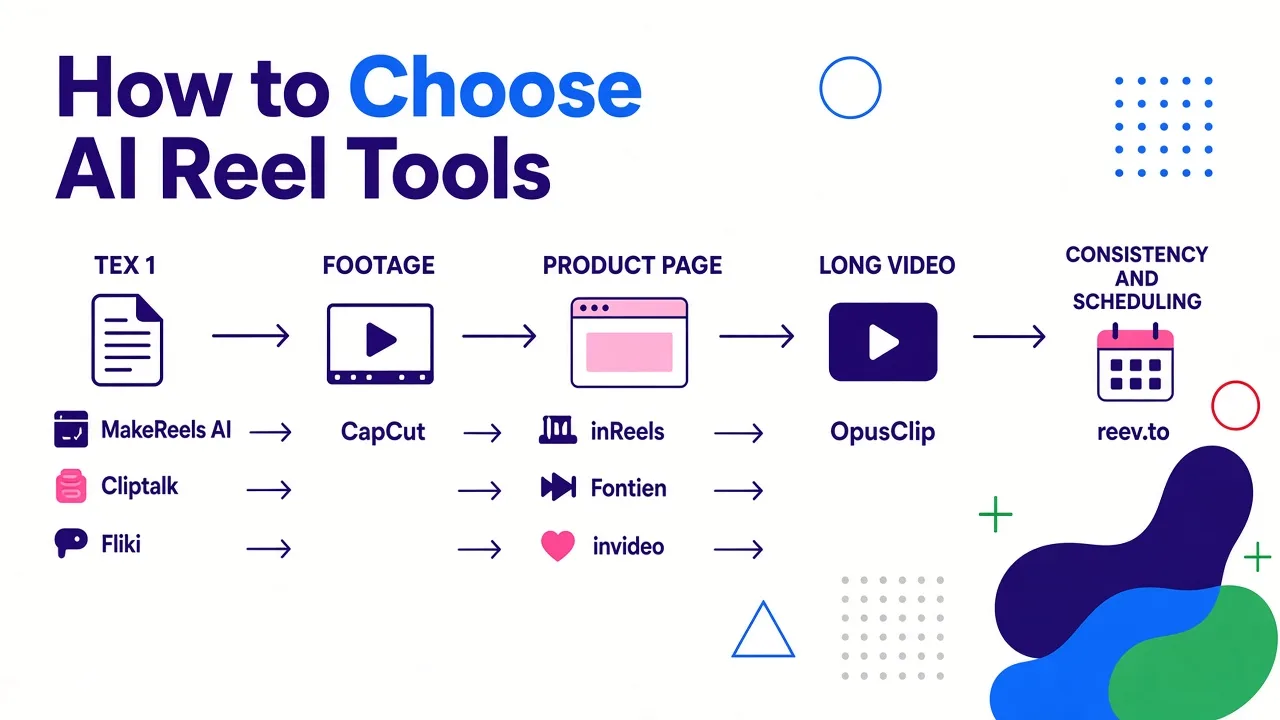
How to read that table: if your input is text, you are choosing between MakeReels AI, Cliptalk and Fliki. If your input is footage, go to CapCut. If your input is a product page, look at inReels or invideo. If your problem is consistency rather than creation, reev. I keep a fuller set of head to head breakdowns on the alternatives page for the comparisons that need more than a row.
Where Cliptalk lands in this comparison
I use Cliptalk daily, so treat this as a practitioner's bias rather than a neutral audit. The reason it stays my default against MakeReels AI is the second half of the workflow. Both tools turn a prompt, script or article into a captioned vertical video with voiceover and B-roll. The difference is that when shot three is wrong, which happens in roughly one of every four generated videos regardless of tool, I can open the editor, swap that single clip, retime the caption, and export, instead of regenerating the whole thing and hoping.
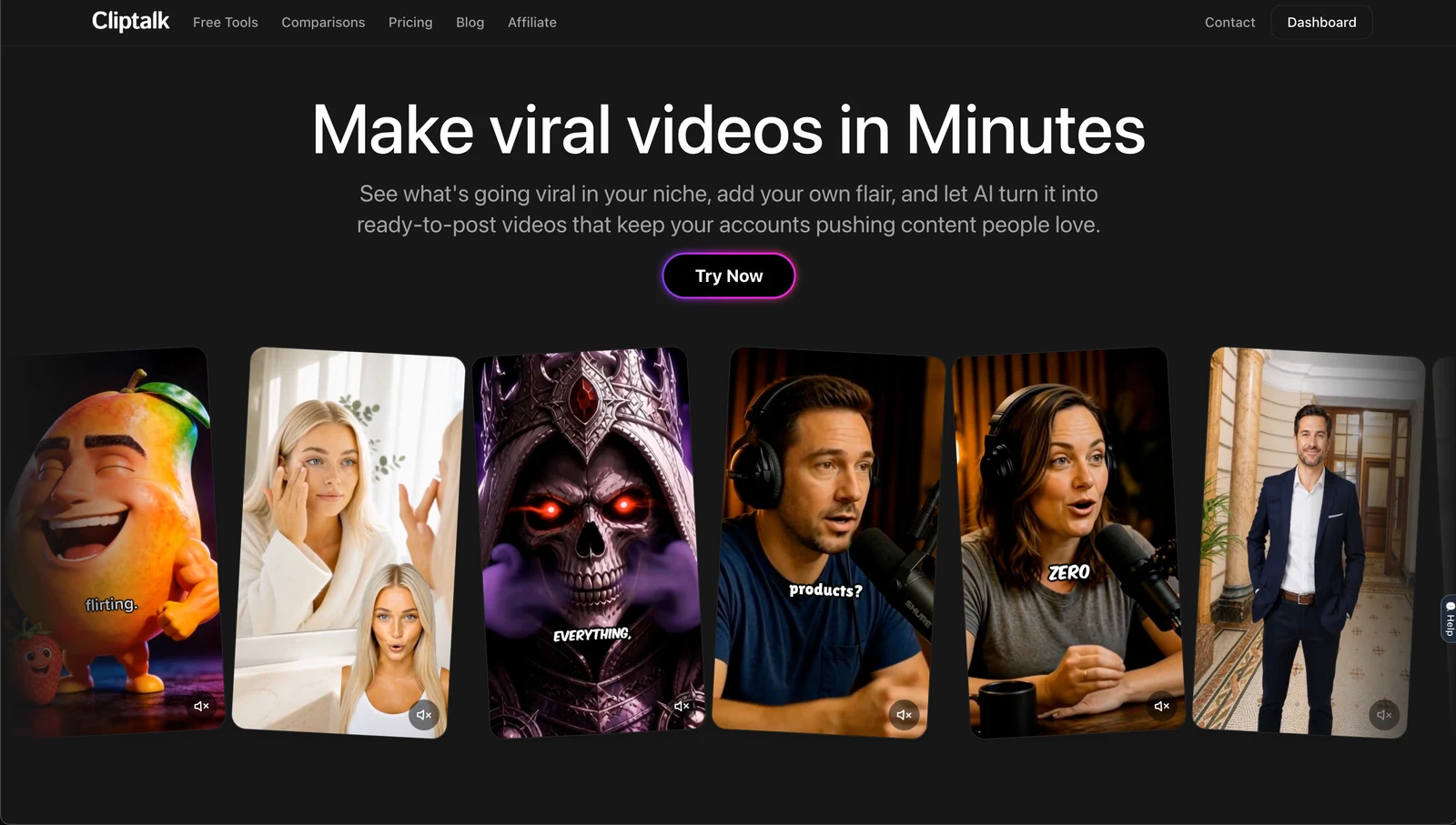
AI characters and voice cloning cover the same ground MakeReels AI covers on the narration side. The editor is what makes the output stop looking generated.
My verdict
MakeReels AI is a competent, focused text to reel tool with two genuinely good features: voice cloning and built in scheduling. If you publish faceless educational content and you want narration in your own voice going out on a schedule without touching a timeline, it deserves a spot on your trial list. Use the free trial to test the voice clone and to calculate your real per video cost, because that cost is not obvious from the outside.
Where it falls short is control after generation and pricing transparency, and both of those get more expensive the more you publish. If you are posting once a week, almost any tool in the table works. If you are posting daily, pick the one that lets you fix a bad draft in 90 seconds, and plan your scripts in short visual beats before you ever open it. If you are starting from zero footage, my walkthrough on making reels from scratch without filming covers the script structure that makes any of these tools produce better first drafts.
Tags: ai video creation, short-form video, text to video, reel generators, faceless content