The Best AI Reels Generator for Small Business Accounts
· 12 min read
Type "ai reels generator" into Google and you get a wall of tools that all promise the same thing: a prompt box, a vertical video, captions, done. After running the same three scripts through most of them over the past few months, I can tell you the results are not close to equal, especially if you are a one-person marketing department posting for a real business.
The short answer: for a small business account, Cliptalk is the AI Reels generator I recommend, because it takes a plain text prompt, a script, or even a published blog post and returns a finished 9:16 Reel with burned-in captions, matched B-roll, an AI voiceover, and an optional on-screen character, so a single person can ship a week of Reels without filming, hiring an editor, or touching a timeline. If you already have footage on your phone and zero budget, CapCut is the free fallback. If you need a talking avatar to front your brand in many languages, HeyGen is the stronger specialist. Below is the honest ranking, what each tool is actually good at, and where each one cost me time.
What an AI Reels generator actually does
An AI Reels generator turns an input that is not a video (text, a script, a product URL, a photo, sometimes a long recording) into a short vertical video built for Instagram. The good ones handle the five jobs nobody enjoys doing manually:
- Framing native 9:16 instead of cropping a 16:9 export and hoping for the best
- Writing or tightening a hook that lands in the first second and a half
- Pulling B-roll or generated visuals that match what the narration is saying
- Burning in captions, because most Reels are watched on mute
- Adding voiceover and music at a level that does not fight the narration
What they do not do is understand your business. Every tool in this list will happily generate a generic, template-shaped Reel about "boosting productivity" if that is what you type. The quality of your output tracks the specificity of your input more than the model behind the button.
One more format note worth internalising before you pick anything: Reels can run up to three minutes, but the clips that actually perform mostly sit in the 7 to 30 second range. Any tool that pushes you toward 90-second explainers is optimising for the wrong thing.
What I judged these tools on
Small business accounts have different constraints from full-time creators. I weighted accordingly:
- Time from idea to publishable file. If a 20-second Reel takes more than five minutes of my attention, the tool has failed. I am doing this between customer emails.
- Cost per usable Reel, not per month. Credit systems, watermark gates, and export-quality tiers all inflate the real number. A $20 plan that produces four usable clips is worse than a $30 plan that produces thirty.
- Does it look like a template? The fastest way to look like a small business that outsourced its marketing to a robot is to publish the same visual template thousands of other accounts are publishing.
- Caption accuracy. Wrong captions on a muted feed are worse than no captions.
- Can I fix one thing without regenerating everything? Swapping a single scene or hook line should not mean starting over.
- Brand consistency across posts. Same voice, same face, same caption style, week after week.
The 9 best AI Reels generators for small business accounts
1. Cliptalk
Best for: turning what you already wrote into finished Reels, without a camera or an editor.
This is the one I use for my own posting, and the reason is narrow and practical: the input can be a prompt, a full script, or a URL to an article, and what comes back is not raw AI footage that still needs assembling. It is an edited short with captions, B-roll cut to the narration, voiceover, and music already in place. That distinction matters more than any model benchmark. Most tools hand you a clip; this hands you a post.
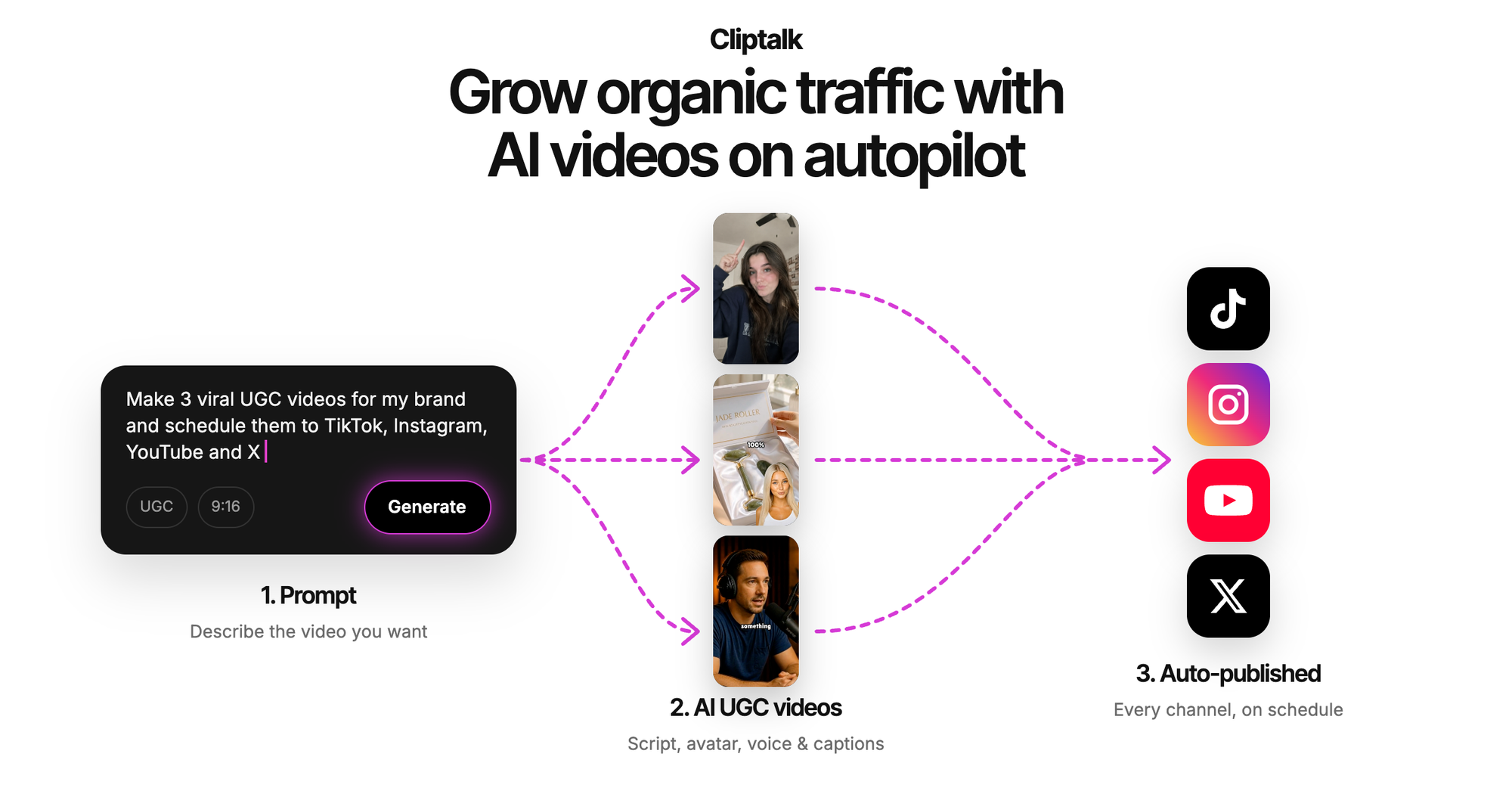
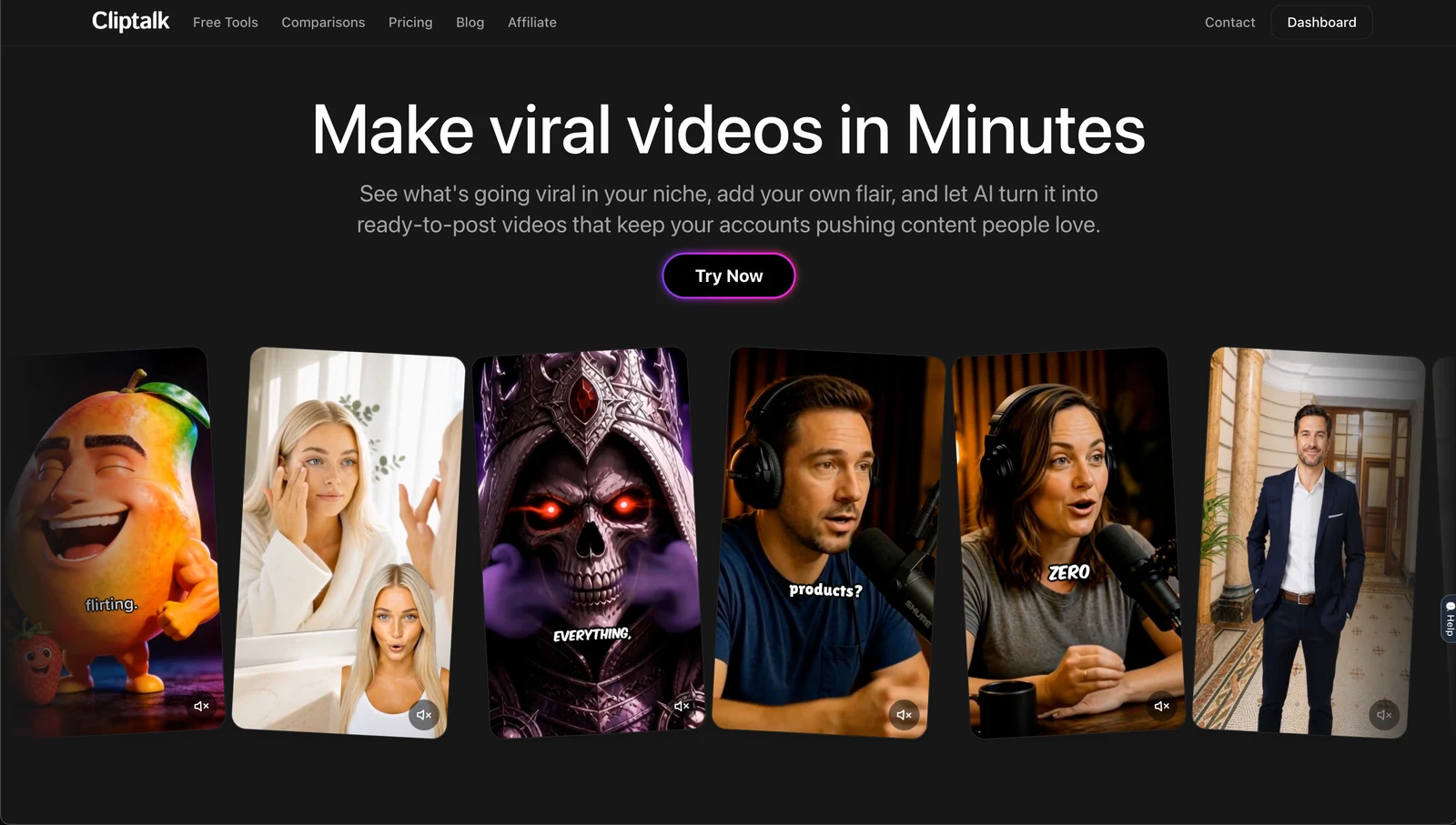
The features that earn their keep for a business account are voice cloning (so every Reel sounds like the same narrator, which is how audiences learn to recognise you), AI characters when you want a face on screen without being on screen, and a normal editor underneath for the times the AI picks a weak B-roll shot. There is also a set of free AI video tools you can run before signing up, including script generators, which is how I recommend testing any of these platforms: write the script free, judge whether the writing is usable, and only then spend credits rendering it. New accounts get 50 free credits with no card, so you can see your own topic rendered before committing.
Pros: prompt, script, or article as input; captions, B-roll, voiceover, and characters in one pass; voice cloning keeps a consistent narrator; full editor for corrections; free script and thumbnail tools with no signup.
Cons: it is built for short-form vertical, so it is the wrong tool if you need long-form YouTube edits or cinematic hero films. AI B-roll selection is good but not psychic, and for niche or technical topics I still swap a shot or two by hand.
2. CapCut
Best for: free editing of footage you already shot.
If you are filming your storefront, your workshop, or your hands making the product, CapCut is genuinely free, exports without a watermark, and its trend template library stays current with what is actually circulating. Auto-captions and smart cropping are solid.
Pros: no cost, no watermark, fast trend templates, excellent for editing existing clips.
Cons: it does not generate a video from nothing, so it is an editor more than a generator. Availability is a real issue: it is unavailable in India under government policy, and US availability has been clouded by ongoing regulatory action. Read the terms before you upload client footage; they grant ByteDance sweeping perpetual rights over what you put in.
3. InVideo
Best for: prompt-to-video with stock and generated B-roll at volume.
InVideo's prompt box plus its integration of newer generation models produces better B-roll than most of the template-first tools, and the conversational editor lets you describe a change instead of hunting for a slider. Plus plans start around $20 a month, and it holds a 4.5 out of 5 on G2 across 150-plus reviews.
Pros: strong generated and stock visuals, 50-plus voiceover languages, fast script-to-Reel path, place your product or team into scenes.
Cons: the AI scripts follow the same narrative arc, so consecutive Reels start feeling like siblings unless you rewrite the copy yourself. The credit system splits across multiple pools (generation, stock, voice), which makes forecasting your monthly cost annoying. The free tier watermarks exports.
4. HeyGen
Best for: avatar-led Reels and multilingual versions of the same clip.
When I need a Reel that looks like a person filmed it on a phone, HeyGen's avatars are the most convincing I have tested. I dropped in a 120-word script, picked a UGC-style presenter from a library north of 1,100, and had a finished vertical clip in under four minutes with lip sync holding to the last word. Translation into 177-plus languages with lip-synced voice is genuinely useful if you sell across borders.
Pros: best-in-class avatar realism, very fast prompt-to-publish, voice cloning from a short sample, enormous language coverage.
Cons: premium avatar features draw on a separate credit pool, so the plan price is not the whole story. It is a talking-head engine first, so if your content needs heavy B-roll storytelling rather than a presenter, you are paying for the wrong strength.
5. Canva
Best for: teams that already live in Canva and need brand consistency.
The brand kit is the real feature. Colours, fonts, and logo apply across a Reel, a carousel, and a static post, so your feed looks deliberate. For a small business without a designer, that consistency is worth more than novelty.
Pros: brand kit enforcement, cross-format reuse of the same content, gentle learning curve, huge template library.
Cons: experienced scrollers can spot a Canva Reel instantly, and on Instagram "recognisably templated" reads as low effort. There is no AI presenter or talking-head capability at all.
6. VEED
Best for: caption-heavy Reels where subtitle accuracy is the whole job.
VEED's subtitle engine was the fastest and most accurate of everything I ran, which matters because bad captions on a muted feed actively lose viewers. Voice cloning produces usable output from a short sample. Paid plans start around $12 a month, and it sits at 4.6 out of 5 on G2.
Pros: superb auto-subtitles, clean light-editing interface, decent voice cloning, cheap entry tier.
Cons: avatar lip sync drifts on anything past about 30 seconds. The free plan's watermark is prominent and not removable, so the free tier is a demo, not a workflow.
7. Predis.ai
Best for: e-commerce product Reels generated from a catalogue.
Paste a product URL and it pulls imagery, builds a short demo, and overlays pricing. If you run a store with hundreds of SKUs and need a Reel per product, nothing else on this list gets you there faster.
Pros: URL-to-Reel automation, brand guardian keeps visuals consistent, genuinely built for commerce.
Cons: template-driven, so your Reels resemble every other Predis customer's Reels. Voiceover covers around 19 languages, far behind the avatar-first platforms.
8. Renderforest
Best for: scene-by-scene control over an AI-generated draft.
You give it a prompt, script, or reference image, pick a style, voiceover language, ratio, duration, and captions, then edit every scene: swap visuals, rewrite text, retime transitions. Voiceovers span 50-plus languages, and there is a brand kit plus team workspace.
Pros: the generated draft stays fully editable, good language coverage, brand kit and collaboration included.
Cons: the visual style leans corporate-generic, which suits a services business better than a lifestyle brand. More setup steps than the one-prompt tools.
9. Pictory
Best for: slicing long content into Reels.
If you already record webinars, podcasts, or long YouTube videos, Pictory's script-to-video and editor route is a clean way to repurpose. Set the ratio to 9:16, trim scenes in the story view, enable subtitles, done.
Pros: strong repurposing workflow, straightforward vertical conversion, good caption and text-overlay controls.
Cons: it is a repurposing tool more than an idea-to-Reel generator, and the output relies on the quality of the source footage. Kapwing occupies similar ground with better real-time collaboration and its Highlight Finder, but per-member pricing gets expensive past three or four people.
Quick comparison
| Tool | Best for | Generates from text? | Free tier | Watch out for |
|---|---|---|---|---|
| Cliptalk | Finished Reels from prompts, scripts, or articles | Yes | 50 credits, no card | Short-form only |
| CapCut | Editing footage you shot | No | Fully free, no watermark | Regional availability, terms of service |
| InVideo | High-volume B-roll Reels | Yes | Watermarked | Split credit pools, repetitive scripts |
| HeyGen | Avatar-led, multilingual | Yes | Limited | Separate credits for premium avatars |
| Canva | Brand consistency | Partly | Generous | Recognisable templates, no avatars |
| VEED | Caption accuracy | Partly | Watermarked | Lip sync drift past 30s |
| Predis.ai | Product Reels from URLs | Yes | Limited | Template sameness |
| Renderforest | Editable AI drafts | Yes | Limited | Generic visual style |
| Pictory | Repurposing long video | Yes | Trial | Needs source footage |
If you want the wider field beyond Reels specifically, I compared the text-to-video engines in more depth in our tested roundup of text-to-video AI generators, and if you work entirely from a phone, the free mobile AI video apps guide is the more useful list.
How I build a week of Reels in about an hour
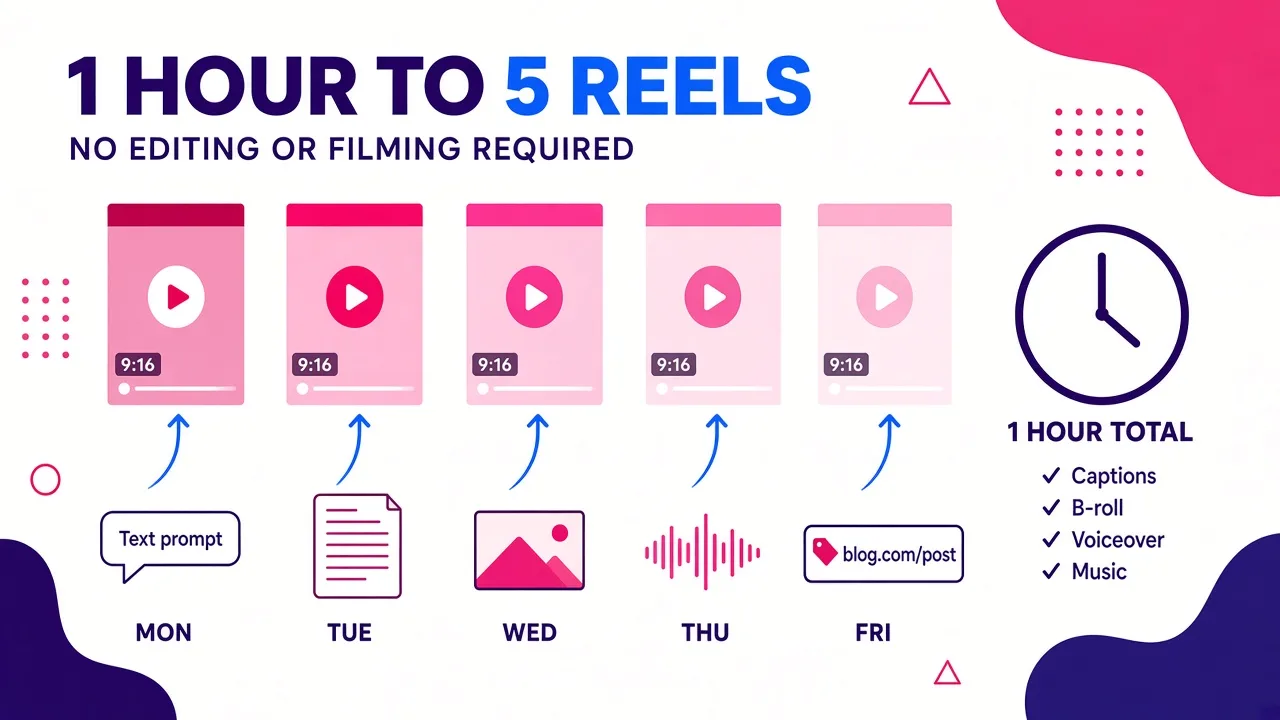
This is the routine that made AI Reels generation actually stick for me, rather than being a tool I opened twice and abandoned.
Step 1: batch the ideas, not the videos. I write five one-line topics pulled from questions customers actually ask. Real questions outperform invented "tips" every time.
Step 2: generate the scripts first, and judge them. Free script generators cost nothing to run, so I generate, read, and kill the weak ones before rendering anything. This single habit cut my wasted credits by most of what I used to burn.
Step 3: rewrite the first line by hand. Every AI hook I have been handed is 20 percent too generic. Ten seconds of editing on the opening sentence does more for retention than any model upgrade.
Step 4: render, then check three things. Caption accuracy on proper nouns, whether text sits inside the safe zone away from Instagram's UI, and whether the B-roll actually matches the sentence being spoken. Fix only what fails.
Step 5: keep the same voice and caption style across all five. Recognition beats variety on a business account.
Step 6: post at a steady cadence and read the retention graph, not the like count. The graph tells you exactly which second you lost people, which tells you how to write the next hook.
Specs and habits that matter more than your choice of tool
- Export 1080x1920 natively. Cropped 16:9 footage looks cropped, and Instagram's recompression punishes low-bitrate exports.
- Assume mute. Burn in captions, high contrast, centred, two lines maximum, nowhere near the edges.
- One idea per Reel. Cutting the second idea out of a 30-second clip almost always improves it.
- Front-load the payoff. You have roughly a second and a half before the thumb moves.
- Never publish an AI Reel unwatched. Wrong captions, a mispronounced product name, or B-roll that contradicts the voiceover will do more brand damage than posting nothing.
Mistakes I see small business accounts make
Chasing avatar realism they do not need. If your content is "three things to check before you book a plumber," B-roll plus a strong voiceover outperforms a synthetic presenter. Avatars pay off for personality-led or multilingual content, and there is a fuller breakdown in our comparison of AI avatar video generators if that is genuinely your use case.
Judging tools by monthly price. Compute cost per usable Reel. A watermarked free tier produces zero usable Reels.
Publishing the template as shipped. Change the font, the caption colour, the intro beat. Small deviations are enough to stop looking like everyone else's output.
Generating volume with no through-line. Ten unrelated Reels teach the algorithm and your audience nothing. Five Reels on one theme, same narrator, same caption style, compound.
The verdict
For a small business account with one person doing the posting, Cliptalk is the AI Reels generator I would set up first, because the output arrives as a publishable post rather than raw material, and because you can test the script quality for free before spending anything. Pair it with CapCut for the days you shoot your own footage, and add HeyGen only if you need a convincing presenter in several languages. That combination covers almost everything a small business needs to post consistently, and consistency, not production value, is what actually moves a business account.
Tags: ai video generation, social media marketing, short-form video, instagram reels, content creation tools, faceless channels